Release notes edition 3.7.14
Release date: Wednesday 7 October 2026
Version: v3
Here's the latest summary of what's new and improved in Zudello, as well as what we resolved in the latest release.
In this release:
- Card payments that remember their supplier and show the documents they're reconciled against
- Units of measure on sales documents, converted to the item's base unit
- A sneak peek at our new UI
- Price book prices that follow your cost centre, location, or subsidiary, and more
Looking for something? Browse by tag to find release notes on a specific feature.
New and improved
Card reconciliation
Card reconciliation matches your card payments to the invoices and expenses they paid for. Card statements often describe a payment with a merchant reference, such as "AMEX *NETFLIX.COM SYDNEY", rather than a supplier Zudello already knows. We've made those payments easier to match, and easier to follow once they're reconciled.
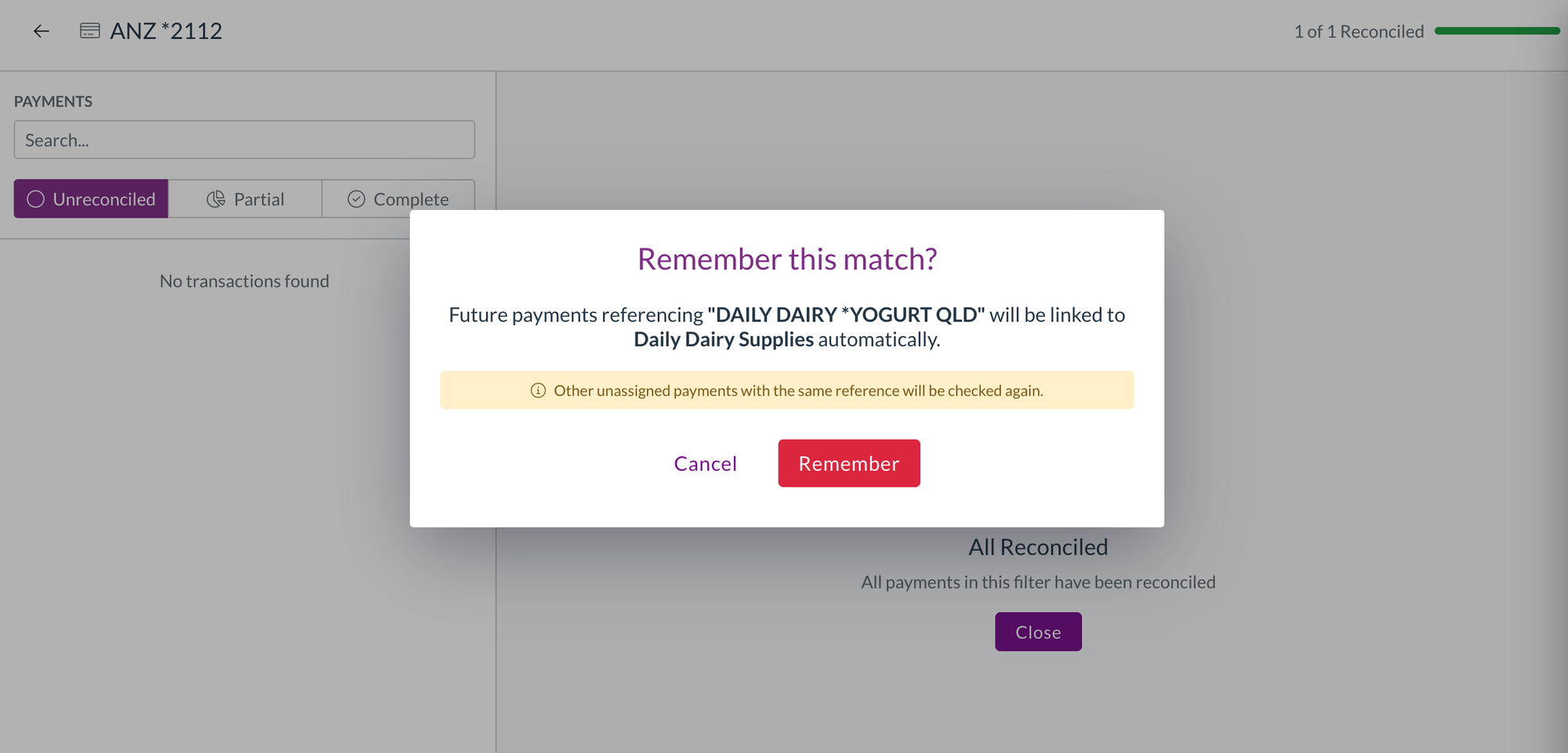
Remember a match for next time
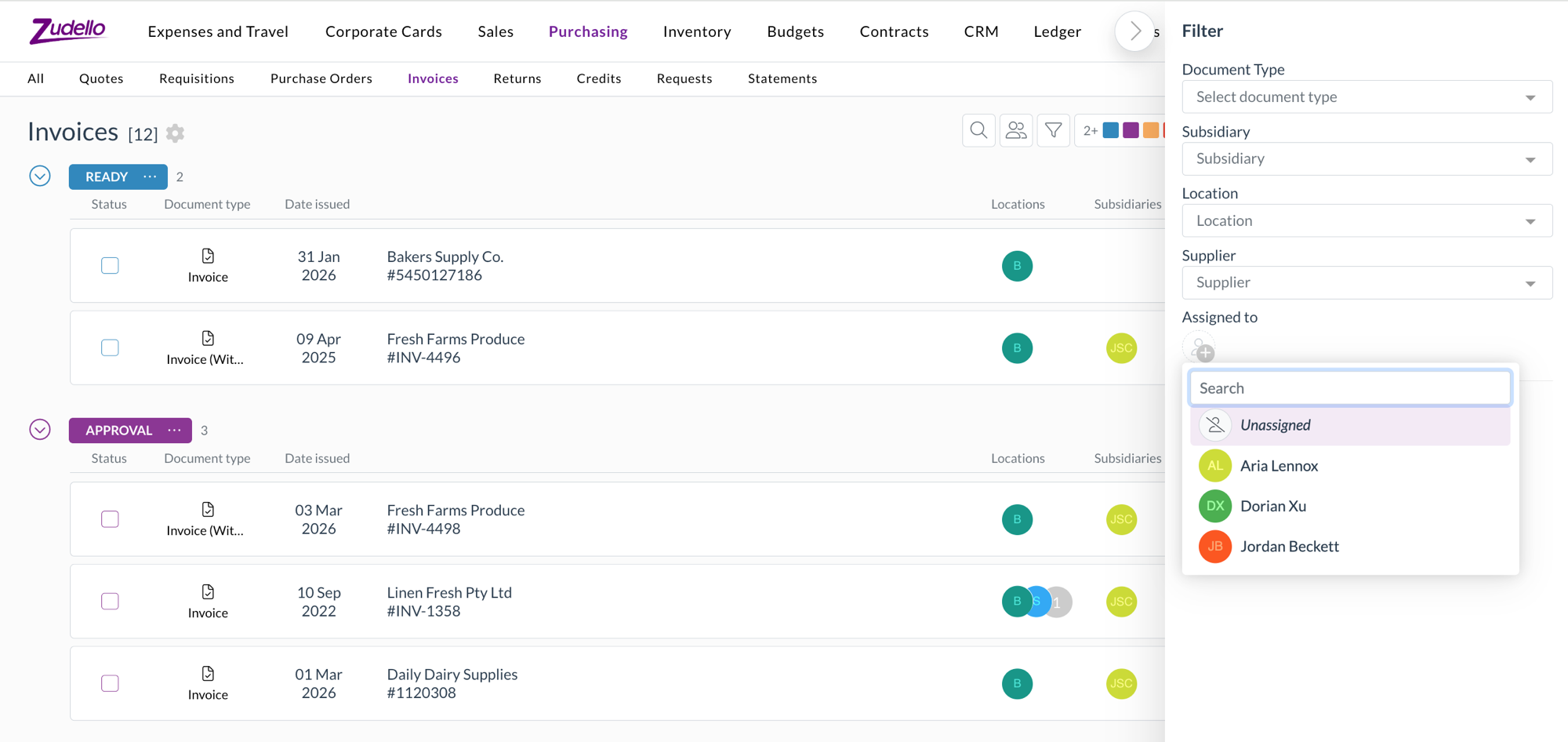
- When a payment comes through without a supplier or customer matched to it, it shows as Unassigned. Find the document it paid for and reconcile it as usual.
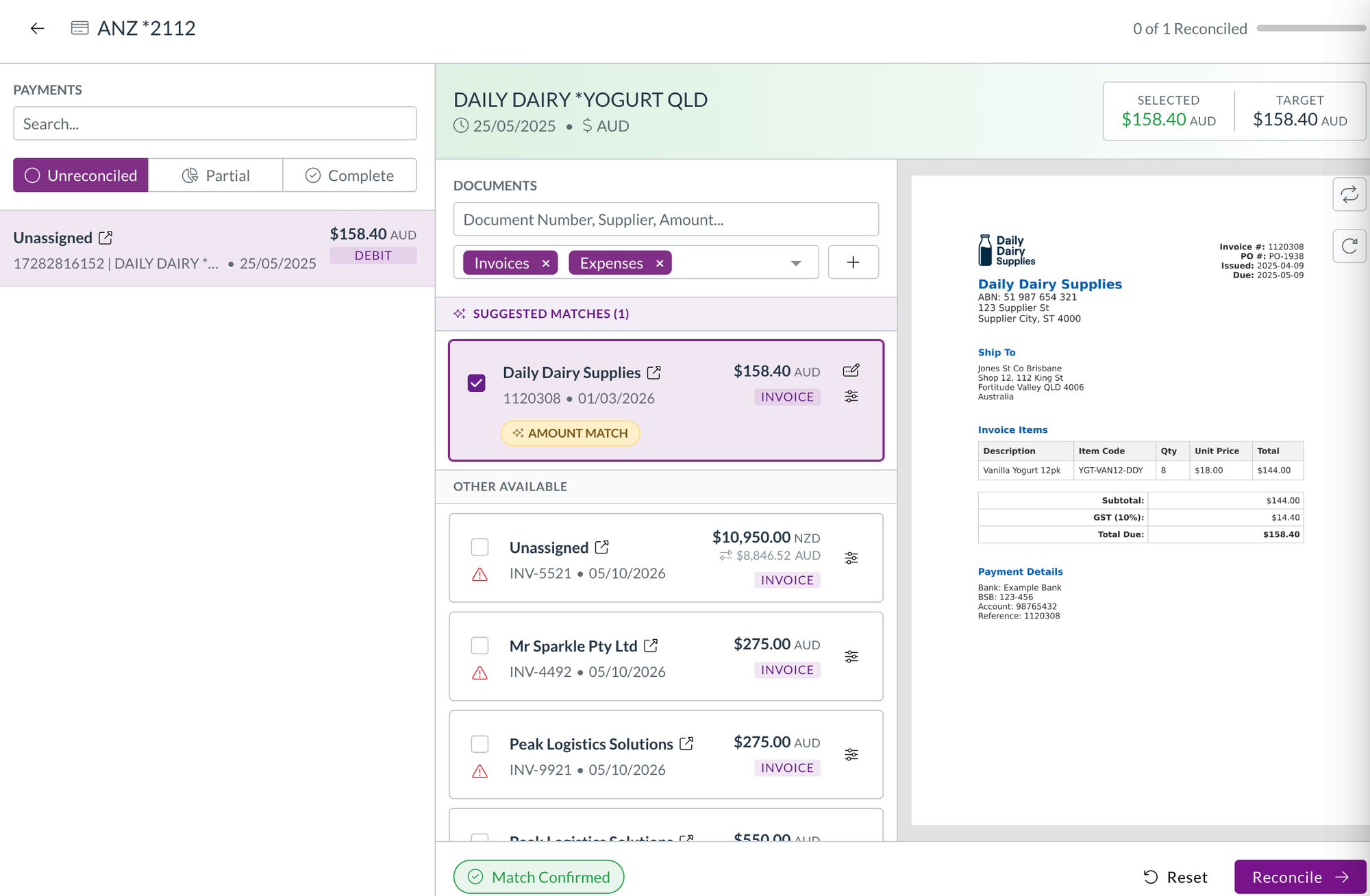
- When the documents you've reconciled it against all belong to the same supplier or customer, Zudello asks whether to remember the match.
- Select Remember, and future payments with the same reference are linked to that supplier or customer automatically. Other unassigned payments with the same reference are checked again straight away.
- Zudello only asks when the match is clear, so you won't be prompted when a payment is reconciled against documents from different suppliers.
Reconcile payments in another currency
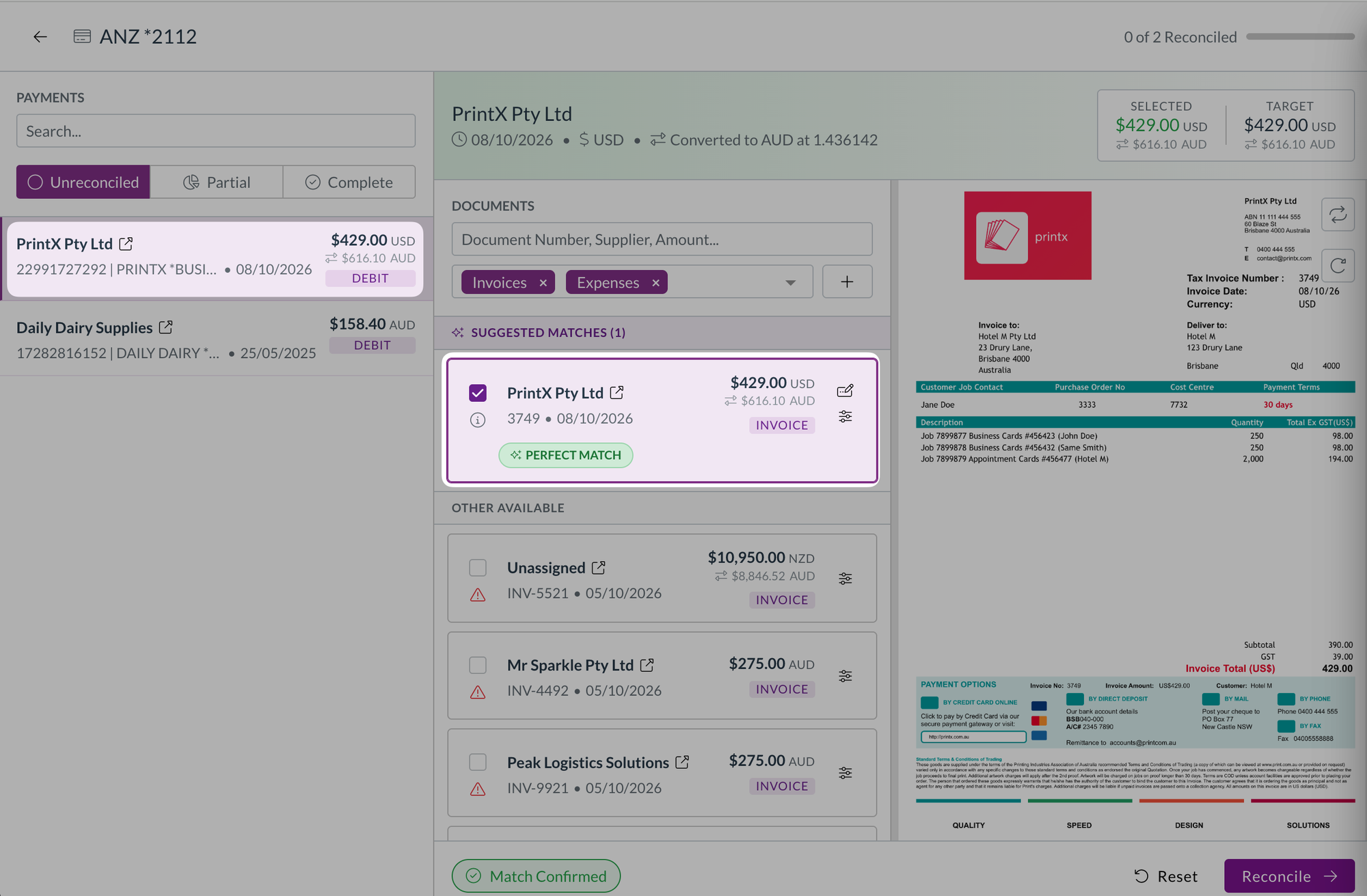
- Payments and documents now show their own amount and currency first, with the amount in your home currency underneath.
- The payment header shows the exchange rate used. Hover over a converted amount to see the original amount, the converted amount, the rate, and the rate date.
- Selected and Target show in the shared currency when the payment and the documents you've ticked use the same one, and switch to your home currency, with a note, when they're mixed.
- You can search for a payment or document by either amount, and search the matched documents by amount.
- If your team works in a single currency, nothing changes.
See what a payment is reconciled against
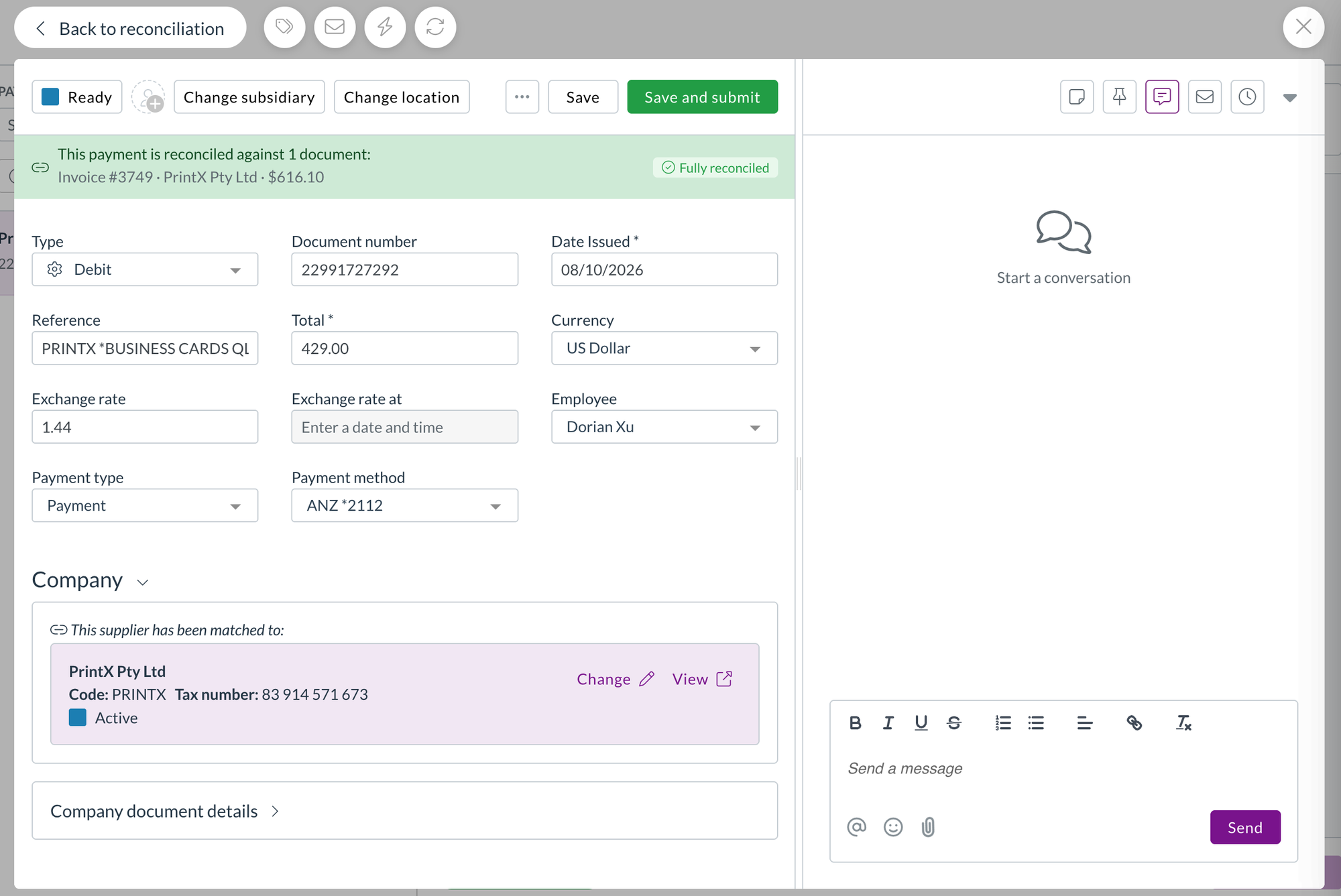
- An open payment now lists the documents it's reconciled against, each with its number, supplier, and amount. Select one to open it.
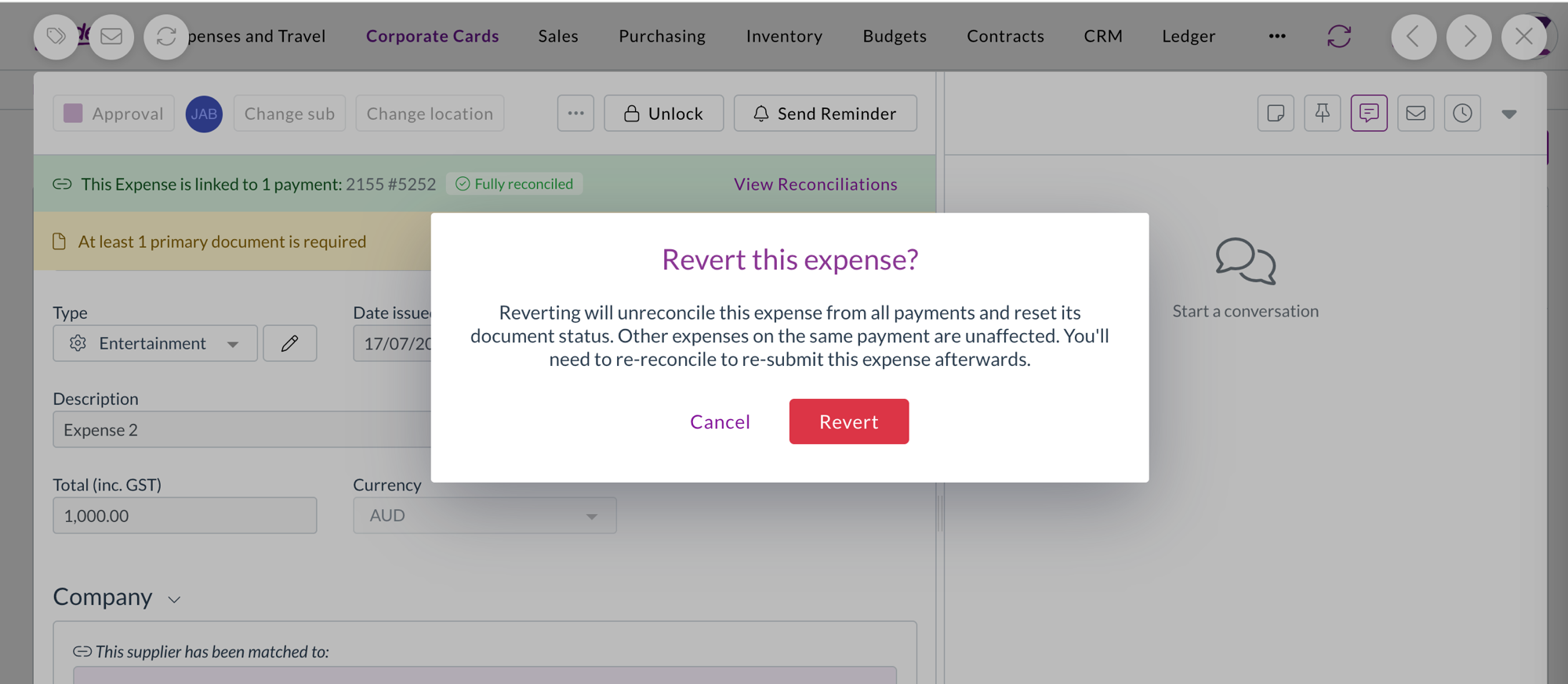
- The reconciliation banner on a payment, invoice, or expense now shows the status of the record you're looking at. A fully covered expense no longer shows as partially reconciled just because its payment is.
- When you open a linked document, Back takes you to the payment or expense you came from, and back to the reconciliation screen if that's where you started.
- Long payment references are shortened in the banner, with the full reference on hover.
Price books
Price books hold the prices you've agreed for each item, so Zudello can fill in and check prices on your orders and invoices. A price book entry can be set for a dimension alone, such as a cost centre, location, or subsidiary, without a supplier or customer.
- Changing a line's cost centre, location, or subsidiary now updates the line's price to the matching price book entry, rather than only showing whether the price matches.
- Only the lines whose price book match has changed are updated, and opening a document never changes its prices.
Units of measure
Units of measure let you buy and sell an item in a different unit from the one you stock it in, such as a carton of eight. Zudello already converted quantities and prices to the item's base unit on purchasing documents. We've brought the same conversion to sales.
- Incoming sales documents now convert the quantity and price to the item's base unit. Two cartons at 250 each become 16 units at 31.25 each.
- The units offered on a sales line are limited to the customer's own conversions and your general ones.
- Choosing a unit keeps the line's quantity and price, and uses the price book entry for that unit and customer where there is one.
- Price checks compare like with like, and fully matched lines in a different unit no longer show as over-allocated.
Bank account validation
Bank account validation compares the bank details on an invoice with the details on your supplier record, to help catch payment fraud and keying errors.
- A BSB that contains letters, such as a SWIFT code entered in the BSB field, is now flagged with BSB can't contain letters, since it can never match.
- When the letters are on your supplier record, Zudello asks you to update the supplier record, so the fix is made where the problem is.
Downloads and exports
- Documents you download, and original files you export, are now named with the supplier or customer and the document number, such as "Acme Supplies - INV-1042.pdf", so you can tell them apart without opening each one.
- Where a document has no contact or number, Zudello names the file with whichever of the two it has.
- Purchase order export templates can now include the remaining amount on each line, so you can report on what's still to be received or invoiced.
Custom dimensions
Custom dimensions let you code documents against categories your business uses that don't map to Zudello's standard dimensions.
- Each custom dimension now has its own permissions, so you can choose which user groups can see, create, update, delete, export, and bulk submit its records.
Forms
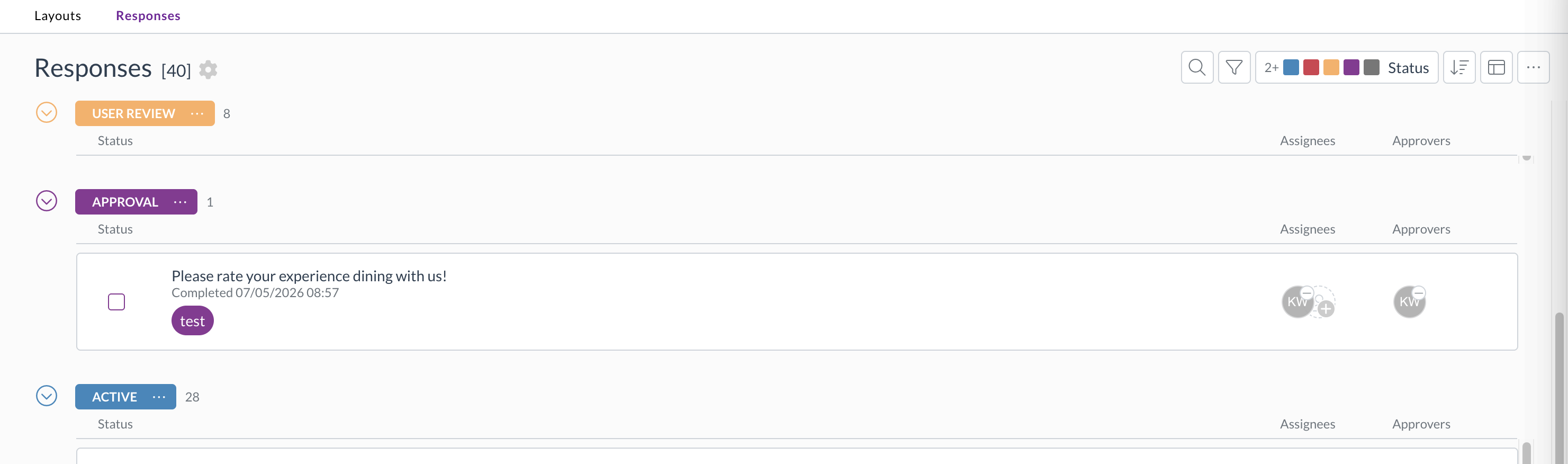
- Form layouts and responses now have an Approvers column in the list and table layouts, so you can see which forms are waiting on you.
- You can link a form response or a form layout as a related document. Select Add document under Related documents, then search by title, name, or code. The link is saved on both documents.
Contracts
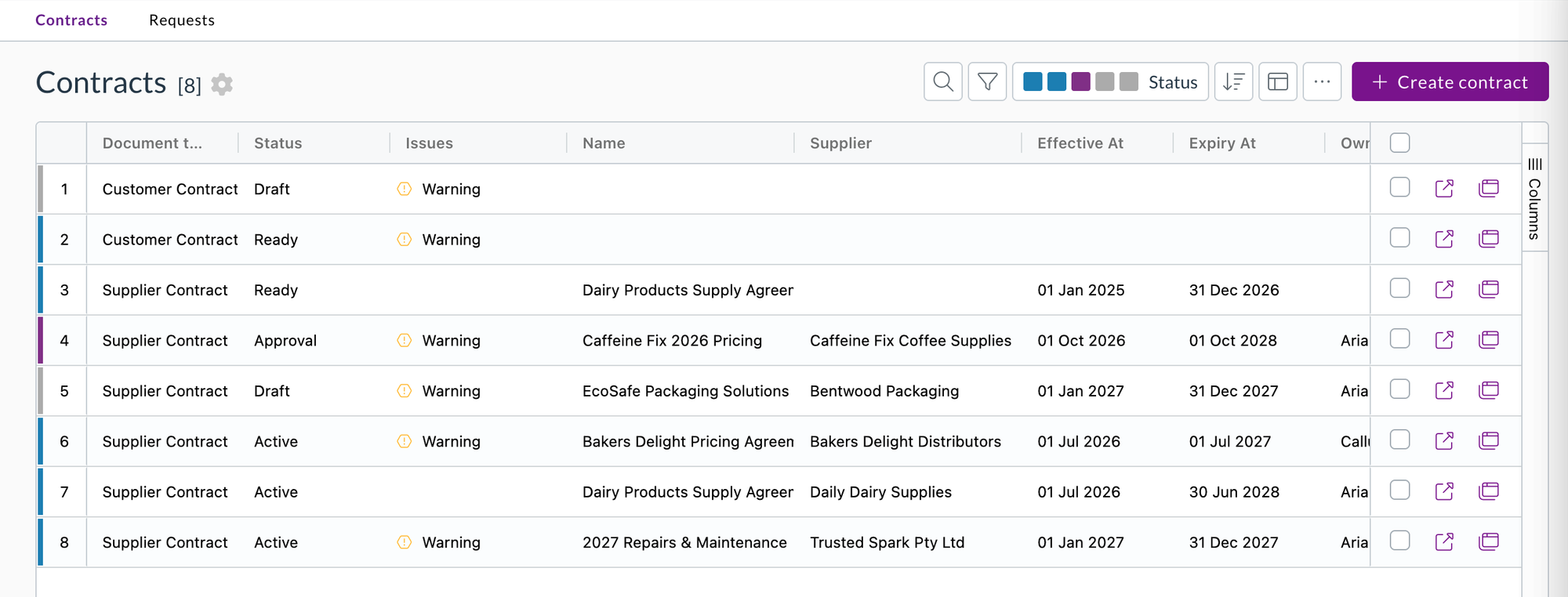
- The contracts list now has a Supplier column that you can sort by, and searching the list matches supplier names.
Quick actions
Quick actions are your own buttons for the steps your team repeats on a document.
- A quick action can now be shown on documents in a complete status. Tick Show on complete statuses when you create or edit it. It's off by default, so your existing quick actions behave as before.
- The Status field is now called Set status after action, and shows Don't change status when it's empty.
Sneak peek: the new UI
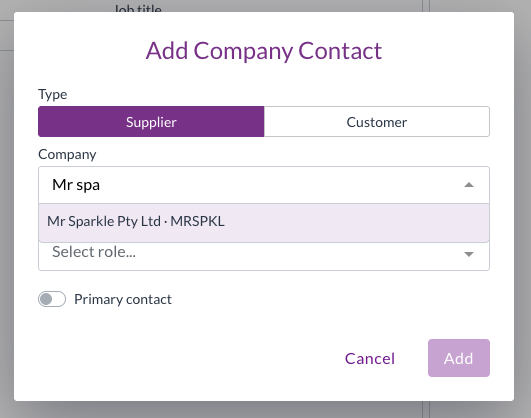
We've been rebuilding the Zudello interface, and you can take an early look at platform.zudello.io. Sign in with your usual details. Your teams, documents, and settings are the same in both, so you can switch between them whenever you like.
The new UI rethinks how you move around Zudello. A side bar replaces the top menu and groups your modules by the work you do, such as expenses, purchasing, sales, and inventory. A home screen and a single approvals area bring together what's waiting on you across every module. Your inbox, notifications, search, help, and keyboard shortcuts sit in a panel on the right, so they're one click away without leaving the document you're working on. It also has a cleaner look throughout, with a choice of themes and accent colours.
Notifications
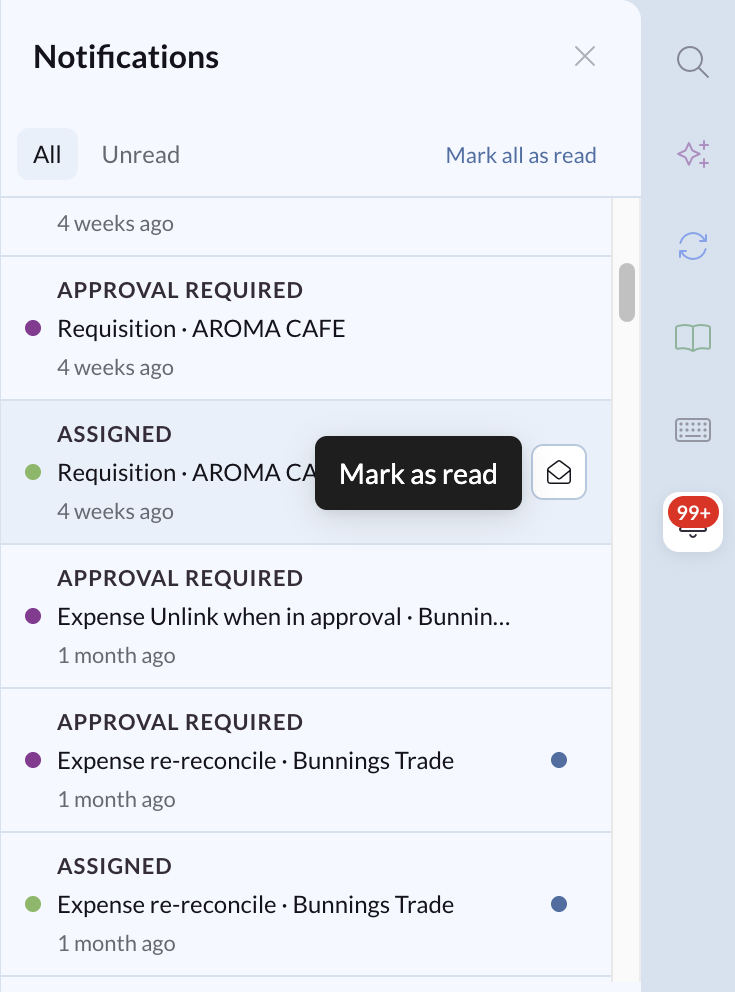
Notifications tell you when something in Zudello needs your attention, such as a document assigned to you or waiting on your approval. We've added a notifications panel inside Zudello, alongside your notification emails, and a scheduled digest you can set up yourself.
Only available on platform.zudello.io.
In-app notifications
- The notifications icon in the side bar shows how many unread notifications you have. Select it to open the panel.
- You're notified when a document is assigned to you, when one needs your approval, and when a contract reminder is due. New notifications appear as they happen, without reloading the page.
- Select a notification to open the document it's about. It's marked as read when you open it.
- Switch between All and Unread, mark a single notification as read or unread, or select Mark all as read.
- Notifications are kept for 30 days.
- The panel is available to every user, with no permission needed on your user groups. You can still hide the panel or turn notifications off.
Set up your own approval digests
Only available on platform.zudello.io.
- An approval digest is one scheduled email with everything still waiting on you in a team: your outstanding approvals and your unreconciled card transactions.
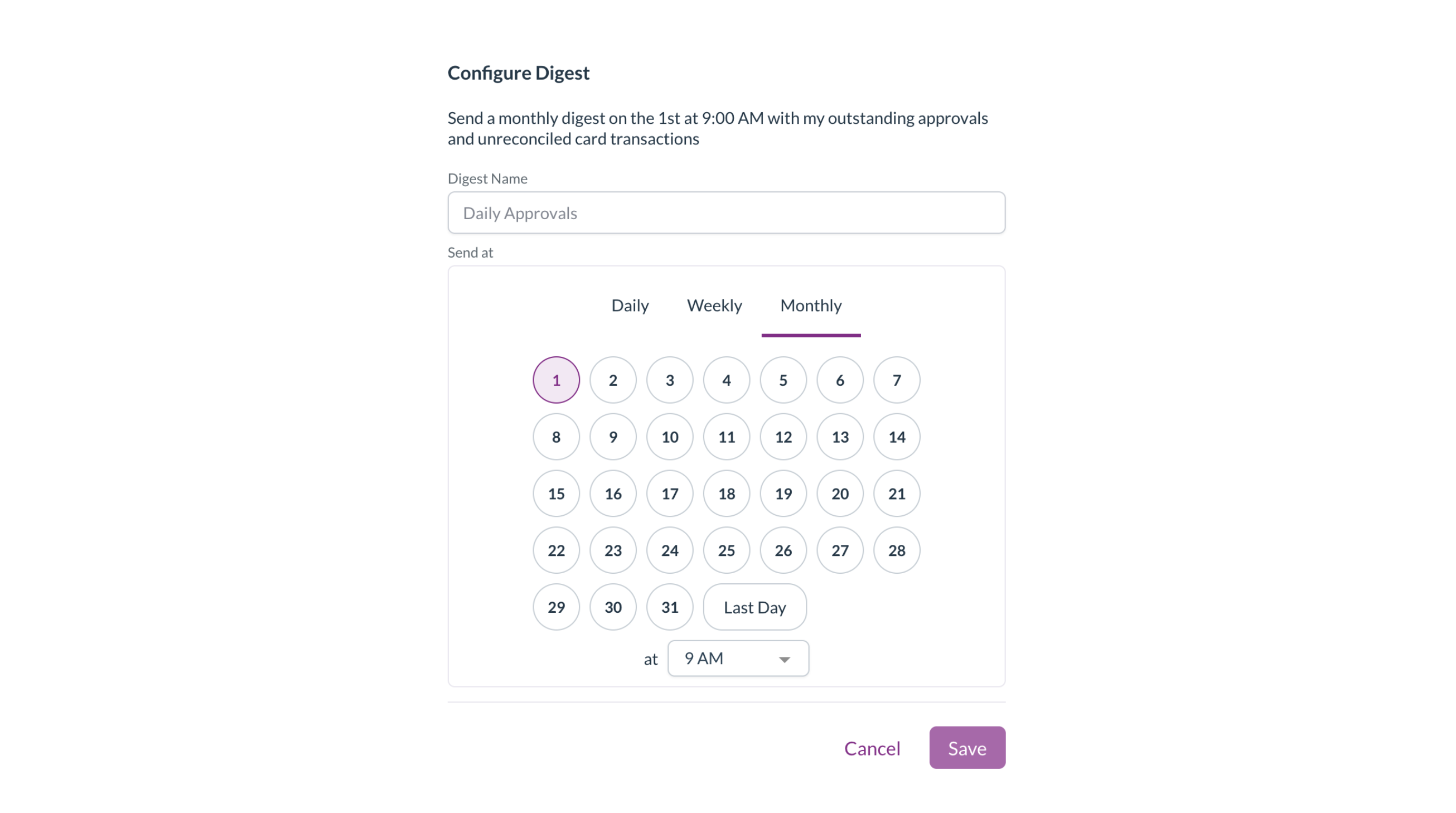
- In your notification preferences, select Add digest, give it a name, and choose whether it's sent daily, weekly, or monthly, on which day, and at what time.
- Each digest reads back the schedule it will send on, such as "Send a monthly digest on the 1st at 9:00 AM with my outstanding approvals and unreconciled card transactions".
- A digest is built when it sends, so anything you've already actioned is left out, and nothing is sent when you have nothing outstanding. Your individual approval emails keep sending as well.
- Selecting a digest notification opens your approvals.
Go straight to your unreconciled card transactions
- The link in a digest opens your corporate card expenses, filtered to your own transactions that aren't fully reconciled yet.
- A My unreconciled transactions badge next to the title shows the filter is on. Select the cross on the badge to show all transactions again.

Countries
- Spain, Switzerland, Ukraine, the Netherlands, and six more countries have been added to Zudello's country list, along with the Swiss franc, so suppliers based in those countries sync from your ERP without errors.
Resolutions
We're constantly working to refine Zudello's functionality and address any issues as soon as possible. As part of this release, we've made the following resolutions:
- We've fixed converting a quote to a purchase order creating several purchase orders when Enter was held down on the confirmation. Only one is created now.
- We've fixed purchase orders changing to Unable to process when many goods receipts were matched to the same order.
- We've fixed duplicate matches being created between an invoice and a goods receipt or order when they were linked from the other side.
- We've fixed coding lines not being saved on three-way matched invoices.
- We've fixed statements coming through with no supplier and no lines when a payment on the statement was shown as a positive amount.
- We've fixed dimension drop-downs showing blank options when the dimension's label was set up to include its external ID.
- We've fixed budget line dimension drop-downs not applying your dimension dependencies, which offered values that shouldn't have been available.
- We've fixed people who were removed from a chat message still being notified. Only the people mentioned when the message is sent are notified now.
- We've fixed menu actions, including quick actions, doing nothing on iPhone and iPad.
- We've fixed statuses from another section staying on screen when your statuses couldn't be loaded. Zudello now tells you they couldn't be loaded.
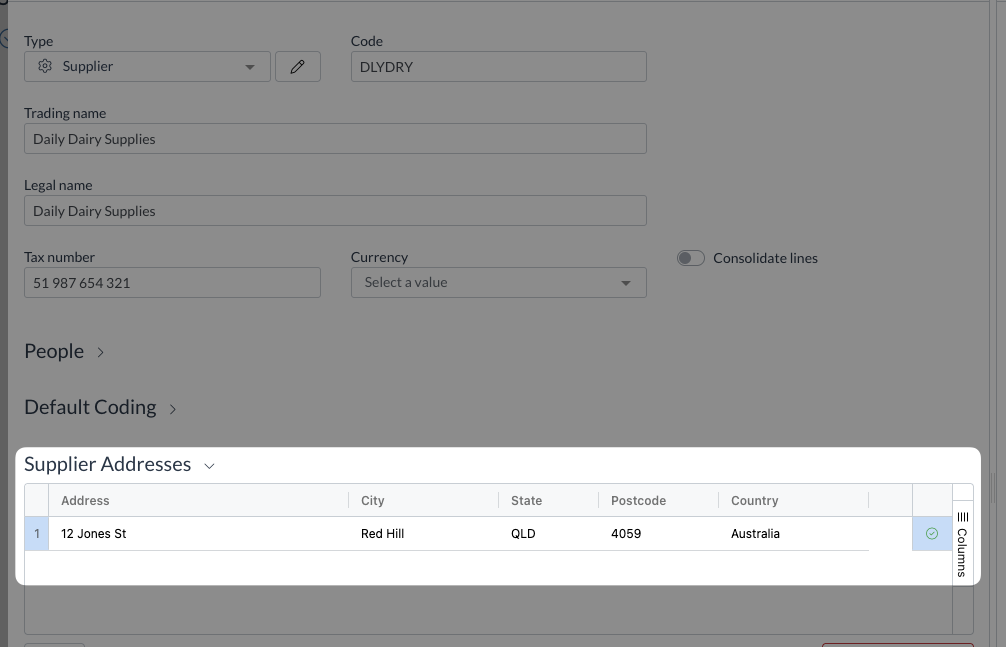
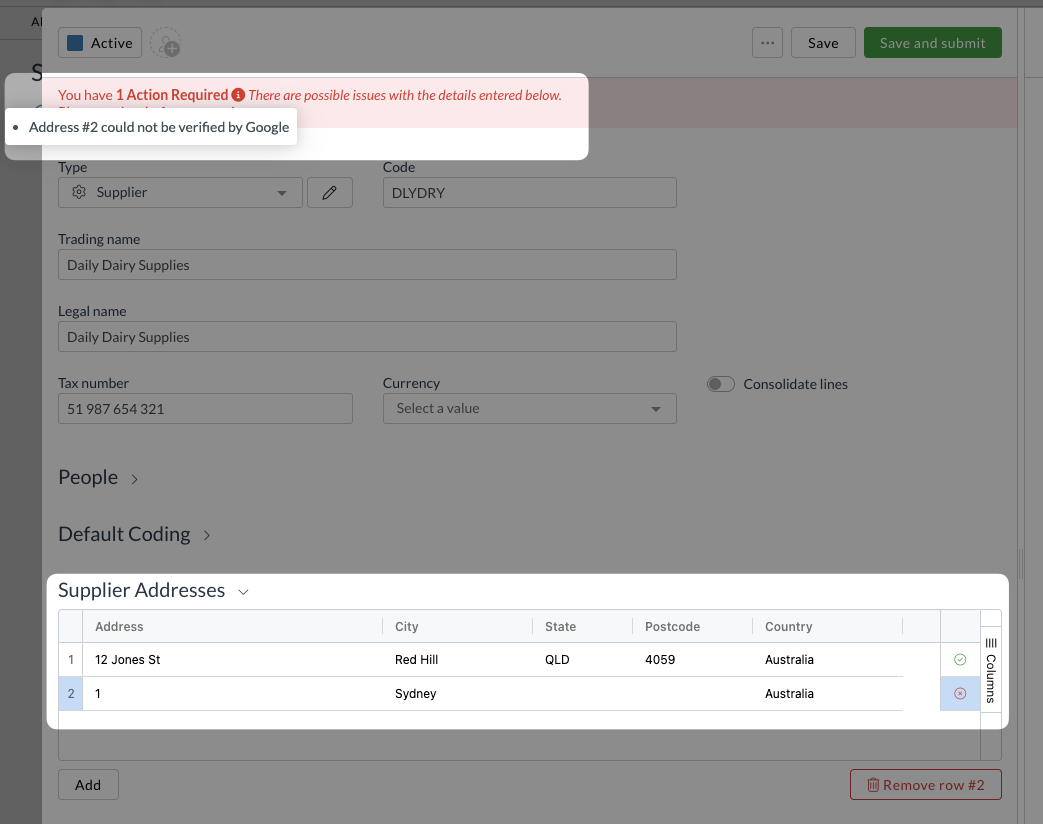
- We've fixed changes you saved on a supplier or customer, such as a BSB, not showing on the document when you went back to it.
- We've fixed the teams list showing IDs or "undefined" for country, time zone, and currency after you saved a team.
- We've fixed an error when changing a document's type.
- We've fixed searches containing special characters not returning the expected results.
- We've fixed the documents list no longer updating live after your connection dropped and reconnected.
- We've fixed an error when signing in after your session had expired.
- We've fixed an error in the tag picker when a tag had no name.
- We've fixed saving team settings sometimes failing with a "didn't find active resource" message.
- We've fixed approval emails being delayed after an approval on a very large invoice.
- We've fixed documents occasionally failing to process when several arrived at the same time.
- We've fixed line tax not being recalculated when a line's tax rate was filled in from a matched purchase order, which could leave the tax off the invoice total.
- We've fixed tax-inclusive invoices that include a credit being treated as tax exclusive, which added tax on top of the total.
- We've fixed a second invoice being matched to a purchase order that only had a tiny rounding amount left on it.
- We've fixed document coding rules that look at line item details not applying, and one faulty rule stopping the rest of your rules from running.
- We've fixed custom field values filled in from a matched line not being saved.
- We've fixed a faulty unit of measure conversion leaving the whole document without its number, dates, totals, and lines. The affected line is now flagged with a warning and the rest of the document is processed.
- We've fixed approved documents occasionally staying in Approval.
- We've fixed card payments reconciled to within a cent showing under Partial rather than Complete.
- We've fixed errors when resizing your browser window after closing a reconciliation.
- We've fixed Ctrl+Enter submitting a document when Save and submit was hidden or unavailable.
- We've fixed document lists going back to sorting by Date issued each time the page was reloaded. Your last sort order is remembered again.
- We've fixed inbox templates filling in the subject but leaving the message blank when sending an email or rejecting a document. The message now shows in the editor, with its formatting kept.
- We've fixed an error when emailing a document if you didn't have access to inbox templates.
- We've fixed chat messages with only an attachment not being posted, and files dropped onto the chat being uploaded as new documents.
- We've fixed the document viewer using more memory with each PDF opened, which could crash the browser after a long run of documents.
- We've fixed the header menu pushing your profile picture off screen after the window was resized. Modules that don't fit are collapsed under ... again.
- We've fixed the list layout showing the wrong document type label and icon on some forms.
- We've fixed an error in advanced filters when changing the field on a filter.
- We've fixed saving forms, custom fields, and other settings taking up to 40 seconds to finish.
- We've fixed the time zone on a scheduled automation being reset when you switched between Daily, Weekly, and Monthly, or reopened the schedule.
- We've fixed the Last ordered and Next order dates on recurring order templates showing in your browser's time zone rather than your team's.
Have an idea?
Do you have an idea for a new feature or how we can improve our current features? Let us know at support@zudello.com.
Your ideas and feedback are an important part of our product planning process to make Zudello better for everyone.