4 posts tagged with "Card reconciliation"

Description for the card reconciliation tag.

View All Tags

Release notes edition 3.7.13

Release date: Wednesday 16 September 2026
Version: v3

Here's the latest summary of what's new and improved in Zudello, as well as what we resolved in the latest release.

In this release:

  • Pause, edit, and see the history of your recurring orders
  • Recurring sales orders that work around weekends and public holidays
  • Replace a contract's primary document and keep the old one as a version
  • Reconciliation status in automations, new data permission categories, and more

Looking for something? Browse by tag to find release notes on a specific feature.

New and improved

Recurring orders

Recurring orders let you save an order as a template and put it on a schedule, so Zudello raises it for you. Last edition introduced templates and schedules. We've now added the controls you need to run them day to day.

Pause and resume a schedule

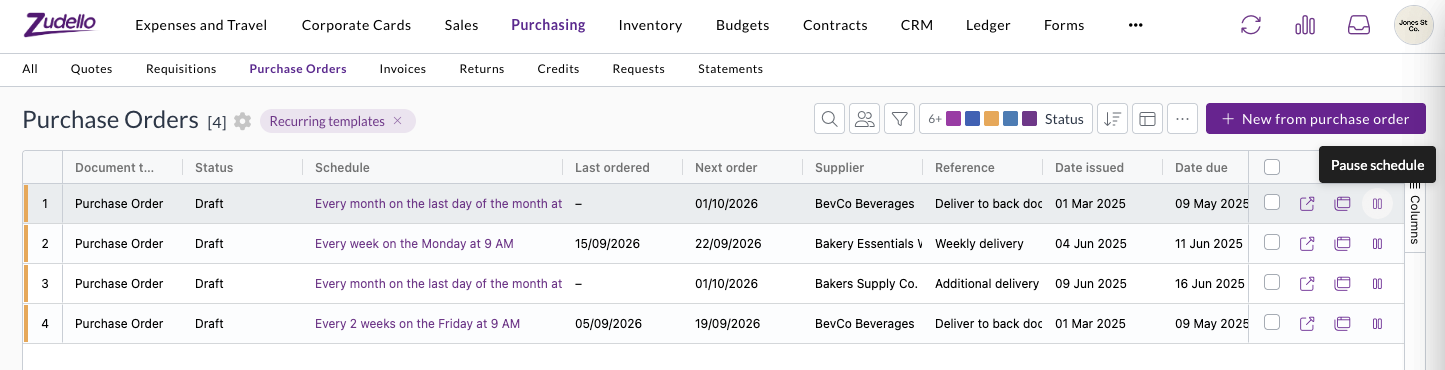
  • Pause a template from its row in the recurring templates list, or with Pause on the template itself. Resume carries on from the next scheduled date.
  • Orders that fall due while a template is paused are skipped rather than raised later. Zudello tells you this before you pause.
  • A paused template shows a Paused tag, and the list reads Paused in place of the next order date, so you can see what's on hold at a glance.
  • Pausing and resuming are recorded in the template's history.

The recurring templates list, with a pause action on each row and columns for schedule, last ordered, and next order

See every order a template has raised

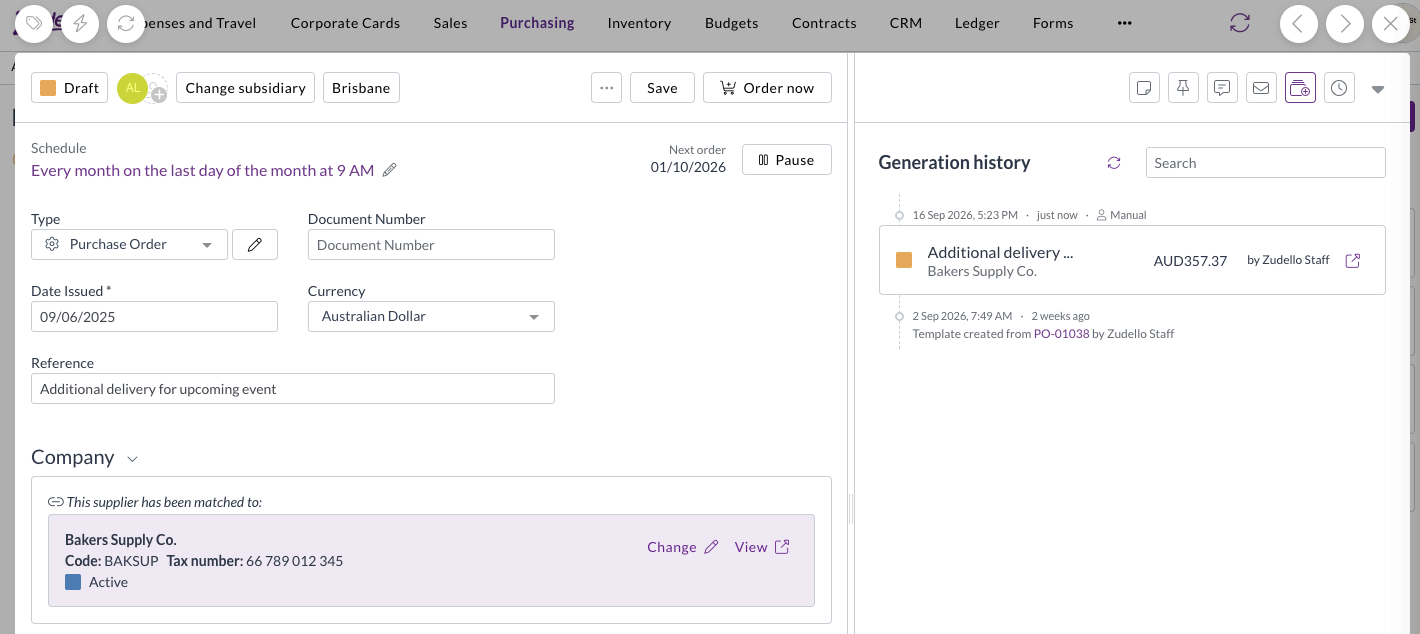
  • Templates now open on a Generation history panel, listing each order the template has produced with its status, total, supplier, and who raised it.
  • An order you raised yourself with Order now is marked Manual, so you can tell it apart from the ones the schedule raised.
  • The panel also records when the template was created, and the order it was created from.
  • Select an order to open it, then use Back to return to the template, and search the list to find a particular order.

A purchase order template open on its Generation history panel, showing an order raised with Order now marked as Manual

Recurring sales orders

  • Recurring orders now work on sales orders as well as purchase orders, including Make recurring, schedules, Order now, pausing, and generation history.
  • Recurring orders need to be turned on for your sales order document type before the options appear.

Choose what happens on weekends and public holidays

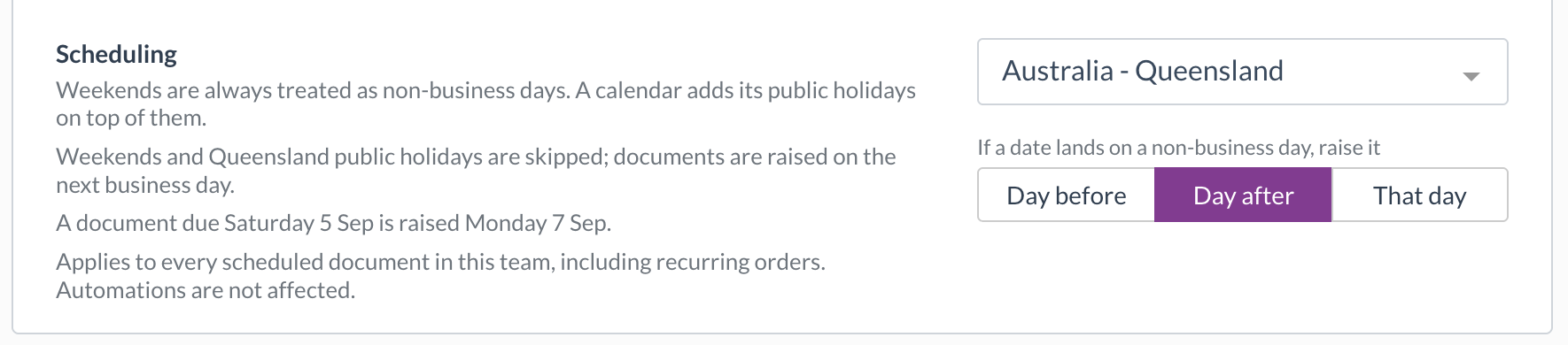
  • A new Scheduling setting in Team Settings lets you choose a public holiday calendar for your team, and whether an order that lands on a weekend or public holiday is raised the day before, the day after, or on that day anyway.
  • Calendars are available for each Australian state and territory, New Zealand, England and Wales, Scotland, Northern Ireland, and the United States. You can also treat weekends alone as non-business days.
  • The setting reads back as a sentence with a worked example, and every schedule shows the rule that applies, with a link to change it.
  • It applies to every scheduled document in your team. Automations aren't affected.

The Scheduling setting in Team Settings, with the Australia - Queensland calendar selected and orders moved to the day after

Contracts

Every contract has a primary document, the main file you see when you open it. When a signed copy or an updated contract arrives, you can now make it the primary document without losing the one it replaces.

Make an attachment the primary document

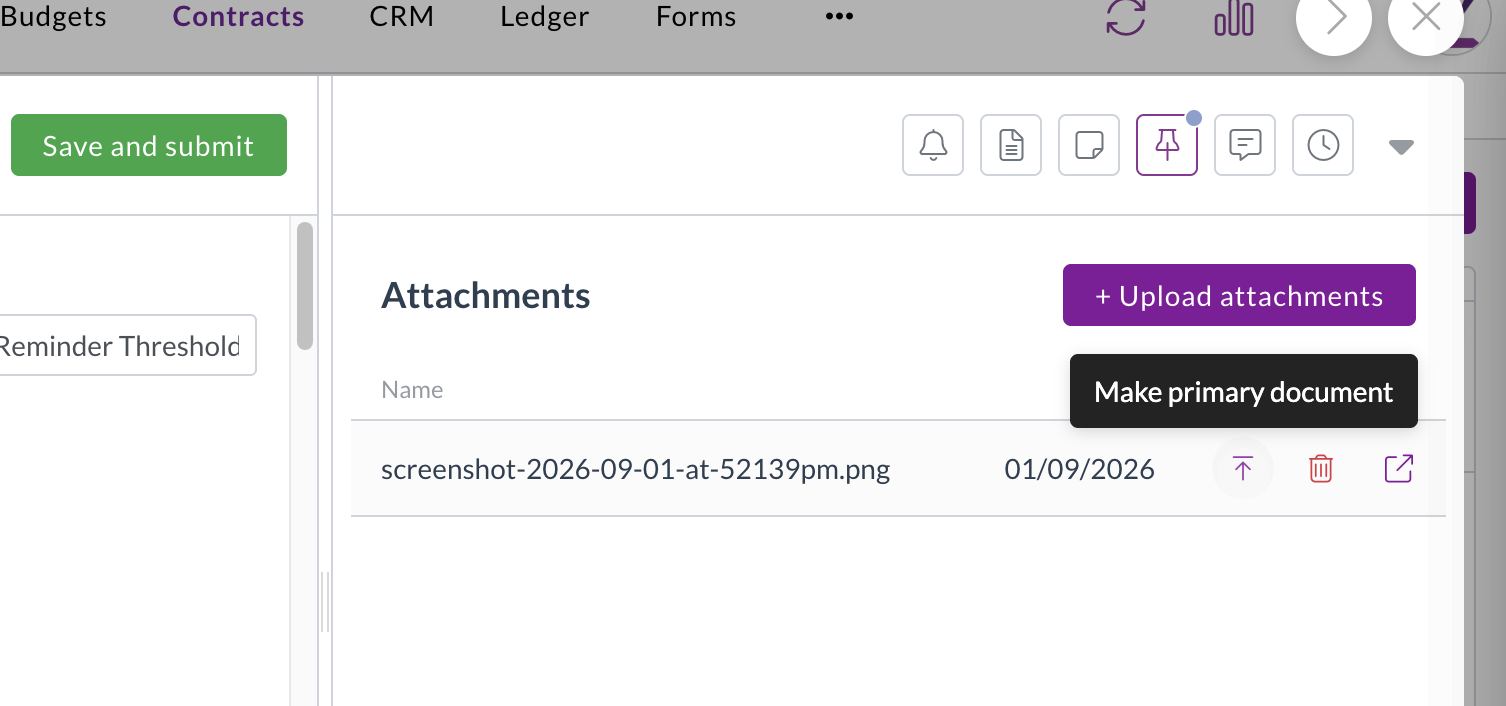
  • Make primary document sits next to each attachment on a contract. Select it to swap that file in as the primary document straight away.
  • Zudello asks you to confirm first if the contract already has a primary document.
  • Changing the primary document doesn't rescan the contract, so the details you've already captured stay as they are.
  • Access is controlled by a permission you can grant to the user groups that manage your contracts.

Make primary document shown next to an attachment on a contract

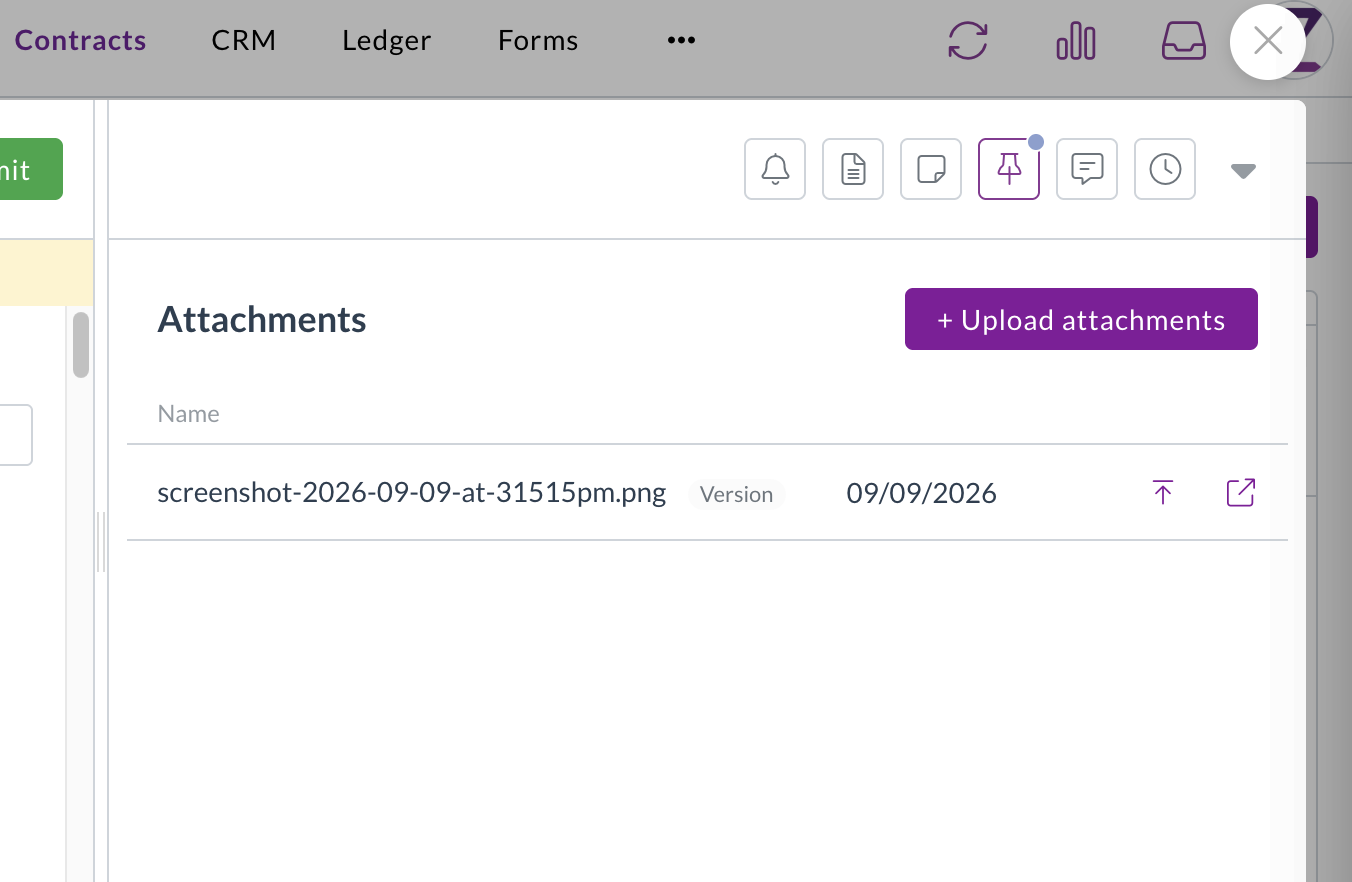
Previous primary documents are kept as versions

  • The document you replace stays in the attachments list with a Version tag, so you always have the earlier copy.
  • Versions can't be deleted, which keeps a record of every file that's been the primary document.
  • Select the up arrow on a version to restore it as the primary document.

A contract's attachments list showing an earlier primary document kept with a Version tag

Corporate cards

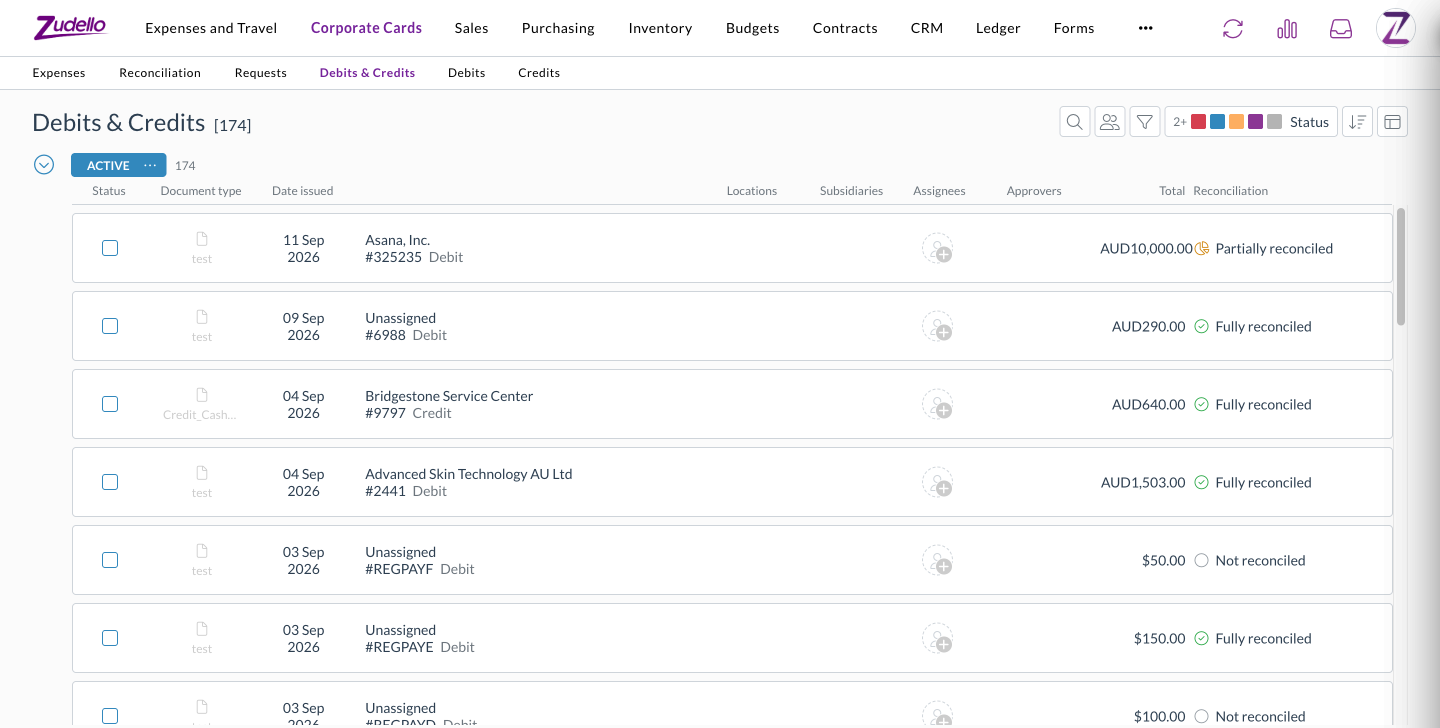
Debits and credits on your card transactions sat in separate lists, which made it hard to review everything over a period. A new Debits & Credits tab brings them together.

  • Each row shows whether it's a debit or a credit, its reconciliation status, and the amount still to reconcile.
  • Filter by Reconciliation to pull up only the transactions that still need attention, and filter by document type across both debits and credits.
  • Sort by reconciliation status on any Corporate Cards transaction screen.
  • The tab appears for anyone who can already see debits or credits, so there's no new permission to set up.

The Debits & Credits tab under Corporate Cards, listing debits and credits with their reconciliation status

Automations

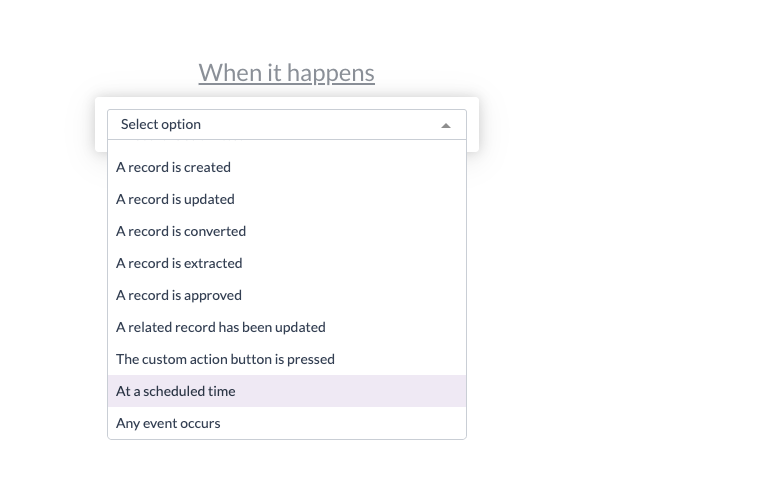
Automations act on your documents when the conditions you set are met. You can now run an automation when a document is reconciled, and use its reconciliation status in conditions.

  • A new trigger runs an automation when a document or payment is reconciled, so you can act on it straight away.
  • Reconciliation status now offers Not reconciled, Partially reconciled, and Fully reconciled as condition values, where it previously showed an empty list.
  • Combine them with Reconciled amount. For example, move an invoice straight to complete once it's fully reconciled against a card payment.

Data permissions

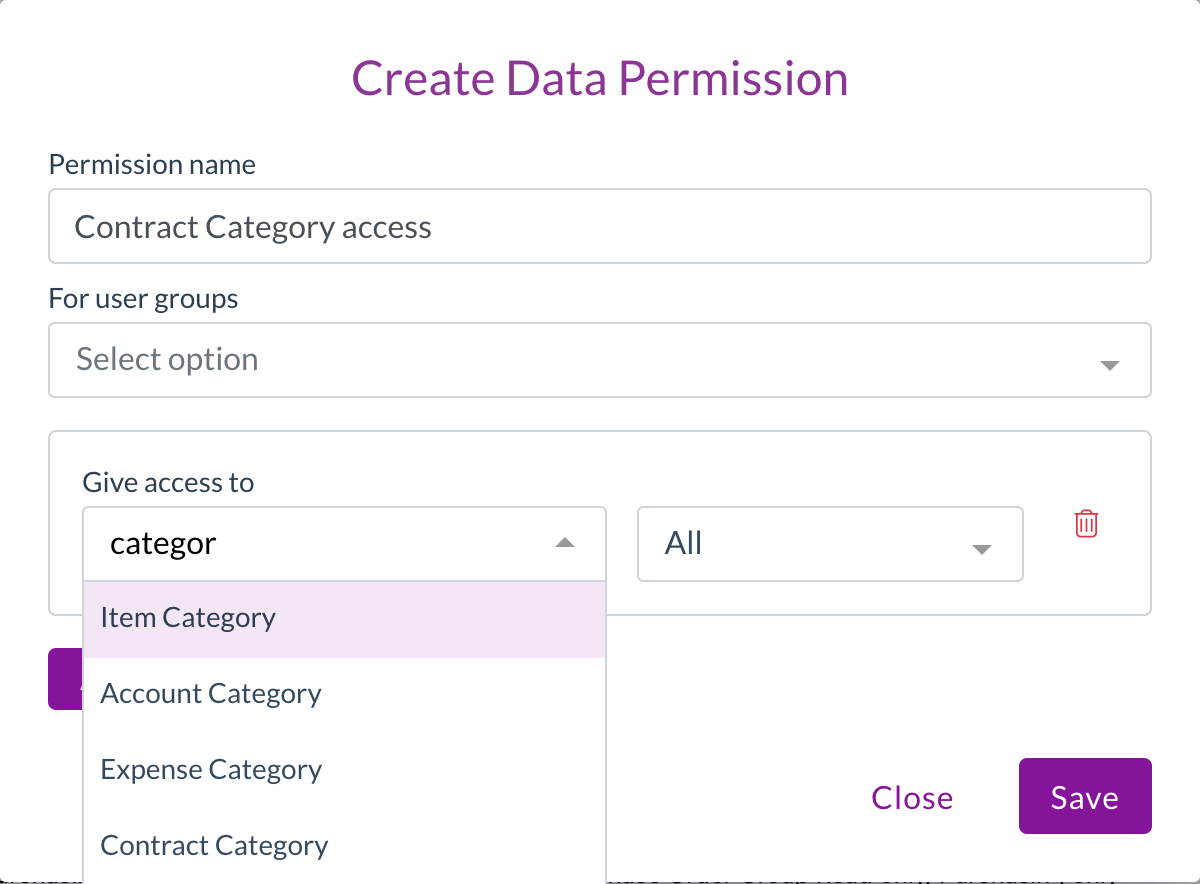
Data permissions control which records each user group can see, based on details like location, subsidiary, or category. We've added more of the categories you can build them on.

  • Contract Category, Contract Group, and Account Category can now be chosen when you create a data permission, so you can limit access to contracts by how they're categorised.

Creating a data permission, with Account Category and Contract Category in the Give access to list

Statements and remittances

Statements and remittances can record a location and subsidiary against each line. You can now see them without opening each document.

  • The statements and remittances lists now show the locations and subsidiaries from each document's lines, in both list and grid views.
  • The Lines column counts statement lines, so you can see how many lines each statement holds.

Resolutions

We're constantly working to refine Zudello's functionality and address any issues as soon as possible. As part of this release, we've made the following resolutions:

  • We've fixed two- and three-way line price matching on invoices, which wasn't running for some document types. Price checks now run as configured, so you may see price mismatch flags on invoices that didn't show them before.
  • We've fixed invoices that arrived before their goods receipt keeping a "Receipt allocation items required" flag after they were matched, which stopped them moving on automatically.
  • We've fixed supplier matching on invoices where extraction picked up a tax number, such as an ABN, that isn't on the document, which could match the invoice to the wrong supplier. A tax number is now only kept when it appears on the page.
  • We've fixed scans failing for teams whose auto-coding sets a default on a line field, such as subsidiary, account, or tax rate. A default or coding rule that points to a record that doesn't exist is now skipped, and the rest of the document is still processed.
  • We've fixed reconciliations with an adjustment, such as a fee, leaving both documents partially reconciled. A $100 expense with a $2 fee matched to a $102 payment now shows both sides as fully reconciled, and reopening a saved match no longer counts the adjustment twice.
  • We've fixed card payments failing to reconcile with a message that a reconciliation couldn't be removed from a transaction already sent to your ERP. Matches that were removed earlier no longer get in the way.
  • We've fixed scheduled automations with a condition comparing a date to today, which weren't running.
  • We've fixed the schedule options in the automation builder being cut off at the edge of the window.
  • We've fixed the document viewer showing "No file available" when a file failed to load, as though nothing was attached. It now tells you the file couldn't be loaded and gives you a Retry button.
  • We've fixed the document viewer briefly showing details from the previous document, such as its approval flow, when you moved quickly between documents. This only affected what was displayed.
  • We've fixed approval email links taking some approvers to the dashboard instead of the document waiting on them.
  • We've fixed delivery address checks on sales orders not showing in the banner when the address had no country, which blocked the order without saying why. The mismatch now shows in the banner, and the address is marked Not verified with a prompt to add a country.
  • We've fixed upload and split errors showing a generic "The given data was invalid" message. You now see the actual reason, such as an unsupported file type.
  • We've fixed splitting a document, which could queue blank or invalid page ranges. Split now waits until the file has loaded, and tells you when a document has no file or only one page.
  • We've improved performance in large documents, which could slow down or crash the browser while editing many lines.
  • We've fixed recurring order schedules showing times in your browser's time zone rather than your team's, which made the time appear to change when you opened the editor.
  • We've fixed schedule end dates stopping a day early, so a schedule set to end on 29 September now includes the 29th.
  • We've fixed document history showing "rescand" instead of "rescanned". Changing a contract's primary document now reads "changed the primary file of".
  • We've fixed renamed dimensions showing their original names in budget and contract dimension pickers, price book settings, and allocation autofill fields.
  • We've made the potential issues alert collapsible, with the number of issues in its header, so a long list doesn't push the document out of view.
  • We've changed dates in notification emails to read day, month, and year, such as "3 September 2026".
  • We've added a link to Zudello's terms and conditions under the app version in Settings.
  • We've hidden Remove two-factor methods for users who don't have any set up, so it only appears when there's something to remove.

Have an idea?

Do you have an idea for a new feature or how we can improve our current features? Let us know at support@zudello.com.

Your ideas and feedback are an important part of our product planning process to make Zudello better for everyone.
Release notes edition 3.7.11

Release date: Wednesday 19 August 2026
Version: v3

Here's the latest summary of what's new and improved in Zudello, as well as what we resolved in the latest release.

In this release:

  • Bank account verification on your suppliers
  • GL Impact on approvals and everywhere you can bulk select
  • Clearer warnings before deletes and uploads change your data
  • Extraction, budget, and automation improvements and more

Looking for something? Browse by tag to find release notes on a specific feature.

New and improved

Supplier bank account verification

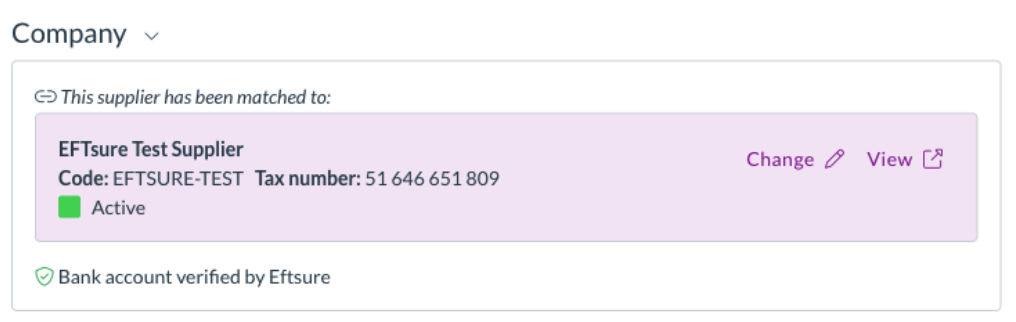
Zudello checks supplier details on your documents so you can pay with confidence. If your team uses Eftsure, we now show the result of their bank account verification directly on the document.

See the verification result on the contact card

  • The contact match card now shows a bank account verification line alongside the existing ABN and bank details checks.
  • The line tells you the result in plain language, such as Bank account verified by Eftsure, rather than a status code.
  • Accounts verified under a different name, cross-matched but not independently verified, or not yet verified are raised as warnings so you can decide how to proceed.

The Eftsure bank account verification result shown on the contact match card

Blocking results stop a submit

  • An account reported as incorrect, or one Eftsure doesn't recognise at all, blocks submission and appears in the document's issues list.
  • If your team doesn't use Eftsure, nothing is shown at all. There's no placeholder and no change to how the card looks.

Approvals

Zudello's delegation of authority routes documents to the right approvers based on rules you define. We've made it easier to spot approvers who can no longer act, and given approvers more to work with.

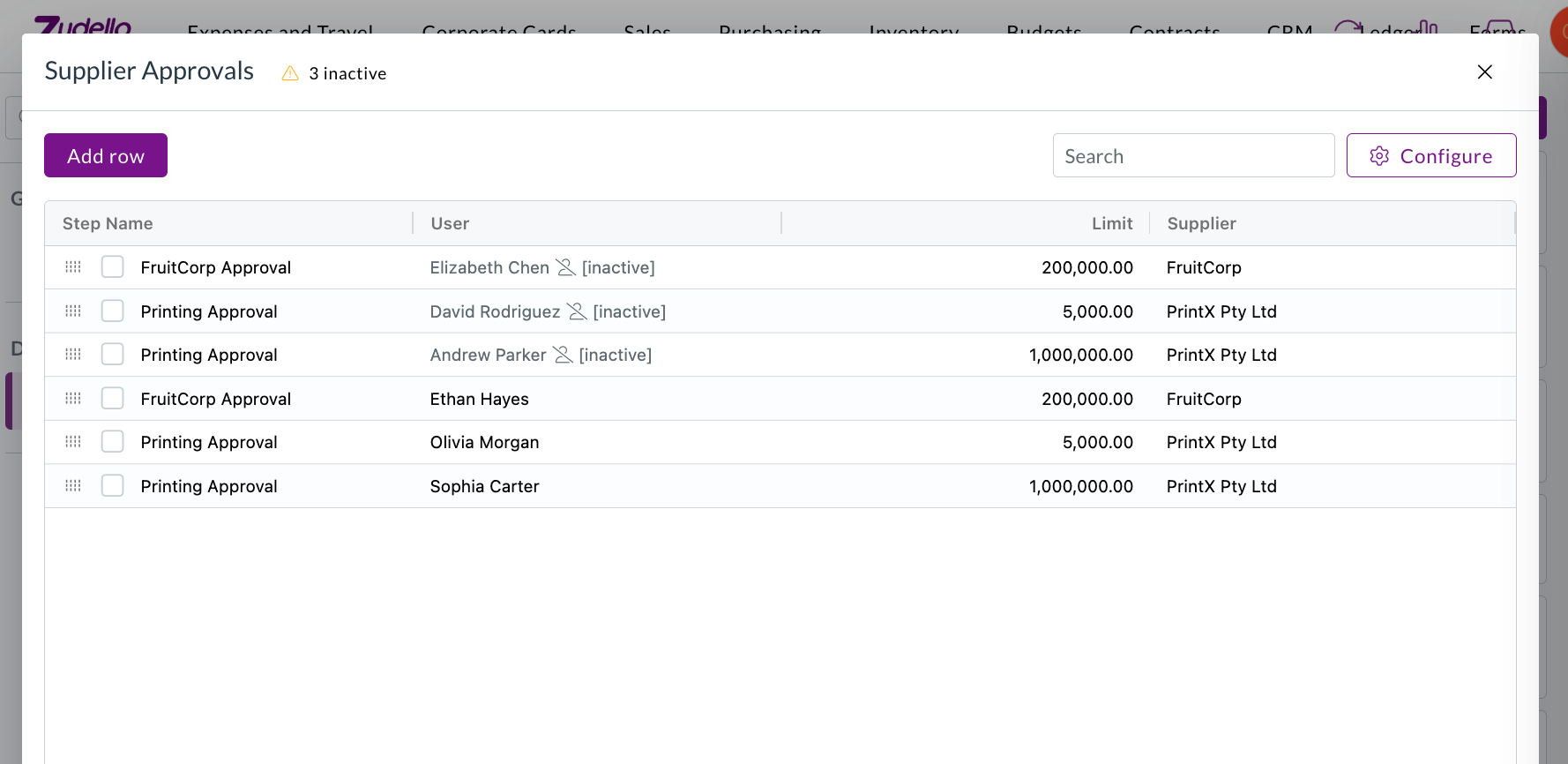
Inactive and removed users are flagged

  • Users who've been deactivated stayed in delegation of authority and management trees with nothing to show they were inactive, so approvals routed to them stalled with no explanation.
  • Inactive and removed users are now flagged wherever they appear, in delegation of authority trees, management trees, and dataset user columns, including on approvals already waiting on them.

A delegation of authority dataset flagging three inactive users, with an inactive count in the header

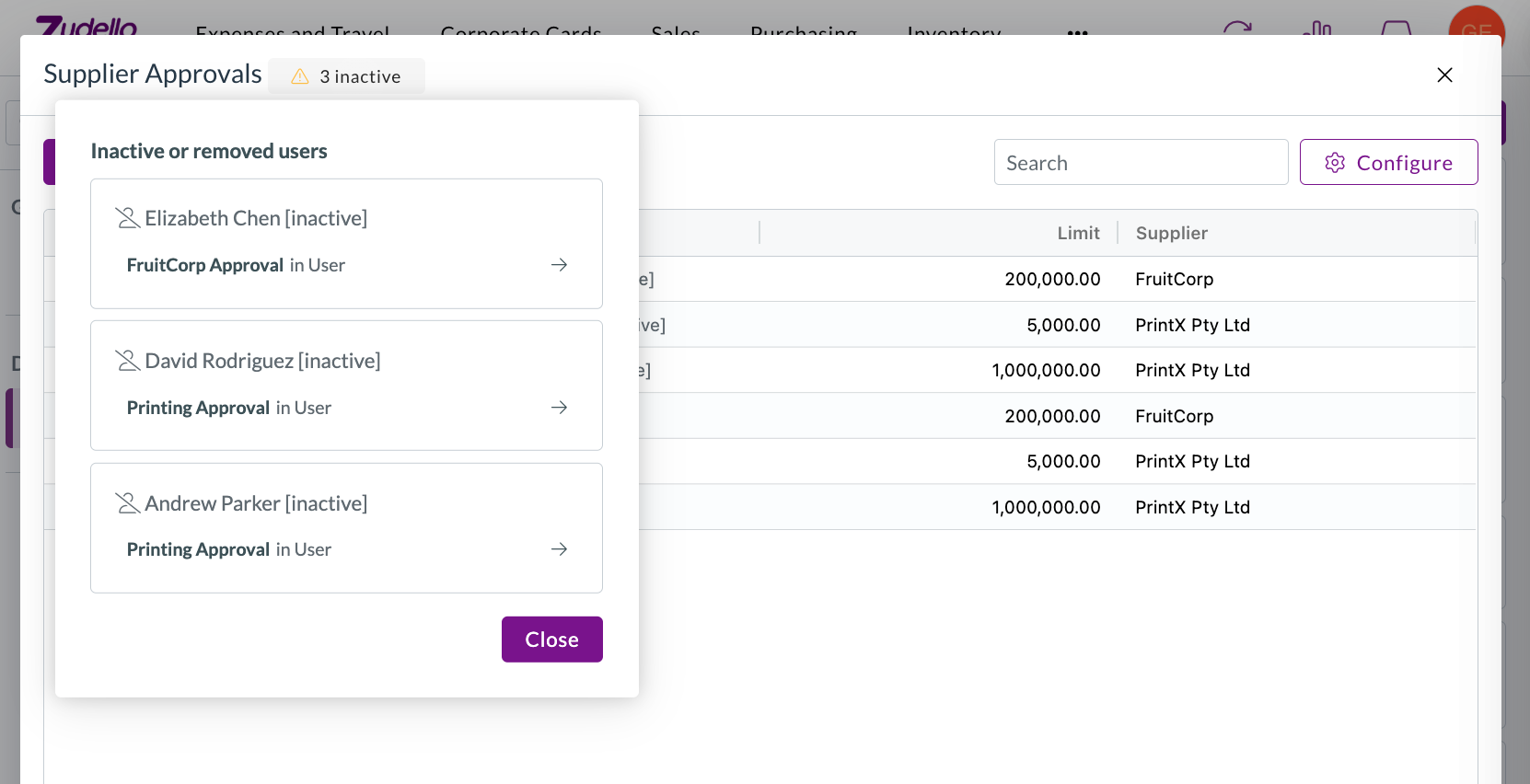
  • A warning above the dataset counts how many users are affected and opens a list grouped by user. Selecting a row takes you straight to it.

The inactive or removed users list, grouped by user, with a link through to each affected row

  • Where a row has several assignees, only the inactive ones are greyed out, rather than the whole cell.

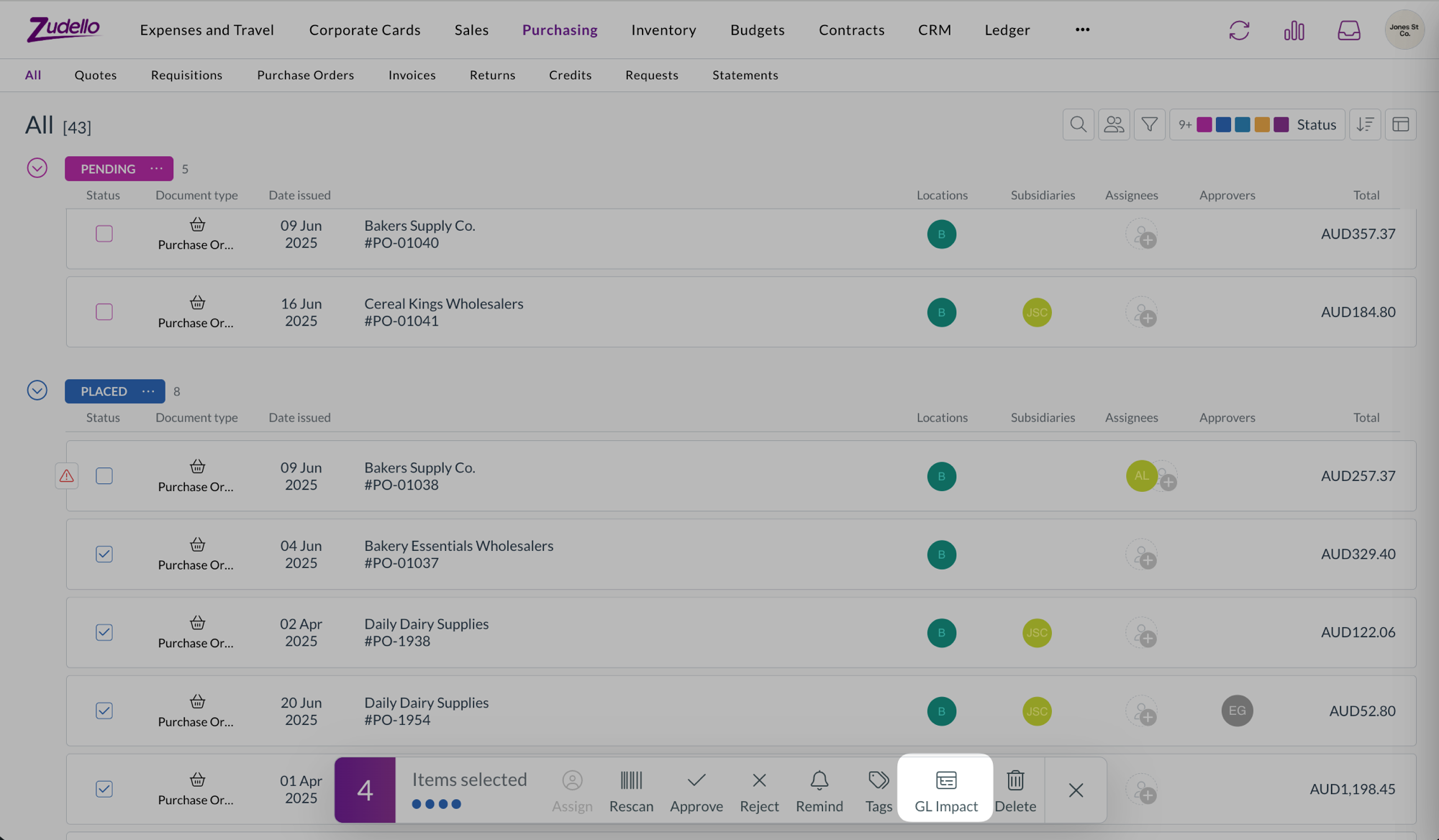
GL Impact available wherever you can bulk select

  • GL Impact was previously only available on expenses. It's now available on every list where you can bulk select documents with lines, including the Approvals screen.
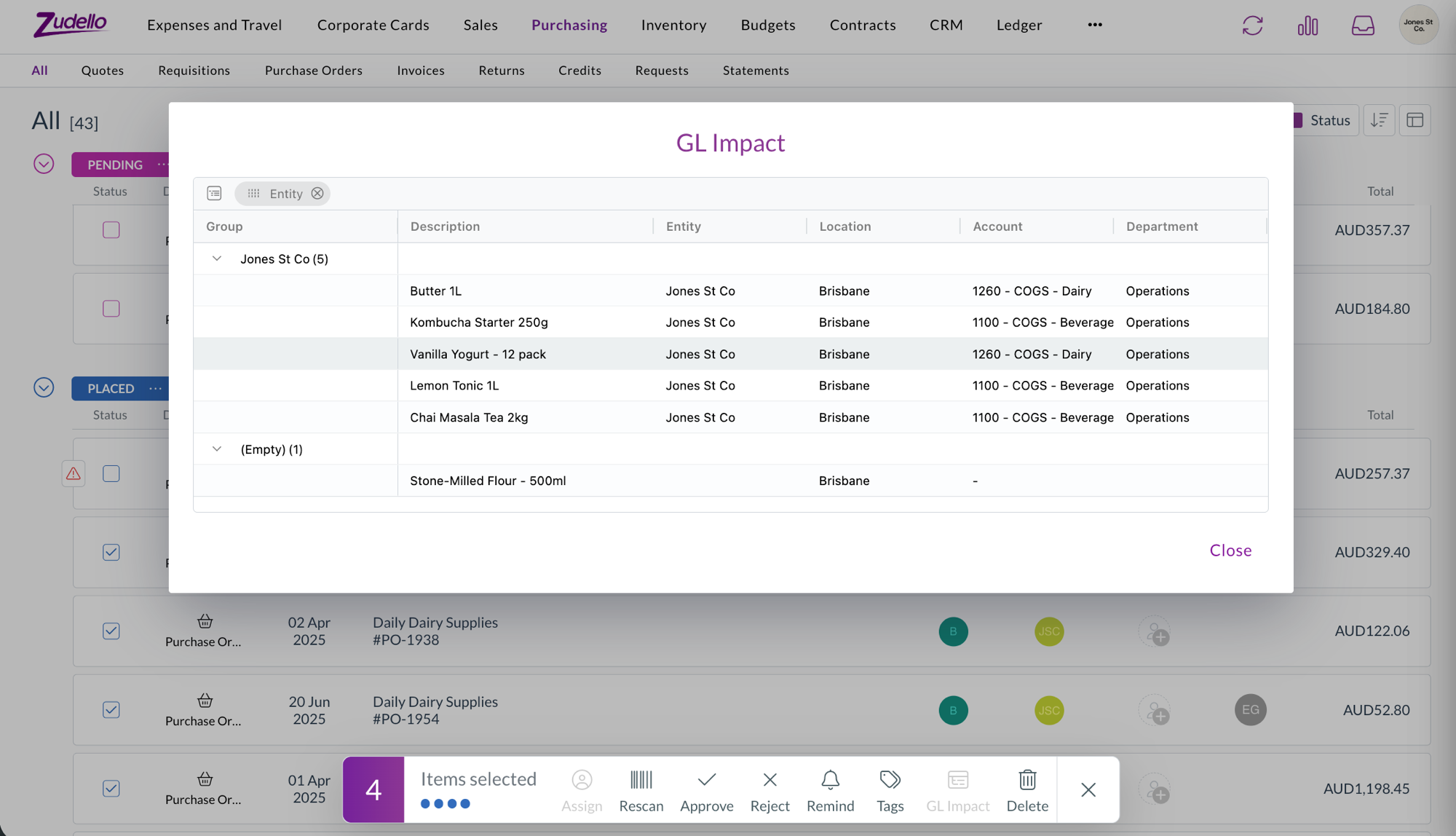
  • Approvers can now preview the accounting impact of what they're about to approve, and the same is true for supplier invoices, credit notes, and orders.

The GL Impact bulk action on a purchase order list with four documents selected

The GL Impact window showing the selected lines grouped by entity, with location, account, and department

Reverting and reassigning expense approvals

  • The permissions for reverting an expense during approval, and for changing the approver on an active step, can now be granted to your own user groups. Previously these actions couldn't be assigned.

Suppliers

Choose the supplier your Zudello-only records export as

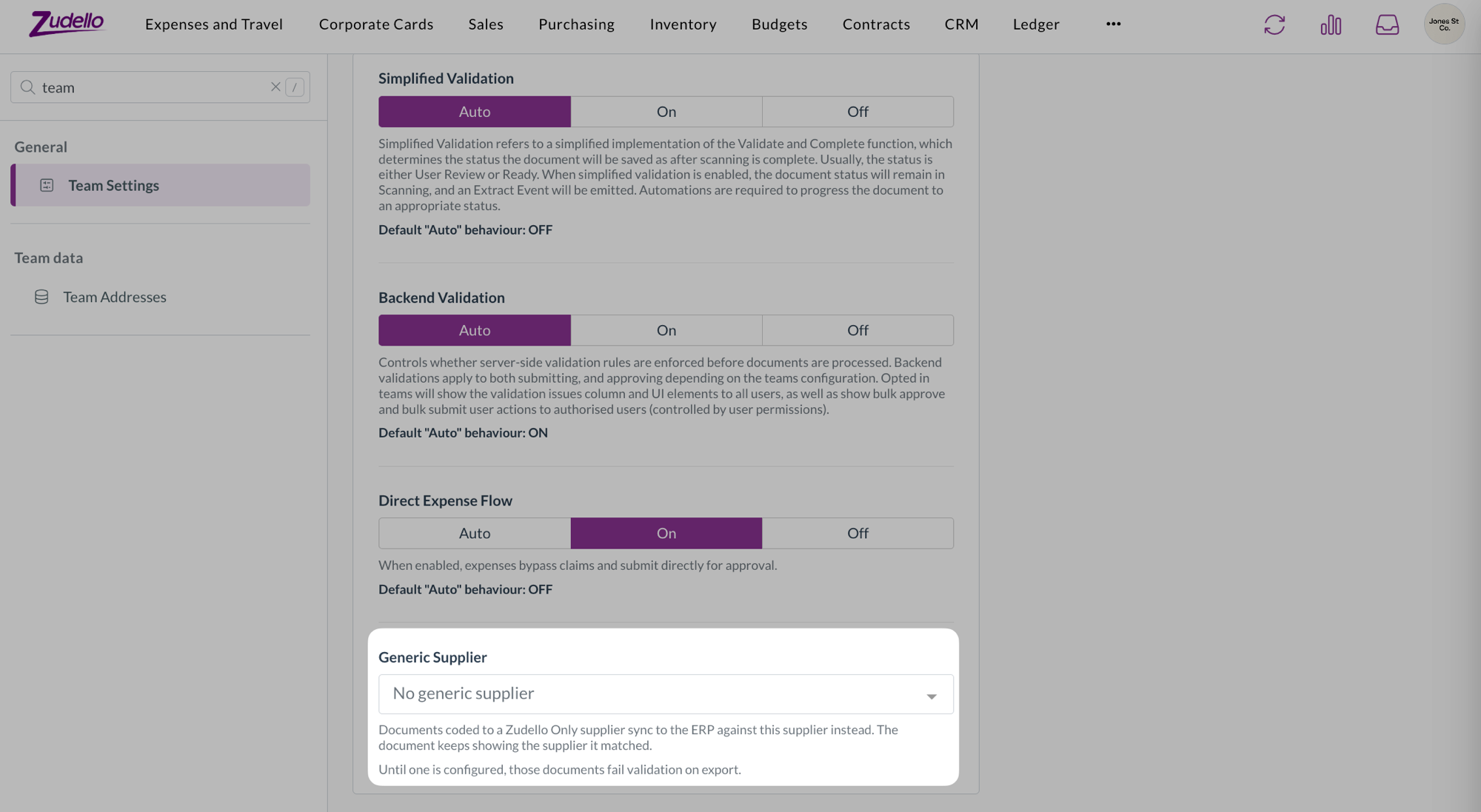
  • Suppliers marked as Zudello Only stay in Zudello and are never sent to your ERP. You can now choose the generic supplier they're exported against instead, from Generic Supplier in Team Settings.
  • Until one is configured, documents coded to a Zudello Only supplier fail validation on export. Only suppliers your ERP will accept are offered, and one that's later deactivated or deleted is flagged rather than quietly reading as unset.

The Generic Supplier setting in Team Settings, with no generic supplier configured yet

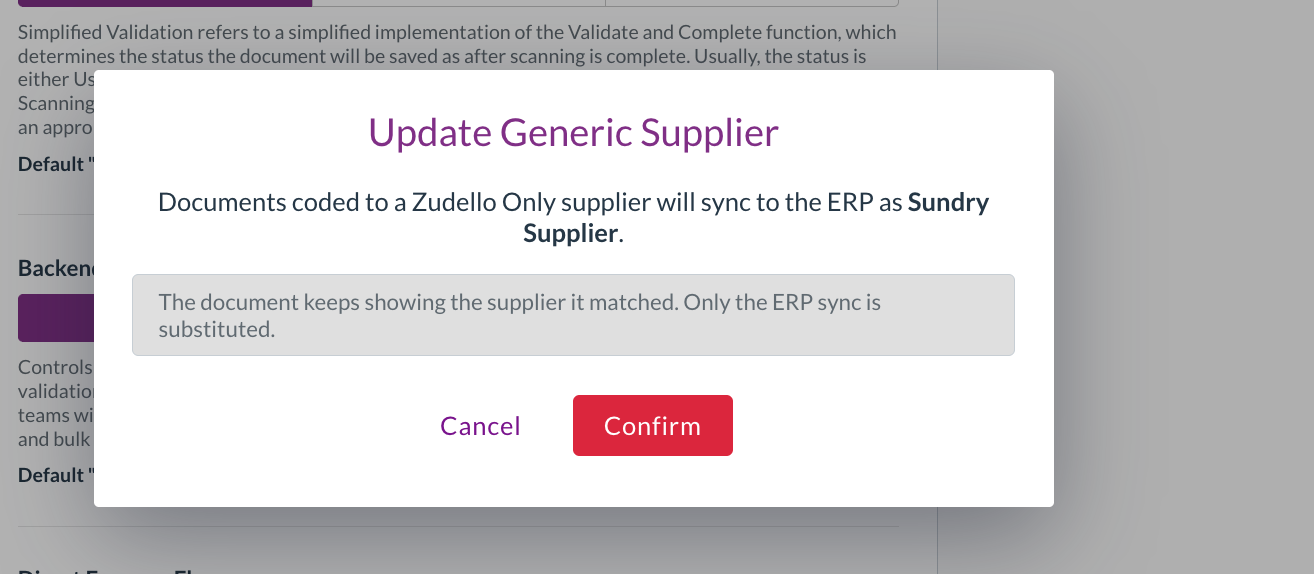
  • Setting or changing it asks you to confirm first. The dialog names the supplier your documents will sync to the ERP as, and makes clear the document itself keeps showing the supplier it matched. Only the ERP sync is substituted.

The Update Generic Supplier confirmation, naming the supplier documents will sync as

Expenses and claims

Know what a claim deletion will do before you do it

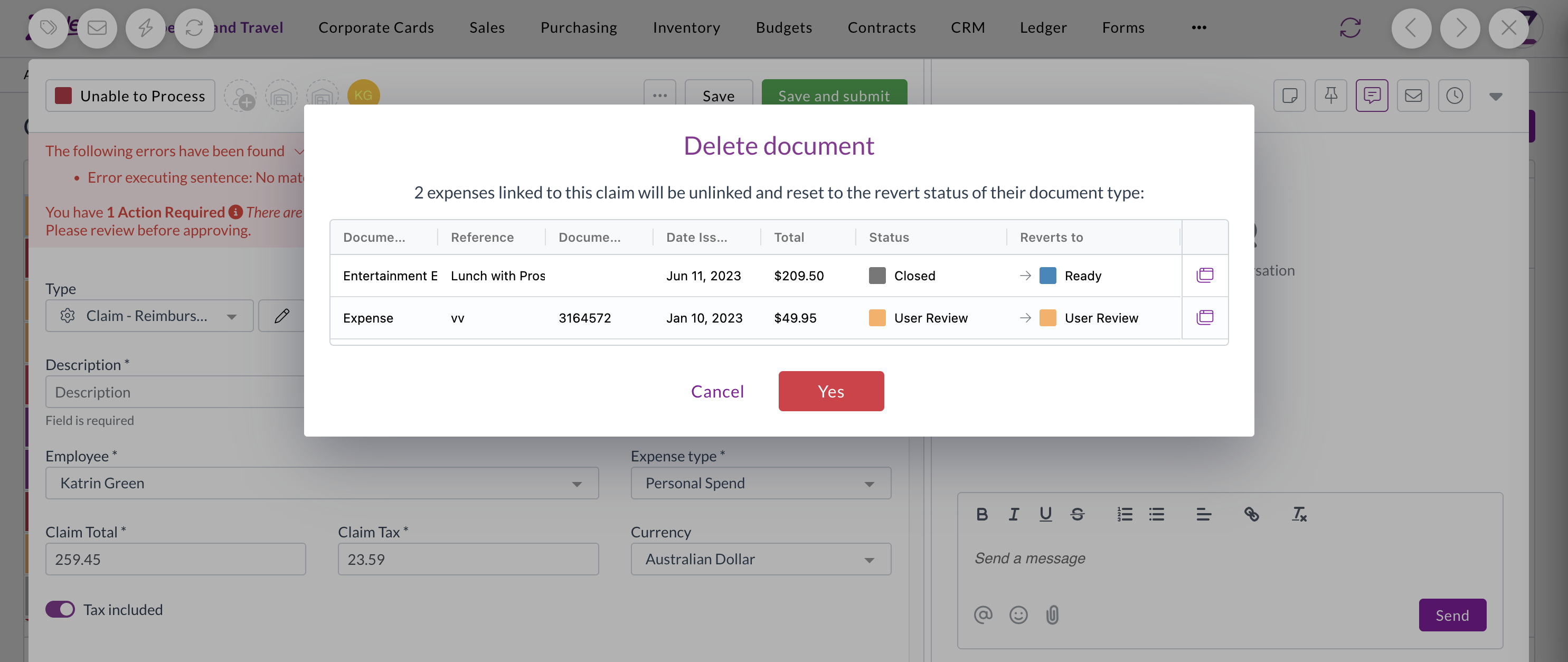
  • Deleting a claim resets the expenses inside it back to their revert status, which meant expenses you'd deliberately closed reappeared in review with no explanation.
  • Deleting a claim now lists the expenses that will be affected and the status each one returns to, so there are no surprises. Cancel and nothing is changed.
  • This applies whether you delete a single claim or several at once.

The confirmation listing expenses affected by deleting a claim

Document viewer

Confirm before an upload replaces what you've entered

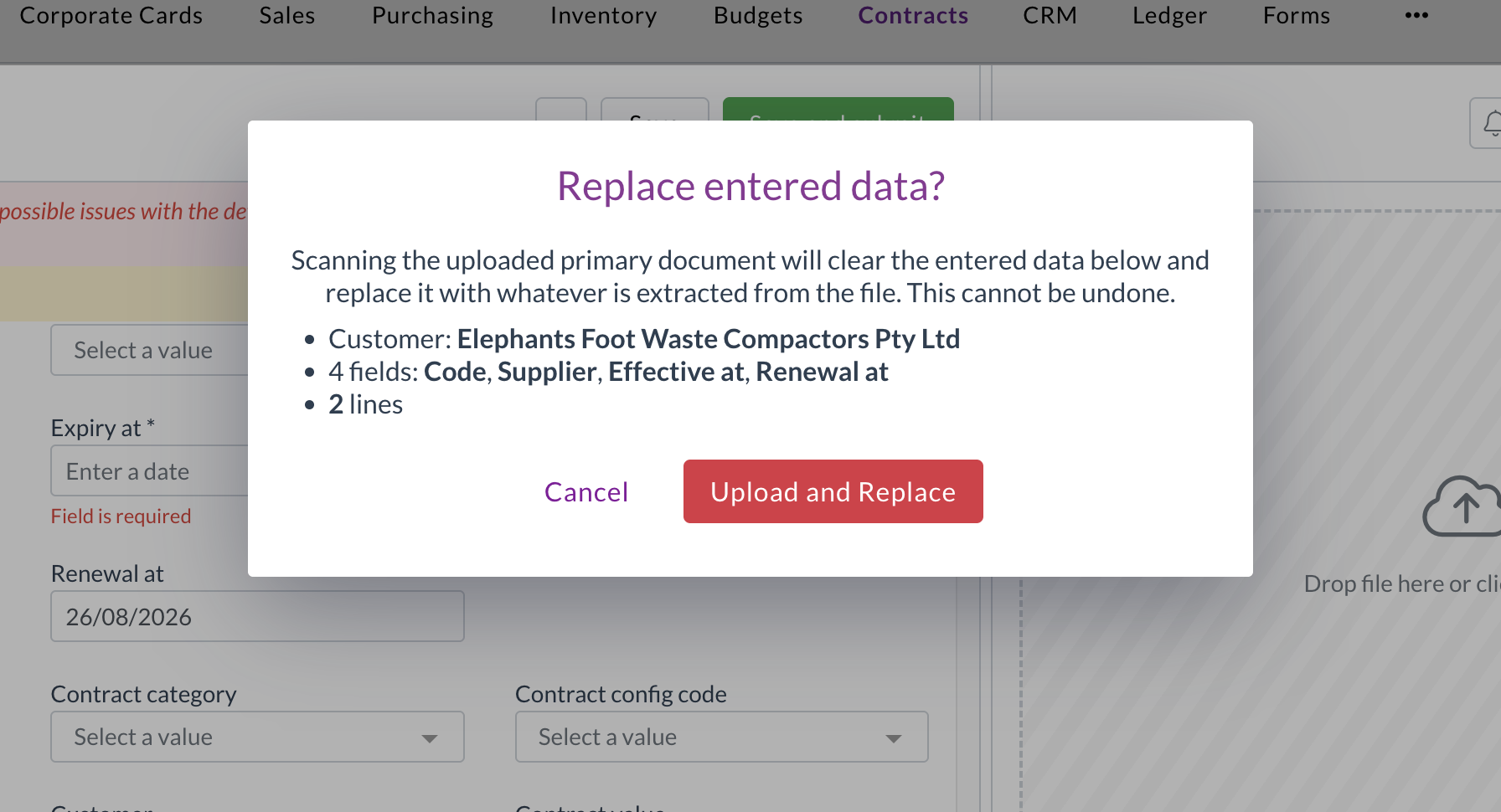
  • Uploading a document to a record that already has data triggers a fresh extraction, which clears the header fields and replaces the lines. There was no warning, and no way back.
  • You'll now see a warning naming exactly what will be replaced, including the supplier, the fields you've filled in, and the number of lines. Cancel and both the record and its documents are left untouched.
  • Uploading to an empty record works exactly as it did before, with no extra step.

A warning naming the fields and lines an upload will replace

Automations

Scheduled automations only offer actions that can run

  • An automation with a schedule trigger runs on its own, without a document to act on, so document-level actions either failed or quietly did nothing.
  • With a schedule trigger selected, the action list now only offers actions that work without a document, so you can't build an automation that can never succeed.

The action list limited to actions that run without a document

Document extraction

We've made extraction more resilient, so fewer documents get stuck.

  • Some PDFs that couldn't be opened before are now repaired automatically. Zudello attempts a wider range of fixes before marking a document as unsupported.
  • A document that fails classification now keeps the extraction work already done, so it can be re-extracted instead of starting again.
  • Large spreadsheets are now read progressively, so a file with a very large empty range no longer causes extraction to fail.

Inboxes

  • Your inbox's default entity and location are now applied to statement documents, the same way they already were for other document types.

Permissions

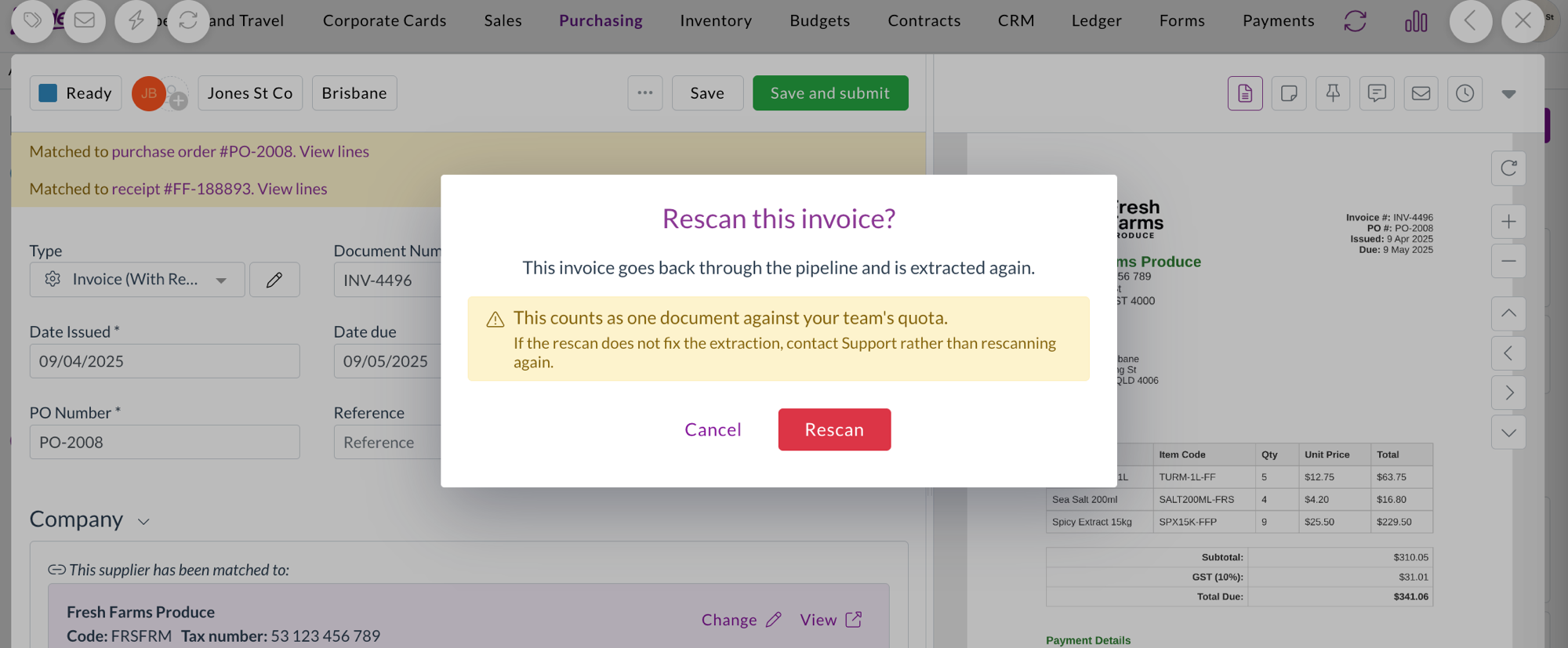
  • A new Rescan permission controls who can re-run extraction on a document, and is enforced when the rescan is requested.
  • Rescans are now recorded against the person who triggered them, so you can see who re-ran extraction, when, and what it spent from your team's quota.

The rescan confirmation, warning that a rescan counts one document against the team's quota

  • New permissions have been added for contract configuration, reasons, and auto coding configuration.

Resolutions

We're constantly working to refine Zudello's functionality and address any issues as soon as possible. As part of this release, we've made the following resolutions:

  • We've fixed the Procurement Bottlenecks dashboard, which took 30 to 40 seconds to load and returned intermittent errors.
  • We've fixed new passwords being accepted and then rejected as invalid. Passwords are now capped at 70 characters and must use standard characters, matching the limit applied when your account is created, with a clear message when one doesn't qualify.
  • We've fixed the budget and contract threshold panels on a document showing foreign-currency amounts unconverted, so a document could read as over budget when it was comfortably under. Stored budget figures were always correct, only the on-screen check was wrong.
  • We've fixed budgets continuing to show spend against the dimensions a budget line used before it was edited, which a manual resync didn't clear. Changing a budget configuration now relinks budgets across the whole team.
  • We've fixed documents with unresolved error-level validations being able to complete, so a card expense could reconcile to Complete while still carrying a blocking error. Errors now block completion the same way they block submission.
  • We've fixed archived, deleted, and rejected documents appearing in the list of documents available to reconcile against and in suggested matches, across invoices, expenses, and credit notes. A document archived while the reconciliation screen is open is now removed from the list rather than staying selectable.
  • We've fixed an issue where the supplier on an item's unit of measure conversion couldn't be updated.
  • We've fixed the reorder workflows screen in Document Studio, where Save Order could stay disabled even though the order needed saving.
  • We've fixed line numbers that weren't visible on forms with purchase order matching turned on.
  • We've fixed searchable dropdowns on long lists, which only ever searched the first 30 records, and which could show a blank value for a record outside the loaded page.
  • We've fixed an issue where the automation value editor could open off the edge of the screen, and where a long email body ran past the bottom of the window.
  • We've fixed an issue where an email arriving with several attachments could create a document with no link back to its email, leaving the inbox thread linked to a different, previously processed invoice instead of the correct one.
  • We've fixed an issue that prevented a file being uploaded into an existing contract from the document side panel.
  • We've fixed an issue where completed documents could be moved back to Unable To Process.
  • We've fixed paged searches that also requested a total count, which returned the first page repeatedly.
  • We've made the documents filter panel faster to open.
  • We've removed the beta label from the process email body option on inboxes.

Have an idea?

Do you have an idea for a new feature or how we can improve our current features? Let us know at support@zudello.com.

Your ideas and feedback are an important part of our product planning process to make Zudello better for everyone.
Release notes edition 3.6.1

Release date: 29 July 2025
Version: v3

Here's the latest summary of what's new and improved in Zudello, as well as what we resolved in the latest release.

Looking for something? Browse by tag to find release notes on a specific feature.

New and improved

Enhanced automation capabilities

Zudello's automations help you reduce manual data entry by automatically setting field values based on your business rules. We've expanded automation capabilities to support custom fields, giving you more flexibility in your document processing workflows.

Custom field automation support

You can now create automation rules that set values for basic custom fields across both document headers and transaction lines. This includes the following field types:

  • Text fields
    • Automatically populate text-based custom fields
  • Number fields
    • Set numeric custom field values
  • Date fields
    • Apply date values to custom date fields
  • Checkbox fields
    • Control boolean custom field settings

Module-specific document coding

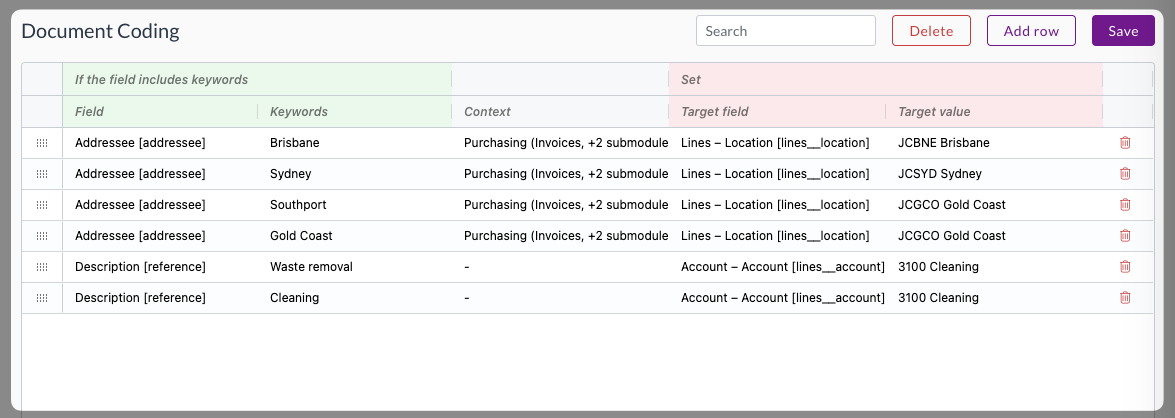
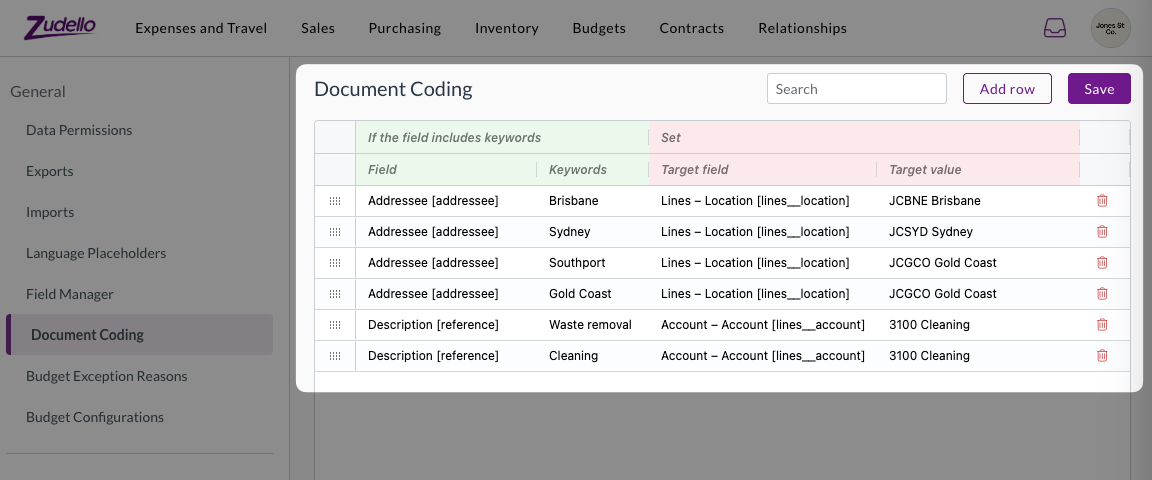
Document coding helps automatically populate transaction fields based on extracted document information. We've enhanced document coding to support module-specific rules, allowing you to apply different coding logic across your various business processes.

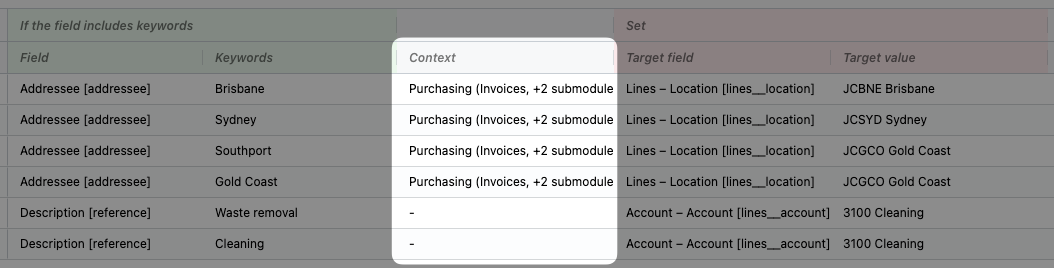
You can now configure document coding rules to apply only to specific modules and submodules:

  • Context-specific rules
    • Set rules that only apply in specific areas like Expenses or Purchasing
  • Flexible configuration
    • Choose which modules and submodules each rule should affect

  • Backwards compatibility
    • Rules without module context will continue to apply across all modules as before

This enhancement allows you to create more precise coding rules that match your specific business workflows for different document types.

Enhanced document viewing options

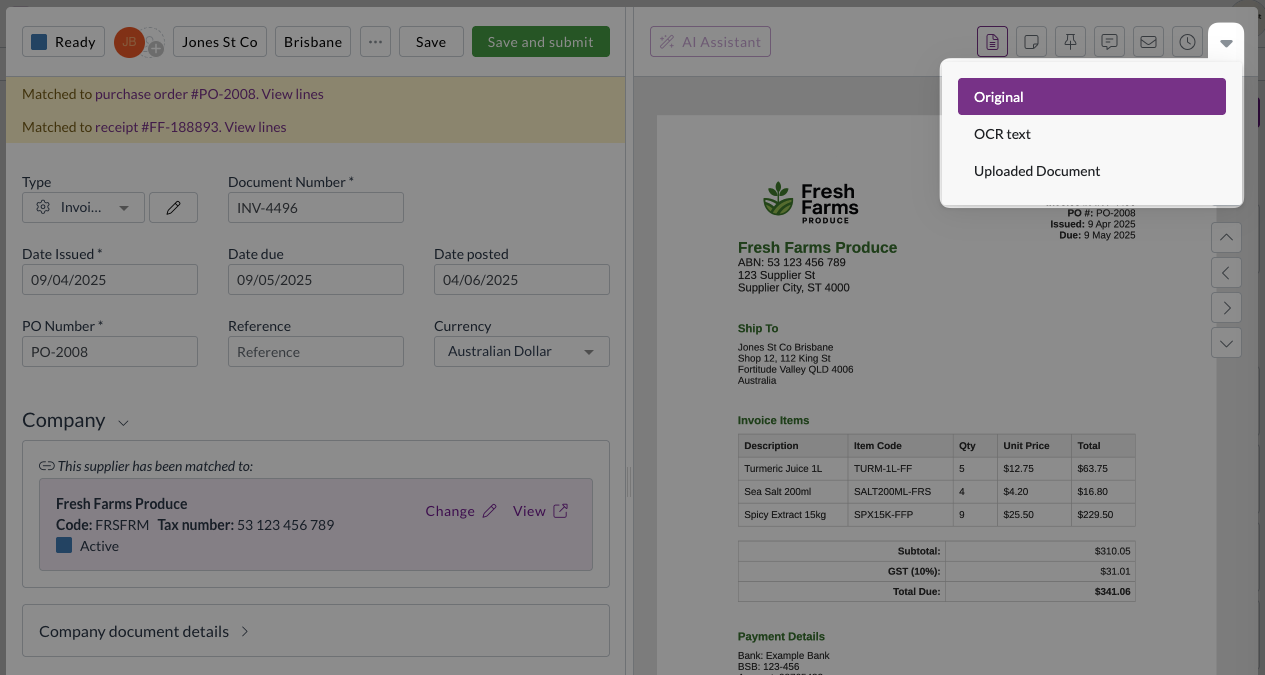
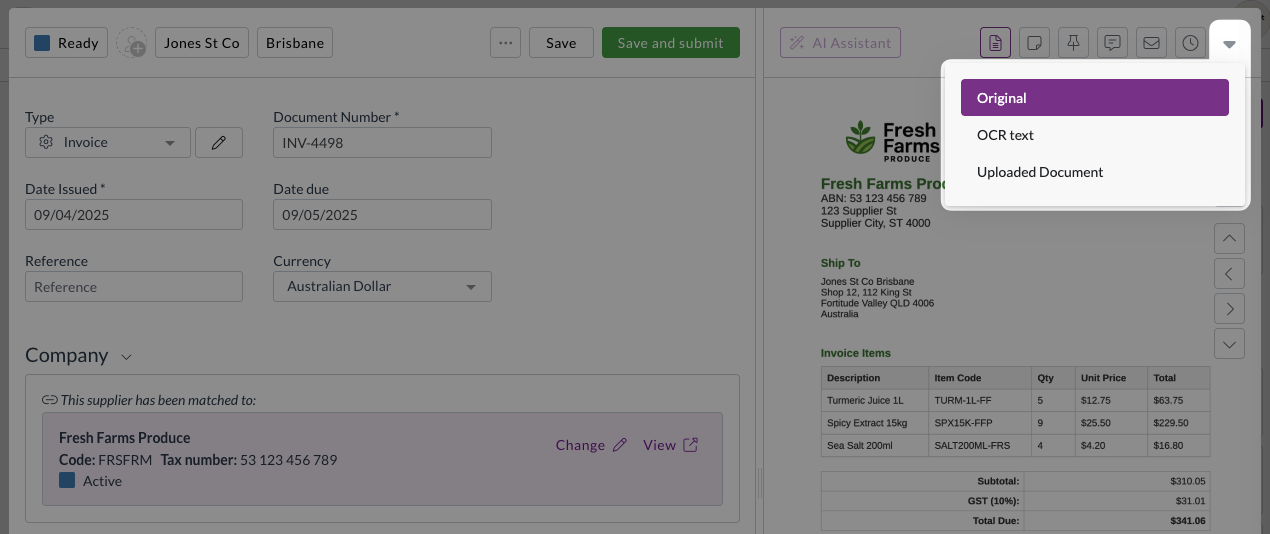
Document viewing helps you review and work with your uploaded documents efficiently. We've restored and improved document viewing options to give you better access to different document formats and information.

Expanded viewing capabilities

All users now have access to multiple document viewing options through an enhanced viewing menu:

  • Original view
    • Shows documents converted to images for faster loading
  • OCR Text view
    • Displays the text that Zudello extracted from your document, helping you understand what information the AI processing identified
  • Uploaded Document view
    • Provides access to the original PDF format for easy text copying, annotation, rotation, downloading, and printing

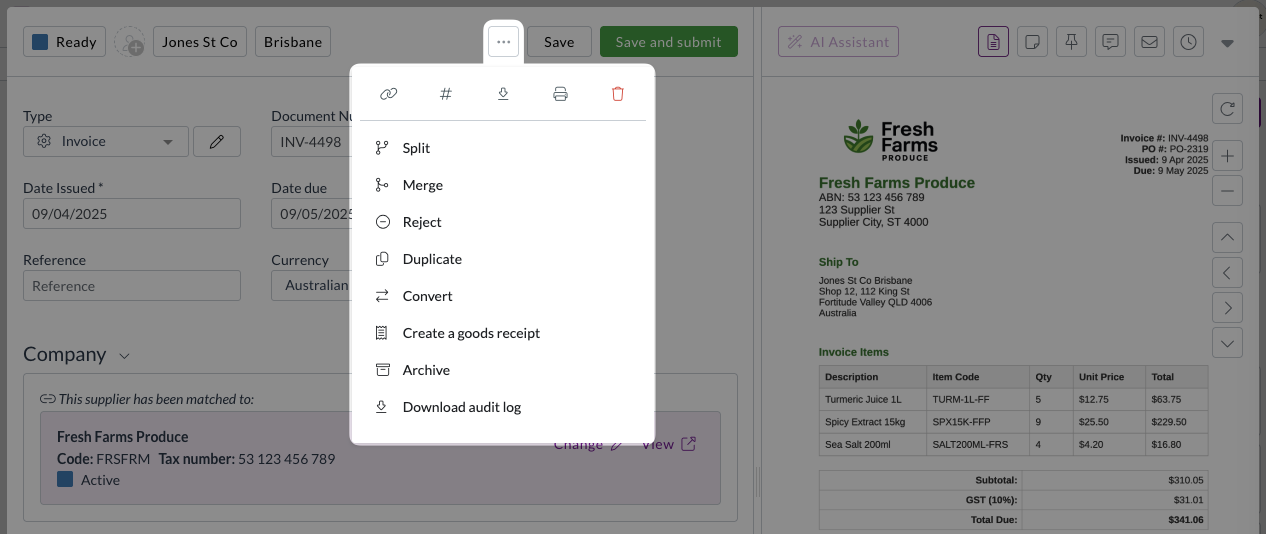
Improved menu design

With the addition of this new menu, the document viewer will now have two menus:

  • Three-dot menu (...)

    • Gives you access to various actions you can take on documents
  • Chevron menu (arrow down)

    • Gives you access to different ways of viewing the same document

Unlock permission for approvals

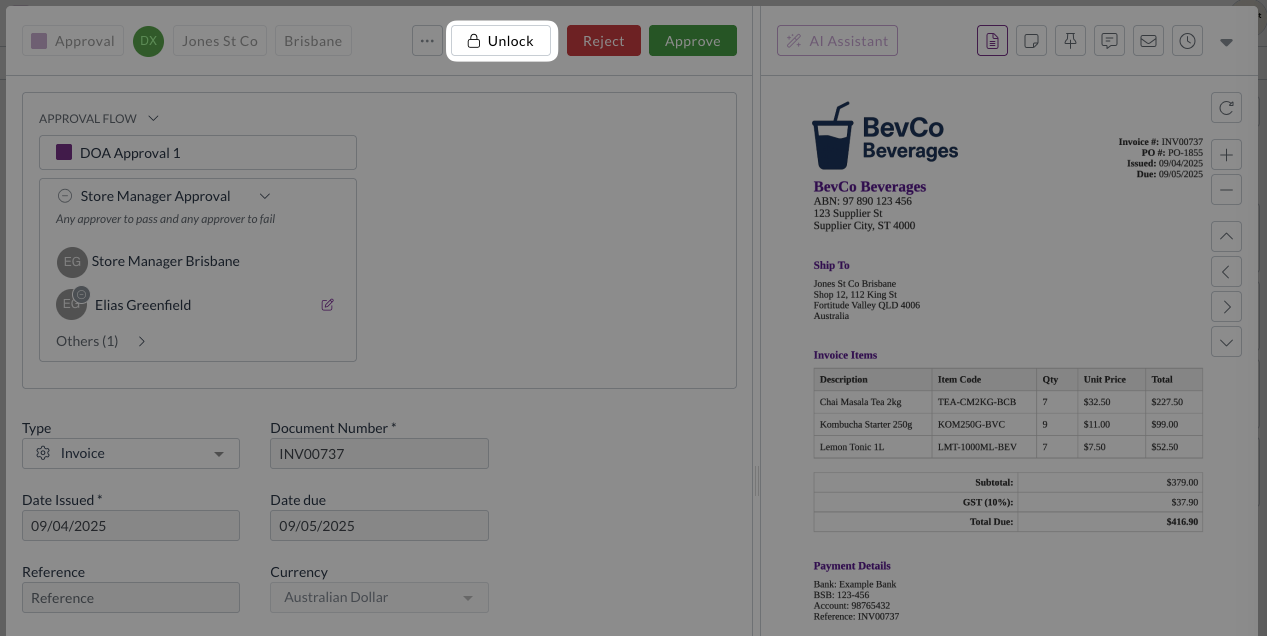
Approval workflows ensure documents are reviewed and approved by the right people at the right time. We've introduced new permission controls to give you finer control over who can edit documents during the approval process.

We've added a new permission system that requires users to explicitly unlock documents before editing them during approvals:

  • Enhanced security
    • Prevents accidental edits by requiring an intentional unlock action
  • Granular control
    • Administrators can control which users have unlock permissions separate from general editing permissions
  • Performance improvement
    • Reduces system load by minimising unnecessary update calls during the approval process

Seamless transition

To ensure continuity, we've automatically granted unlock permissions to all users who currently have update permissions. Administrators can adjust these permissions as needed for their specific workflow requirements.

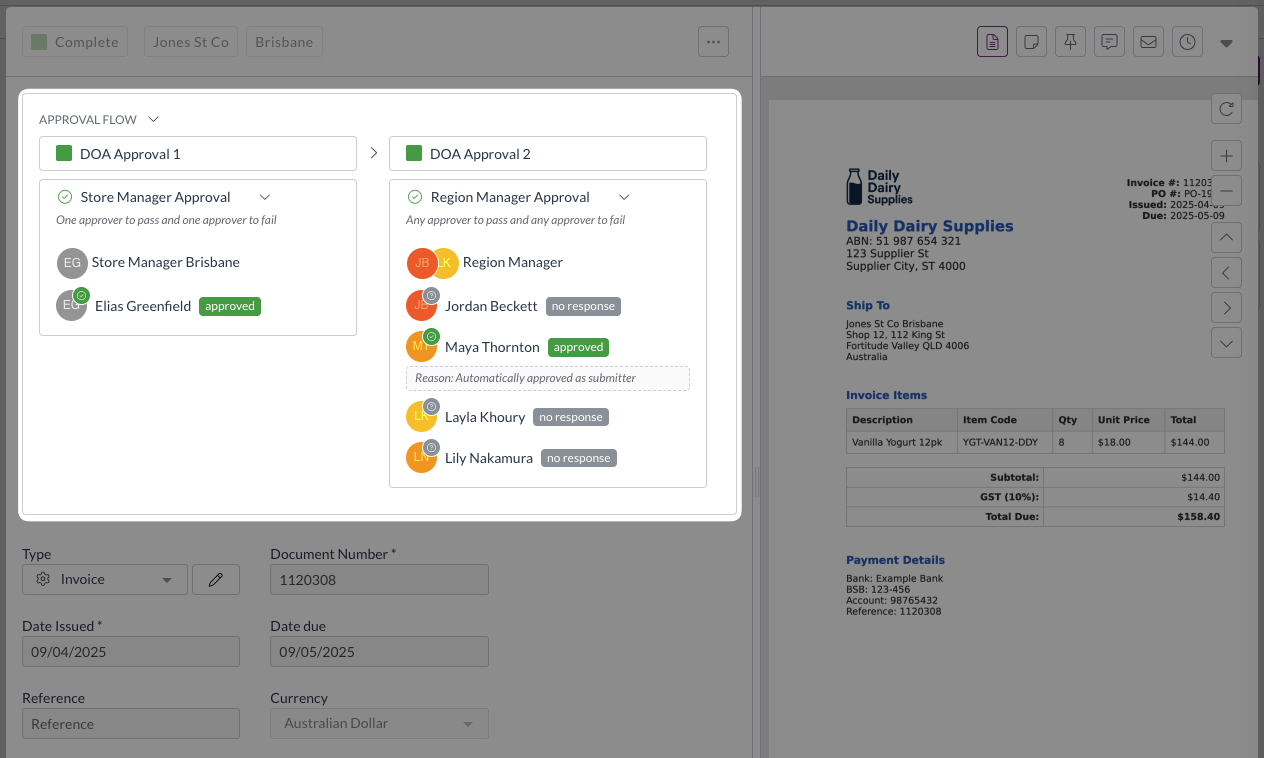
Improved approval visibility

We've enhanced how approval information is displayed to make it easier to track approval status without additional user interactions.

  • Always-visible responses
    • Approval responses are now permanently displayed on screen instead of requiring hover actions
  • Streamlined interface
    • The Others section remains collapsed by default for a cleaner view while keeping essential information visible

Enhanced rejection workflow

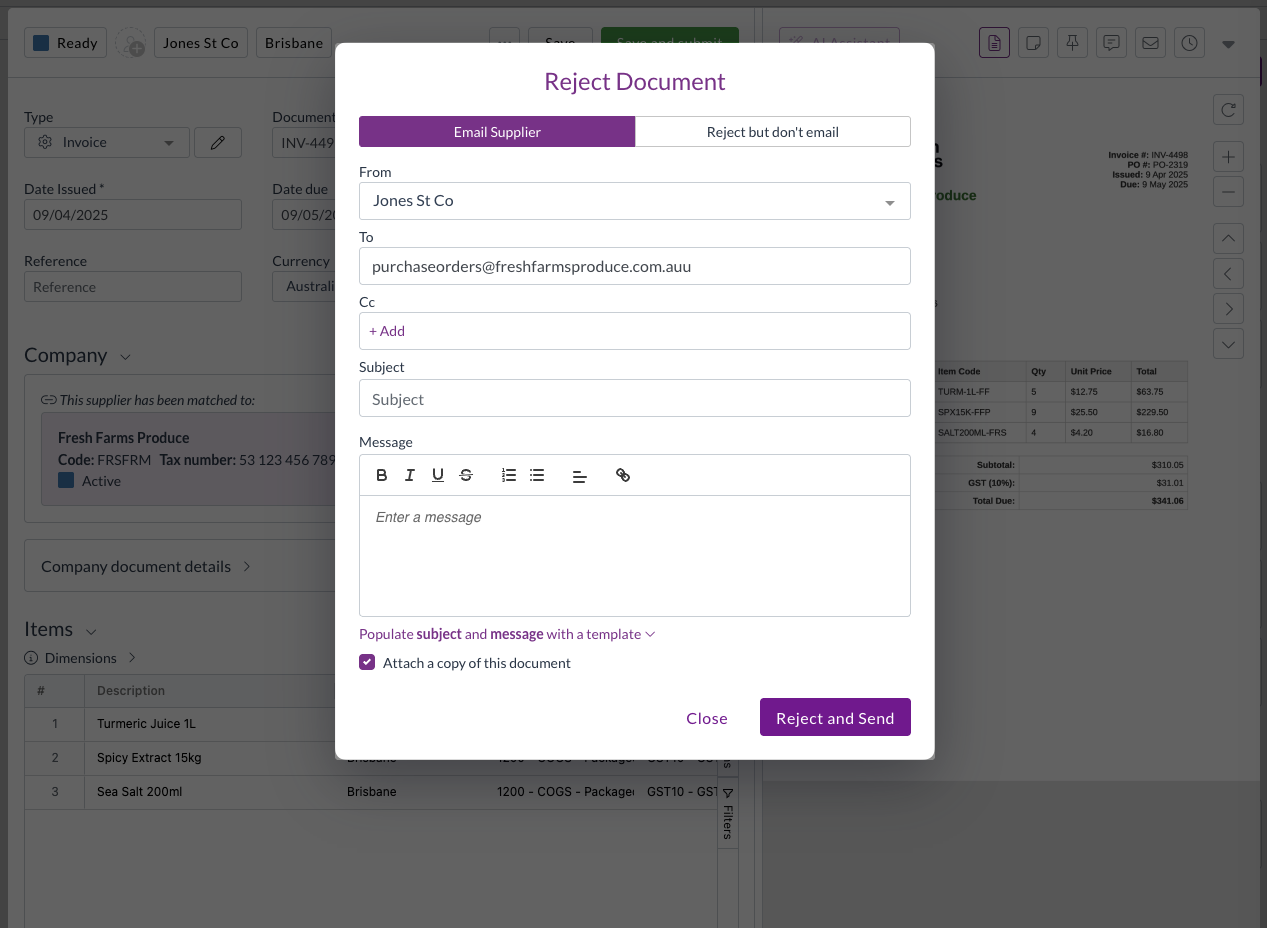
Document rejection helps you return documents to suppliers or submitters when issues need to be resolved. We've improved the rejection feature to make the process more intuitive and automatic.

Intelligent email handling

The system now automatically determines the appropriate recipient for rejection emails:

  • Primary contact
    • Uses supplier or customer email addresses from the document when available
  • Fallback lookup
    • Searches linked supplier or customer records for email addresses if document fields are empty
  • Module-aware display
    • Shows Supplier or Customer labels based on the module you're working in

Configuration improvements

We've made several enhancements to system configuration options to improve usability and reduce setup complexity.

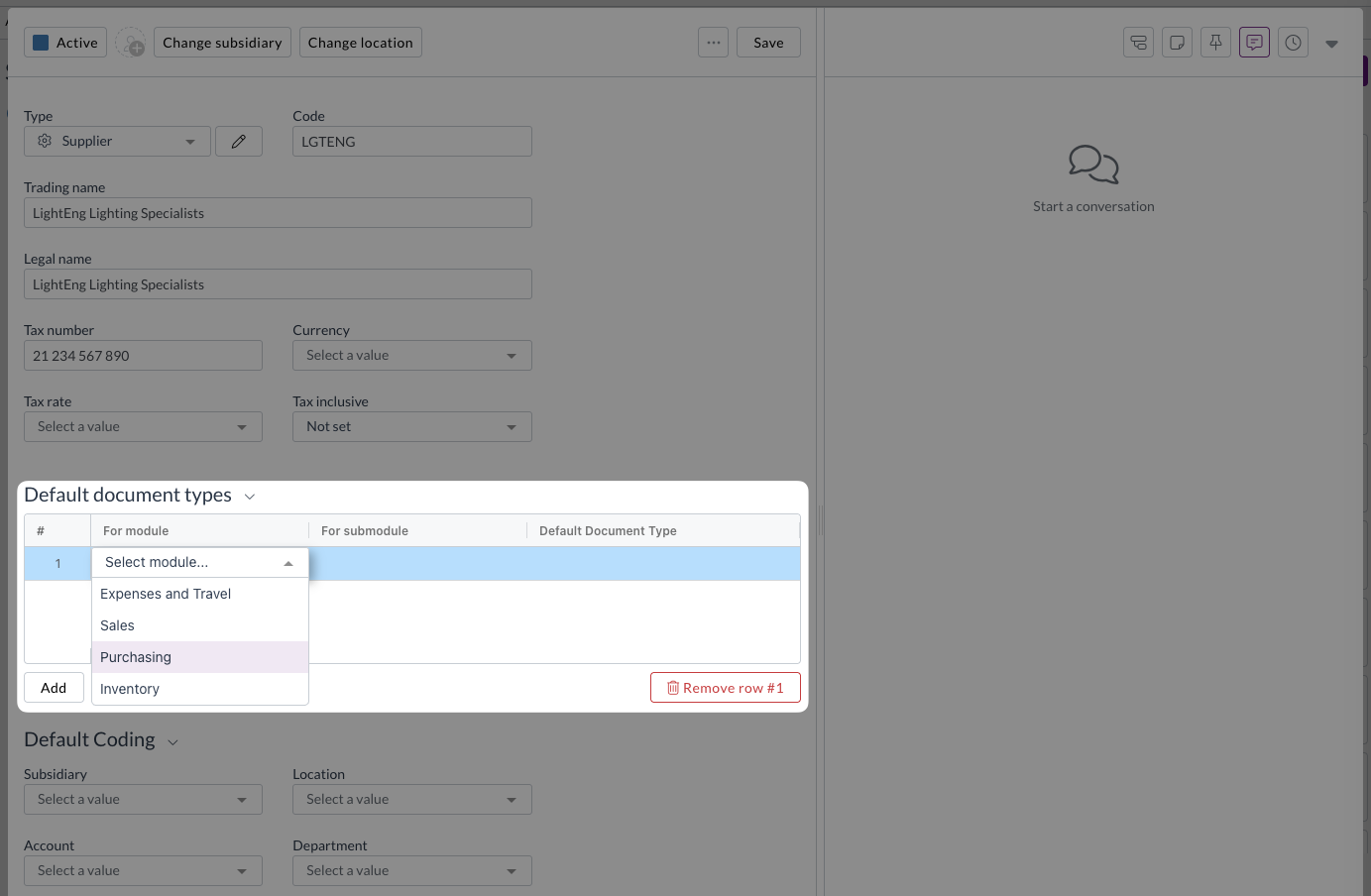
Enhanced default document types

Setting up default document types against suppliers and customer is now more intuitive with dropdown menus for:

  • Module selection: Choose the appropriate module from a dropdown
  • Submodule selection: Select the relevant submodule
  • Document type selection: Pick the specific document type

Inbox management improvements

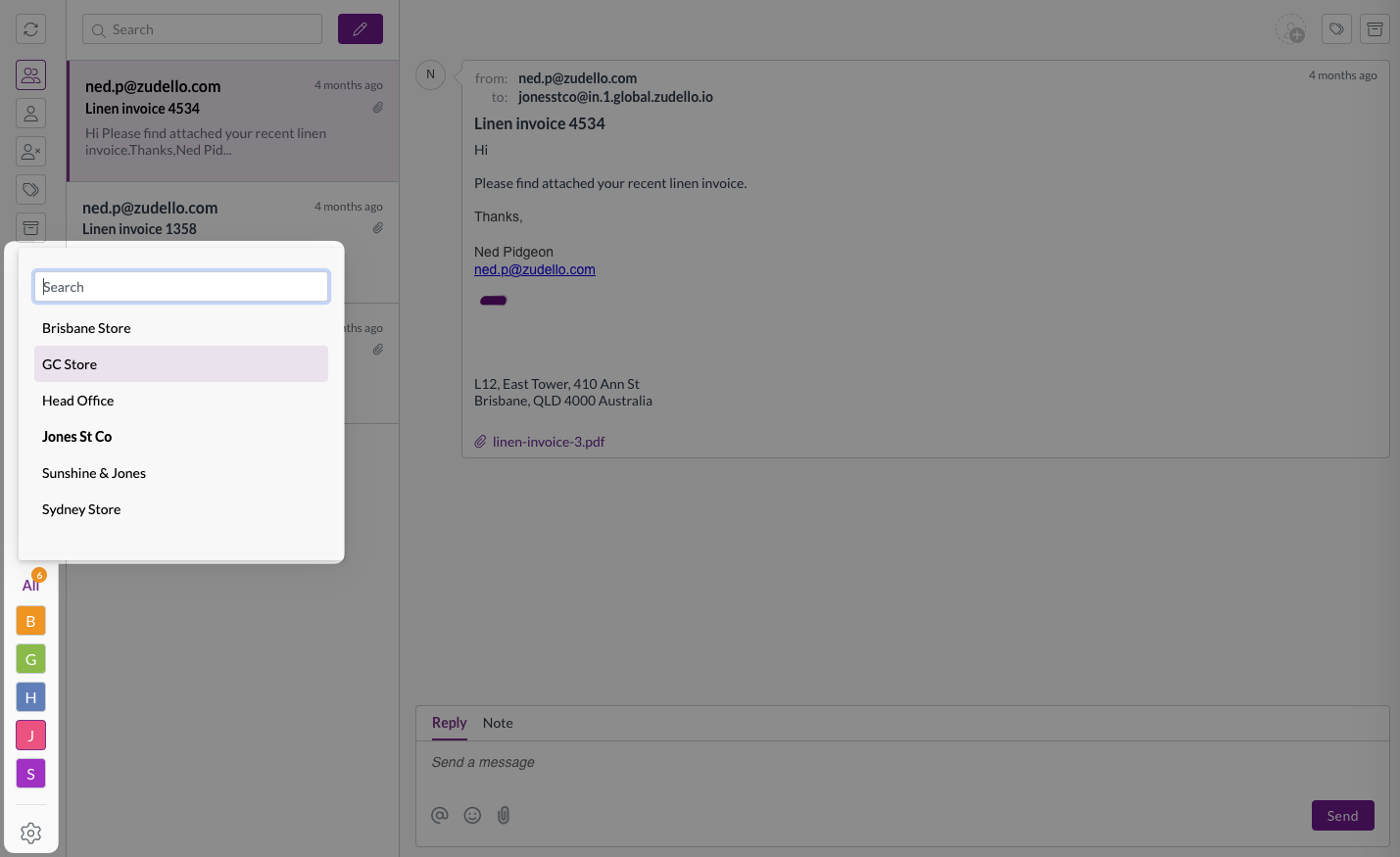
For organisations with multiple inboxes, we've added features to help you find and manage inboxes more efficiently:

  • Search functionality: Quickly find specific inboxes by name
  • Alphabetical sorting: Inboxes are now sorted alphabetically for easier browsing
  • Quick access: The first five search results are pinned for convenient access

Better team management

We've improved how the system handles default team settings to reduce confusion and prevent accidental changes:

  • Smart team loading
    • The system now prioritises your default team when displaying settings
  • Production team priority
    • If no default is set, production teams are shown before sandbox environments
  • Visual indicators
    • Team type icons help you identify when you're viewing sandbox team settings

Card reconciliation enhancements (limited customers only)

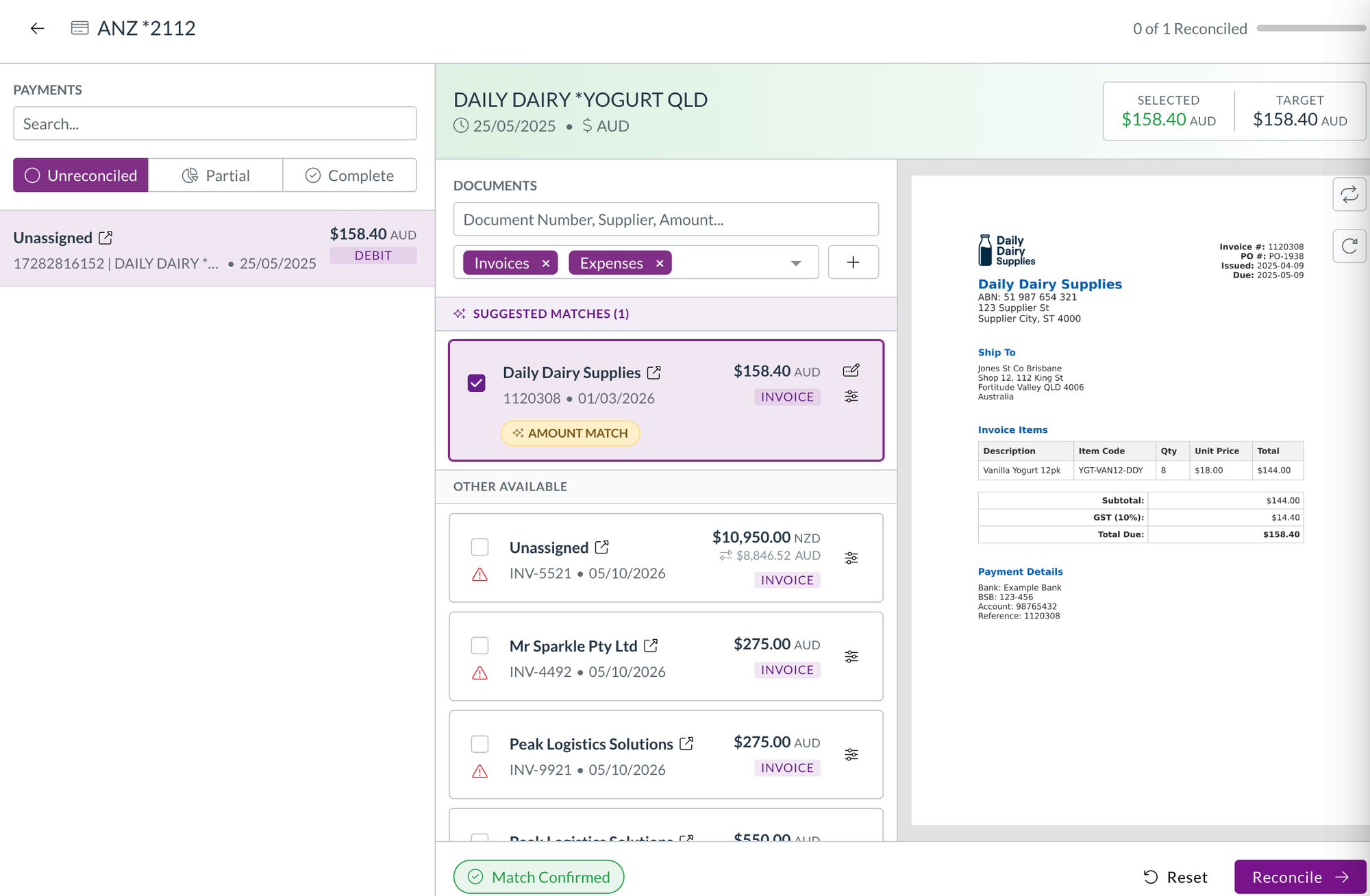
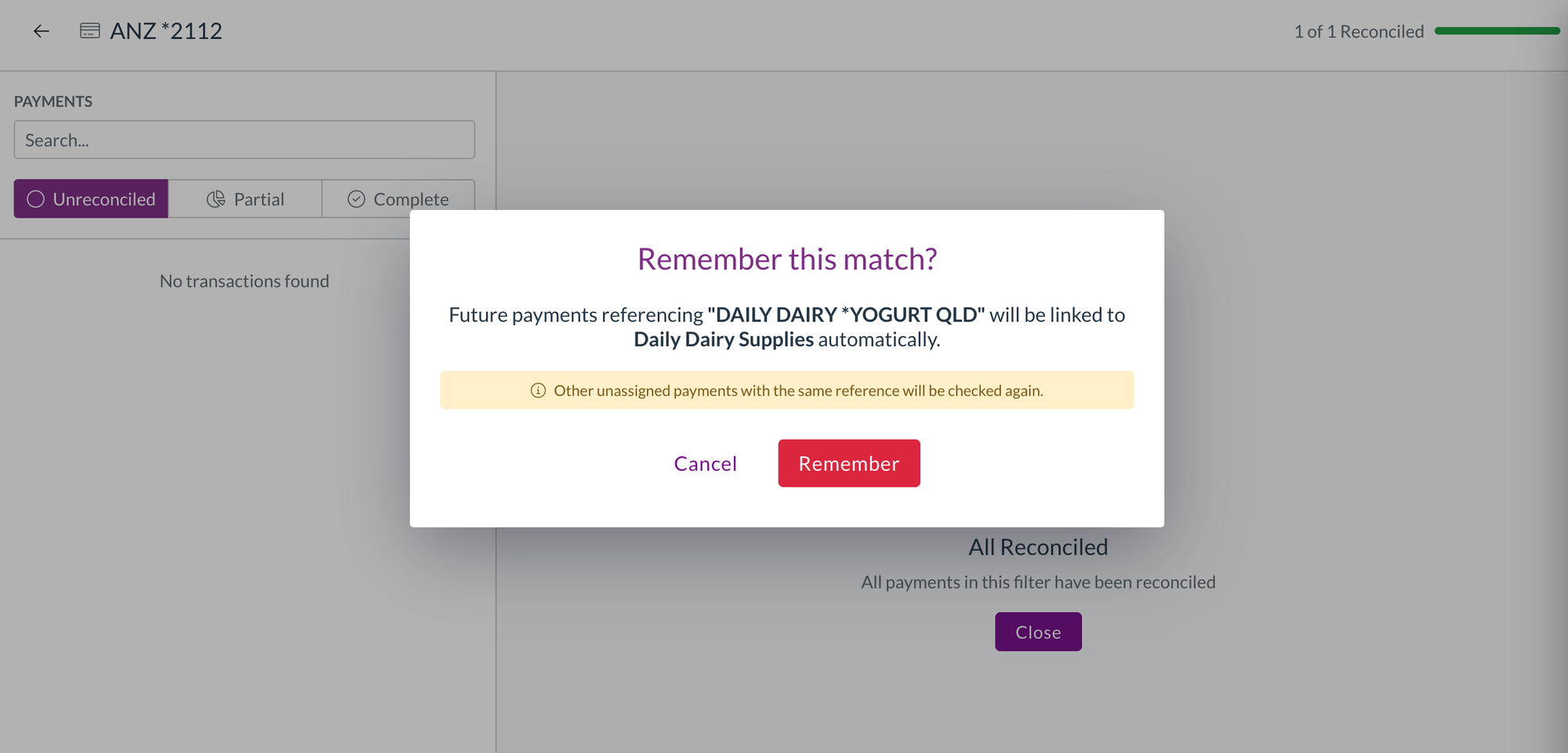
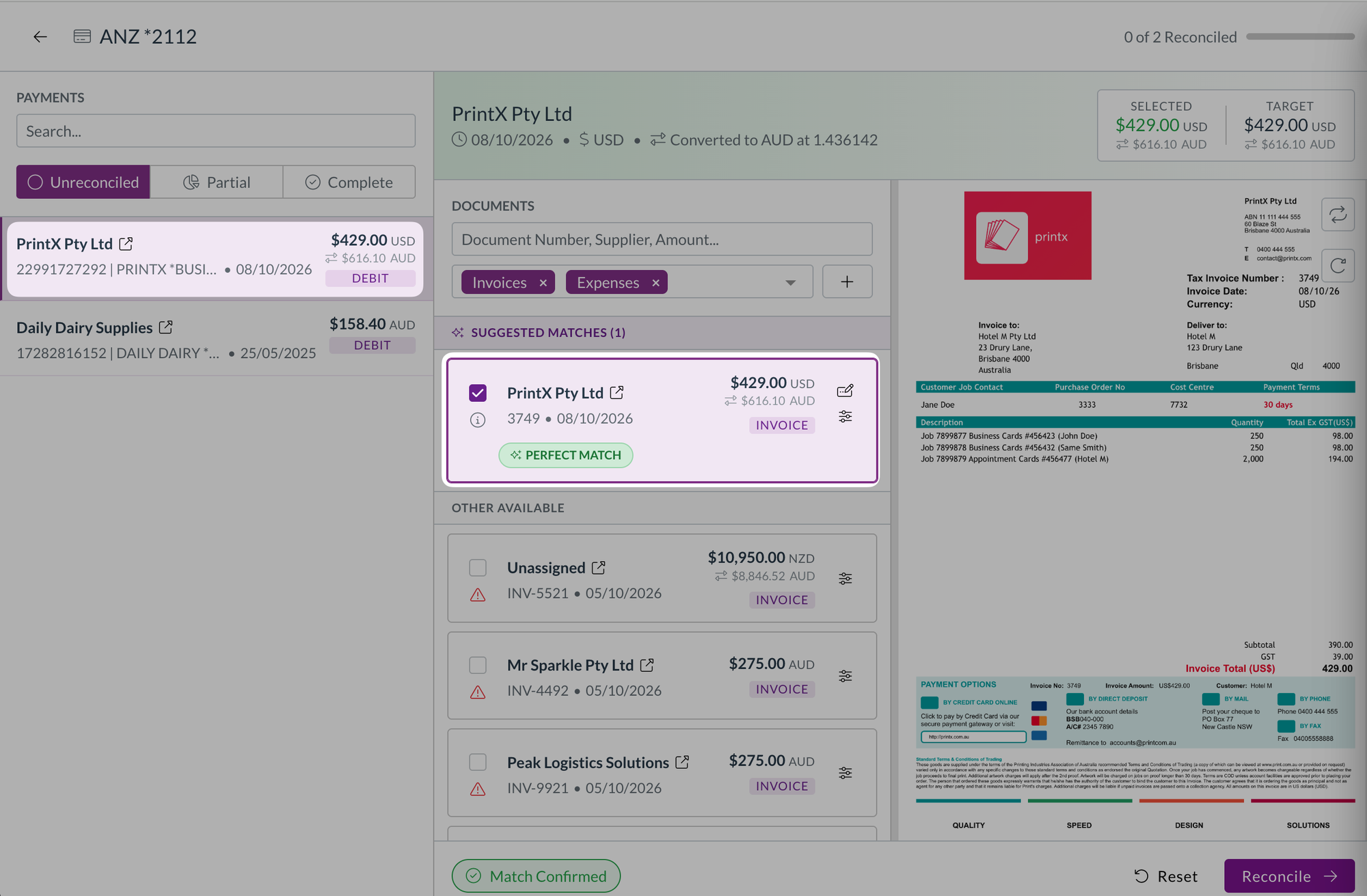
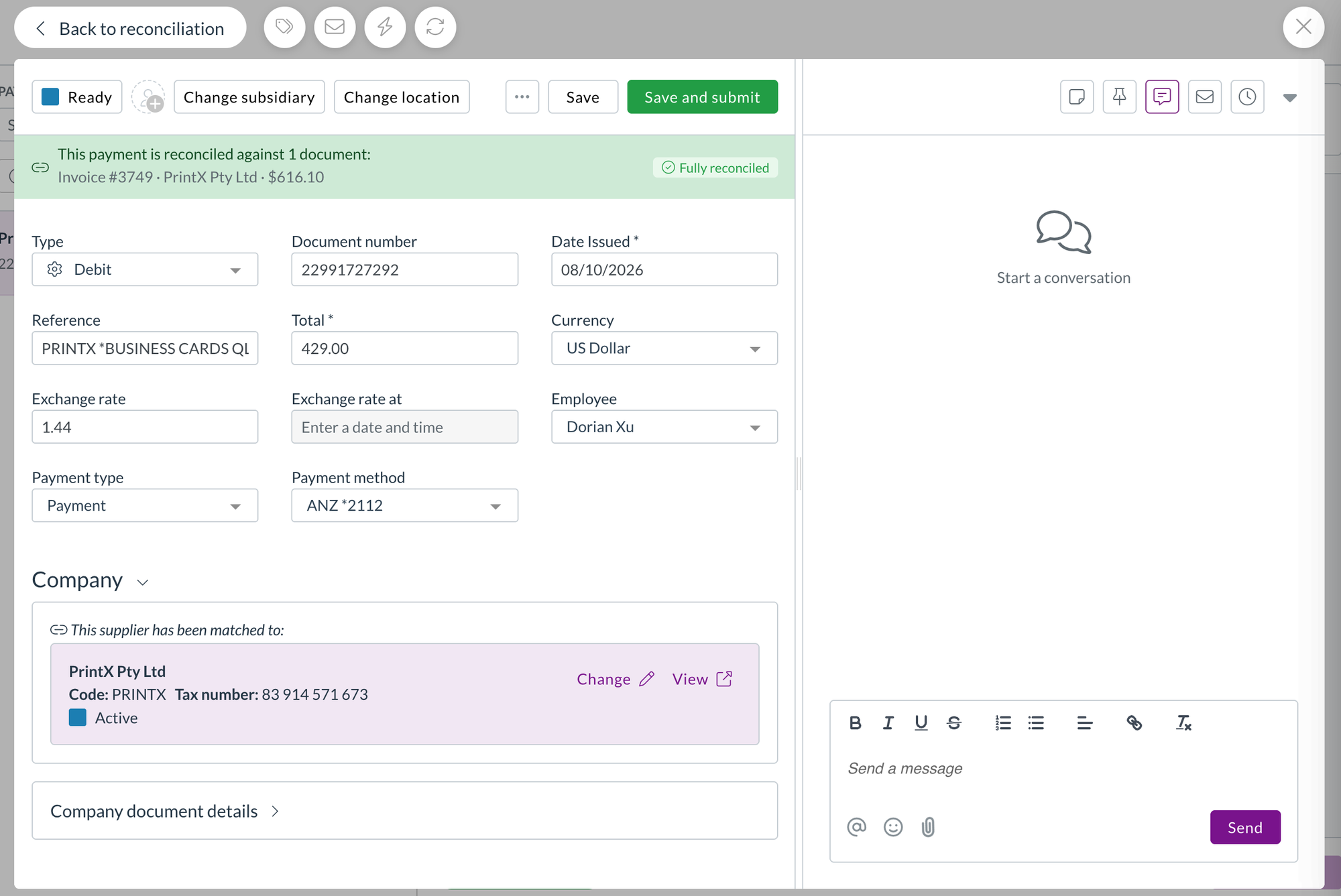
Card reconciliation helps you match credit card transactions with expense records for accurate financial reporting and expense management. We've expanded the reference field display to make it easier to identify and match payments.

Card reconciliation is currently only available for a selected number of teams. Reach out to support@zudello.com to discuss enabling this feature for your team.

Document Studio improvements

Document Studio empowers you to customise how Zudello extracts data from your documents, ensuring maximum accuracy for your specific document types and formats. We've enhanced extraction capabilities to capture more supplier and contact information.

Enhanced contact extraction

We have made improvements to how Document Studio extracts and populates supplier, merchant, and contact name information, providing more complete data capture from your documents.

Document Studio is currently only available for a selected number of teams. Reach out to support@zudello.com to discuss enabling Document Studio for your team.

Resolutions

We're constantly working to refine Zudello functionality and ensure that we address any issues as soon as possible. As part of this release, we've made the following resolutions and improvements:

  • We've resolved an issue where hover messages showed incorrect submodule information when opening transactions from related documents (for example, opening a receipt from a purchase order now correctly shows "receipt" in the hover message)
  • We've fixed an issue where expenses on claims were incorrectly numbered in some cases

Have an idea?

Do you have an idea for a new feature or how we can improve our current features? Let us know at support@zudello.com.

Your ideas and feedback are an important part of our product planning process to make Zudello better for everyone.
Release notes edition 3.5.8

Release date: 2 July 2025
Version: v3

Here's the latest summary of what's new and improved in Zudello, as well as what we resolved in the latest release.

Looking for something? Browse by tag to find release notes on a specific feature.

New and improved

Enhanced item alternatives management

Item alternatives let Zudello automatically recognise different codes that suppliers and customers use for the same products, reducing manual data entry and improving processing accuracy. We've made significant improvements to how the system searches for and manages existing item alternatives.

We've enhanced the search functionality when assessing potential new item alternatives, particularly when an item has existing alternatives linked to other suppliers or customers. This improvement ensures more accurate matching and reduces duplicate alternative creation, making your item management more efficient and reliable.

Importing improvements

Document importing helps you efficiently upload large volumes of data into Zudello using CSV files and other formats. We've continued enhancing our importing capabilities with several key improvements to make the process more reliable and user-friendly.

Enhanced importing reliability

We've upgraded our importing tool to use new backend technology, resolving several issues with the previous system:

  • Improved document type handling: The system now correctly sets document types during import, eliminating previous inconsistencies
  • Better error handling: Resolved issues where imports would stall without providing error messages to users
  • Enhanced UUID validation: Improved handling of invalid UUID entries during import

Code-based resource updates

Previously, to update records you needed to provide the UUID or external ID of each record. We've now added the ability to import and update resources using the code field for matching, making it easier for end users to manage existing data via imports.

warning

Since codes aren't enforced as unique, imports will fail if multiple records share the same code. This helps maintain data integrity within your team.

Enhanced filtering capabilities

Filtering helps you quickly locate specific transactions and documents within your system. We've expanded filtering options and improved the user experience for finding the information you need.

Improved quick filters and better display

Quick filters are always visible when you open the filtering tab, and allow you to quickly drill down to the documents you need.

We've also improved the display of very long filter names, particularly for approval-related filters.

New allocation filters

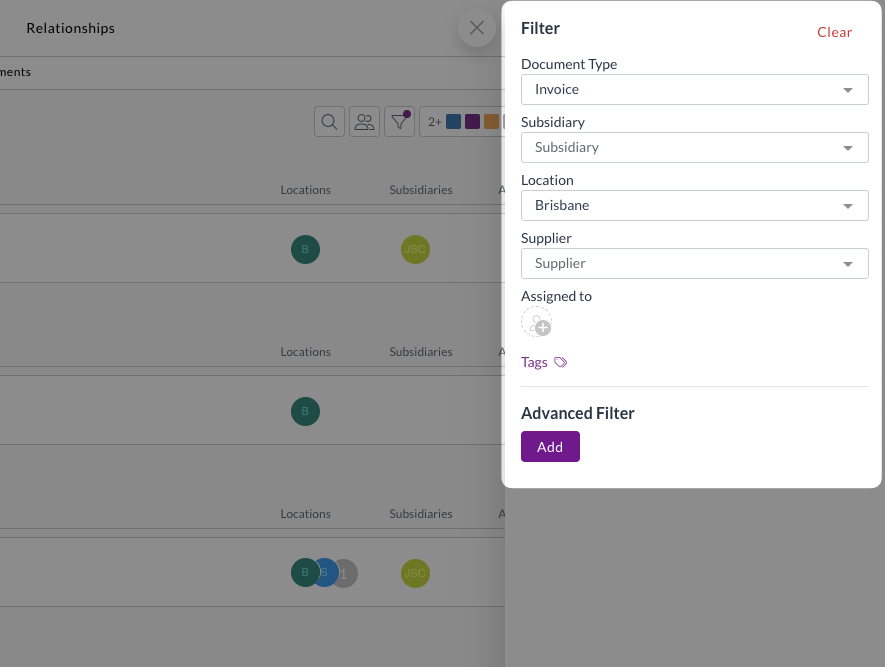
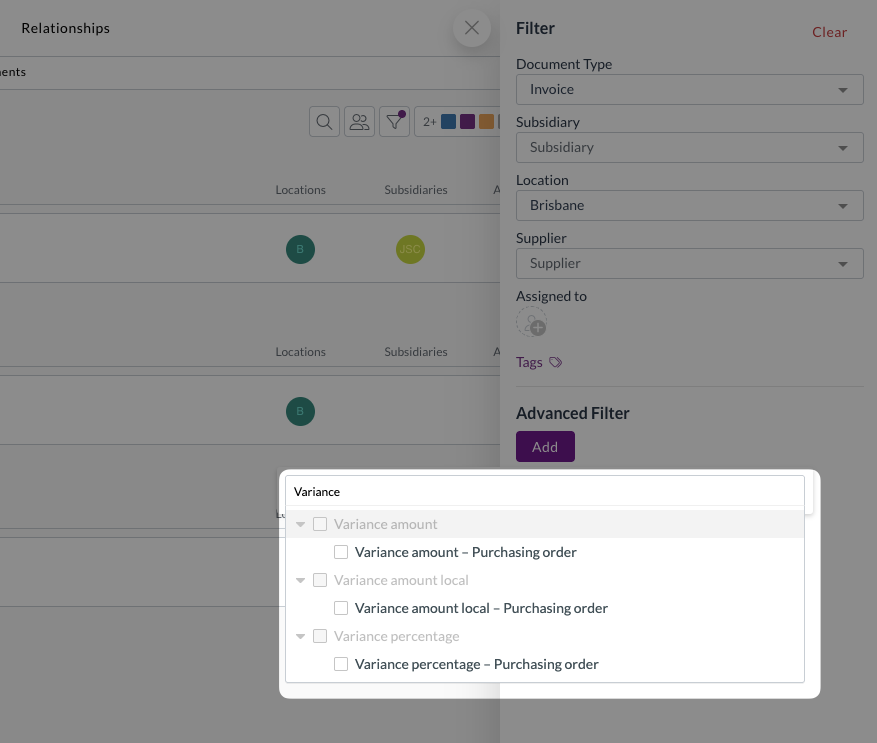
We've added allocation-related fields to the filtering options, making it easier to track transaction matching status:

  • Allocation statuses: Filter by current allocation status
  • Variance amounts and percentages: Find transactions with specific variance levels
  • Remaining amounts and percentages: Identify partially allocated transactions
  • Discrepancy amounts and percentages: Locate transactions with matching discrepancies

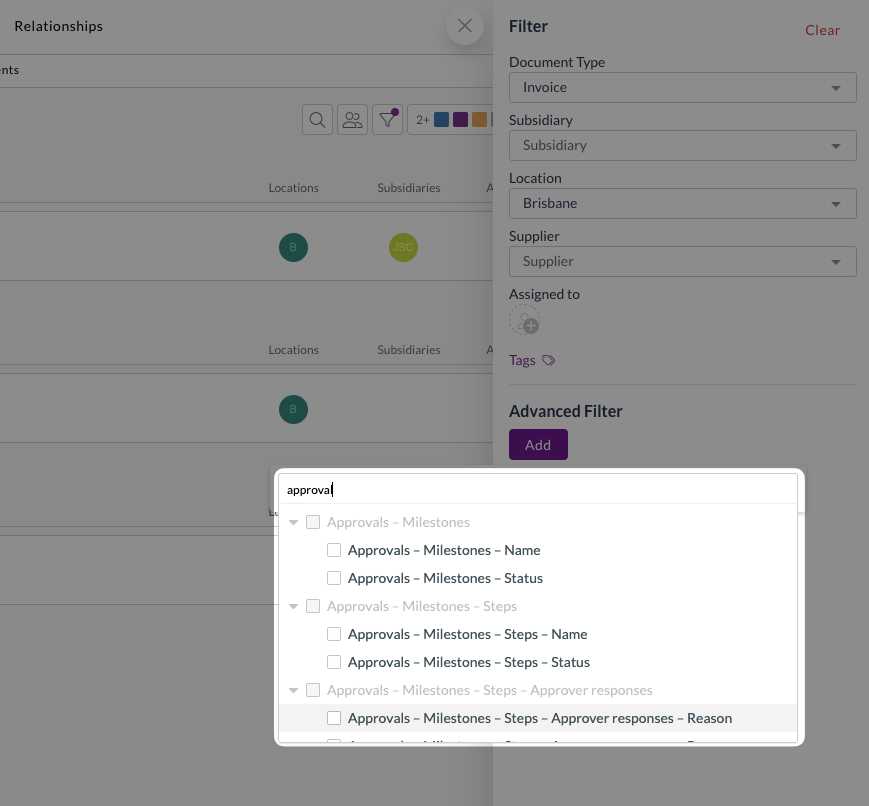
Enhanced approval filters

We've expanded approval filtering capabilities to help you manage workflow status more effectively:

  • Filter by specific milestone names or statuses
  • Filter by step names or statuses
  • Filter by associated approvers
  • Filter by approval responses or reasons

Available approval statuses and responses:

  • PENDING (response and status)
  • ESCALATED (response and status)
  • DELEGATED (response only)
  • FORCED (response only)
  • CHANGED (response only)
  • APPROVED (response and status)
  • REJECTED (response and status)

Approval and notification improvements

Approval workflows ensure documents are reviewed and approved by the right people at the right time. We've made several enhancements to improve the approval experience and ensure proper workflow management.

Automatic approval cleanup

We've improved how the system handles archived or completed documents with open approvals:

  • Automatic clearing
    • When documents change from "Approve" status to any other status type (such as Archive or Mark as Completed), the system automatically clears any open approvals
  • Improved reporting accuracy
    • This ensures approval reporting correctly reflects actual outstanding approval actions
  • Reduced unnecessary notifications
    • Prevents escalation and reminder notifications for archived or completed documents

Open approvals are defined as active and future milestones, including all their steps and responses. Previously approved or rejected milestones are preserved for historical tracking.

Enhanced approval notifications

We've improved the approval notification system:

  • New approver notifications
    • When you manually change an approver, the system automatically sends approval required notifications to the newly assigned approver
  • Expanded reminder options
    • Manual reminders are now available for escalated approval steps
  • Improved claim notifications
    • Enhanced handling of claim notifications to avoid showing "unavailable" or "unknown" placeholders when key information is missing

Document coding improvements

Document coding helps you automatically populate transaction fields based on extracted document information, reducing manual data entry and ensuring consistent coding. We've enhanced the document coding configuration to prevent invalid setups and provide clearer error messaging.

Improved field selection

We've refined which fields can be used in document coding rules:

  • Source fields
    • Limited to only text fields that can be populated by the extraction pipeline
  • Target fields
    • Filtered to show only writable fields, excluding system-controlled fields like:
      • User and system date fields (e.g. Created at, Created by)
      • System-controlled fields (e.g. Budget status, Allocation status)
      • Sub-resources that can't be directly updated

Enhanced error messaging

We've reformatted error messages for invalid document coding rules to make them easier to read and understand, helping you resolve configuration issues more quickly.

Price Books improvements (limited customers only)

Price management helps you maintain accurate pricing across different suppliers, customers, and business dimensions. We've continued enhancing our Price Books feature with new capabilities for managing complex pricing scenarios.

Dimension-specific pricing management

Building on our basic implementation, we've added advanced pricing capabilities:

  • Accept pricing workflow
    • Ability to accept pricing when managing dimension-specific pricing (such as Subsidiary or Project pricing) without overwriting existing prices
  • Bulk import and export
    • Full support for importing and exporting item pricing records via the user interface

Price Books are currently only available for a selected number of teams and require additional implementation. Reach out to support@zudello.com to discuss enabling this feature for your team.

Reporting enhancements (limited customers only)

Business intelligence and reporting help you gain insights into your document processing workflows and business performance. We've made improvements to enhance the reporting experience and provide better navigation capabilities.

Enhanced report exports

We've improved how the system handles URLs and links when exporting reports:

  • Better CSV and Excel exports
    • Enhanced handling of document URLs and links in exported data
  • Approval dashboard improvements
    • Added document URLs and links to the approval dashboard, allowing users to easily navigate directly to transactions requiring attention (such as pending approvals)

Reporting is currently only available for selected teams. Reach out to support@zudello.com to discuss enabling this feature for your team.

Card Reconciliation improvements (limited customers only)

Card reconciliation helps you match credit card transactions with expense records for accurate financial reporting and expense management. We have launched this new feature with selected customers and have made several enhancements based on initial feedback.

Enhanced expense management

  • Payment method visibility
    • Added the Payment method field as a column to the payments submodule table view for better transaction tracking
  • Improved filtering
    • Added an additional filter to the card reconciliation screen specifically for Card Spend expenses

Smart default filters

We've implemented intelligent default filters that users can modify as needed:

  • Payment method matching:

    • Filters expenses by the selected Payment Method for reconciliation
    • Includes expenses without a Payment Method set
    • Can be disabled to show expenses regardless of payment method
  • Card spend filtering:

    • Filters expenses by Expense Type = Card Spend
    • Can be disabled to show all expenses regardless of type
    • Both filters can be removed by clicking the 'x' if not needed

Card reconciliation is currently only available for a selected number of teams. Reach out to support@zudello.com to discuss enabling Document Studio for your team.

Document Studio improvements

Document Studio empowers you to customise how Zudello extracts data from your documents, ensuring maximum accuracy for your specific document types and formats. We've added new extraction capabilities to capture more information from your documents.

Enhanced extraction capabilities

We've expanded Document Studio's ability to extract information from transaction documents:

  • Transaction Line Notes support
    • Document Studio now supports extracting notes from individual transaction lines

Document Studio is currently only available for a selected number of teams. Reach out to support@zudello.com to discuss enabling Document Studio for your team.

Resolutions

We're constantly working to refine Zudello functionality and ensure that we address any issues as soon as possible. As part of this release, we've made the following resolutions and improvements:

  • We resolved an issue where logos with identical names would overwrite each other across different teams, ensuring each team's branding remains distinct.

Have an idea?

Do you have an idea for a new feature or how we can improve our current features? Let us know at support@zudello.com.

Your ideas and feedback are an important part of our product planning process to make Zudello better for everyone.