9 posts tagged with "Contracts"

Description for the contracts tag.

View All Tags

Release notes edition 3.7.13

Release date: Wednesday 16 September 2026
Version: v3

Here's the latest summary of what's new and improved in Zudello, as well as what we resolved in the latest release.

In this release:

  • Pause, edit, and see the history of your recurring orders
  • Recurring sales orders that work around weekends and public holidays
  • Replace a contract's primary document and keep the old one as a version
  • Reconciliation status in automations, new data permission categories, and more

Looking for something? Browse by tag to find release notes on a specific feature.

New and improved

Recurring orders

Recurring orders let you save an order as a template and put it on a schedule, so Zudello raises it for you. Last edition introduced templates and schedules. We've now added the controls you need to run them day to day.

Pause and resume a schedule

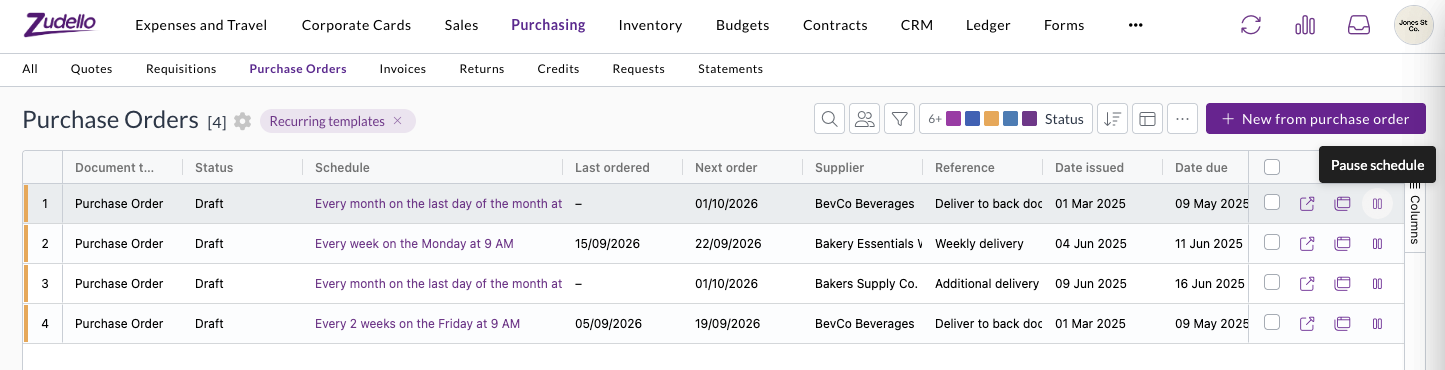
  • Pause a template from its row in the recurring templates list, or with Pause on the template itself. Resume carries on from the next scheduled date.
  • Orders that fall due while a template is paused are skipped rather than raised later. Zudello tells you this before you pause.
  • A paused template shows a Paused tag, and the list reads Paused in place of the next order date, so you can see what's on hold at a glance.
  • Pausing and resuming are recorded in the template's history.

The recurring templates list, with a pause action on each row and columns for schedule, last ordered, and next order

See every order a template has raised

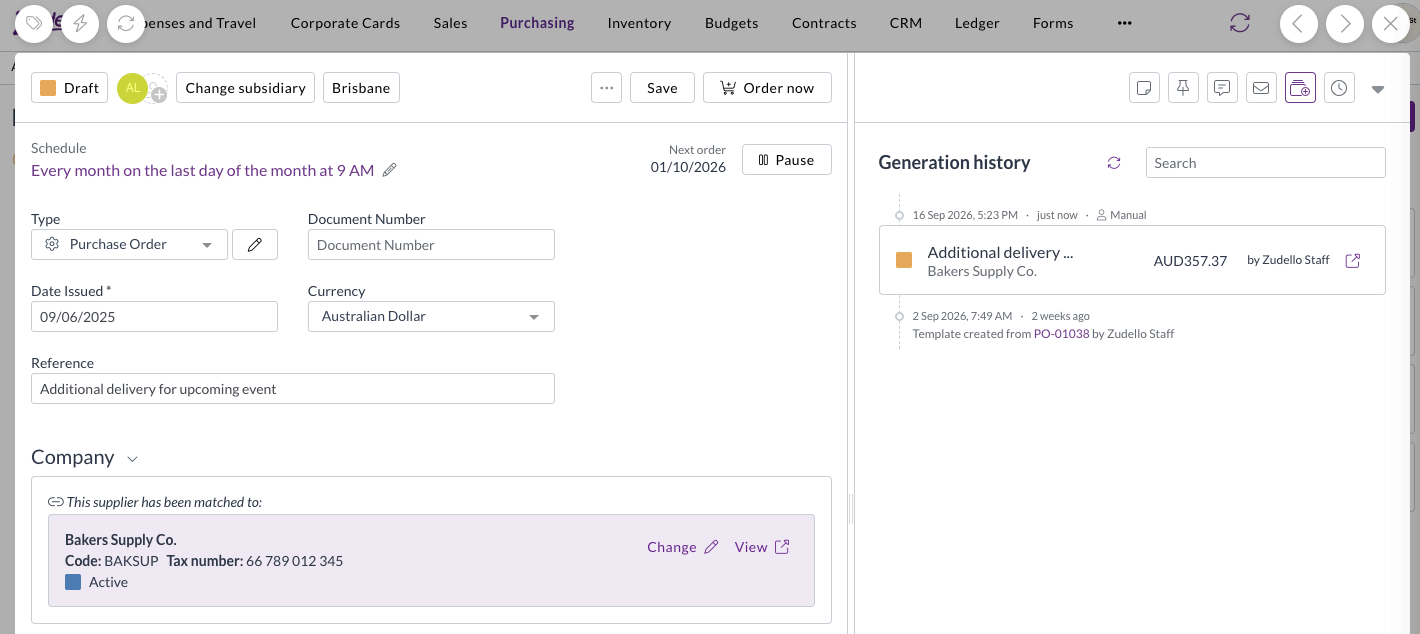
  • Templates now open on a Generation history panel, listing each order the template has produced with its status, total, supplier, and who raised it.
  • An order you raised yourself with Order now is marked Manual, so you can tell it apart from the ones the schedule raised.
  • The panel also records when the template was created, and the order it was created from.
  • Select an order to open it, then use Back to return to the template, and search the list to find a particular order.

A purchase order template open on its Generation history panel, showing an order raised with Order now marked as Manual

Recurring sales orders

  • Recurring orders now work on sales orders as well as purchase orders, including Make recurring, schedules, Order now, pausing, and generation history.
  • Recurring orders need to be turned on for your sales order document type before the options appear.

Choose what happens on weekends and public holidays

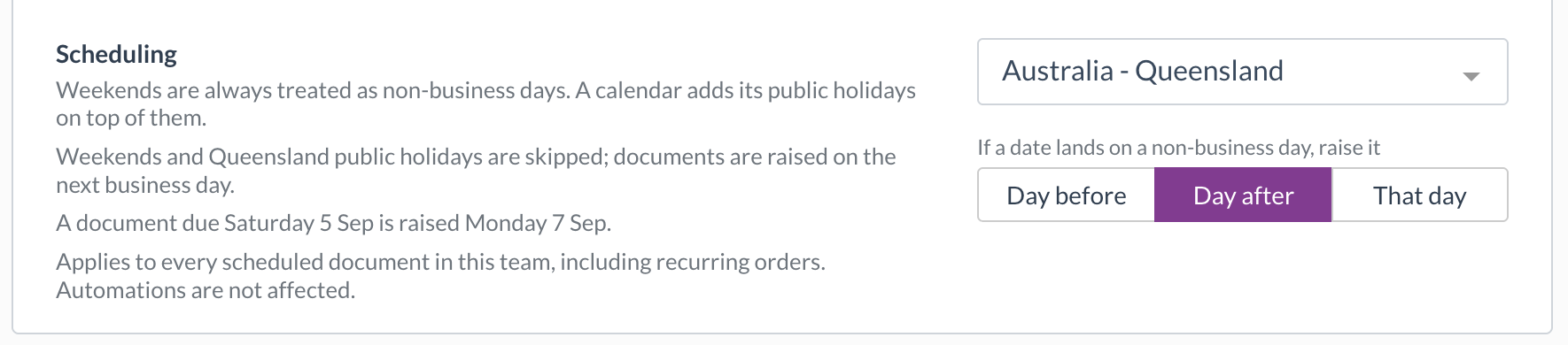
  • A new Scheduling setting in Team Settings lets you choose a public holiday calendar for your team, and whether an order that lands on a weekend or public holiday is raised the day before, the day after, or on that day anyway.
  • Calendars are available for each Australian state and territory, New Zealand, England and Wales, Scotland, Northern Ireland, and the United States. You can also treat weekends alone as non-business days.
  • The setting reads back as a sentence with a worked example, and every schedule shows the rule that applies, with a link to change it.
  • It applies to every scheduled document in your team. Automations aren't affected.

The Scheduling setting in Team Settings, with the Australia - Queensland calendar selected and orders moved to the day after

Contracts

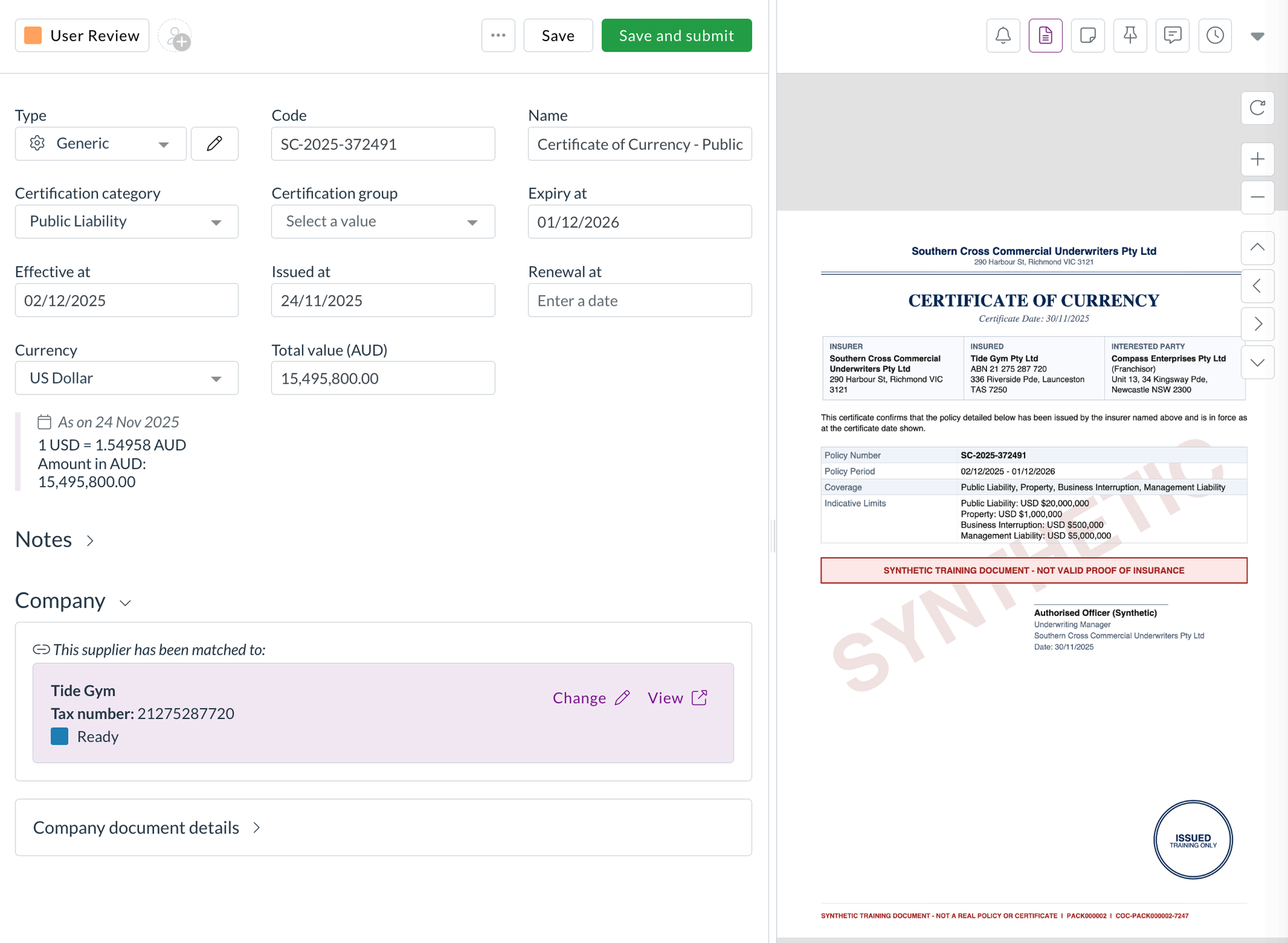
Every contract has a primary document, the main file you see when you open it. When a signed copy or an updated contract arrives, you can now make it the primary document without losing the one it replaces.

Make an attachment the primary document

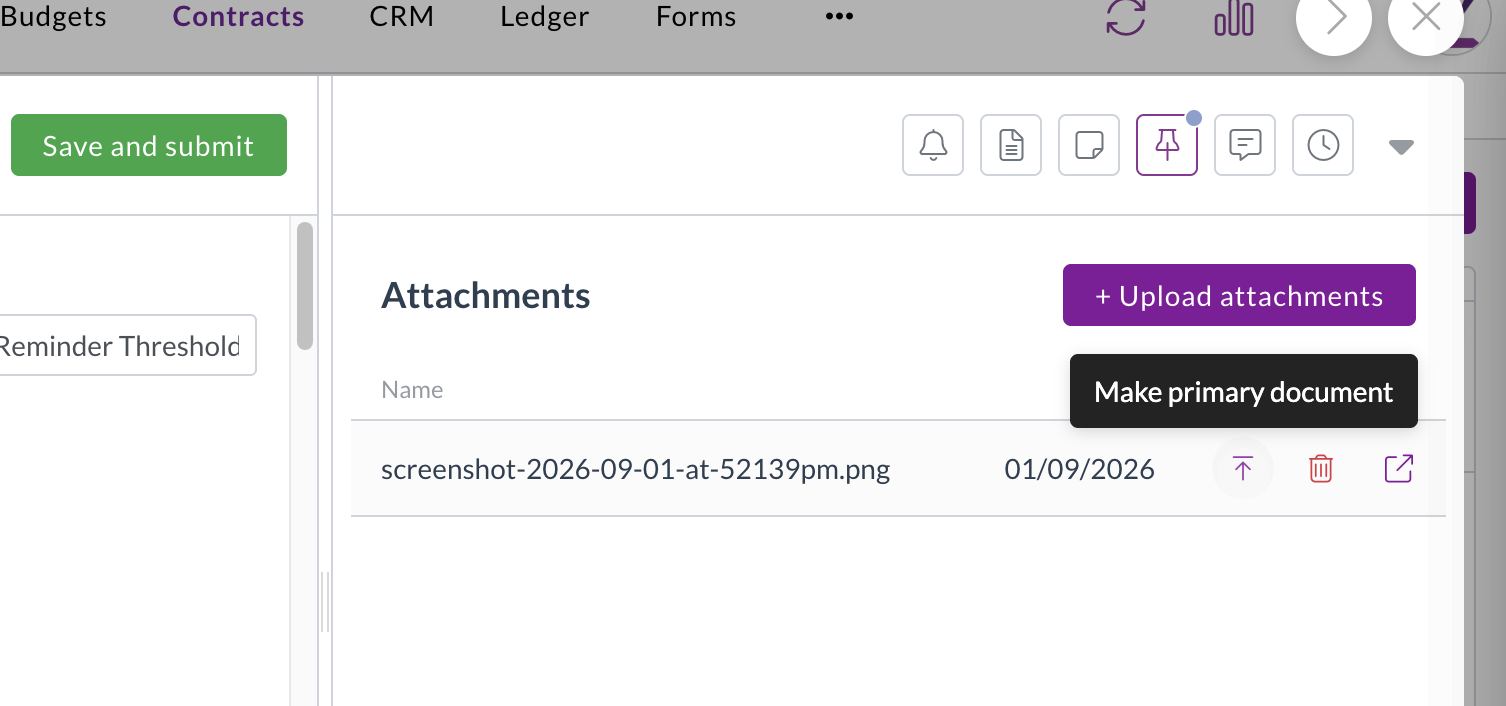
  • Make primary document sits next to each attachment on a contract. Select it to swap that file in as the primary document straight away.
  • Zudello asks you to confirm first if the contract already has a primary document.
  • Changing the primary document doesn't rescan the contract, so the details you've already captured stay as they are.
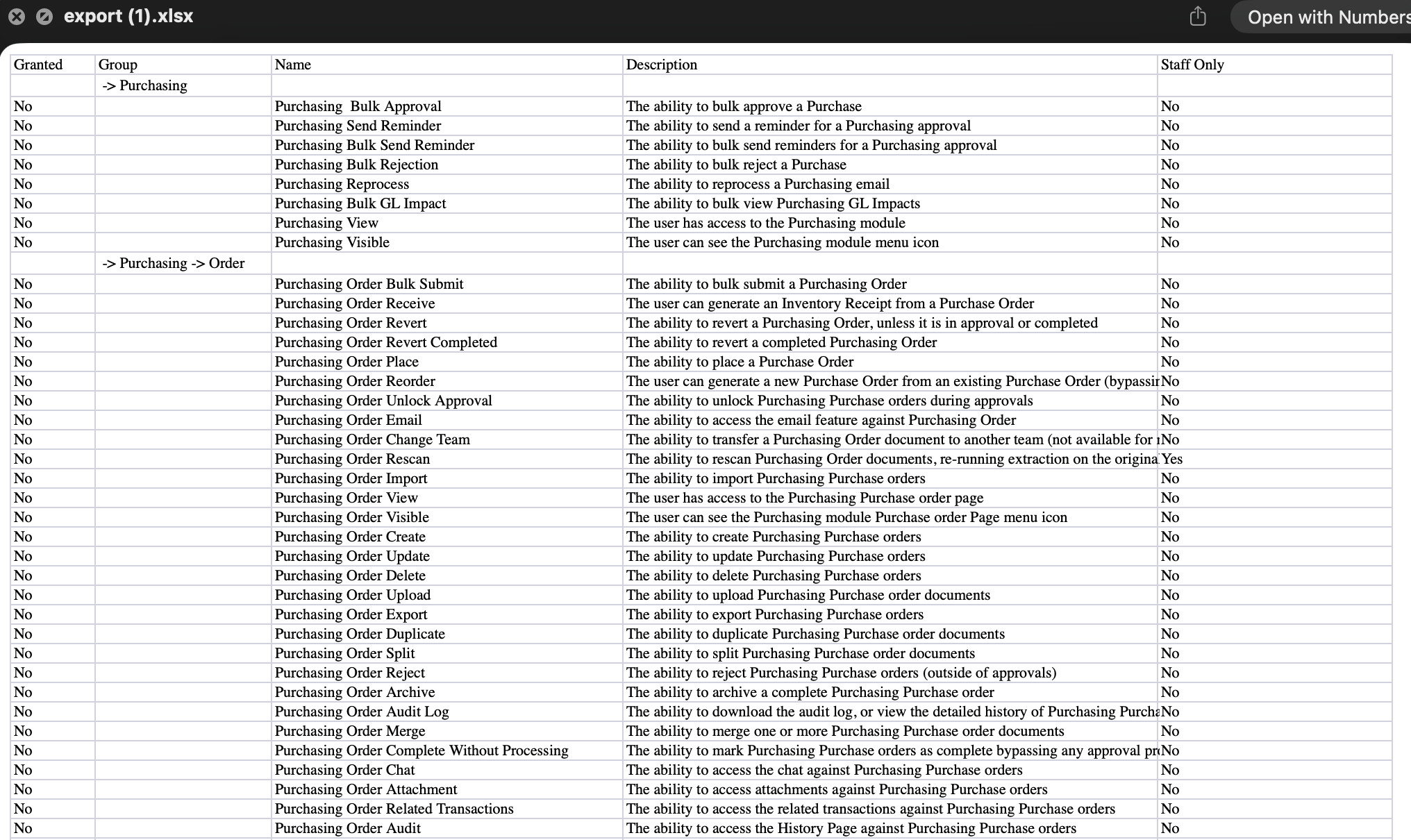
  • Access is controlled by a permission you can grant to the user groups that manage your contracts.

Make primary document shown next to an attachment on a contract

Previous primary documents are kept as versions

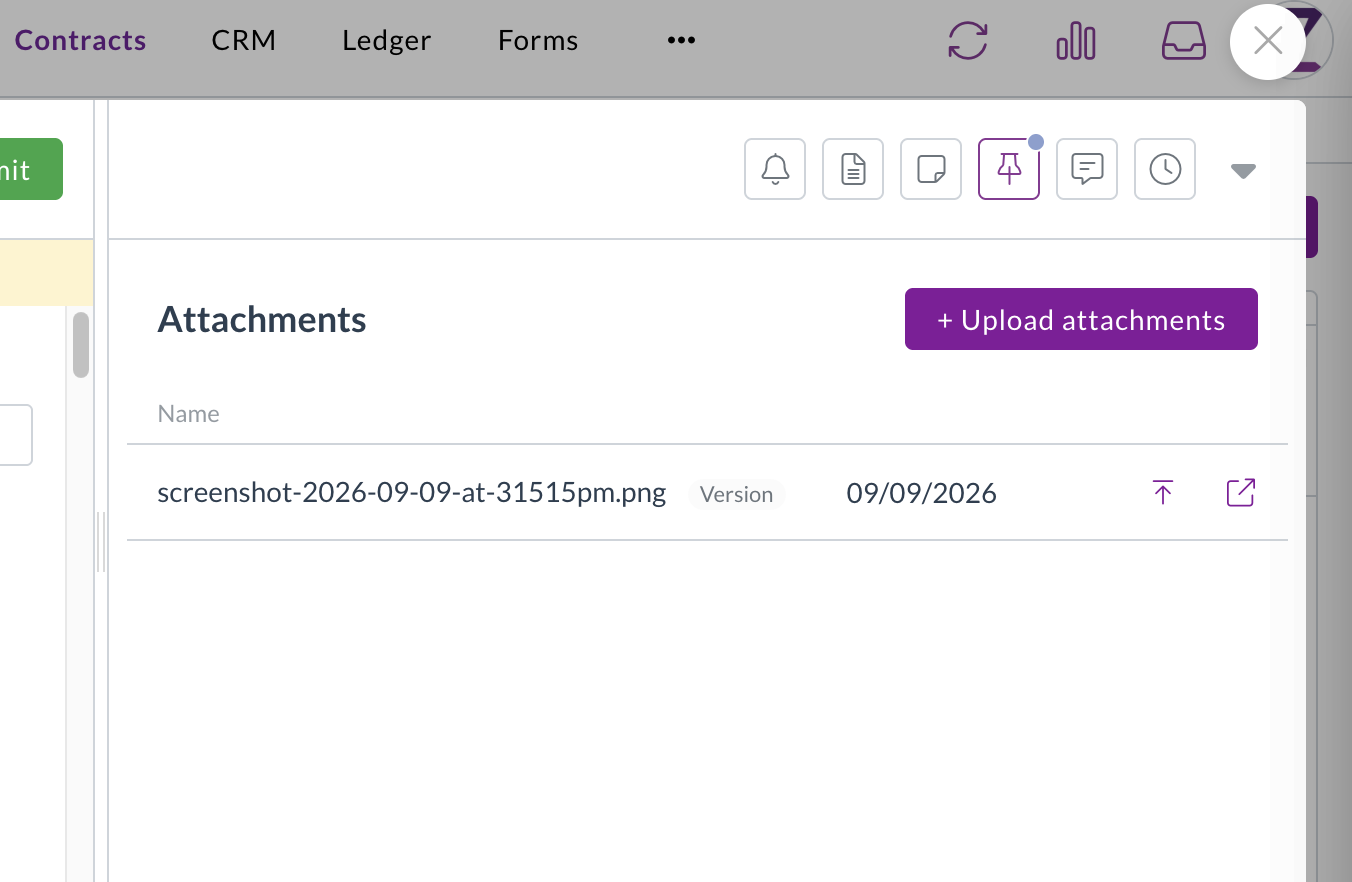
  • The document you replace stays in the attachments list with a Version tag, so you always have the earlier copy.
  • Versions can't be deleted, which keeps a record of every file that's been the primary document.
  • Select the up arrow on a version to restore it as the primary document.

A contract's attachments list showing an earlier primary document kept with a Version tag

Corporate cards

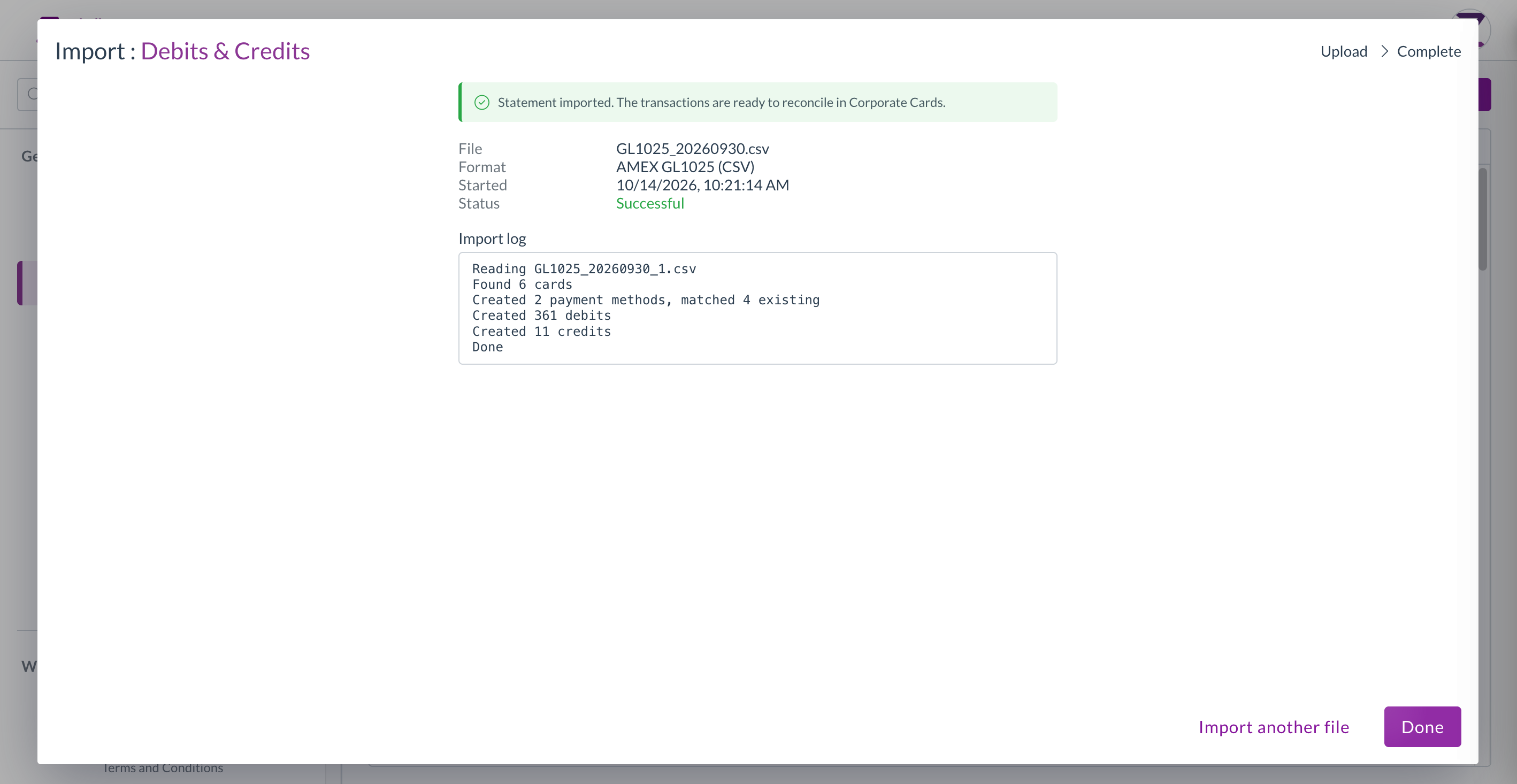
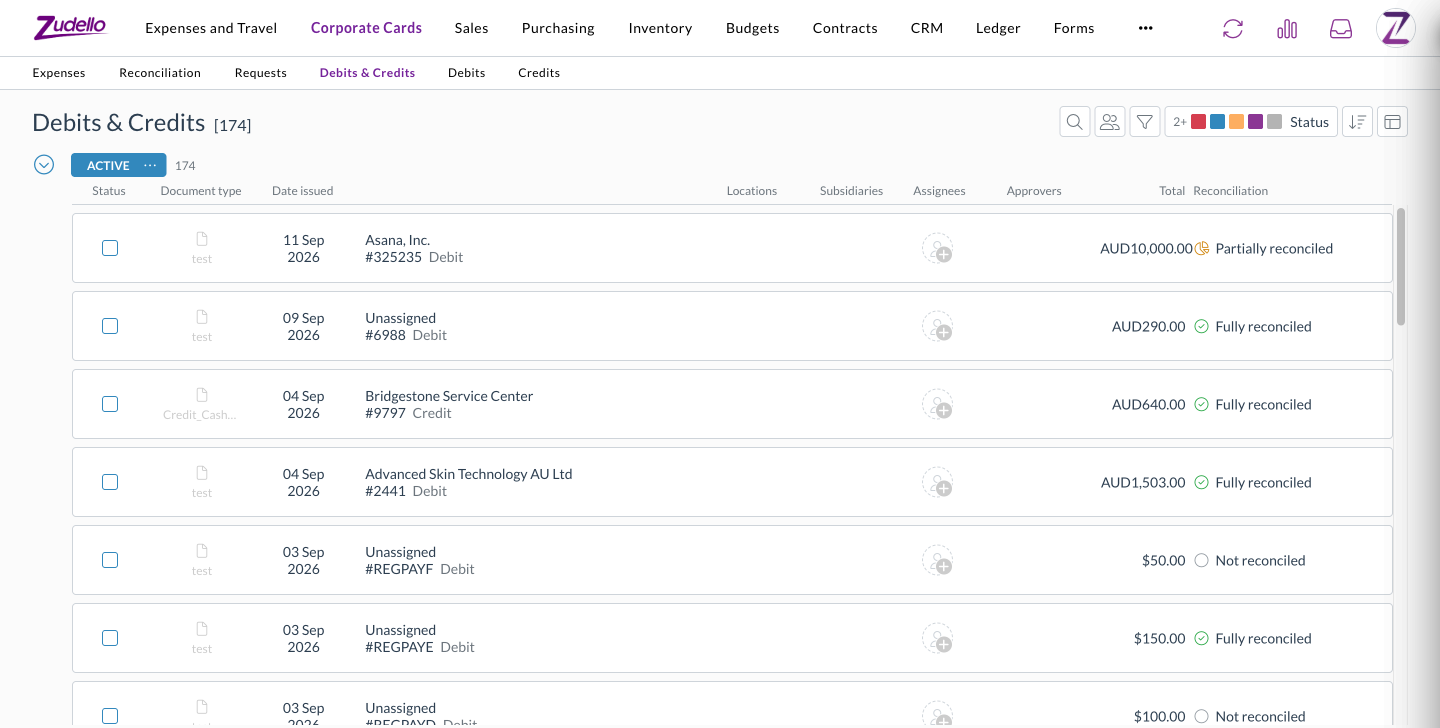
Debits and credits on your card transactions sat in separate lists, which made it hard to review everything over a period. A new Debits & Credits tab brings them together.

  • Each row shows whether it's a debit or a credit, its reconciliation status, and the amount still to reconcile.
  • Filter by Reconciliation to pull up only the transactions that still need attention, and filter by document type across both debits and credits.
  • Sort by reconciliation status on any Corporate Cards transaction screen.
  • The tab appears for anyone who can already see debits or credits, so there's no new permission to set up.

The Debits & Credits tab under Corporate Cards, listing debits and credits with their reconciliation status

Automations

Automations act on your documents when the conditions you set are met. You can now run an automation when a document is reconciled, and use its reconciliation status in conditions.

  • A new trigger runs an automation when a document or payment is reconciled, so you can act on it straight away.
  • Reconciliation status now offers Not reconciled, Partially reconciled, and Fully reconciled as condition values, where it previously showed an empty list.
  • Combine them with Reconciled amount. For example, move an invoice straight to complete once it's fully reconciled against a card payment.

Data permissions

Data permissions control which records each user group can see, based on details like location, subsidiary, or category. We've added more of the categories you can build them on.

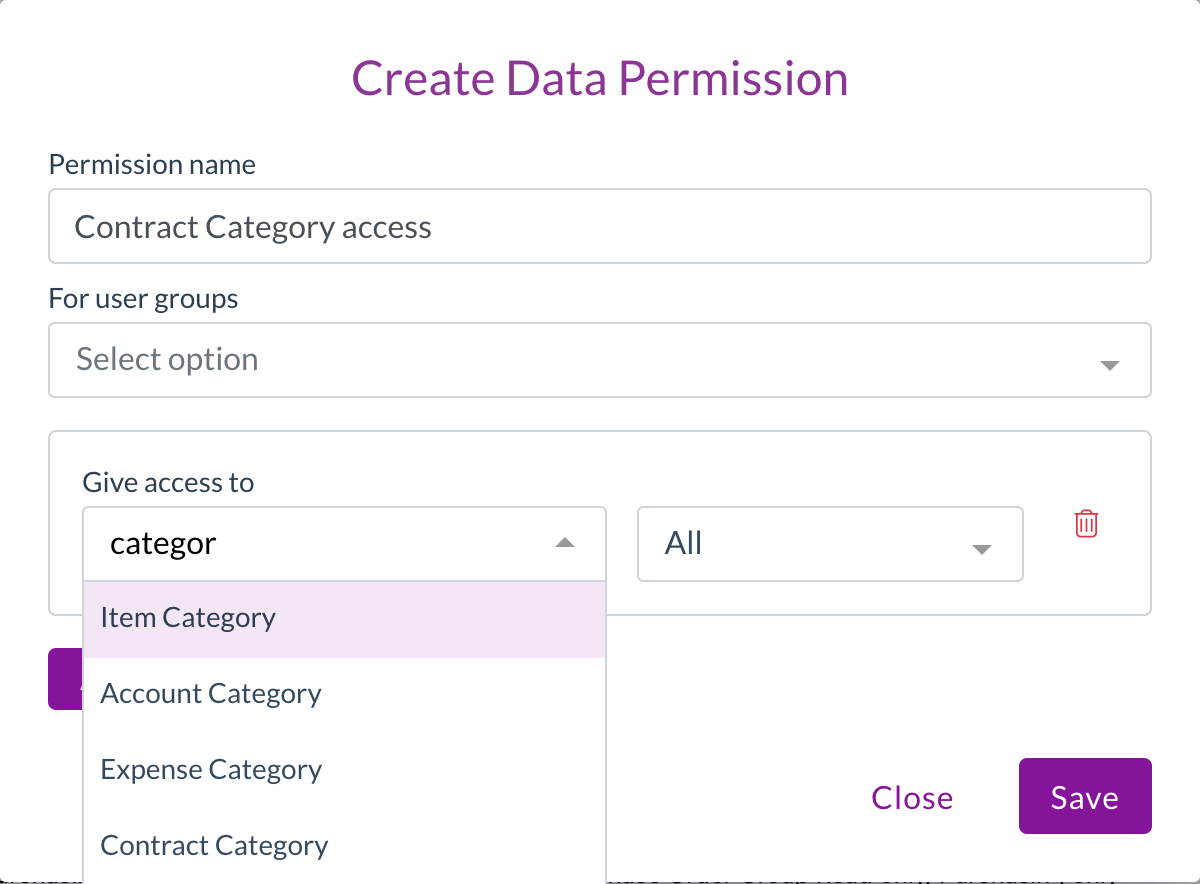
  • Contract Category, Contract Group, and Account Category can now be chosen when you create a data permission, so you can limit access to contracts by how they're categorised.

Creating a data permission, with Account Category and Contract Category in the Give access to list

Statements and remittances

Statements and remittances can record a location and subsidiary against each line. You can now see them without opening each document.

  • The statements and remittances lists now show the locations and subsidiaries from each document's lines, in both list and grid views.
  • The Lines column counts statement lines, so you can see how many lines each statement holds.

Resolutions

We're constantly working to refine Zudello's functionality and address any issues as soon as possible. As part of this release, we've made the following resolutions:

  • We've fixed two- and three-way line price matching on invoices, which wasn't running for some document types. Price checks now run as configured, so you may see price mismatch flags on invoices that didn't show them before.
  • We've fixed invoices that arrived before their goods receipt keeping a "Receipt allocation items required" flag after they were matched, which stopped them moving on automatically.
  • We've fixed supplier matching on invoices where extraction picked up a tax number, such as an ABN, that isn't on the document, which could match the invoice to the wrong supplier. A tax number is now only kept when it appears on the page.
  • We've fixed scans failing for teams whose auto-coding sets a default on a line field, such as subsidiary, account, or tax rate. A default or coding rule that points to a record that doesn't exist is now skipped, and the rest of the document is still processed.
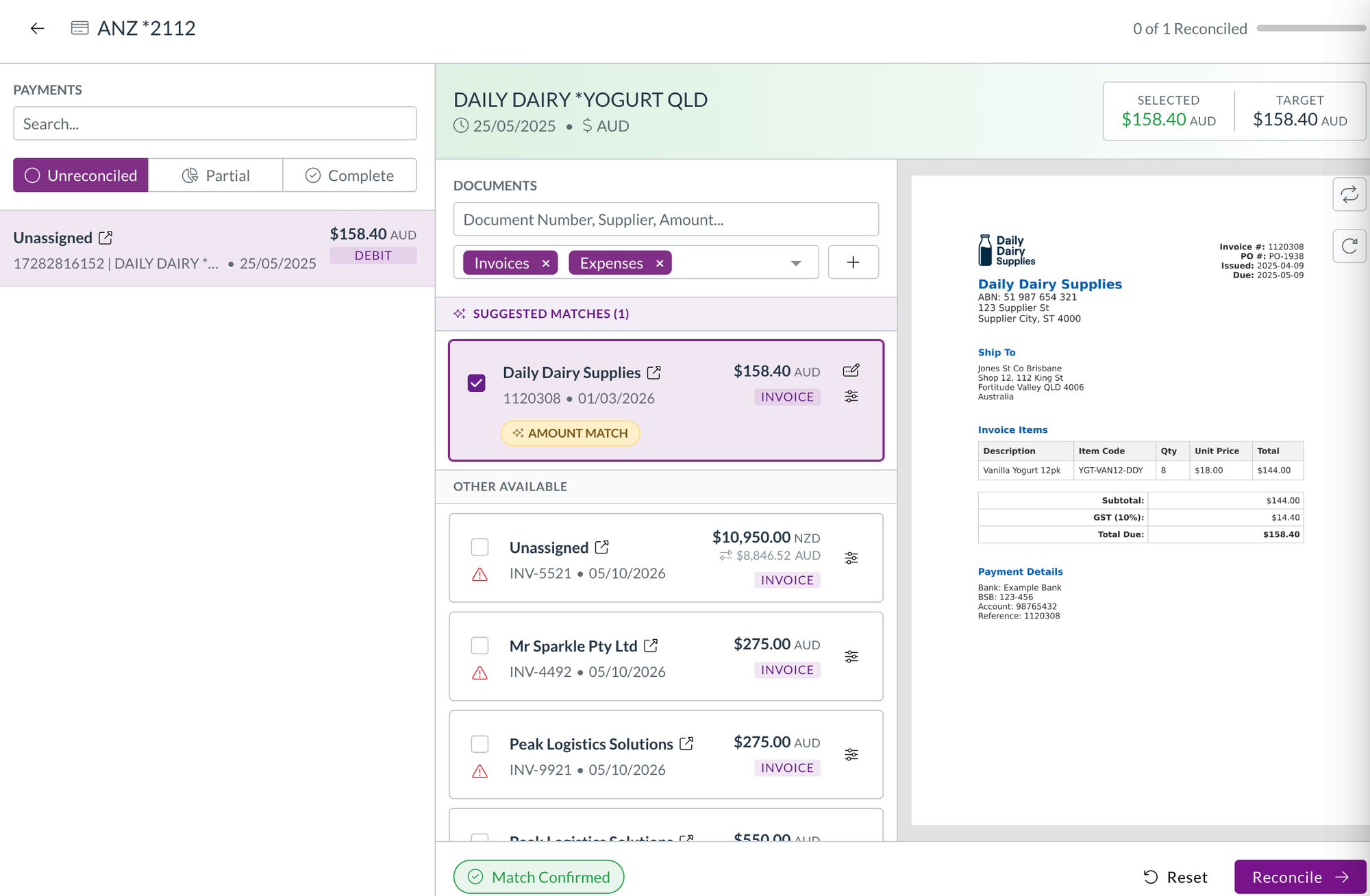
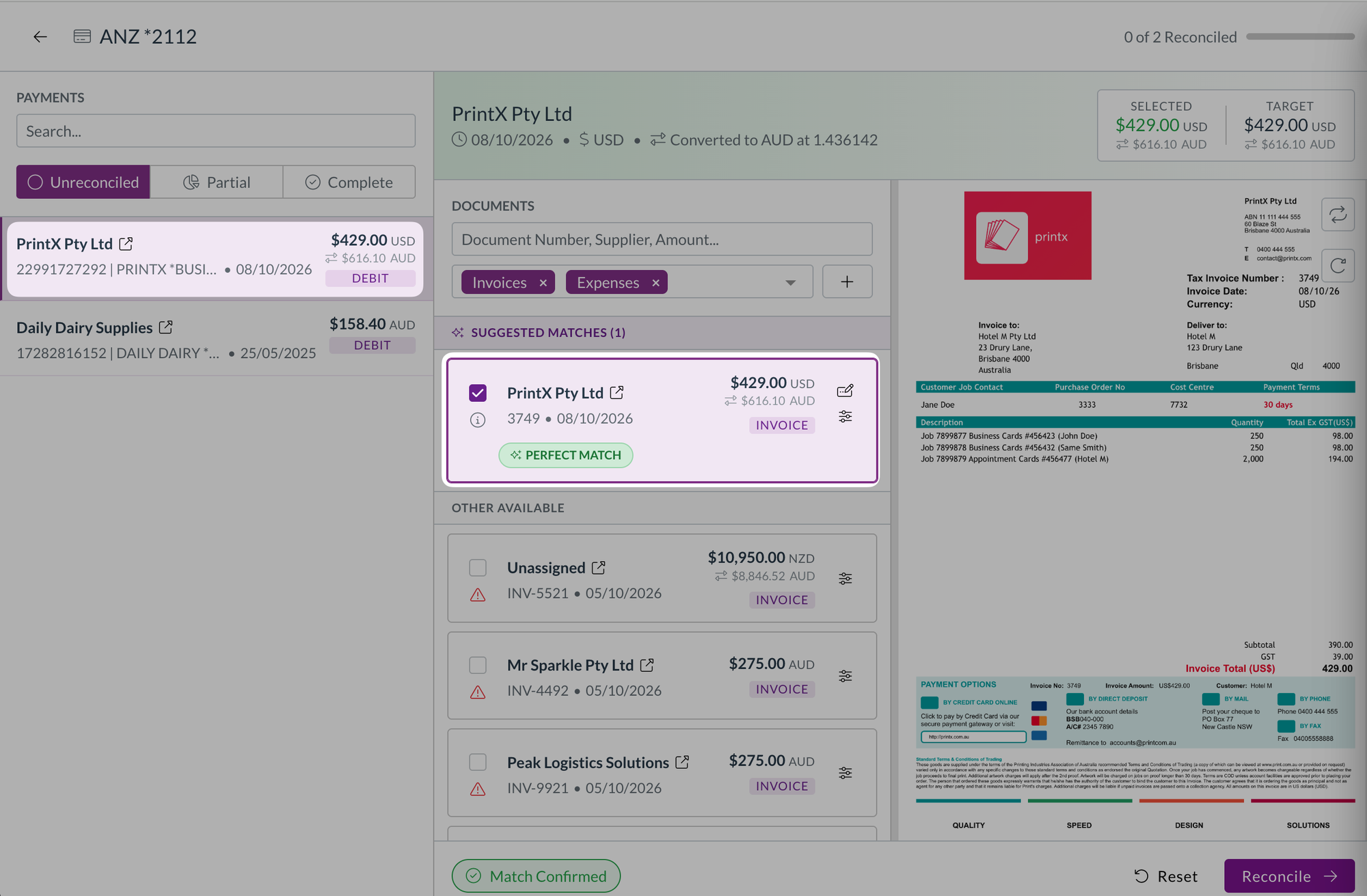
  • We've fixed reconciliations with an adjustment, such as a fee, leaving both documents partially reconciled. A $100 expense with a $2 fee matched to a $102 payment now shows both sides as fully reconciled, and reopening a saved match no longer counts the adjustment twice.
  • We've fixed card payments failing to reconcile with a message that a reconciliation couldn't be removed from a transaction already sent to your ERP. Matches that were removed earlier no longer get in the way.
  • We've fixed scheduled automations with a condition comparing a date to today, which weren't running.
  • We've fixed the schedule options in the automation builder being cut off at the edge of the window.
  • We've fixed the document viewer showing "No file available" when a file failed to load, as though nothing was attached. It now tells you the file couldn't be loaded and gives you a Retry button.
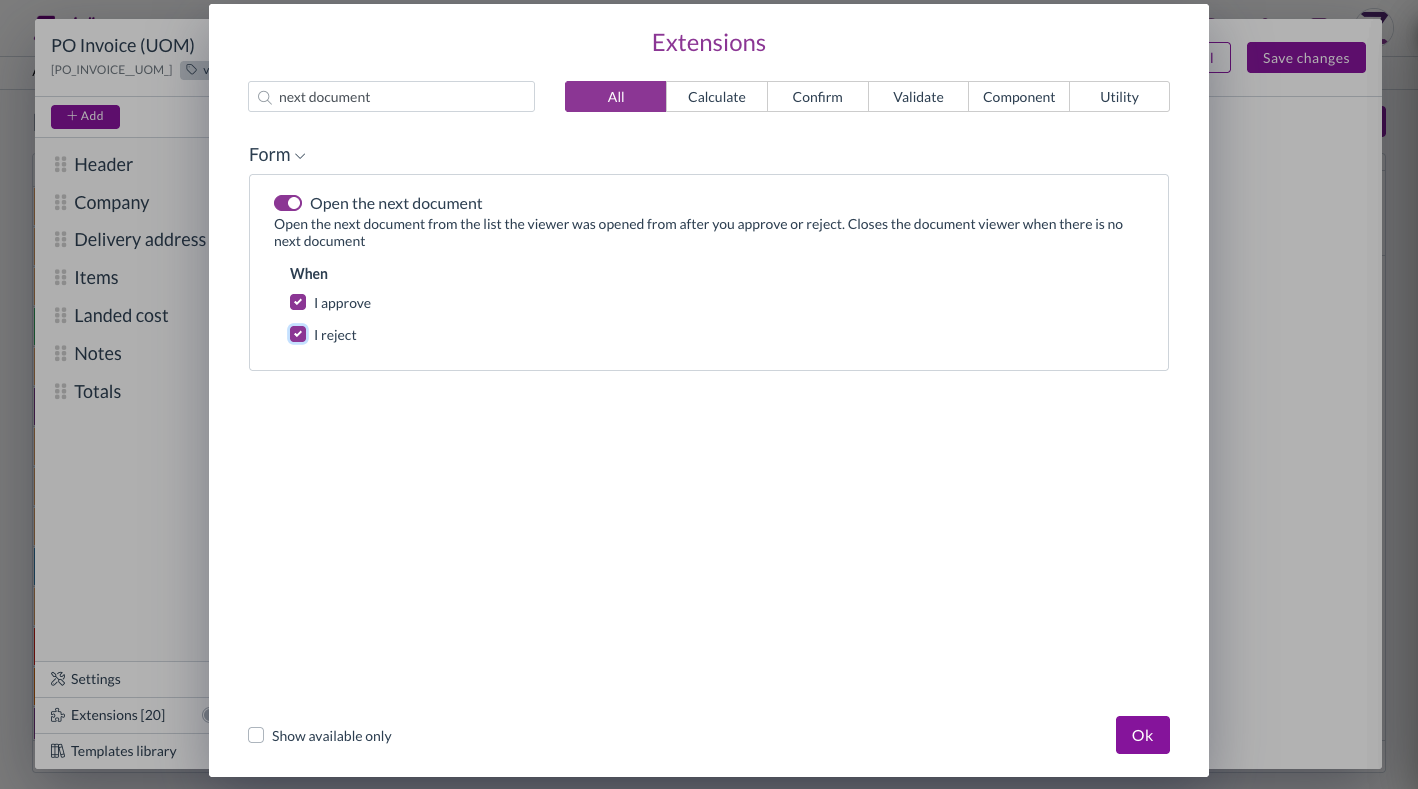
  • We've fixed the document viewer briefly showing details from the previous document, such as its approval flow, when you moved quickly between documents. This only affected what was displayed.
  • We've fixed approval email links taking some approvers to the dashboard instead of the document waiting on them.
  • We've fixed delivery address checks on sales orders not showing in the banner when the address had no country, which blocked the order without saying why. The mismatch now shows in the banner, and the address is marked Not verified with a prompt to add a country.
  • We've fixed upload and split errors showing a generic "The given data was invalid" message. You now see the actual reason, such as an unsupported file type.
  • We've fixed splitting a document, which could queue blank or invalid page ranges. Split now waits until the file has loaded, and tells you when a document has no file or only one page.
  • We've improved performance in large documents, which could slow down or crash the browser while editing many lines.
  • We've fixed recurring order schedules showing times in your browser's time zone rather than your team's, which made the time appear to change when you opened the editor.
  • We've fixed schedule end dates stopping a day early, so a schedule set to end on 29 September now includes the 29th.
  • We've fixed document history showing "rescand" instead of "rescanned". Changing a contract's primary document now reads "changed the primary file of".
  • We've fixed renamed dimensions showing their original names in budget and contract dimension pickers, price book settings, and allocation autofill fields.
  • We've made the potential issues alert collapsible, with the number of issues in its header, so a long list doesn't push the document out of view.
  • We've changed dates in notification emails to read day, month, and year, such as "3 September 2026".
  • We've added a link to Zudello's terms and conditions under the app version in Settings.
  • We've hidden Remove two-factor methods for users who don't have any set up, so it only appears when there's something to remove.

Have an idea?

Do you have an idea for a new feature or how we can improve our current features? Let us know at support@zudello.com.

Your ideas and feedback are an important part of our product planning process to make Zudello better for everyone.
Release notes edition 3.7.12

Release date: Wednesday 2 September 2026
Version: v3

Here's the latest summary of what's new and improved in Zudello, as well as what we resolved in the latest release.

In this release:

  • Recurring orders, so you never rebuild the same purchase order again
  • Contract reminders that trigger on spend against a threshold
  • Delivery date checks against your supplier and production lead times
  • Scheduled automations, credit note allocations, and more

Looking for something? Browse by tag to find release notes on a specific feature.

New and improved

Recurring orders

Plenty of purchasing is the same order, from the same supplier, on the same rhythm. Until now the only way to do that in Zudello was to find last month's order and duplicate it. You can now save an order as a template and put it on a schedule, so Zudello raises it for you.

Save any order as a template

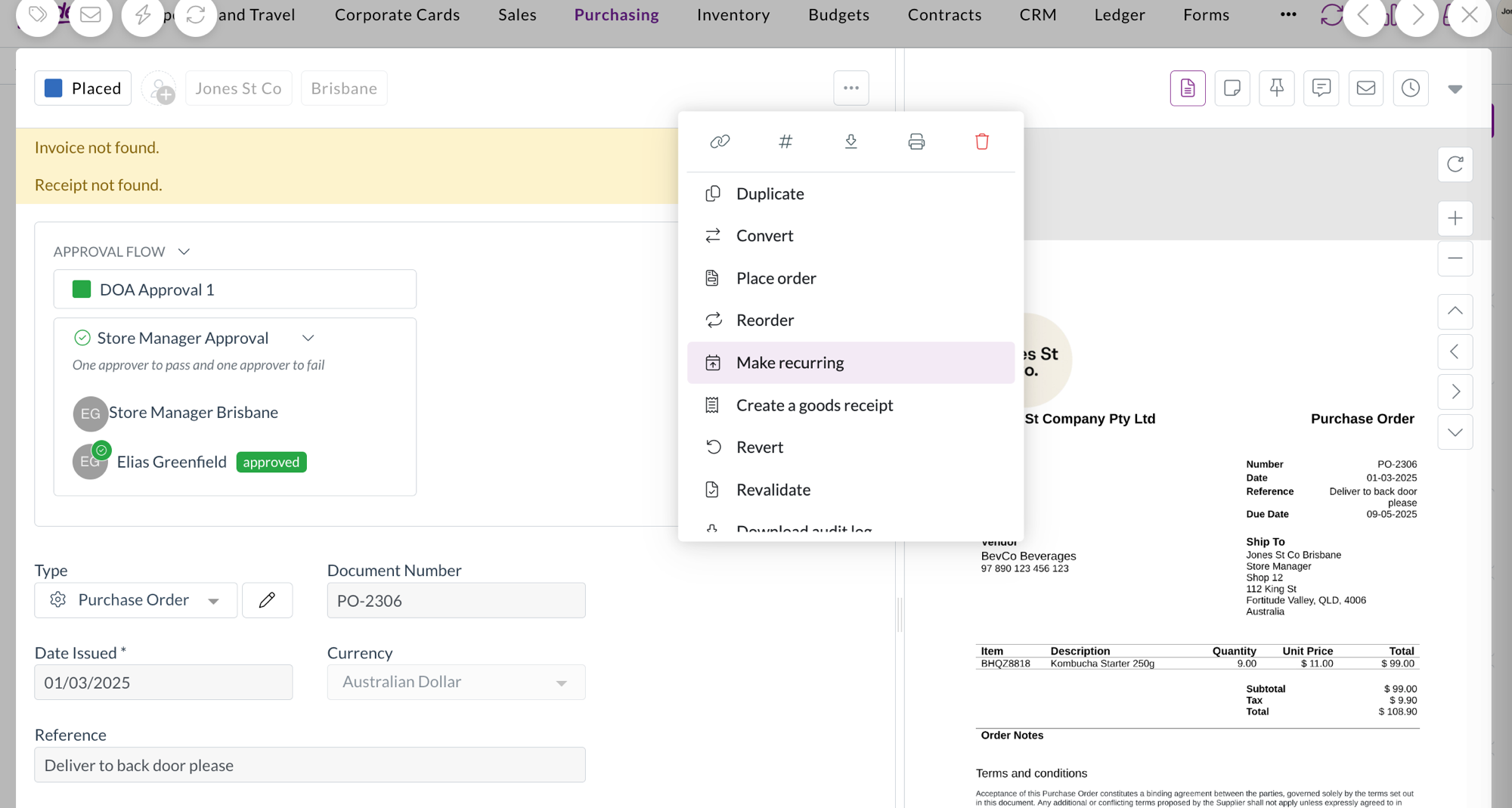
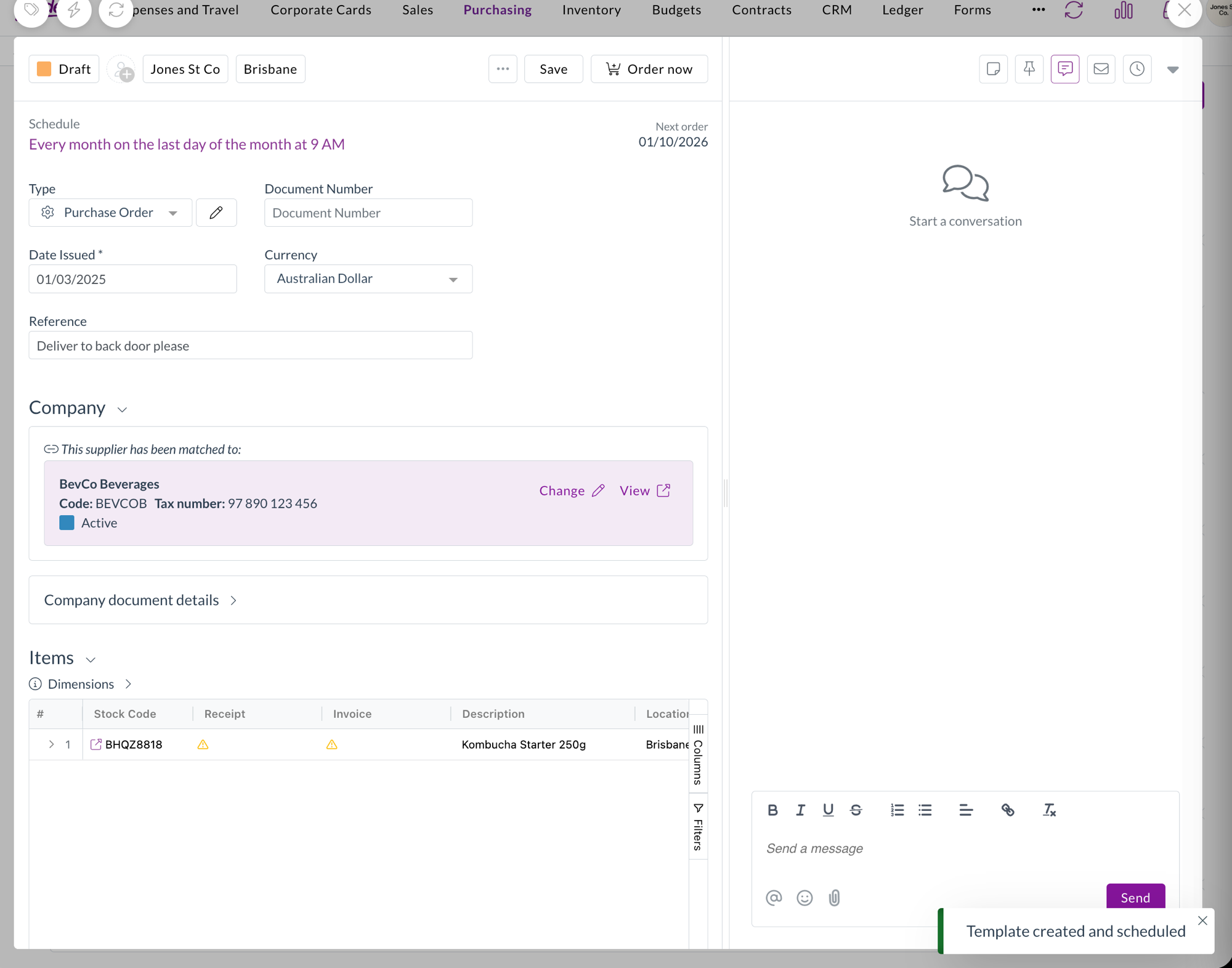
  • Make recurring in the document actions menu saves the order you're looking at as a template, and opens it so you can set a schedule.
  • The order you started from is untouched. The template is a copy, so amending or cancelling the original doesn't affect the arrangement.
  • Templates are also available on invoices, so the same pattern works beyond purchase orders.

Make recurring highlighted in the document actions menu on a purchase order

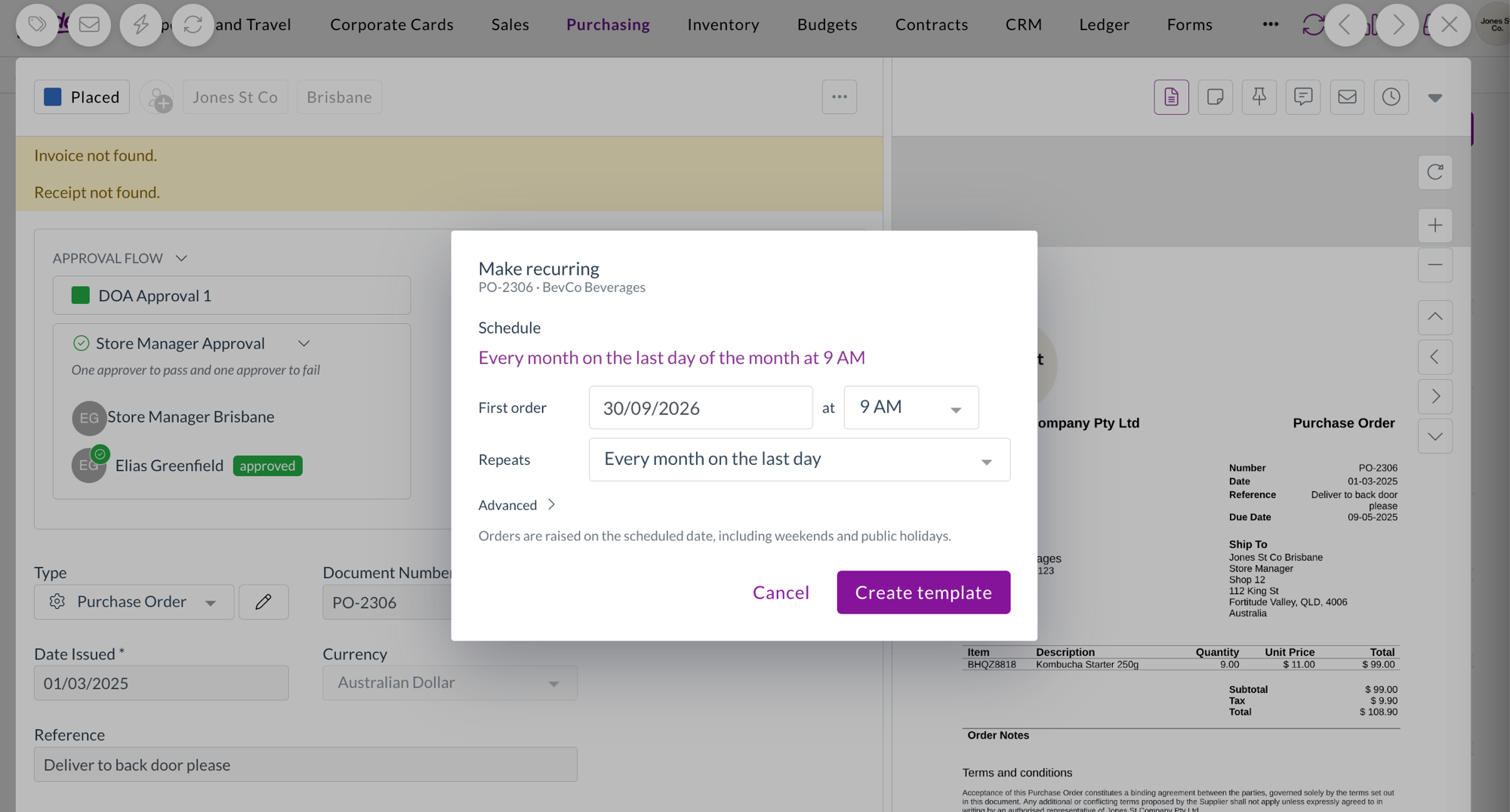
The Make recurring dialog, with the schedule read back as a sentence above the first order date and repeat options

The new template open, showing its schedule and next order date, with a Template created and scheduled confirmation

Find your templates in the orders list

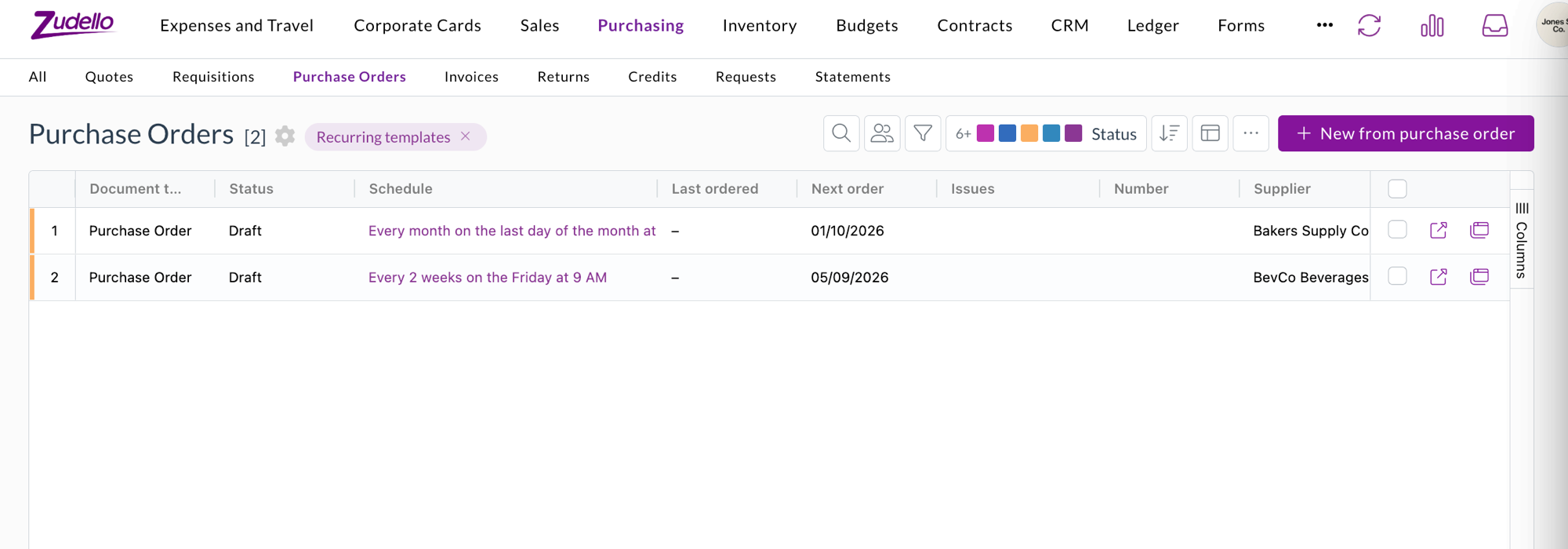
  • Recurring orders in the Purchase Orders toolbar menu switches the list to your templates, using the same grid you already know, with your column picker, sorting, grouping, and saved views.
  • Schedule, Last ordered, and Next order columns show you where each template stands at a glance. A template with no schedule reads Manual only.
  • The mode stays put if you refresh the page, and turning it off returns the list to your orders exactly as before.

The Purchase Orders list switched to Recurring templates, showing each template's schedule as a sentence with Last ordered and Next order columns

Start a template from an order you've already raised

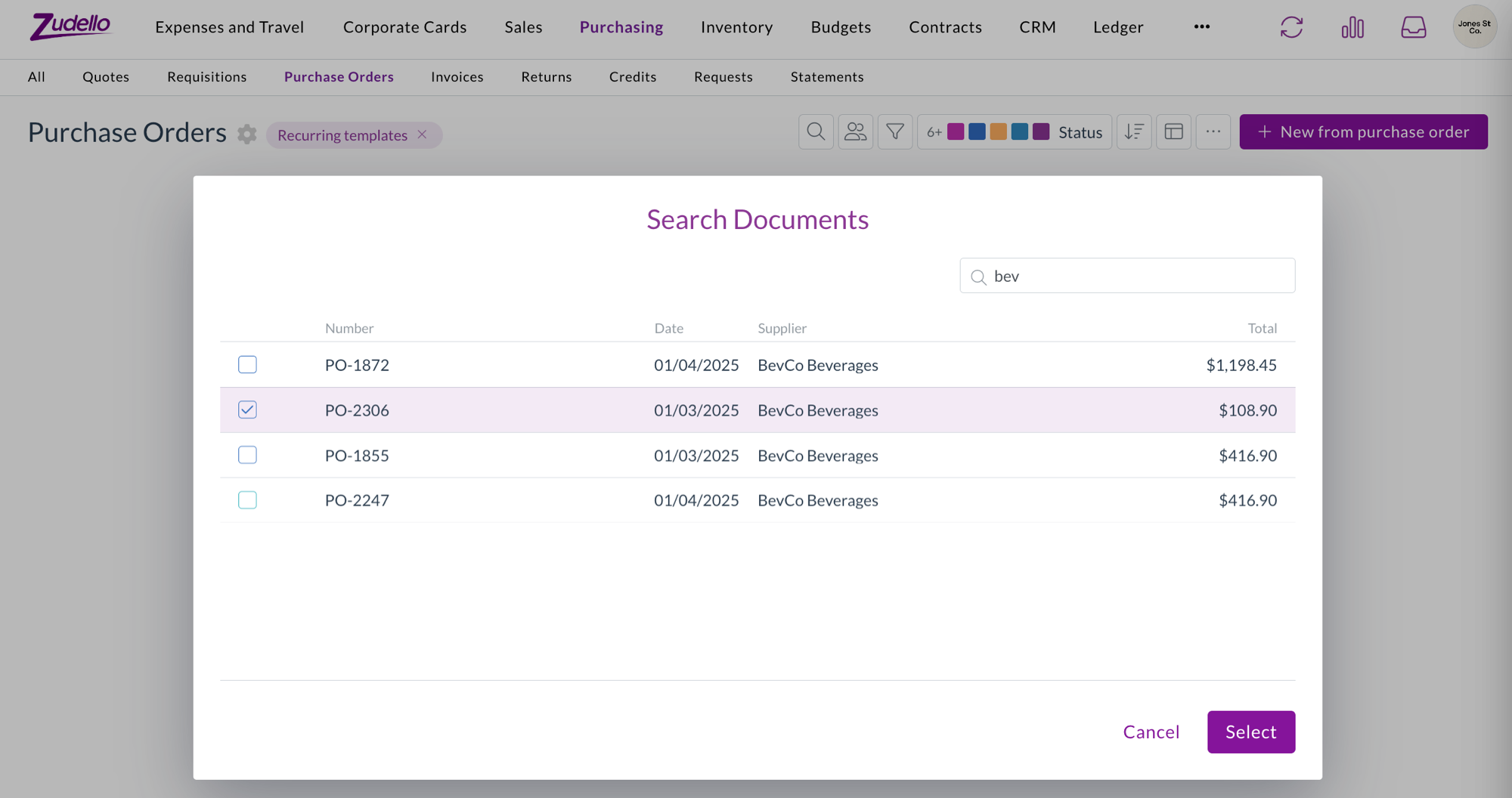
  • While the template library is on, the list's primary action becomes New from purchase order, which opens a search across the orders you've already raised.
  • Search by number, date, supplier, or total, pick the one you want, and Zudello turns it into a template and opens it so you can set the schedule.
  • The picker only offers documents from the section you're in, so you can't accidentally build a purchase order template from a sales order.

The Search Documents picker opened from New from purchase order, searching existing orders by supplier

Set a schedule in plain language

  • Pick the date of the first order, then choose how often it repeats. Zudello builds the options from the date you chose, so you get the patterns accountants actually use, such as every week on Friday, every month on the 27th, every month on the last day, or every three months.
  • Custom covers the awkward ones, like every few days, or the 15th and the last day of the month together.
  • Advanced lets you end the schedule on a date or after a set number of orders, and override the time zone.
  • The schedule reads back to you as a sentence, so you can check it says what you meant before you save.

Order on demand, or let the schedule do it

  • Order now raises an order from the template straight away, whether or not it has a schedule.
  • Every order a template produces is an ordinary draft that still goes through your normal approval and submission process. Nothing is submitted automatically.
  • Templates themselves stay out of approvals, budgets, contracts, and your everyday searches, so they don't clutter your work or count towards your spend.

Contracts

Zudello can remind you before a contract renews or expires. You can now set a reminder that triggers on how much you've spent against a contract instead of on a date.

Reminders that trigger on contract spend

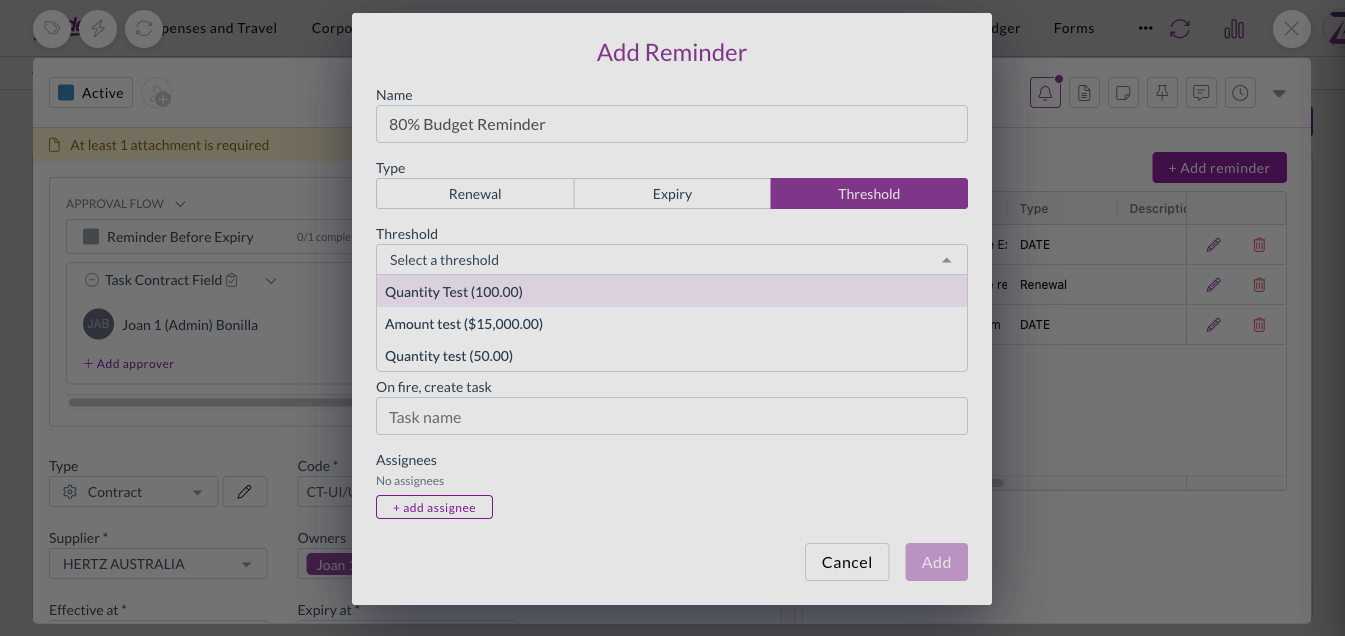
  • Alongside renewal, expiry, and custom date reminders, you can set a reminder that triggers on spend against a contract threshold.
  • Choose the threshold to watch, whether to trigger when spend goes above or below it, and the value as either an amount or a percentage of the threshold total.
  • As with date reminders, you can name the task that gets created and assign it to specific users or to a person recorded on the contract.
  • Contract reminders are now delivered by email as well as raised as a task.

Setting a reminder that triggers on spend against a contract threshold

Sales orders

Zudello can work out the earliest date you could realistically deliver a sales order, using the supplier, production, and seasonal lead times on each item. That calculation arrived last edition. This edition puts it on screen and lets you configure it.

Configure the lead time check

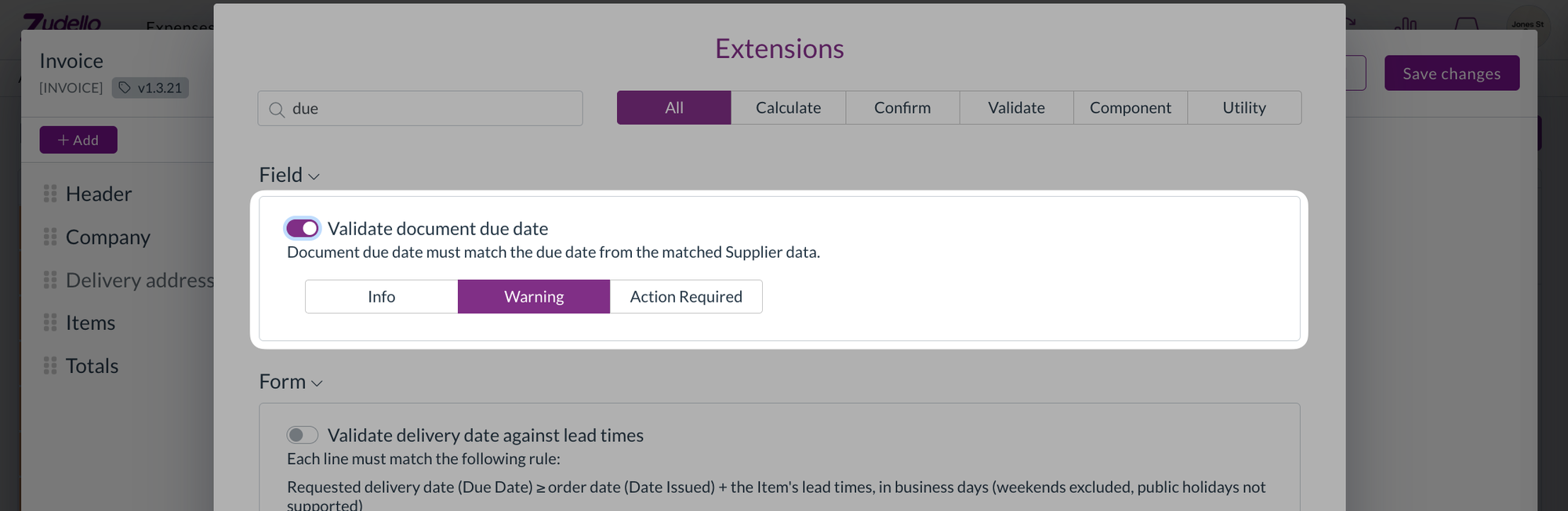
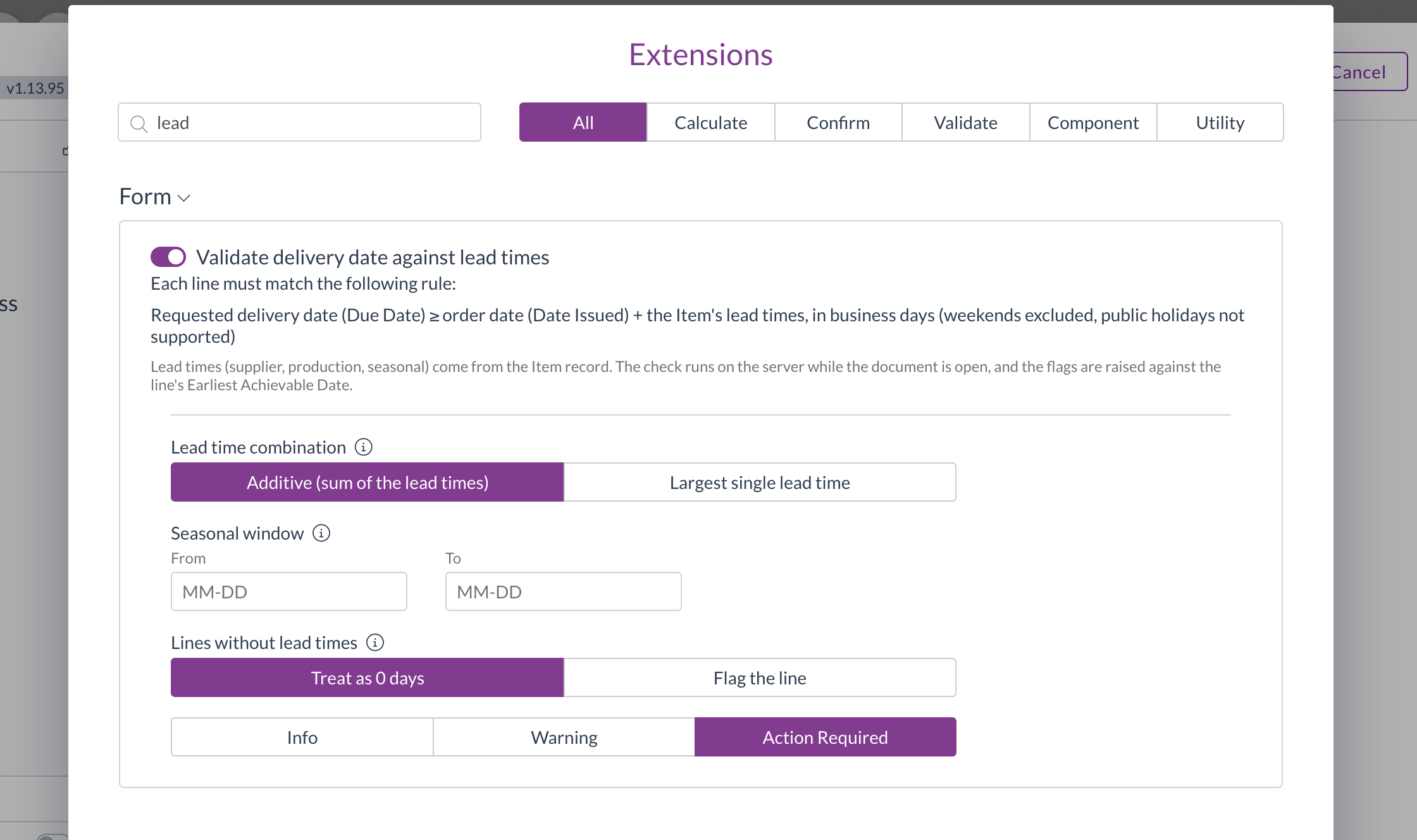
  • Validate delivery date against lead times can now be added to a document type through the validation configuration screen, like any other check.
  • Choose whether lead times add together or the longest one wins, set an optional seasonal window, and decide what happens to a line with no lead time recorded.
  • Set the level to control what a missed date does, from a note through to blocking submission.

The lead time validation extension configuration, showing combination, seasonal window, and missing lead time behaviour

See which line is the problem

  • Lines that can't meet the requested delivery date are flagged on the line itself, with a summary above so you can see the order's position at a glance.
  • The check re-runs as you change dates and lines, so the earliest achievable date stays current while you work.
  • An item with no lead time recorded now defaults to Flag the line, rather than quietly counting as zero days. You can still choose to treat it as zero if that suits your setup.

Order weight flags only the line that needs attention

  • An order that failed the minimum or maximum weight check previously highlighted every line, even the ones that were fine. Only the line missing a weight is flagged now.
  • The weight unit is fixed to kilograms, matching what's stored against your items, so it can no longer be changed to something the calculation won't use.

Automations

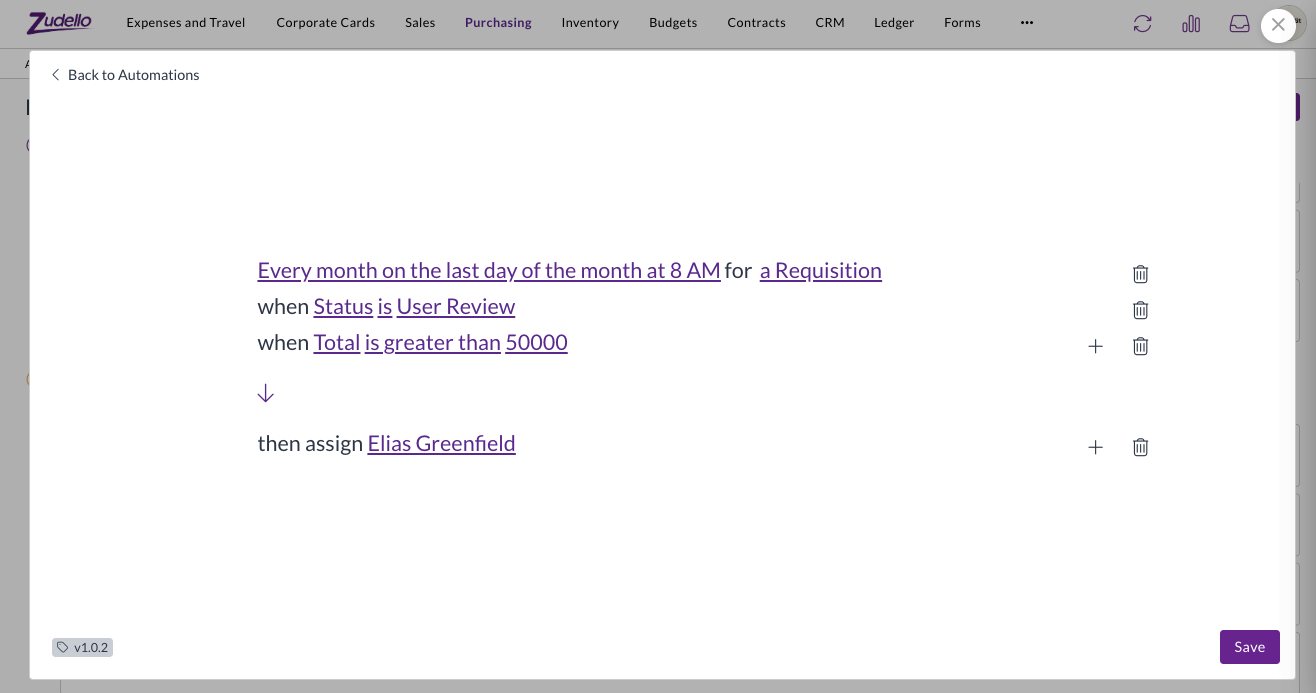
An automation with a schedule trigger runs on its own, without a document in front of it. Last edition we limited what those automations could do, because there was nothing for them to act on. They now work quite differently.

Scheduled automations run across every matching document

  • A scheduled automation now finds every document its conditions match and runs against each one, rather than running once with nothing to act on.
  • Because there's now a document to act on, the full set of actions is available on schedule triggers again, along with conditions.
  • Choose the record type the automation should look at when you set up the trigger, so it sweeps the right set of documents.
  • A limit applies to how many documents one run can match, so a very broad set of conditions is stopped rather than run.

A scheduled automation in the builder, running every month on the last day at 8 AM for a requisition, with conditions on status and total and an assign action

Incomplete schedules are easier to spot

  • An automation with a partly configured schedule used to appear as a blank row on the board. It now reads On no schedule and tells you the schedule is incomplete, both on the board and in the builder.

Allocations

  • Credit notes can now be allocated against purchase orders, so a credit can be matched to the order it relates to alongside invoices and receipts.
  • Remaining amounts on a line are now shown in the document's own currency.

Permissions

Rescan is no longer staff only

  • Re-running extraction on a document was limited to Zudello staff. A Rescan permission can now be granted to your own user groups, on both the single document action and the bulk action.
  • Contracts are included, so a contract can be rescanned by anyone with the permission.

Clear any two-factor method

  • Resetting a user's two-factor authentication previously only cleared authenticator app codes. It now clears passkeys and security keys too, so you no longer need to contact support for those.

Supplier bank details

  • Zudello now extracts IBAN and intermediary bank details from documents, alongside the account details it already picked up, so international payment details are captured rather than left off.
  • Bank detail matching now ignores spacing and punctuation, so the same account written two different ways is recognised as the same account.

Inboxes

  • Replies to an emailed document now thread properly in the recipient's mailbox, rather than arriving as a separate email with no subject.
  • Contracts arriving by email are now checked for duplicates, the same way other document types already were.

Custom dimensions

  • Five new custom dimensions are available across your records, so you can code documents against the categories your business uses that don't map to Zudello's standard dimensions.
  • They work the same way existing dimensions do, including on auto-coding rules, budgets, contracts, and pricing.

Resolutions

We're constantly working to refine Zudello's functionality and address any issues as soon as possible. As part of this release, we've made the following resolutions:

  • We've fixed debits and credits set to customer matching showing no contact, even though a customer had been linked. Saving one of these documents no longer clears the customer that was found.
  • We've fixed supplier matching on payments, where a reference with a trailing space failed to match the supplier it should have.
  • We've fixed spreadsheets that declare a far larger range than they actually use, which failed to preview at all. Each sheet now renders on its own, with a clear message rather than an error where something can't be shown.
  • We've fixed documents that failed classification losing the extraction work already done, so they can be re-extracted rather than started again.
  • We've fixed orders with a zero value not extracting their line quantities.
  • We've fixed email addresses on a document being blocked when the extracted address contained a space, which happens when an underscore is read as one.
  • We've fixed merging documents, which could accept a file type it couldn't process and leave the merge unfinished. Only PDFs and images can be merged, and anything else is rejected up front, naming the file.
  • We've fixed exchange rates you've entered yourself being overwritten by the rate Zudello looks up.
  • We've fixed validation flags not being coloured on read-only line cells, so a flag on a field you can't edit was easy to miss.
  • We've fixed user groups cloned from a Zudello system group hiding the permission column entirely, so there was no way to see which permissions were on. The permissions are now shown as read-only.
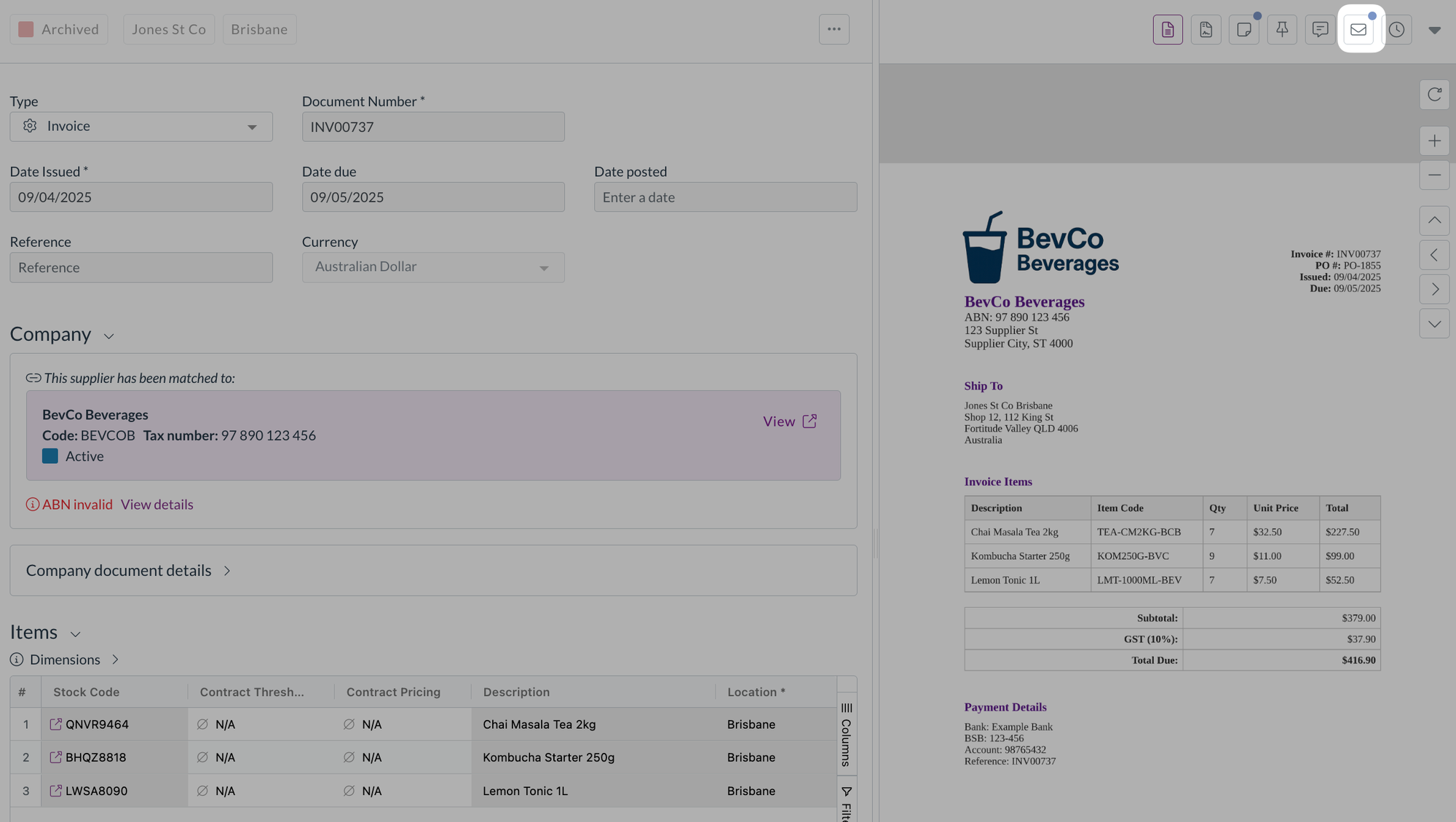
  • We've added a marker to the document viewer tabs when there are related documents, attachments, or chat messages to look at, so approvers can see there's something there without opening each tab.

Have an idea?

Do you have an idea for a new feature or how we can improve our current features? Let us know at support@zudello.com.

Your ideas and feedback are an important part of our product planning process to make Zudello better for everyone.
Release notes edition 3.7.9

Release date: Monday 20 July 2026
Version: v3

Here's the latest summary of what's new and improved in Zudello, as well as what we resolved in the latest release.

In this release:

  • More powerful contract management
  • Cleaner supplier matching and inbox controls
  • Images on suppliers, customers, and items
  • Approval, allocation, and filtering improvements and more

Looking for something? Browse by tag to find release notes on a specific feature.

New and improved

Contracts

Contracts let you store and manage your supplier and customer agreements in Zudello, with automatic extraction to pull key details straight from your documents. We've expanded what you can do with contracts, from reminders through to pricing.

Contract reminders

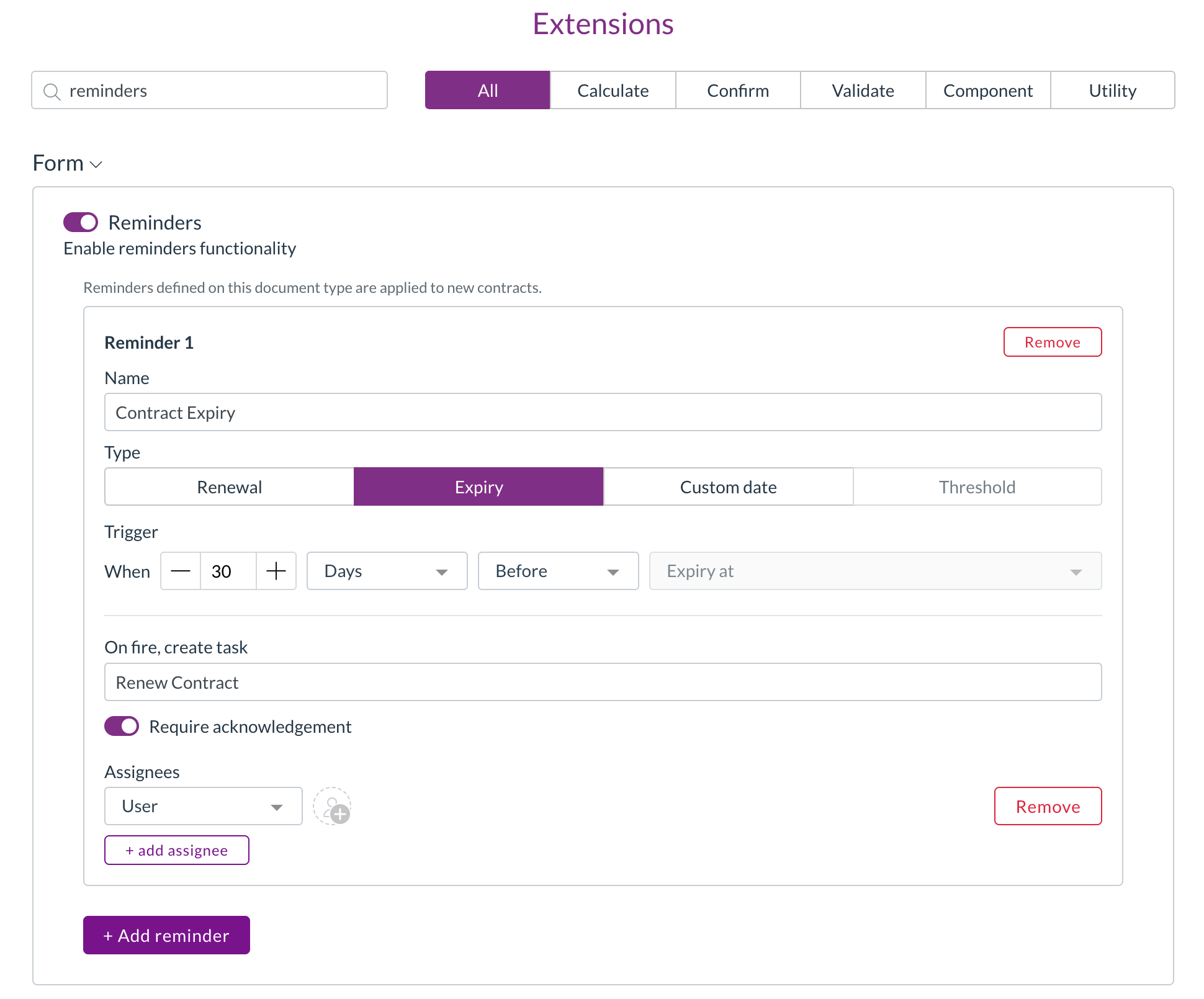
  • You can now set up reminders on a contract, so key dates like renewals and expiries are never missed.
  • Renewal and expiry reminder types automatically use the relevant contract date, while custom reminders let you choose the date yourself.
  • Set each reminder to trigger a chosen number of days, weeks, or months before or after the date, and assign it to specific users or to a person recorded on the contract.

Setting up reminders on a contract

Contract lines and contract value

  • Zudello now stores individual pricing lines on a contract and calculates a total contract value, converted to your local currency where needed.

Pricing without a catalogue match

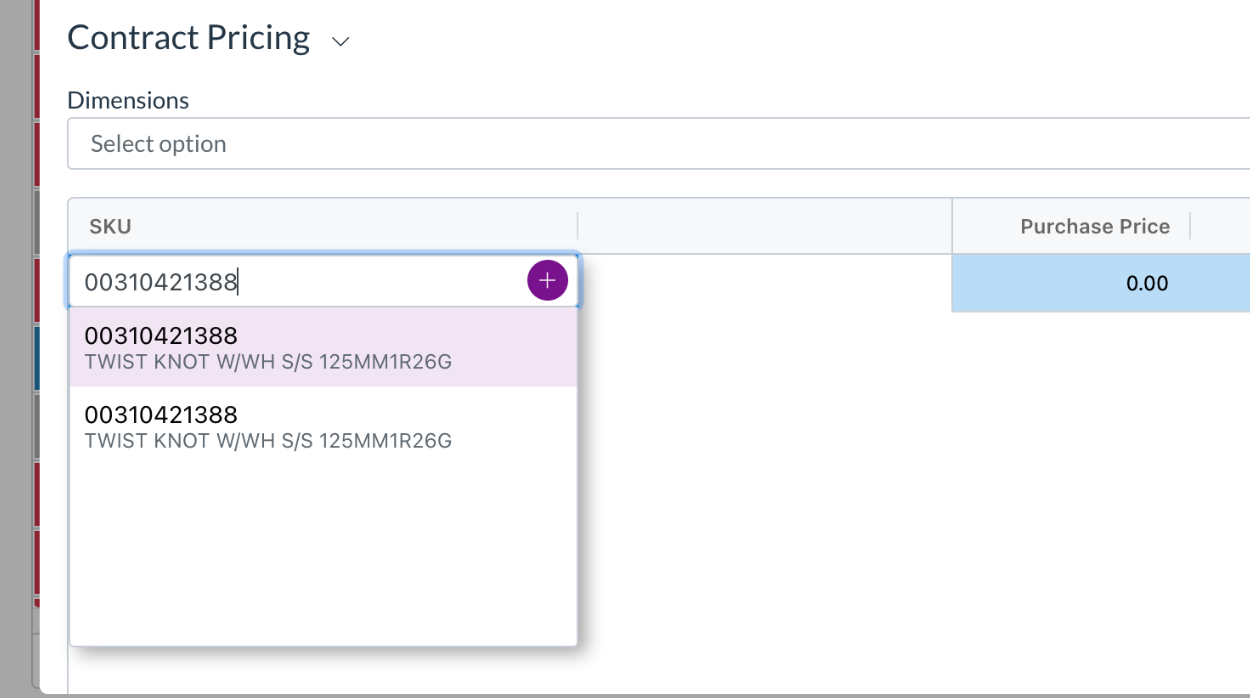
  • Contract pricing rows now appear even when there's no matching catalogue item.
  • A single stock code column lets you pick an existing item, create a new catalogue item, or keep the value as free text, the same way you would on transaction lines.

Contract pricing with the stock code editor

Data permissions for contract records

  • Dimension-based data permissions now extend to contract pricing, thresholds, and lines, so you can control access to these records the same way you do elsewhere.

Approvals

Zudello's delegation of authority routes documents through the right approvers based on rules you define. We've made two improvements to give you more control over how approval steps are built.

Keep duplicate approvers on a step

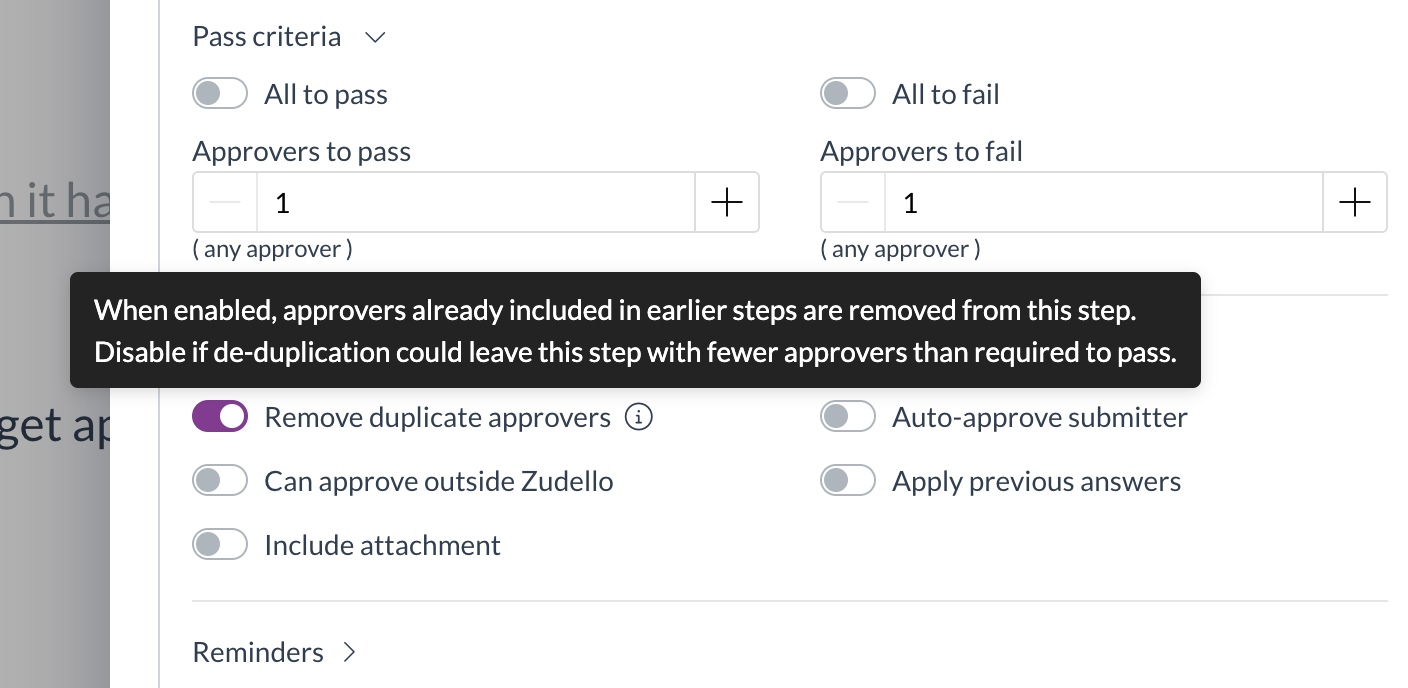
  • A new Remove duplicate approvers option (turned on by default) controls what happens when the same person is required more than once on a step.
  • Turn it off to keep the full required approver count, so a step is no longer dropped when the same approver appears more than once.

The Remove duplicate approvers option on an approval step

Blank dimensions match any value

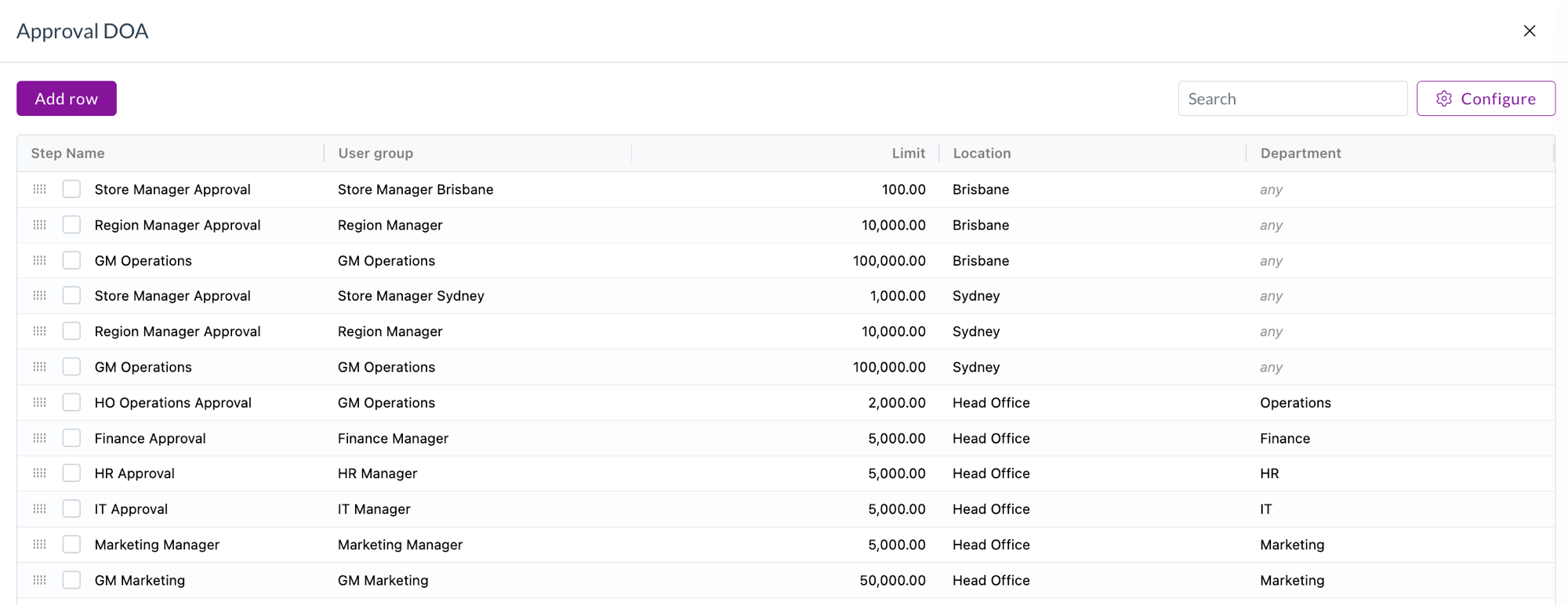
  • A new setting lets a blank dimension cell in a delegation of authority dataset be treated as matching any value.
  • This means a single rule can cover every option for that dimension, rather than needing a separate row for each one. Blank cells show a muted "any" in the preview.

Blank dimensions treated as any value in a delegation of authority dataset

Supplier matching and inbox rules

When documents arrive by email, Zudello matches them to the right supplier automatically. We've given you more control over how that matching works.

Ignore senders for supplier matching

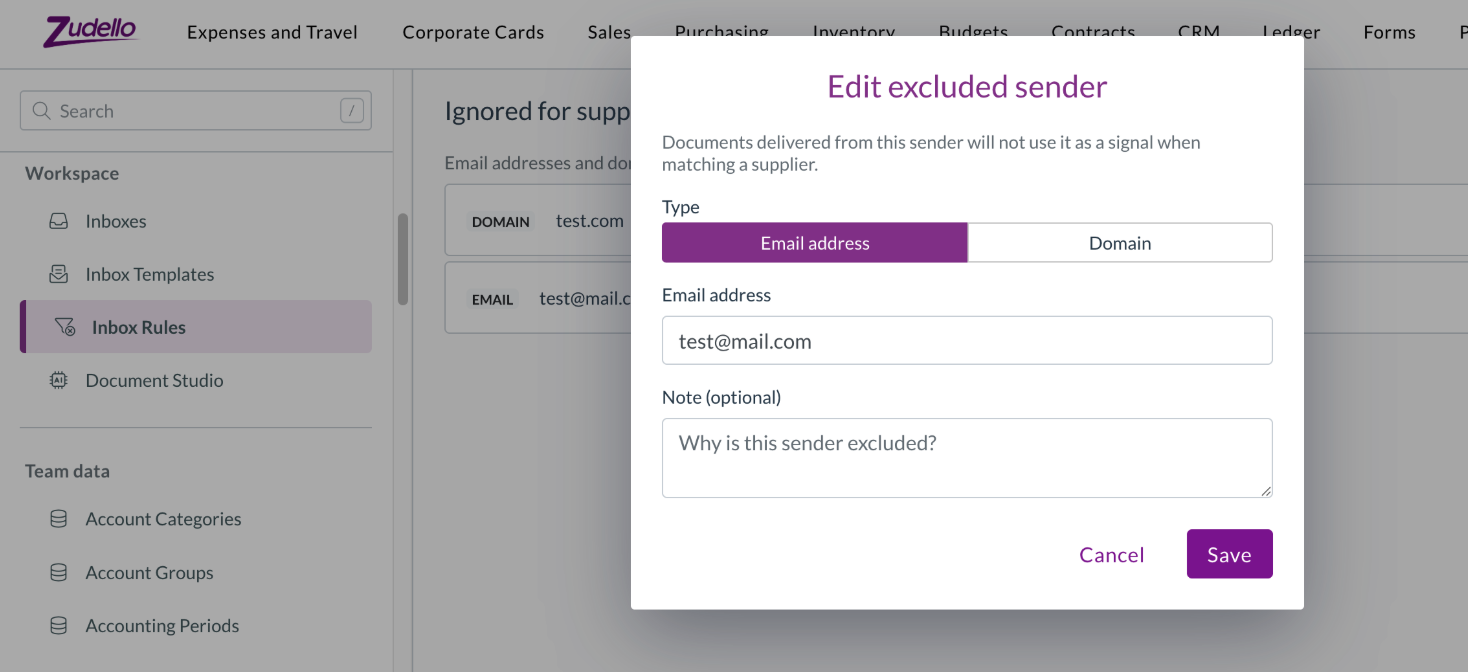
  • A new Inbox Rules tab in Settings lets you maintain a list of email addresses and domains to exclude from supplier matching.
  • This stops shared or generic senders from being matched to the wrong supplier.

The Inbox Rules exclusion list in Settings

Screen unknown senders

  • You can now maintain an allowlist of trusted senders, and Zudello records how trusted an incoming document's sender is, so you can spot documents that arrived from an unrecognised sender.

Tell apart suppliers with the same name

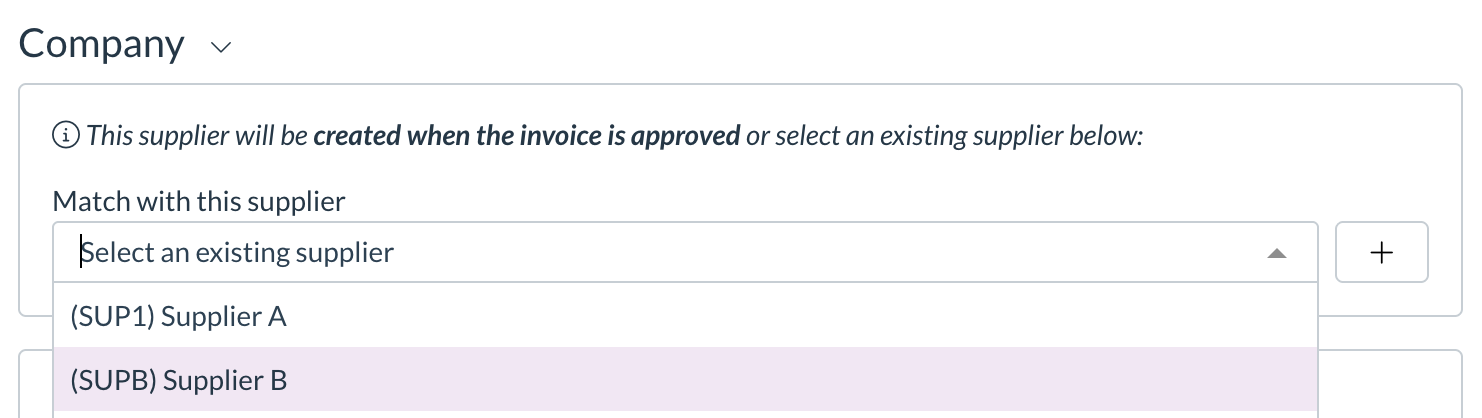
  • The supplier match dropdown on a transaction now shows the supplier code in front of the name, so suppliers that share a name can be told apart at a glance.

Supplier code shown in the supplier match dropdown

Images on suppliers, customers, and items

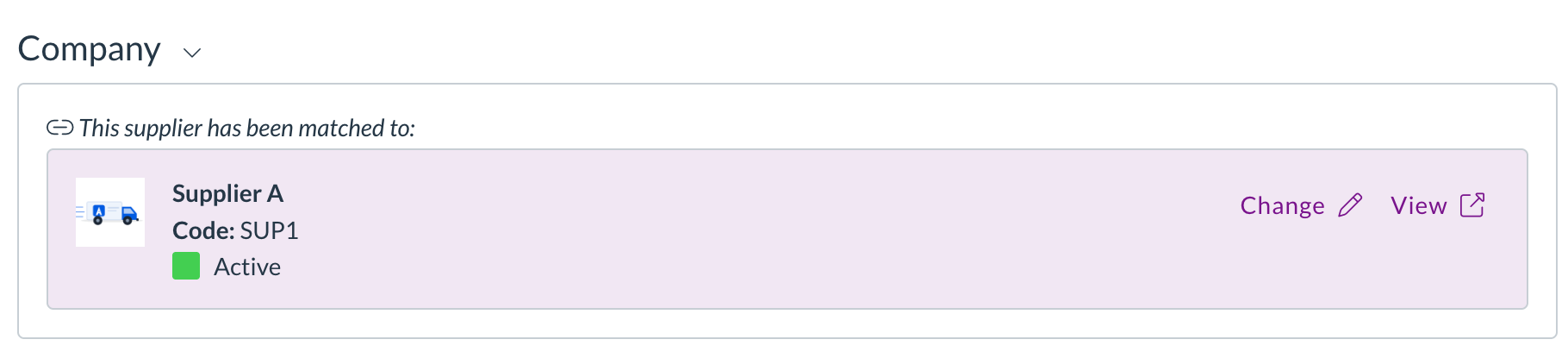
  • You can now add images to your supplier, customer, and item records.
  • Upload a single image or a gallery of several, drag to reorder them, and choose which one is the cover.
  • Images appear on list rows, in picker dropdowns, and in the document viewer, and open full screen when you click them.

A supplier image shown on the matched-supplier card in the document viewer

Allocations and matching

Zudello matches related documents, such as an invoice to a purchase order, so you can track what's been received, billed, and paid. We've tightened up manual allocation.

One-to-one document allocation

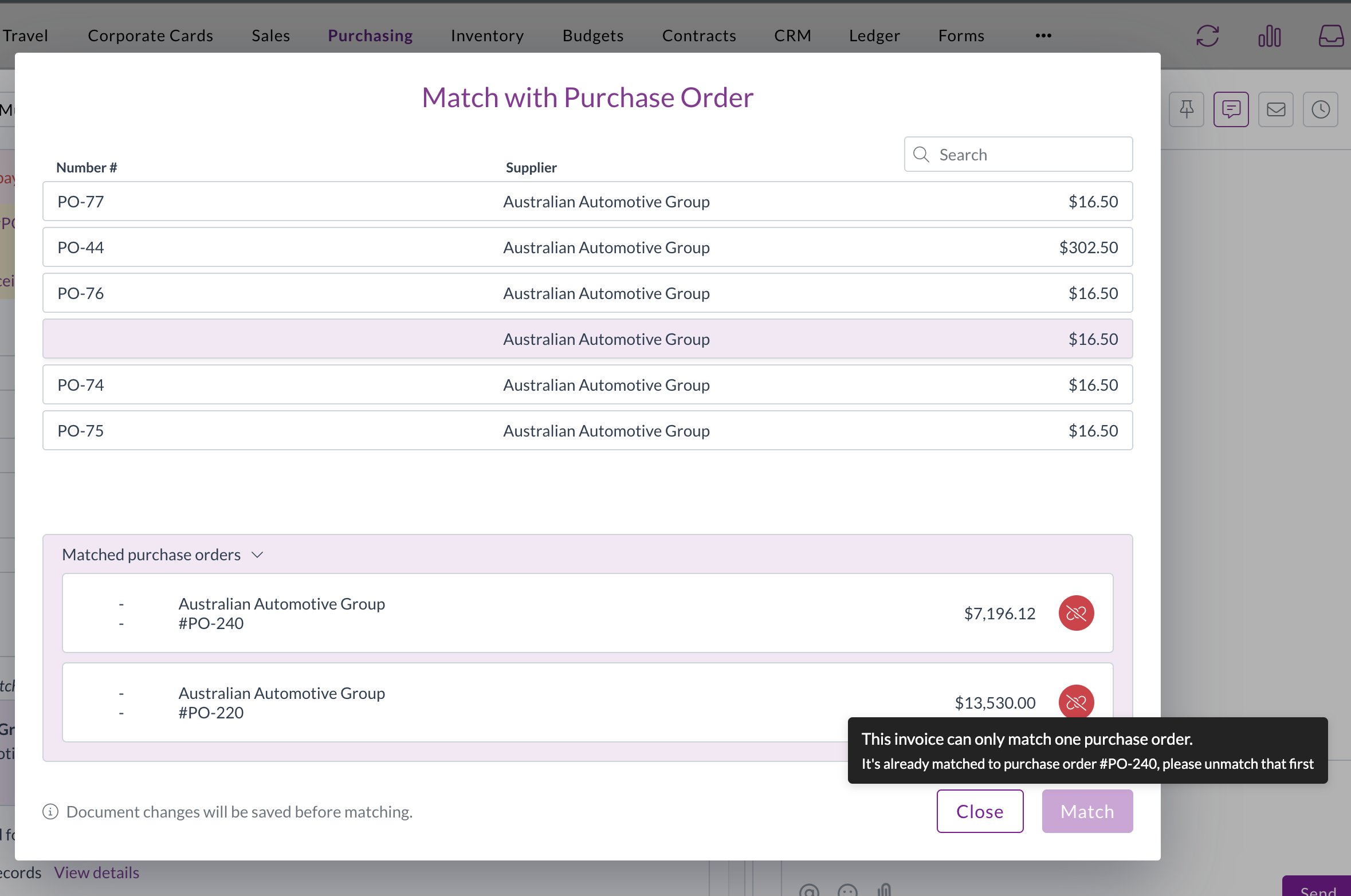
  • A new setting restricts a document to a single allocation, guarding against a document being matched more than once.
  • When it's turned on, the match buttons are disabled for a document that's already allocated, with a tooltip naming the document it's matched to.

The one-to-one document allocation setting

Cleaner match list

  • Documents that are already fully allocated are now hidden from the Match with… list, so you only see documents that are still available to match.

Corporate cards

The Corporate Cards module manages the full lifecycle of company card expenses, from capture through to reconciliation and payment. We've made reconciliation safer and more flexible.

  • Payment reconciliations can now be matched to employees.
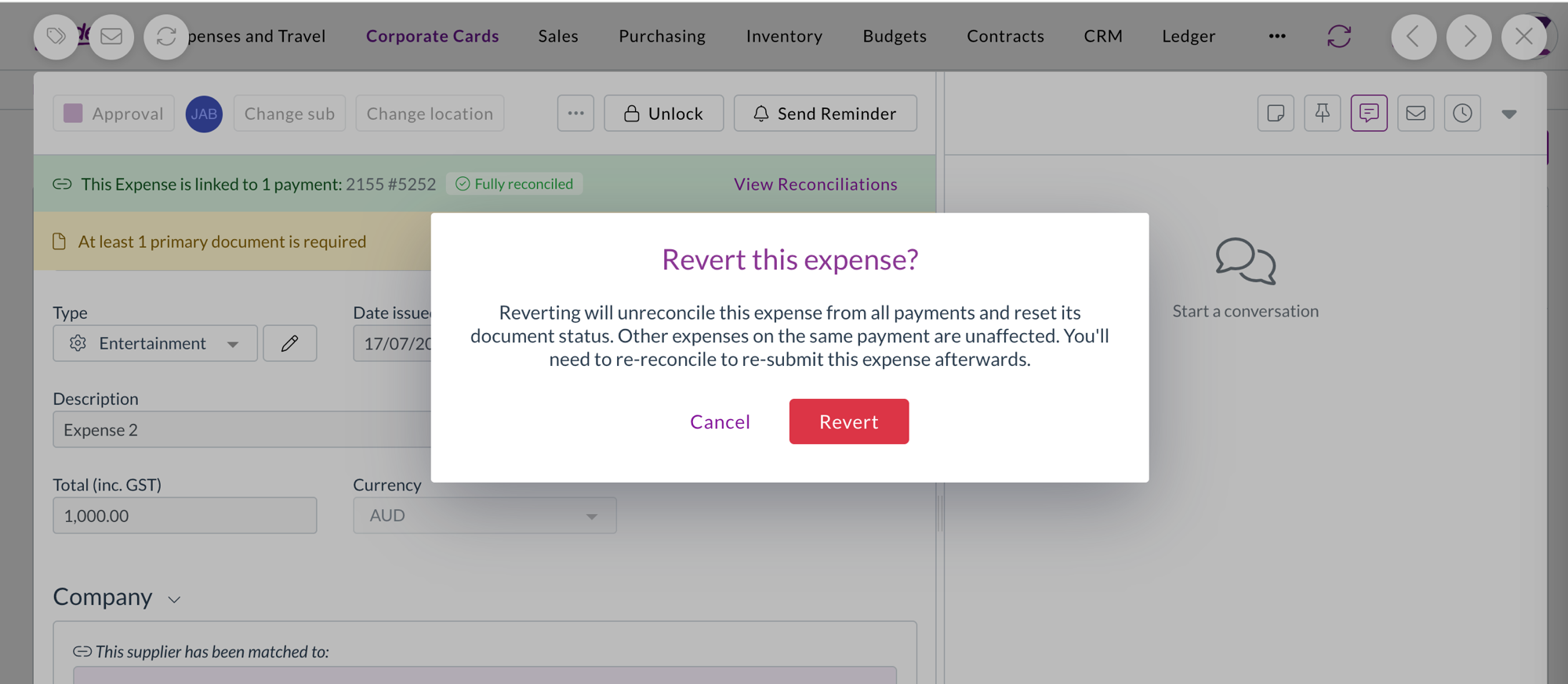
  • Reverting a reconciled expense now shows a confirmation warning first, because the revert removes the expense from all its payments and resets its status. The warning explains that other expenses on the same payment aren't affected.

Confirmation warning before reverting a reconciled expense

Filters

We've made the filter dropdowns across the platform faster and easier to work with.

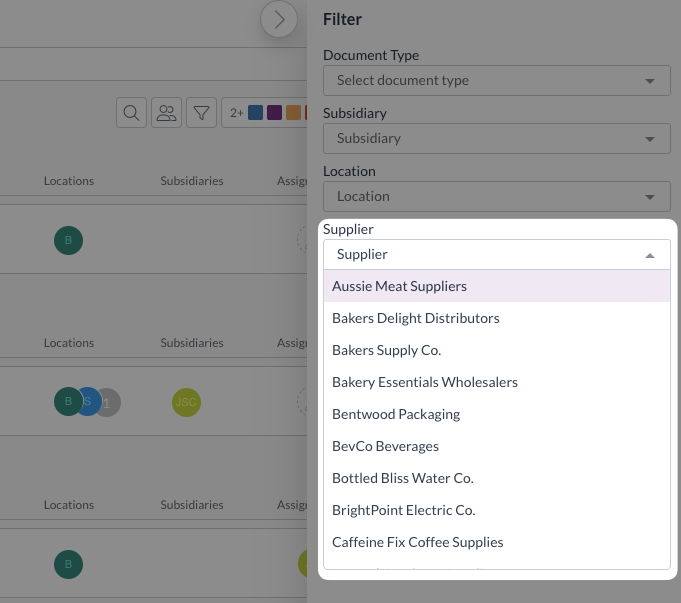
  • Filter dropdowns now load only the values actually in use for what you're looking at, and search the full set on the server as you type.
  • Inactive records are hidden by default behind a Hide inactive toggle.
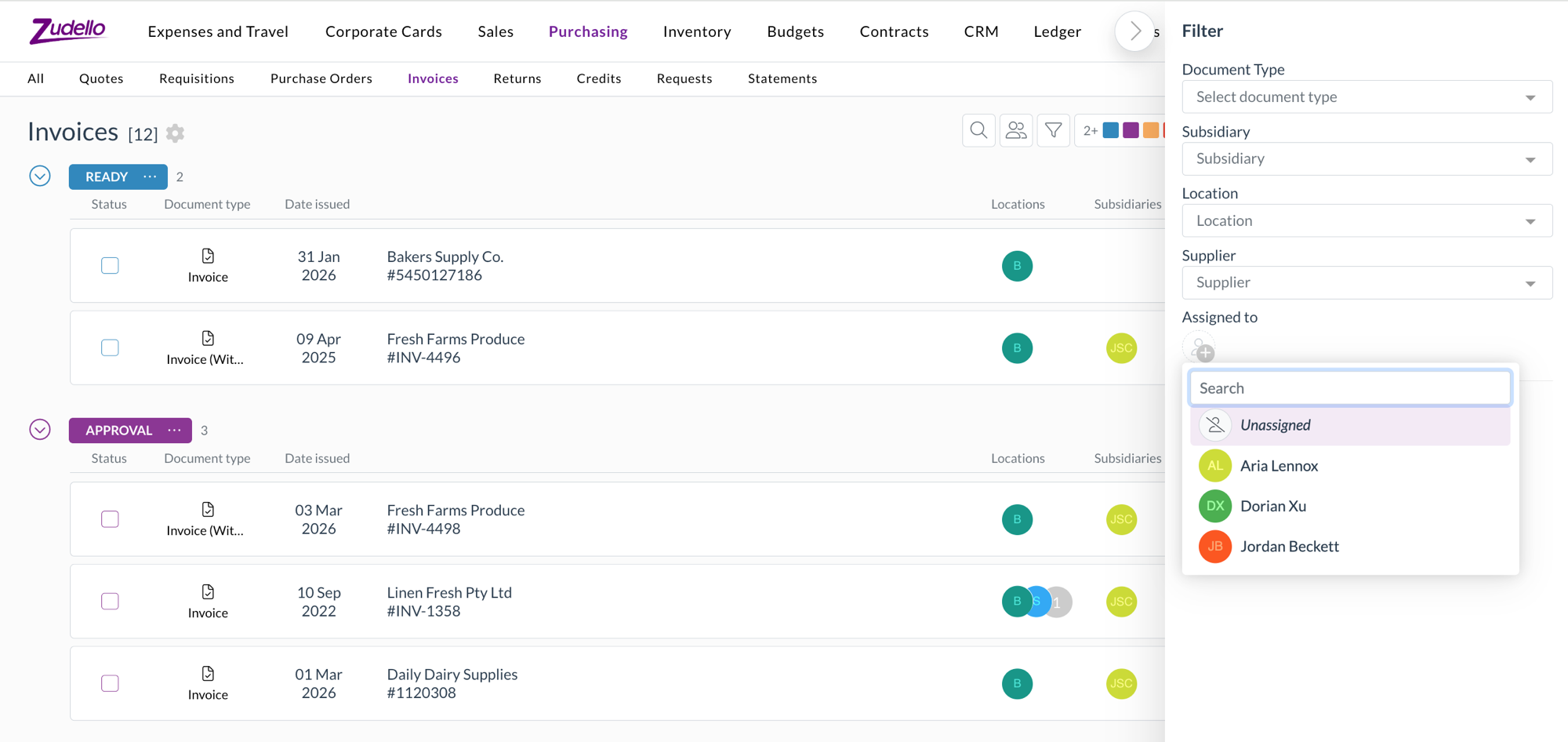
  • The assignee filter now has a pinned Unassigned option, so you can quickly find documents that haven't been assigned to anyone.

The pinned Unassigned option in the assignee filter

Currencies

  • Singapore Dollar (SGD) and Hong Kong Dollar (HKD) are now fully selectable currencies.
  • Documents priced in SGD or HKD convert to your local currency across transactions, budgets, and approvals.

Document splitting

Zudello can split a single file that contains several documents into separate records during extraction. We've improved how splitting works.

  • Splitting is now more accurate, so documents from the same supplier are separated correctly and unusual single documents are no longer split by mistake.
  • The original email is now linked to each split document, and Zudello enriches each one so it's ready to work with straight away.

Other improvements

  • For the End of Month and End of Next Month payment terms, the unit field is now clearly marked as not applicable, so it's obvious the value isn't used in the calculation.

Resolutions

We're constantly working to refine Zudello's functionality and address any issues as soon as possible. As part of this release, we've made the following resolutions:

  • We've fixed an issue where PDF text could be missing for some users on Windows using Chrome or Edge.
  • We've fixed an issue where downloaded Excel files were missing their file extension.
  • We've fixed date fields that displayed or accepted dates as yyyy-mm-dd instead of dd/mm/yyyy.
  • We've fixed an issue where a dataset section filter couldn't resolve the Customer column, even though it worked for Supplier.
  • We've fixed the Next and Previous buttons at the bottom of the form response viewer, which weren't navigating between responses.
  • We've fixed deep links into the inbox so they open the correct document.
  • We've fixed an issue where bulk admin actions failed for newly created users with an "organisation user not found" error.
  • We've fixed inline table editors so your changes are saved when you click away from the cell.
  • We've fixed the compact location and subsidiary selectors so they stay usable after the window is resized.
  • We've fixed an issue where opening a document directly by its link could fail to load its settings.
  • We've fixed an issue that prevented approved claims from being exported.
  • We've fixed dataset grid cells that could visually bleed into the next column.
  • We've fixed an issue where custom form fields with dataset options could be hidden by mistake.

Have an idea?

Do you have an idea for a new feature or how we can improve our current features? Let us know at support@zudello.com.

Your ideas and feedback are an important part of our product planning process to make Zudello better for everyone.
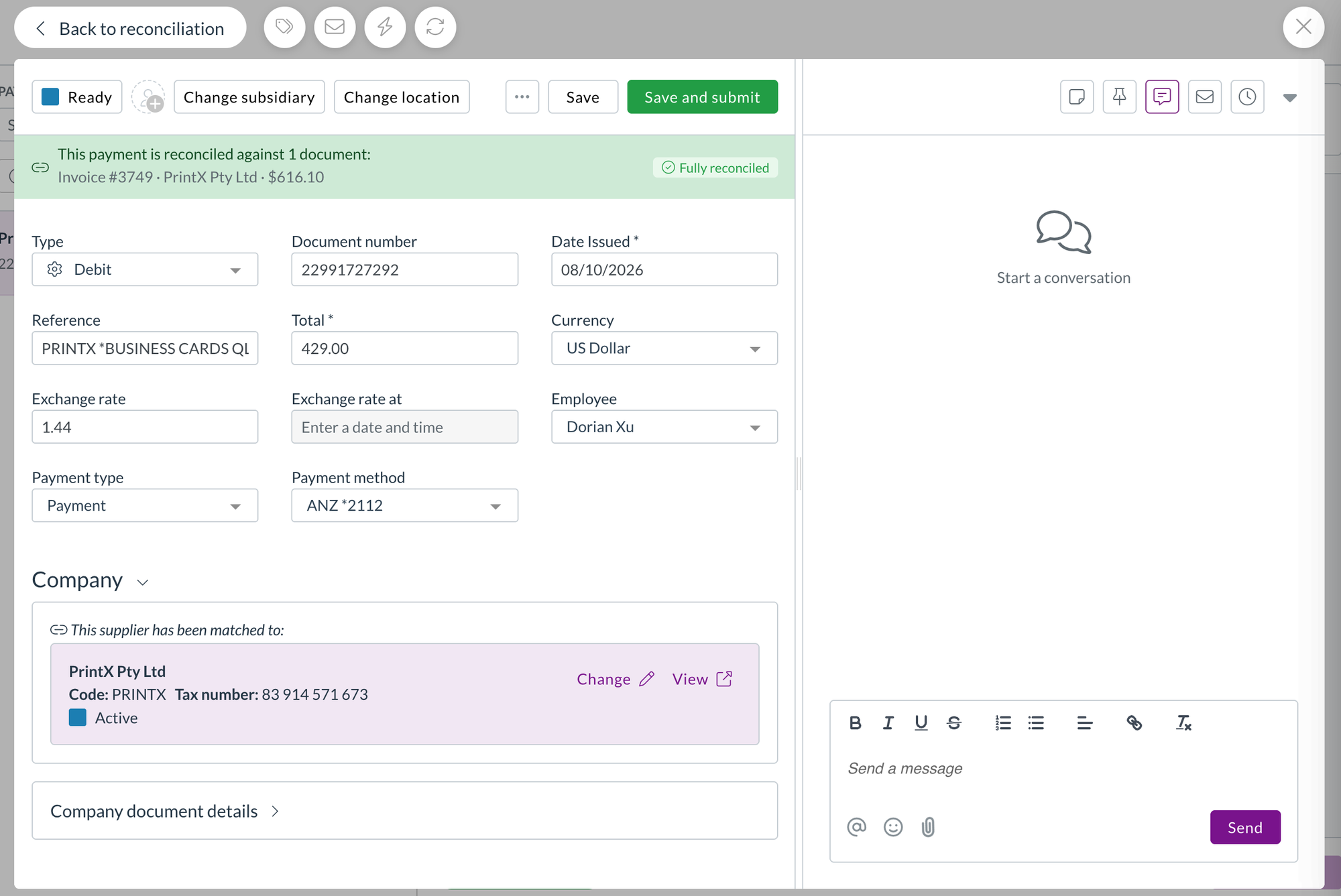
Release notes edition 3.7.8

Release date: Monday 8 June 2026
Version: v3

Here's the latest summary of what's new and improved in Zudello, as well as what we resolved in the latest release.

In this release:

  • Smarter approval routing for expenses
  • Improved address validation and matching
  • Smoother supplier and customer contact management
  • Flexible datasets and more

Looking for something? Browse by tag to find release notes on a specific feature.

New and improved

Approval routing for expenses

Zudello's approval workflows route expense claims and reimbursement requests through the right people before payment is made. We've improved how approvals are routed when expenses are raised on behalf of someone else.

Approvals now follow the employee, not the submitter

  • When an expense or claim is raised on behalf of another employee, the approval now routes through that employee's manager, not the submitter's.
  • This ensures approvals always reach the right people, regardless of who created the record.

Suppliers and customer contacts

Zudello's CRM module gives you a central place to manage your suppliers, customers, and the people associated with them. We've made it easier to navigate and manage the connections between companies and individual contacts.

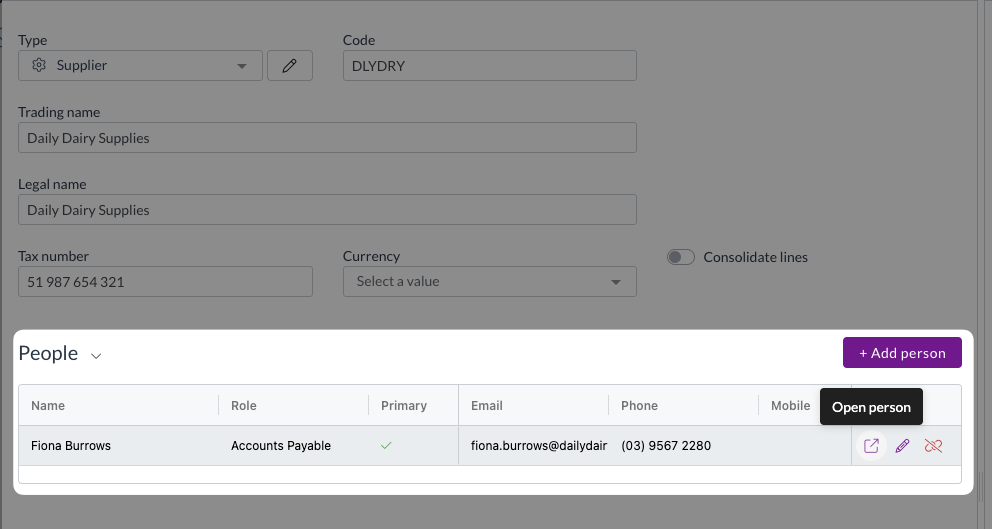
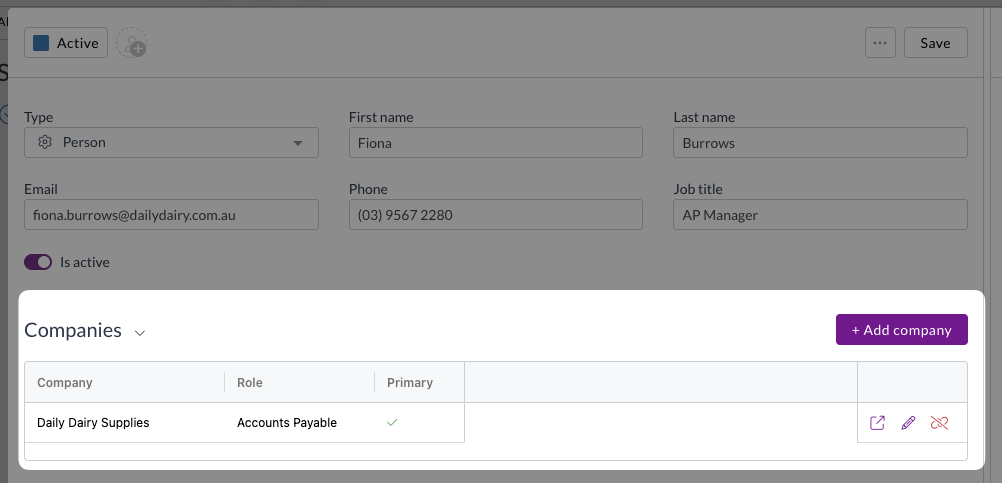
  • You can now open a linked person's record directly from a supplier or customer's people grid to view and edit their details without leaving the page.

  • A new reverse table on the person record shows all the suppliers and customers that person is linked to, with options to add, edit, unlink, or open each one.

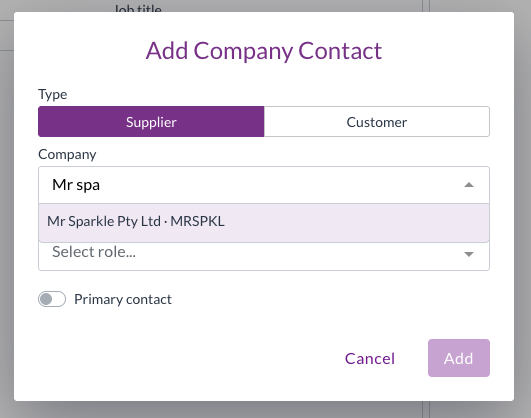
  • When adding a company to a People record, you can now explicitly select whether you're adding a supplier or a customer, so the search only returns the right type of record.

Contracts

Contracts let you store and manage your supplier and customer agreements in Zudello, with automatic extraction to pull key details directly from your documents. We've expanded what Zudello can do with contracts, making them easier to code, enrich, and control.

Document coding for contracts

  • You can now use document coding rules and the Apply trained rules action on contract documents, the same way you do for other document types.
  • Zudello automatically resolves the linked contact for contracts, checking for a set supplier or customer, and defaulting to the supplier if both are available.
  • Contract-writable fields are now available in the target field drop-down when configuring coding rules.

Data permissions for contracts

  • Contracts are now available in the data permissions picker, so you can control access to contract records using the same dimension-based permissions you use for other models.

Currencies and FX

Zudello converts foreign currency amounts into your base currency so that transactions, budgets, and approvals always reflect accurate local totals. We've expanded the range of currencies supported by our hourly exchange rate updates.

  • Singapore Dollar (SGD) and Hong Kong Dollar (HKD) are now included in Zudello's hourly exchange rate updates.
  • Documents priced in SGD or HKD will now convert to your local currency across transactions, budgets, and approvals.

Improved address validation and matching

Zudello validates and normalises addresses on your supplier, customer, and transaction records to keep your data clean and consistent. We've made significant improvements to how addresses are validated and matched across the platform.

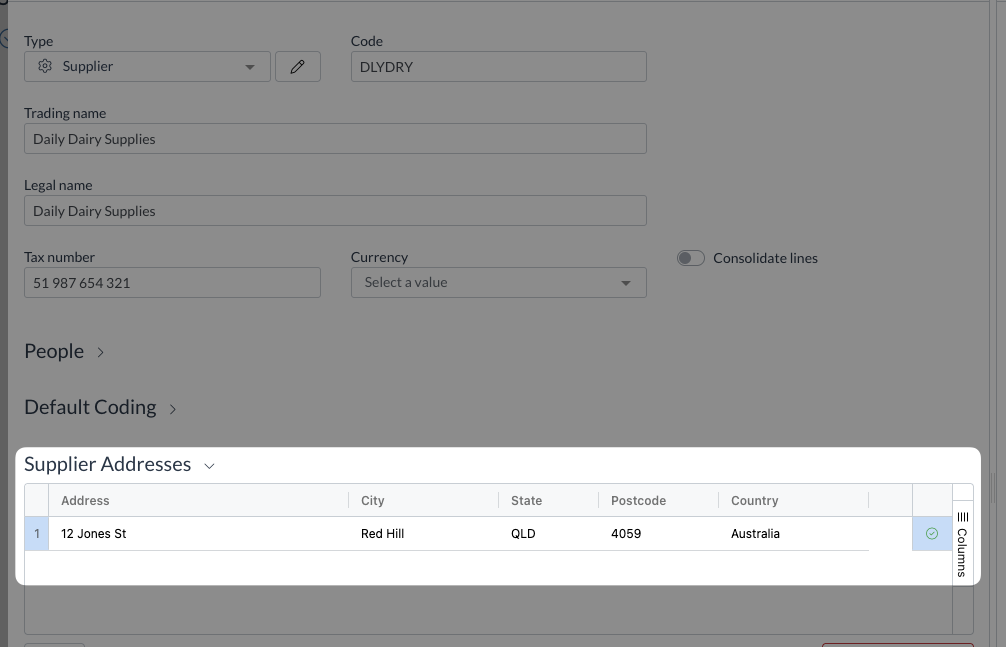
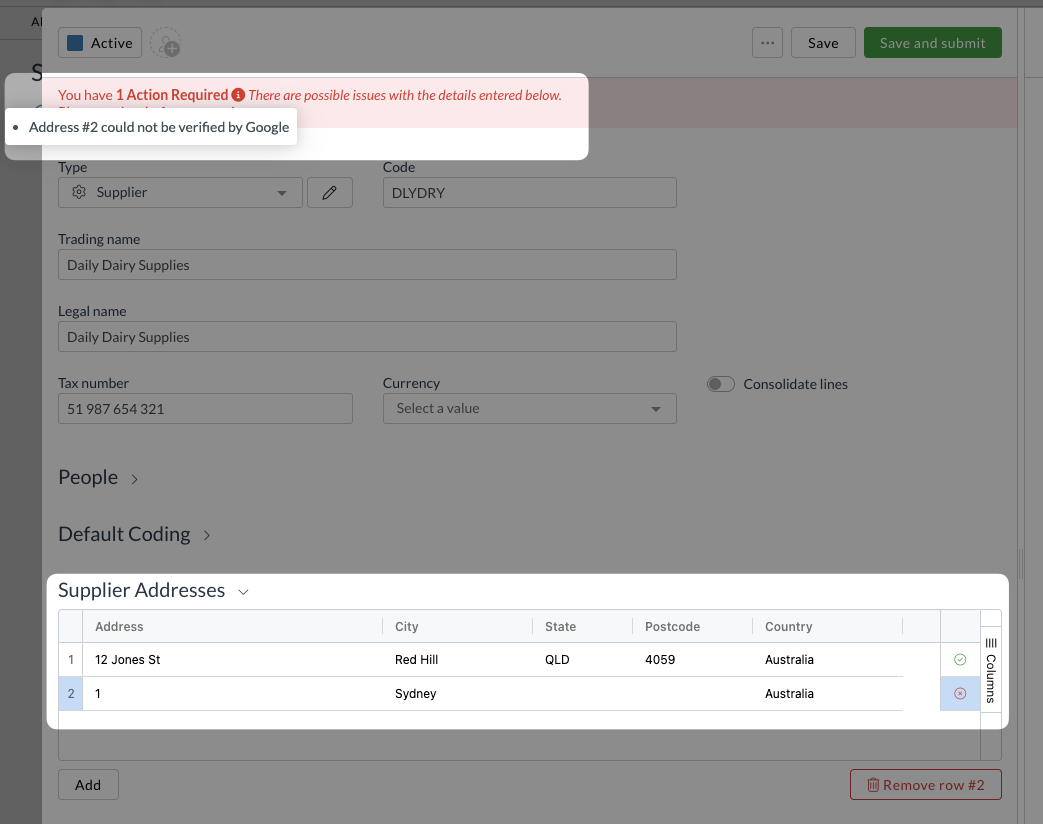
  • Address validation now uses Google's Address Validation API, which provides more accurate normalisation and assigns a unique place ID to each address on save.

  • Delivery and billing addresses on transactions are now matched by place ID rather than by geographic distance, making matching faster and more reliable.
  • Validation errors are now shown per address, so you can see exactly which address needs attention.

  • Places Autocomplete can be turned on for contact address forms, making it faster to enter and validate addresses.

Datasets

Datasets let you store and manage structured data within Zudello, such as approval limits or custom dimensions used for coding documents. We've added two improvements to make datasets more powerful and easier to configure.

Embed datasets as editable tables in resource cards

  • You can now embed a filtered, editable dataset directly as a section inside a resource or transaction card.
  • The dataset acts as the source of truth for that data, avoiding the performance issues and stale data that can come from storing large amounts of information directly on a record.

Ignore dimension dependencies when configuring datasets

  • A new setting lets you ignore dimension dependency filters when configuring datasets and delegation of authority settings.
  • This prevents valid values from being incorrectly filtered out during configuration. For example, a location being hidden because of an unrelated supplier or currency filter.
  • Dependency filters continue to apply on form fields where they're genuinely needed.

Resolutions

We're constantly working to refine Zudello's functionality and address any issues as soon as possible. As part of this release, we've made the following resolutions:

  • We've fixed an issue where inactive inventory items could be added to transactions by typing a SKU directly, even though they were correctly excluded from the drop-down.
  • We've fixed an issue where a $0 tax value was being stored as blank rather than zero on some documents.
  • We've fixed an issue where contract documents were not populating field data correctly despite the values being present.
  • We've fixed an issue where selecting a default document type on a supplier record would appear to save but didn't.
  • We've fixed a Document Studio issue where newly created workflows were not added to the run order, causing unpredictable extraction behaviour.
  • We've fixed an issue where two near-simultaneous API calls for the same record could overwrite each other's data and return incorrect results.
  • We've fixed an issue where ABN lookup was reflecting ABN validity instead of GST registration status. The lookup now correctly shows GST registration status.
  • We've fixed an issue where the related expenses section on expense claims appeared blank when opened from a direct approval link.
  • We've fixed an error that occurred when sorting by the approver column in table view.

Have an idea?

Do you have an idea for a new feature or how we can improve our current features? Let us know at support@zudello.com.

Your ideas and feedback are an important part of our product planning process to make Zudello better for everyone.
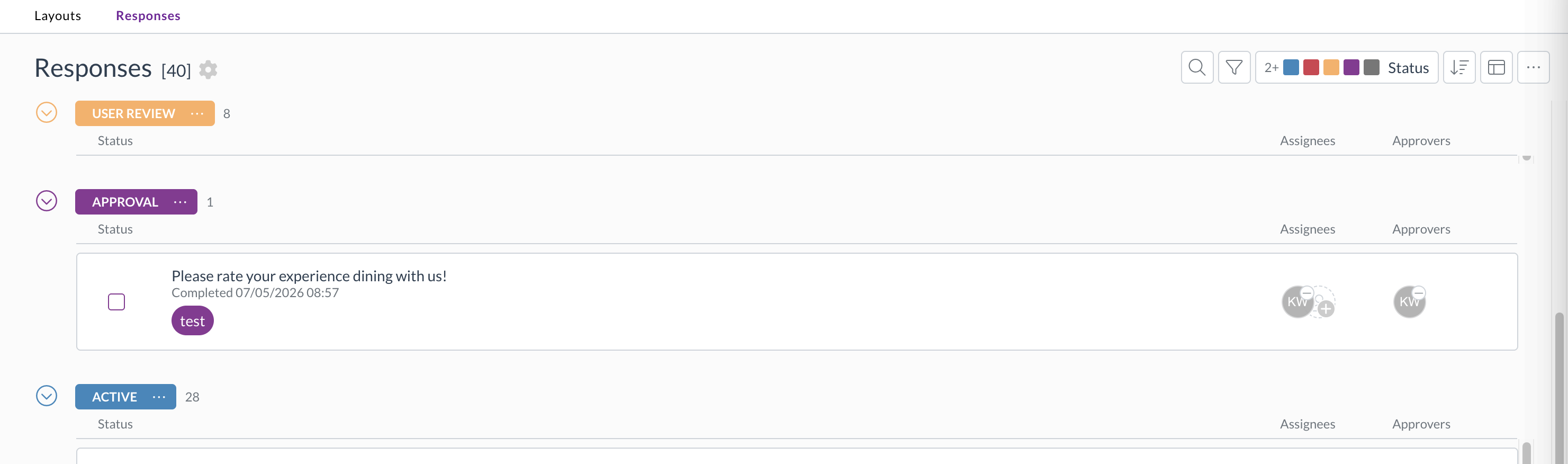
Release notes edition 3.7.6

Release date: Monday 11 May 2026
Version: v3

Here's the latest summary of what's new and improved in Zudello, as well as what we resolved in the latest release.

In this release:

  • New People Submodule
  • Document Studio support for email body extraction testing
  • Three-way matching improvements and more

Looking for something? Browse by tag to find release notes on a specific feature.

New and improved

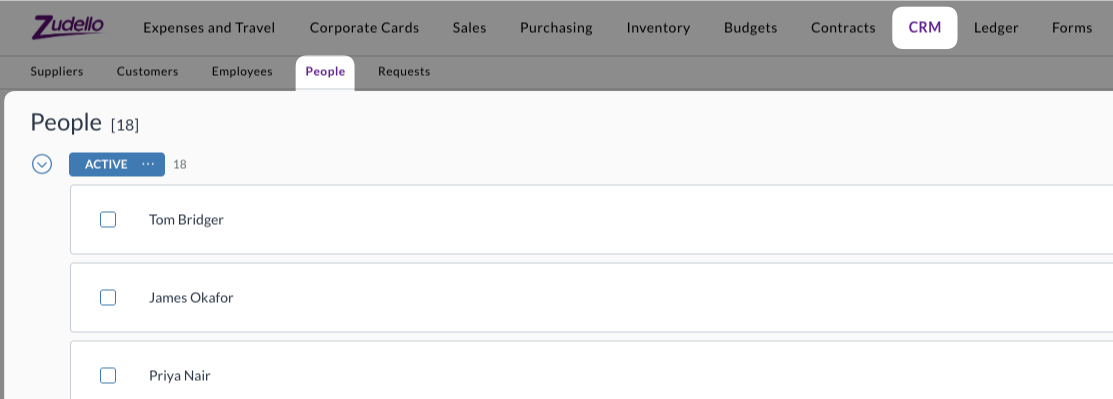
People submodule

The new People submodule sits alongside Suppliers and Customers in the Relationships module, and provides a central place to record and manage contacts across your supplier and customer network. This means your team can record and access the contact information they need without needing to switch between systems.

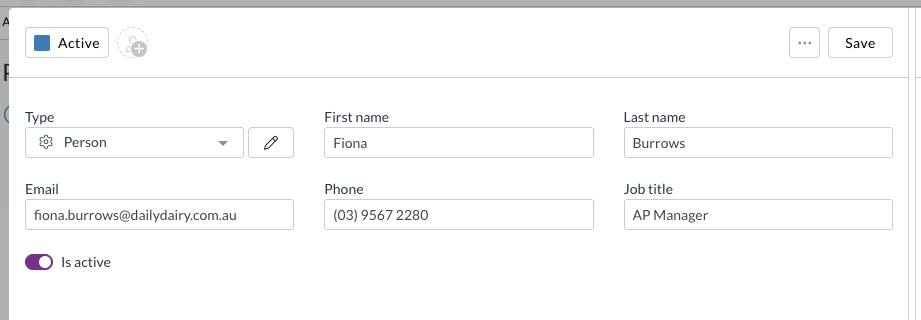
  • A person represents a named individual associated with one or more suppliers or customers.

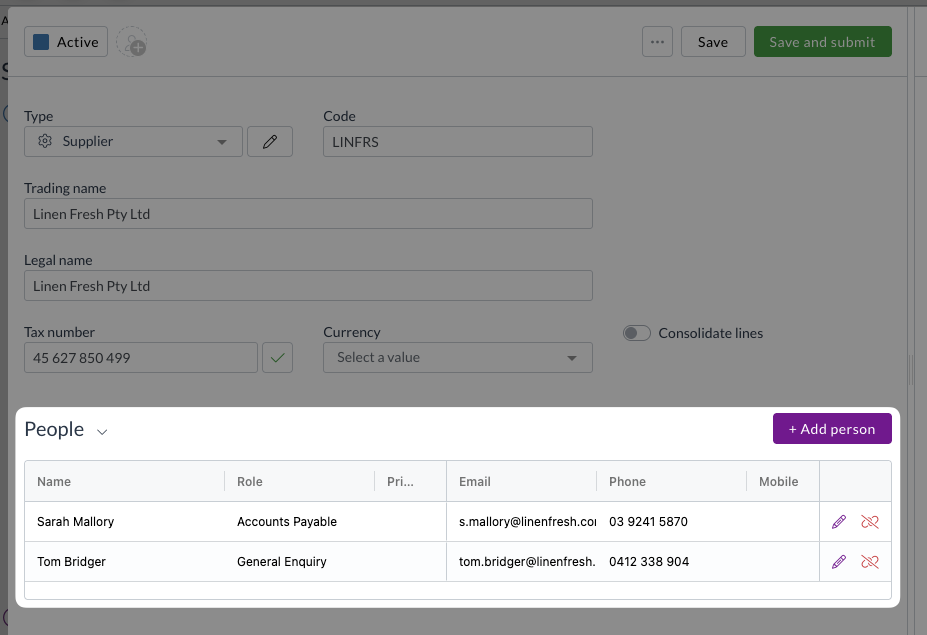
  • People are independent records that can be linked to multiple suppliers or customers, with a different contact role assigned at each.
    • For example, the same person can be recorded as the AP manager at one supplier and a general enquiry contact at another.
  • Contact roles are stored on the relationship between the person and the supplier or customer, so the person's record stays clean and reusable across your network.

Document Studio email body extraction testing

Document Studio lets you fine-tune how Zudello extracts information from your documents. You could already use Document Studio to adjust the extraction of email bodies, but there was no way to test your configuration before applying it.

We have now added the ability to download an email body and test it within Document Studio.

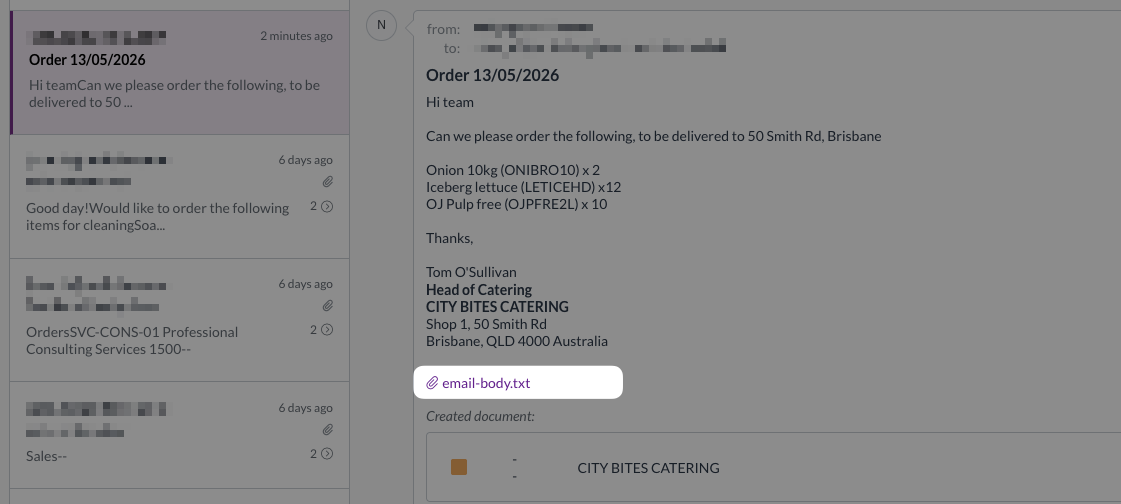
  • When an email is processed in Zudello, the raw email body is now saved as a text file and attached to the email in the inbox.

  • You can download this file directly from the inbox by clicking the email-body.txt attachment on the original email.
  • The downloaded file can then be uploaded into Document Studio to test and refine your extraction configuration before applying any changes.

This puts more power in your teams hands, ensuring you can customise the extraction of any documents you receive. For more information on using Document Studio, see our Document Studio guide.

Three-way matching improvements

Three-way matching in Zudello links your invoices, purchase orders, and goods receipts to ensure you only pay for what you ordered and received. We've made an improvement to how currency changes are handled during matching.

Accurate exchange rates when changing currency

  • Previously, changing the currency on a transaction could result in the original exchange rate being retained, causing incorrect local currency totals and throwing validation errors that blocked the document from progressing.
  • The exchange rate is now refreshed automatically whenever the currency on a transaction is changed, and allocation values are updated accordingly. This keeps variance calculations and purchase order allocation percentages accurate, and ensures you can continue processing the document without delay.

Other improvements

  • Additional support for related attachments
    • Related attachments now support drag-and-drop upload of .msg and .eml email files, ensuring you can upload a greater variety of supporting documentation.
  • Interface improvement for Task approvals
    • The task action button has been renamed from Approve to Complete for consistency with how tasks work.

  • Expenses performance improvement
    • We've improved how expenses are processed for teams that don't use expense consolidation.
    • Zudello now skips unnecessary steps during employee and expense lookups, resulting in faster processing for teams that don't require expense consolidation.
  • Reliability improvements
    • We've improved inbound email reliability, including better handling of email bounces or temporary outages.

Resolutions

We're constantly working to refine Zudello functionality and ensure that we address any issues as soon as possible. As part of this release, we've made the following resolutions and improvements:

  • We've fixed an issue where email images, logos, and signatures were not displaying correctly in inboxes.
  • We've fixed an issue where the exchange rate on expenses only refreshed after the first currency change. The rate now refreshes correctly on every currency change.

Have an idea?

Do you have an idea for a new feature or how we can improve our current features? Let us know at support@zudello.com.

Your ideas and feedback are an important part of our product planning process to make Zudello better for everyone.
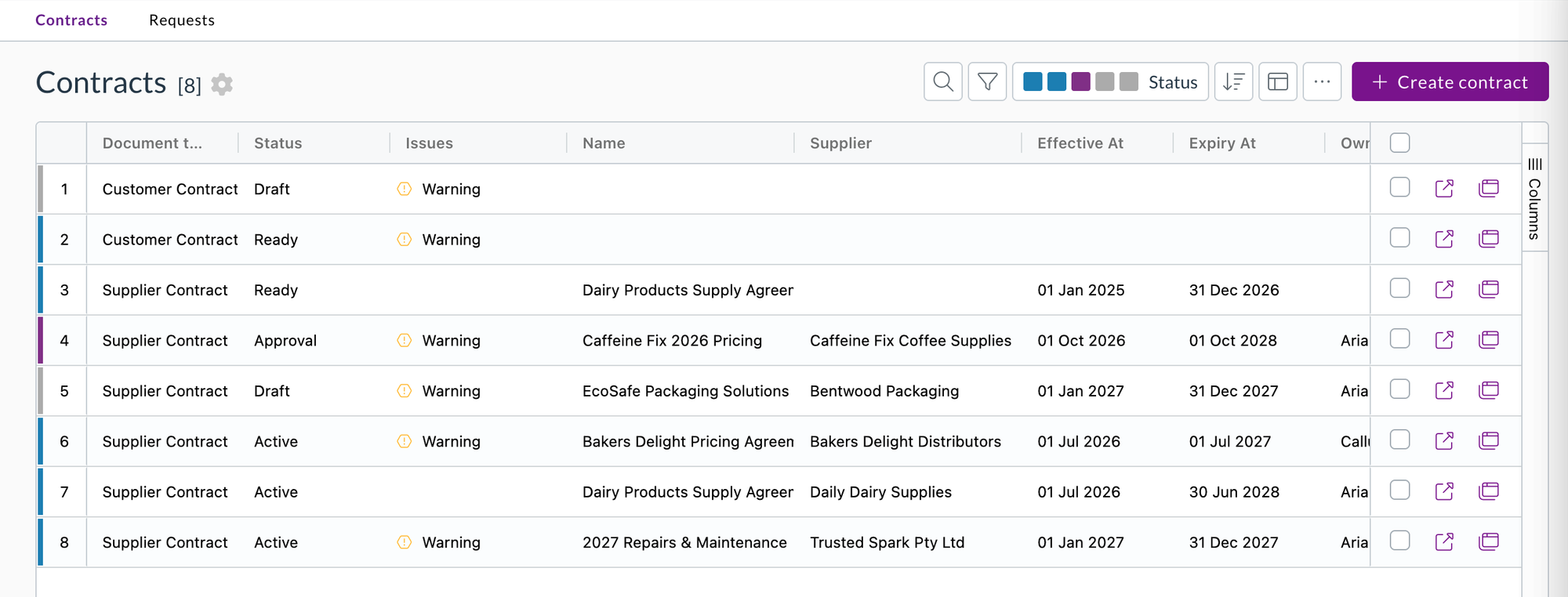
Release notes edition 3.7.4

Release date: Wednesday 9 April 2026
Version: v3

Here's the latest summary of what's new and improved in Zudello, as well as what we resolved in the latest release.

In this release:

  • Contracts improvements
  • More flexibility for data export permissions
  • Bug fixes and more

Looking for something? Browse by tag to find release notes on a specific feature.

New and improved

Contracts improvements

Contracts let you store and manage your supplier and customer agreements in Zudello, with automatic extraction to pull key details directly from your documents. We've made two improvements to give you more control over how contracts are processed and enriched.

  • Rescan contracts from the interface
    • You can now trigger a rescan of a contract directly from the interface to re-run extraction and enrichment against the latest document content.
    • This makes it easy to refresh contract data without needing to re-upload or recreate the record.
  • Automatic supplier and customer matching on contracts
    • Contracts can now be configured to automatically link to a supplier or customer record.
    • Once matched, Zudello applies any relevant defaults from that record — such as default coding, payment terms, and addresses — so your contracts stay consistent with the rest of your data.
    • Admin users can configure the matching direction (supplier or customer) from the document type settings.

Export permission improvements

Zudello's export tools let you extract data from the platform for reporting, reconciliation, and integration purposes. We've added a new permission level to give you more control over who can access export data.

  • View own exports permission
    • A new permission level lets you grant users access to view only their own exported data, without giving them access to exports run by other users.
    • This makes it easier to align export access with your organisation's security policies, without restricting users from getting the data they need.
    • When an export is ready, the notification email now includes a direct link to the exports page so users can access their data straight away.

For more information on exports, see Exporting records.

Other improvements

Infrastructure and performance improvements

  • We've made a number of backend improvements to improve the stability and reliability of the Zudello app.

Resolutions

We're constantly working to refine Zudello functionality and ensure that we address any issues as soon as possible. As part of this release, we've made the following resolutions and improvements:

  • We've fixed an issue where users were sometimes redirected back to the login screen when selecting a team, requiring them to log in a second time.

Have an idea?

Do you have an idea for a new feature or how we can improve our current features? Let us know at support@zudello.com.

Your ideas and feedback are an important part of our product planning process to make Zudello better for everyone.
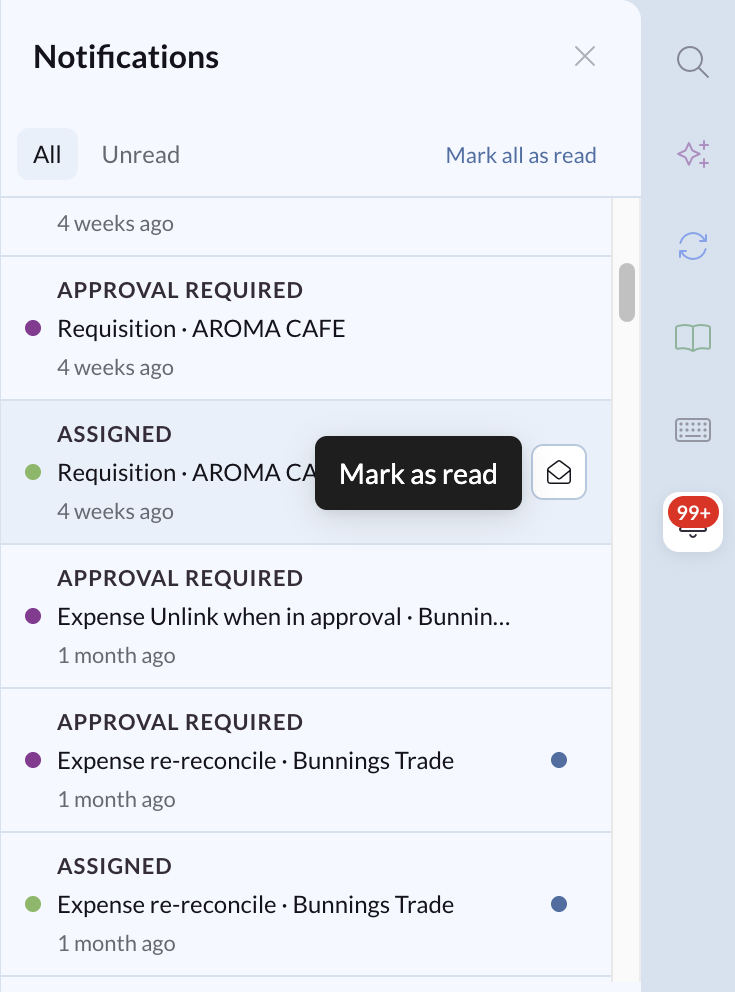
Release notes edition 3.7.3

Release date: Wednesday 25 March 2026
Version: v3

Here's the latest summary of what's new and improved in Zudello, as well as what we resolved in the latest release.

In this release:

  • New customer and supplier address validation
  • Enhanced email body extraction
  • Bug fixes and more

Looking for something? Browse by tag to find release notes on a specific feature.

New and improved

Address validation

Zudello's validation extensions let you configure rules that check documents for errors or missing information before they progress through your workflow. We've added two new address validation extensions to help you catch address issues early.

  • Verified customer address (Supplier and Customer submodules)
    • This extension checks that the customer or supplier being has at least one address that can be verified through Google Maps.
    • You can apply this extension to supplier and customer records.

  • Delivery address on file (all Purchasing and Sales Submodules)
    • This extension checks that the delivery address on a document matches one of the addresses saved against the customer or supplier.
    • You can apply this extension to purchasing and sales documents.

Both extensions can be configured as a note, warning, or error-level validation, giving you control over how strictly each check is enforced.

Other improvements

  • Allocation values update when line amounts change
    • Allocations are the driving force behind Zudello's two and three-way matching
    • Allocation values are now automatically recalculated when line amounts change on a transaction, so your allocations stay accurate even after any manual edits.
  • Improved email body extraction
    • We've improved how Zudello recognises and categorises email body extractions, making the process more reliable when extracting transaction information directly from email content rather than attachments.

Resolutions

We're constantly working to refine Zudello functionality and ensure that we address any issues as soon as possible. As part of this release, we've made the following resolutions and improvements:

  • We've fixed an issue where duplicate records were sometimes created during purchasing invoice creation.
  • We've resolved an issue where quantities were not allocated correctly to purchase orders when a unit of measure conversion was involved.
  • We've fixed an issue where some users were unable to bypass or resolve a validation error.

Have an idea?

Do you have an idea for a new feature or how we can improve our current features? Let us know at support@zudello.com.

Your ideas and feedback are an important part of our product planning process to make Zudello better for everyone.
Release notes edition 3.6.11

Release date: 29 October 2025
Version: v3

Here's the latest summary of what's new and improved in Zudello, as well as what we resolved in the latest release.

In this release:

  • New inline calculator for faster data entry
  • Enhanced Excel extraction and document matching capabilities
  • Budget improvements, interface enhancements and more

Looking for something? Browse by tag to find release notes on a specific feature.

New and improved

Inline calculator

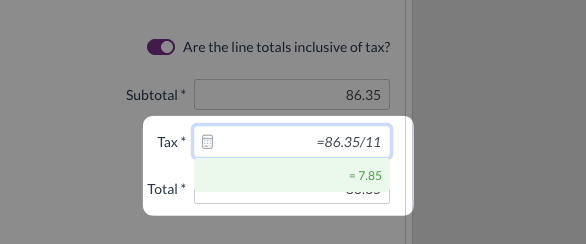
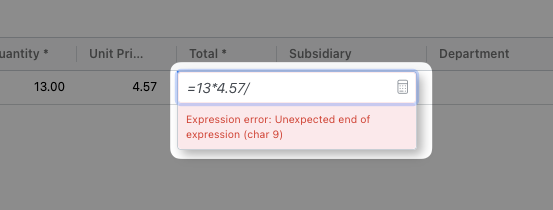
Data entry often requires quick calculations to determine correct amounts or verify totals. We've introduced an inline calculator that allows you to perform calculations directly within fields, speeding up data entry and reducing errors.

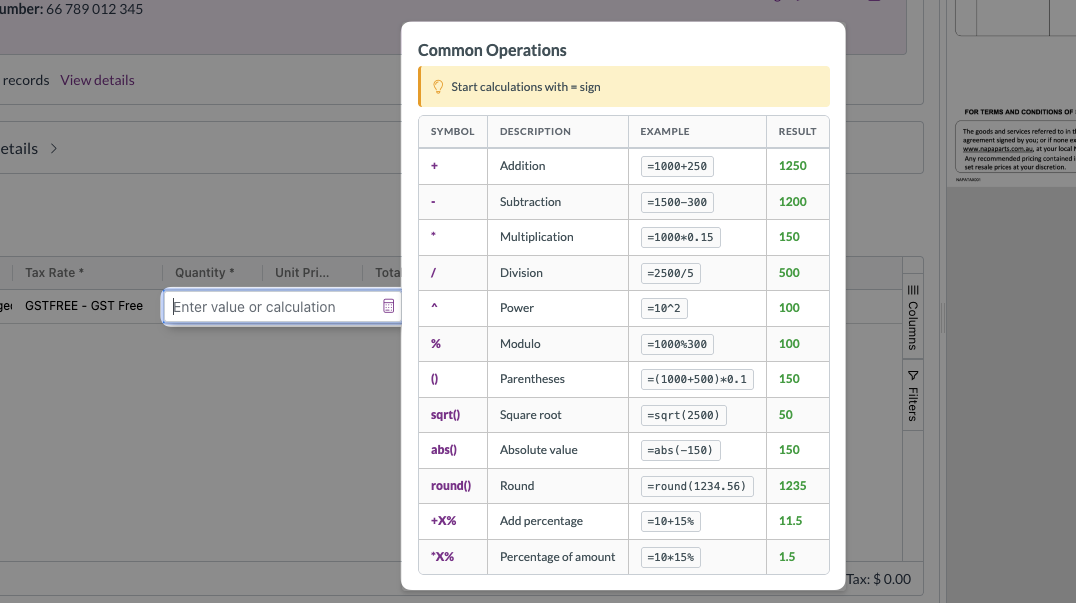
The inline calculator provides:

  • Common calculation operations
    • Access frequently used calculations by hovering over the calculator icon

  • Real-time calculation preview
    • See the result of your calculation as you type

  • Clear error feedback
    • Invalid calculation expressions display an error message, helping you avoid mistakes

This feature streamlines data entry for tasks like calculating totals, adjusting amounts, or verifying discounts, allowing you to work more efficiently within Zudello.

Enhanced Excel extraction

Document extraction converts your uploaded files into structured transaction data. We've improved how Zudello extracts data from Excel files to make the process more predictable and reliable.

Previously, Zudello converted Excel files to PDF before extraction. Now, Zudello extracts data directly from Excel files:

  • Direct Excel processing
    • Data is extracted from the first sheet of your Excel file without conversion
    • Maintains Excel formatting and structure during extraction
    • Provides more accurate and consistent extraction results

This improvement simplifies data extraction and ensures your Excel-based transactions are processed reliably.

Document matching improvements

Document matching helps you link related transactions together, such as matching invoices to purchase orders or receipts to payments. We've made several enhancements to improve matching accuracy and provide better information when matching documents.

Negative line matching

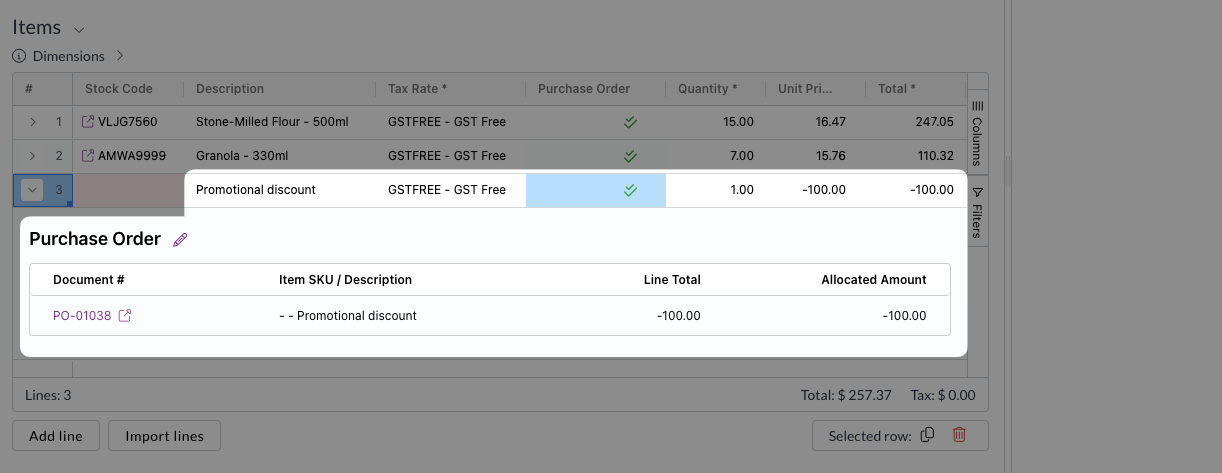
We've added support for matching document lines with negative amounts when using amount-based allocations. This is particularly useful when dealing with negative lines that exist on both matched documents, such as promised discounts that are recorded as negative line items.

The system now correctly matches these negative lines when using amount-based allocation methods, ensuring accurate document linkage across all transaction types.

Enhanced matching information

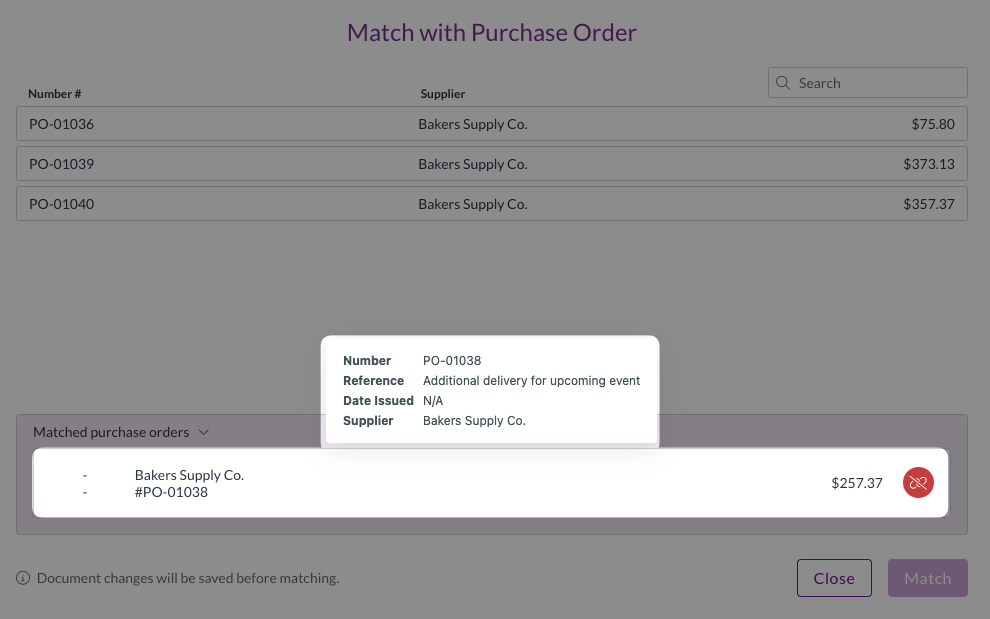
The document matching modal now displays the reference field, providing more context when you're matching and checking documents. This additional information helps you quickly verify you're matching the correct documents together.

Improved extraction accuracy for similar item codes

Item code matching is a critical part of accurate data extraction. We've enhanced how Zudello matches item codes to improve accuracy when dealing with codes that differ only by hyphens or spaces.

Previously, if you had similar item codes like 7T5412 and 7T-5412, the system might extract one code as the other due to how it handled special characters. The system now:

  • Prioritises exact matches, looking for exact item code matches first before considering alternatives
  • Only searches for similar codes if an exact match doesn't exist
  • Reduces matching errors between codes that differ only by hyphens or spaces

This enhancement ensures that similar-looking item codes are distinguished correctly, reducing manual corrections and improving data quality.

Budget management improvements

Budget management helps you control spending across projects, departments, and other business dimensions. We've refined budget functionality to improve clarity and accuracy.

  • Clearer budget visibility
    • Budgets are now only displayed for modules and submodules where budget functionality is supported
    • Reduces confusion by showing only relevant budget information
  • Cleaner budget communications
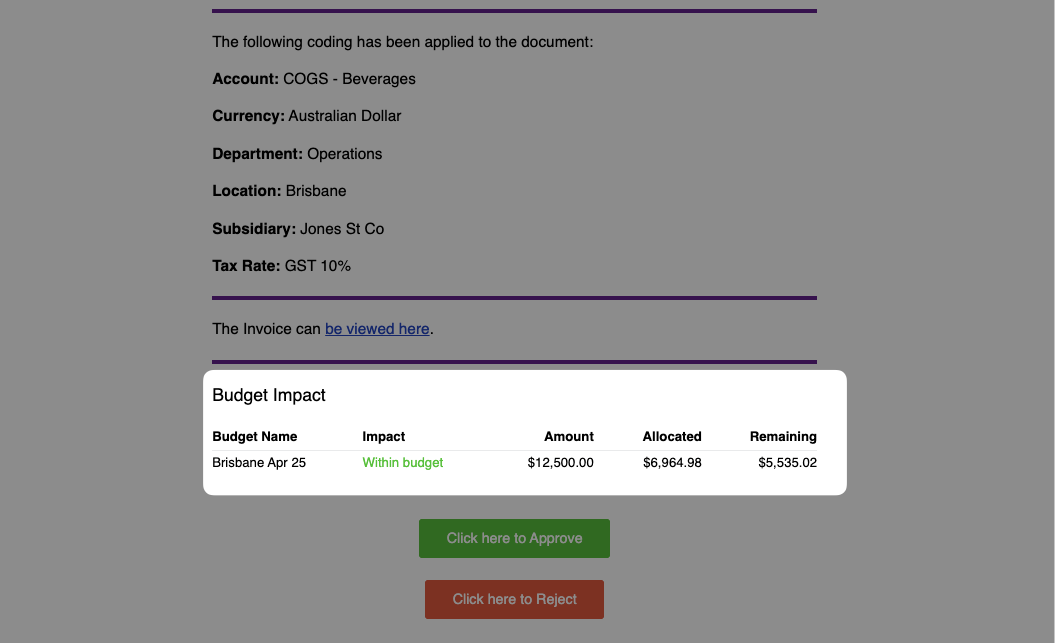
    • Budget amounts are now always rounded to two decimal places in approval and notification emails
    • Provides cleaner, more readable budget information in communications

Budget management is currently available for selected teams only. To discuss enabling this feature for your team, reach out to support@zudello.com.

Contract management improvements

Contract management helps you track and enforce contractual obligations across your transactions. We've made the following improvements to enhance reliability and data integrity:

  • Enhanced contract linking
    • Improved reliability when associating contracts with suppliers and customers
    • Better handling of contract-to-transaction associations
  • Improved notification visibility
    • Sales contracts now display notifications after relinking operations
    • Enhanced transparency when contract information is updated
  • Better data integrity
    • Improved processes to prevent accidental data loss when saving contracts
    • More reliable contract information updates without requiring page reloads

Contracts are currently available for selected teams only. To discuss enabling this feature for your team, reach out to support@zudello.com.

Interface improvements

We've made several enhancements to improve visual clarity and navigation efficiency across the system.

  • Improved visibility for line-level validation issues
    • Lines now show the colour of the highest validation level, ensuring you can quickly distinguish between the types of issue

  • Streamlined dependency navigation for faster workflows
    • When coding or editing documents, you can now view field dependencies without needing to save the document first
    • This reduces the time required to process documents with field dependencies
  • Alphabetical sorting of all drop down lists
    • System-wide drop down lists for document types, dimensions, and advanced filters are now sorted alphabetically
    • This applies across all areas of the system and all dimensions, and does not require any action from users

Performance improvements

We've made system optimisations to improve overall responsiveness and reliability:

  • Enhanced data fetching and refresh operations for faster document loading
  • Improved system performance when processing large volumes of documents
  • Better handling of concurrent operations to ensure consistent response times

Resolutions

We're constantly working to refine Zudello functionality and ensure that we address any issues as soon as possible. As part of this release, we've made the following resolutions and improvements:

  • We've enhanced automation reliability to ensure workflows process documents consistently
  • We've resolved an issue where supplier information was removed from the document matching modal
  • We've fixed currency exchange rate calculation issues to ensure accurate foreign currency conversions
  • We've resolved several interface issues, including those introduced by new features
  • We've improved the stability and reliability of calculator functionality
  • We've fixed an issue where expense amortisation fields weren't displaying during the import process
  • We've made mileage rate data permissions accessible to end users
  • We've resolved an issue where negative line amounts resulted in approval errors
  • We've improved email processing by trimming excessively long email subject lines during ingestion

Have an idea?

Do you have an idea for a new feature or how we can improve our current features? Let us know at support@zudello.com.

Your ideas and feedback are an important part of our product planning process to make Zudello better for everyone.

Release notes edition 3.6.10

Release date: 22 October 2025
Version: v3

Here's the latest summary of what's new and improved in Zudello, as well as what we resolved in the latest release.
In this release:

  • New price books feature for advanced pricing management
  • Enhanced automation workflows with improved supplier assignee functionality
  • Reporting functionality for approvals, budgets, and more

Looking for something? Browse by tag to find release notes on a specific feature.
New and improved

Price books

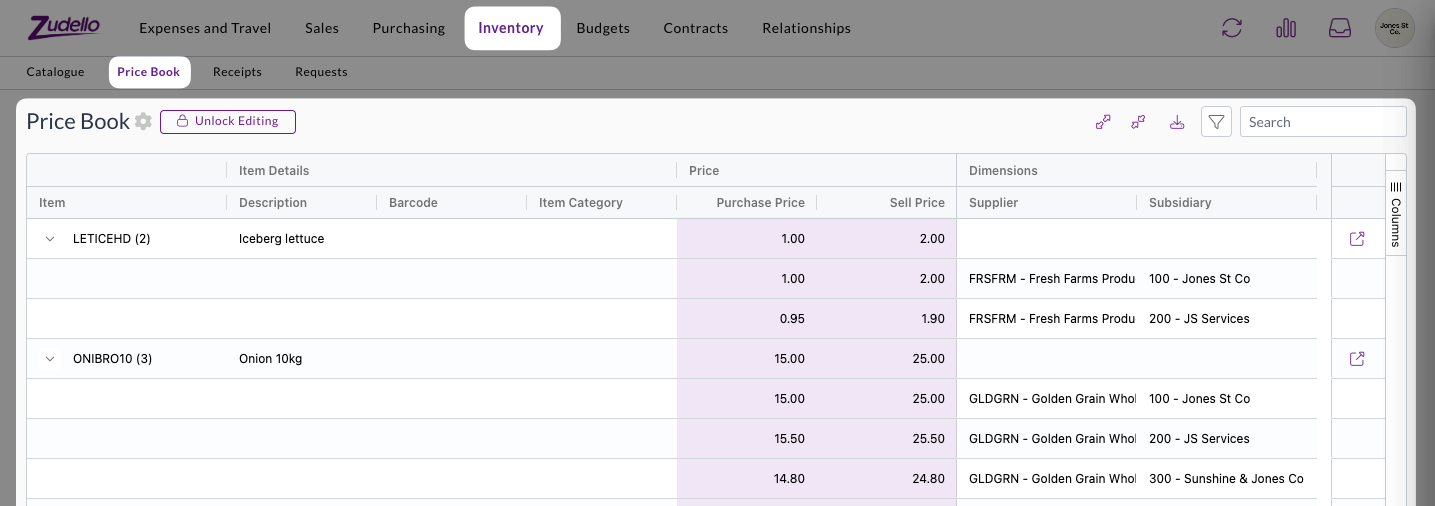
Price books allow you to manage item pricing based on specific customers, suppliers, projects, or other business dimensions. This feature automatically applies appropriate pricing and validates special rates across your transactions.

Price books provide comprehensive pricing management:

  • Automatic price application
    • Correct pricing is automatically filled when creating requisitions or purchase orders
    • Special pricing is validated when receiving customer orders or supplier invoices
  • Flexible routing options
    • Transactions with pricing discrepancies can be routed through custom approval workflows
    • Configure routing based on your specific business requirements

Price book functionality includes full integration with requisitions, purchase orders, customer orders, and supplier documents. See Price books for more.

Advanced document validation

Document validation checks your transactions for accuracy and completeness before you open them. This allows you to focus only on those documents that need your attention, and automate those that don't.

In this release, we've made validation errors clearer, more flexible, and more automated.

Automated validation

Document validation is now performed automatically when a document is uploaded, without a user needing to open the document. This provides additional automation capabilities, and allows your team to focus only on those documents that require your attention.

Automated validation is now enabled by default for all existing and new teams.

Enhanced validation feedback

Understanding why documents have validation errors is now easier and clearer:

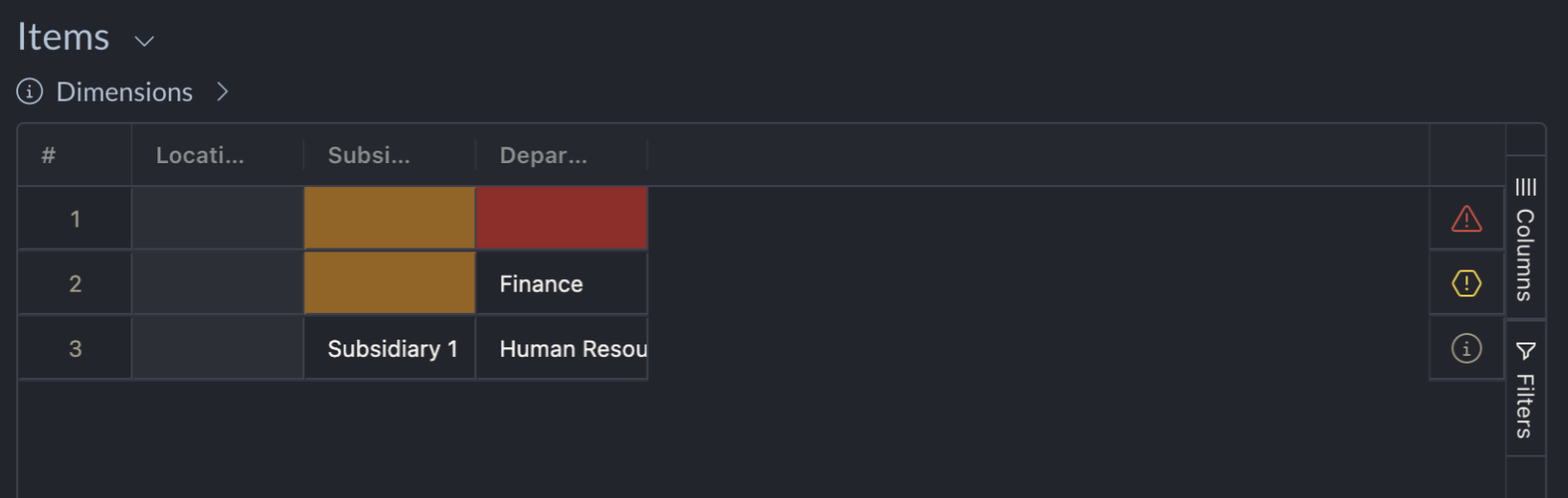
  • Fixed validation column
    • A dedicated error column in the lines table shows all validation issues at a glance
    • Click on error indicators to see detailed explanations for each line
  • Detailed calculation information
    • For validation errors involving calculations, we now show the applied formulas and discrepancies
    • This helps you quickly understand and resolve issues to continue processing

Expanded validation flexibility

We've added new Required if validation options:

  • Support for Any of value rules
    • You can now use Any of conditions when setting up field requirements, which make one field required if another field is set to one of a number of values.
    • E.g. Cost centre is required if account is any of Equipment, Staff Costs, or Entertainment

Automation enhancements

Automations help streamline your document workflows by automatically performing actions based on predefined rules. We've now improved supplier assignee functionality and validation condition options.

  • Supplier assignee actions

    • We've restored full functionality for automation workflows that use supplier assignees
  • Enhanced condition options

    • When setting up conditions for assignees, use the "is not empty" option instead of "is set" for better reliability
    • We're working on improving the interface to prevent configuration mistakes in future releases

Reporting launch

Comprehensive reporting capabilities are now available to help you analyse approval workflows, budget performance, and other key business metrics.

Reporting includes:

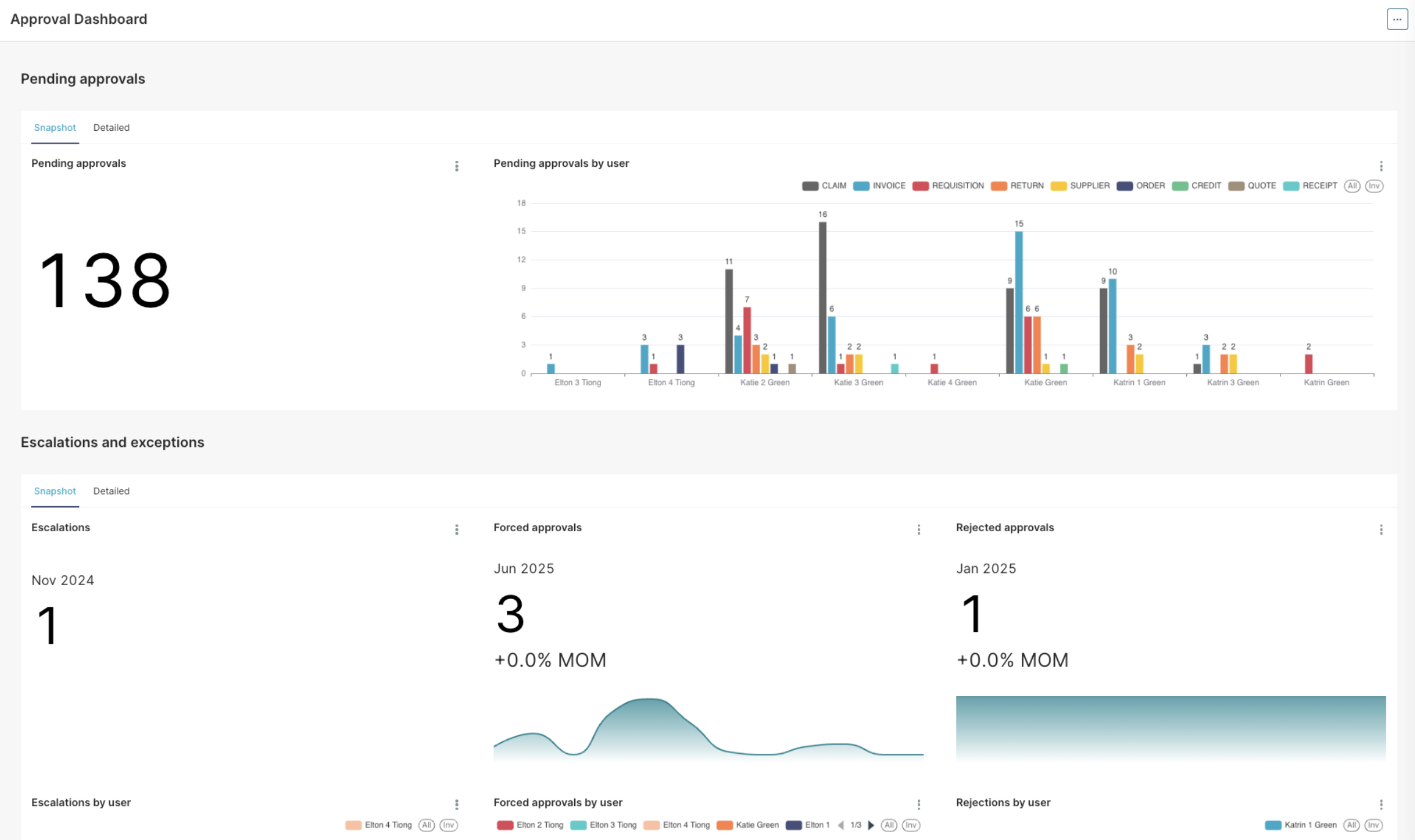
  • Approval dashboard
    • Get an instant overview of all pending approvals, including information on any escalations and exceptions
    • Find the bottlenecks in your approval process with reporting on average time to approve, number of escalations, and number of rejections per user
  • Accrual reports
    • See the combined impact of outstanding orders and invoices that are yet to be processed
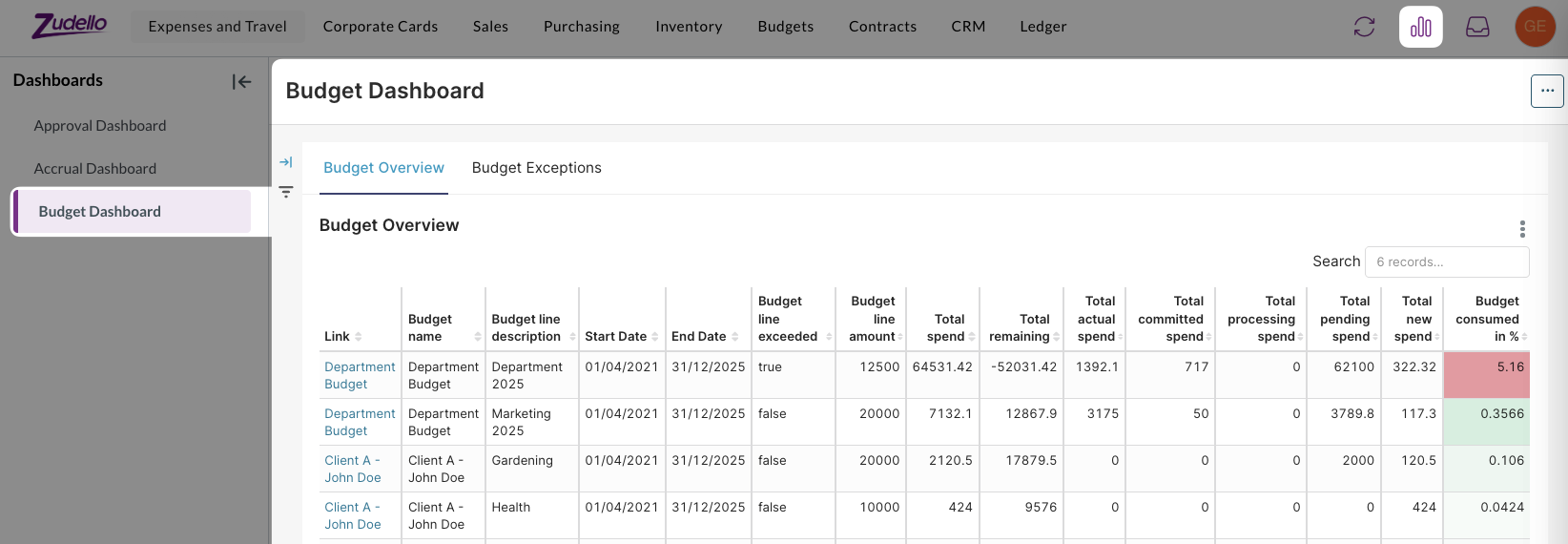
  • Budget dashboard
    • A dedicated dashboard for budget reporting and analysis

Detailed documentation on the reporting feature will be available soon. In the meantime, if you have any questions about reporting please reach out to support@zudello.com.

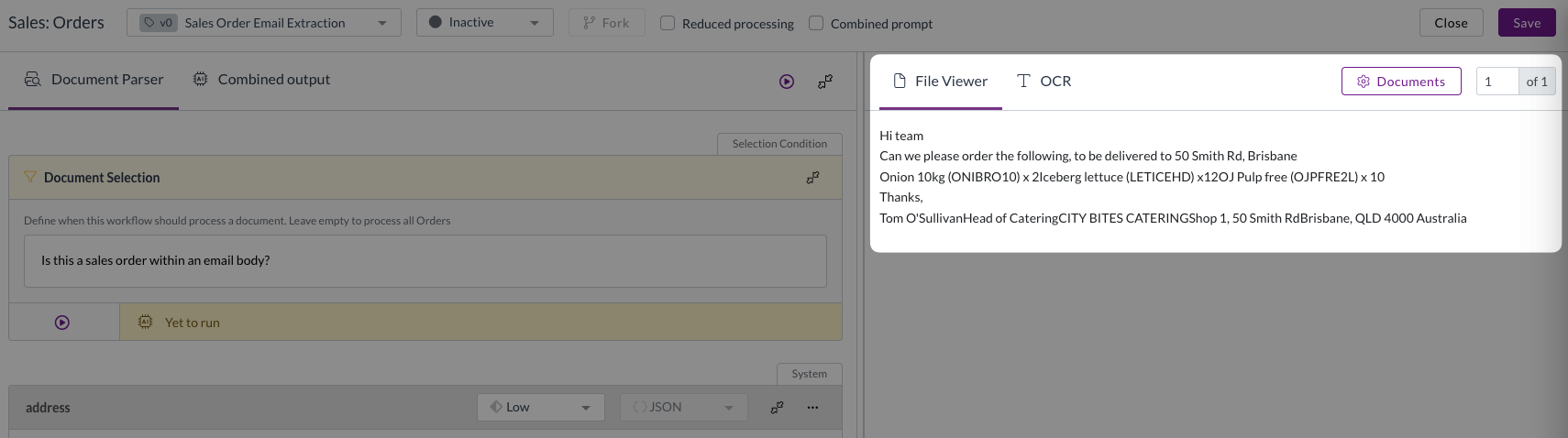
Email sales order extraction

We've restored and enhanced the ability to extract sales orders directly from email content, making it easier to process orders received in email format. Improvements include:

  • Enhanced rescanning capability
    • Documents ingested from email bodies can now be rescanned if needed
    • Improved processing reliability for email-based transactions
  • Bug fixes and optimisations
    • Resolved issues affecting email extraction accuracy and performance

Contracts beta launch

Say hello to Zudello's advanced contract management capabilities directly. We're launching our brand new contracts feature to selected customers only.

Comprehensive contract management

The new contracts feature includes:

  • Flexible contract types
    • Fixed price contracts with transaction impact visibility
    • Threshold contracts with usage tracking and impact reporting
  • Contract lifecycle management
    • Navigation and permissions for contracts, contract groups, and contract categories
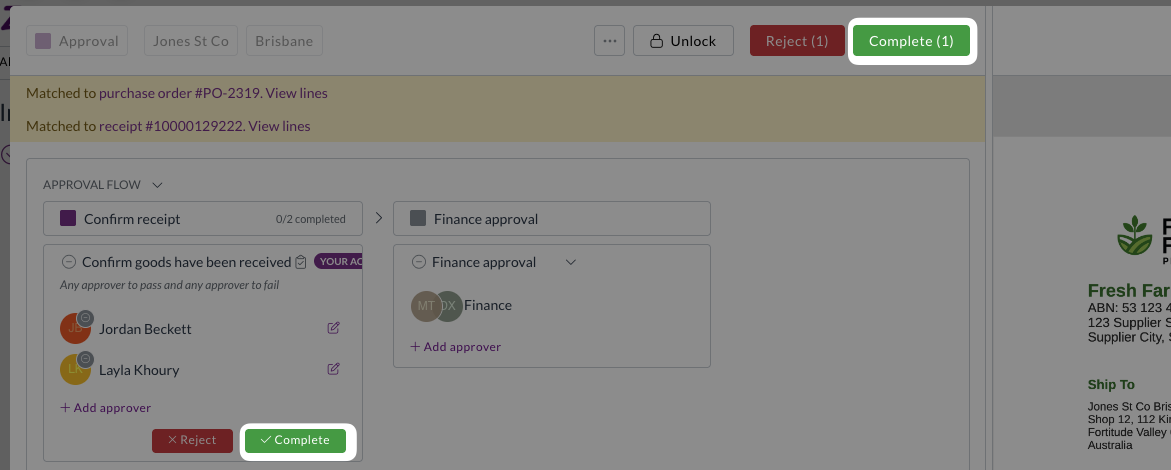
    • Contract owner approvals integrated with existing approval workflows
  • Advanced notifications
    • Automated reminders for contract milestones, renewals, and expiry dates
    • Configurable notification preferences for different contract events

Exception handling and compliance

  • Breach management
    • Clear visibility of contract impacts against transactions
    • Required reason collection when submitting transactions with contract breaches
    • Contract owner approval workflows for transactions exceeding contract terms
  • Sales module integration
    • Limited support for sales transactions with planned expansion

Contracts are currently available for very limited teams only. To discuss enabling this feature for your team, reach out to support@zudello.com.

Detailed documentation on the contracts feature will be available soon.

Enhanced features

Budget management improvements

Budget management helps you control spending across projects, departments, and other business dimensions. We've improved performance and enhanced the linking process between budgets and transactions.

Intelligent budget linking

The system now evaluates when budget lines need to be relinked to transactions:

  • Selective relinking triggers
    • Relinking occurs when dimensions change on budget lines
    • Date modifications trigger relinking for better accuracy
    • Amount changes prompt transaction reassessment
  • Performance optimisations
    • Relinking runs as a background process to prevent timeouts
    • Only necessary changes trigger relinking to improve system performance

Budget dashboard

A dedicated Budget dashboard has been added as part of the new reporting feature.

The budget dashboard:

  • Provides dedicated budget reporting and analysis
  • Allows you to track spending patterns and budget utilisation across your organisation

Budget management and reporting are currently available for selected teams only. To discuss enabling these features for your team, reach out to support@zudello.com.

Document studio enhancements

Document studio empowers you to customise data extraction for your specific document types and formats. We've resolved mapping issues and improved field handling for better extraction accuracy.

Key improvements include:

  • Enhanced unit of measure mapping
    • Resolved field mapping issues for units of measure extraction
    • Improved integration between extraction and enrichment processes
    • Updated prompt requirements for optimal performance

Document studio is currently available for selected teams only. To discuss enabling document studio for your team, reach out to support@zudello.com.

Resolutions

We're constantly working to refine Zudello functionality and ensure that we address any issues as soon as possible. As part of this release, we've made the following resolutions and improvements:

  • We've enhanced system performance through infrastructure updates and optimised backend validation processing
  • We've improved communication between system components to resolve purchase order number generation issues
  • We've enhanced search functionality within list views to prevent system slowdowns when processing large document volumes
  • We've added comprehensive logging to identify and resolve automation interaction issues
  • We've optimised resource usage for teams with extensive document libraries to ensure consistent system responsiveness

Have an idea?

Do you have an idea for a new feature or how we can improve our current features? Let us know at support@zudello.com.

Your ideas and feedback are an important part of our product planning process to make Zudello better for everyone.