Release notes edition 3.7.9
Release date: Monday 20 July 2026
Version: v3
Here's the latest summary of what's new and improved in Zudello, as well as what we resolved in the latest release.
In this release:
- More powerful contract management
- Cleaner supplier matching and inbox controls
- Images on suppliers, customers, and items
- Approval, allocation, and filtering improvements and more
Looking for something? Browse by tag to find release notes on a specific feature.
New and improved
Contracts
Contracts let you store and manage your supplier and customer agreements in Zudello, with automatic extraction to pull key details straight from your documents. We've expanded what you can do with contracts, from reminders through to pricing.
Contract reminders
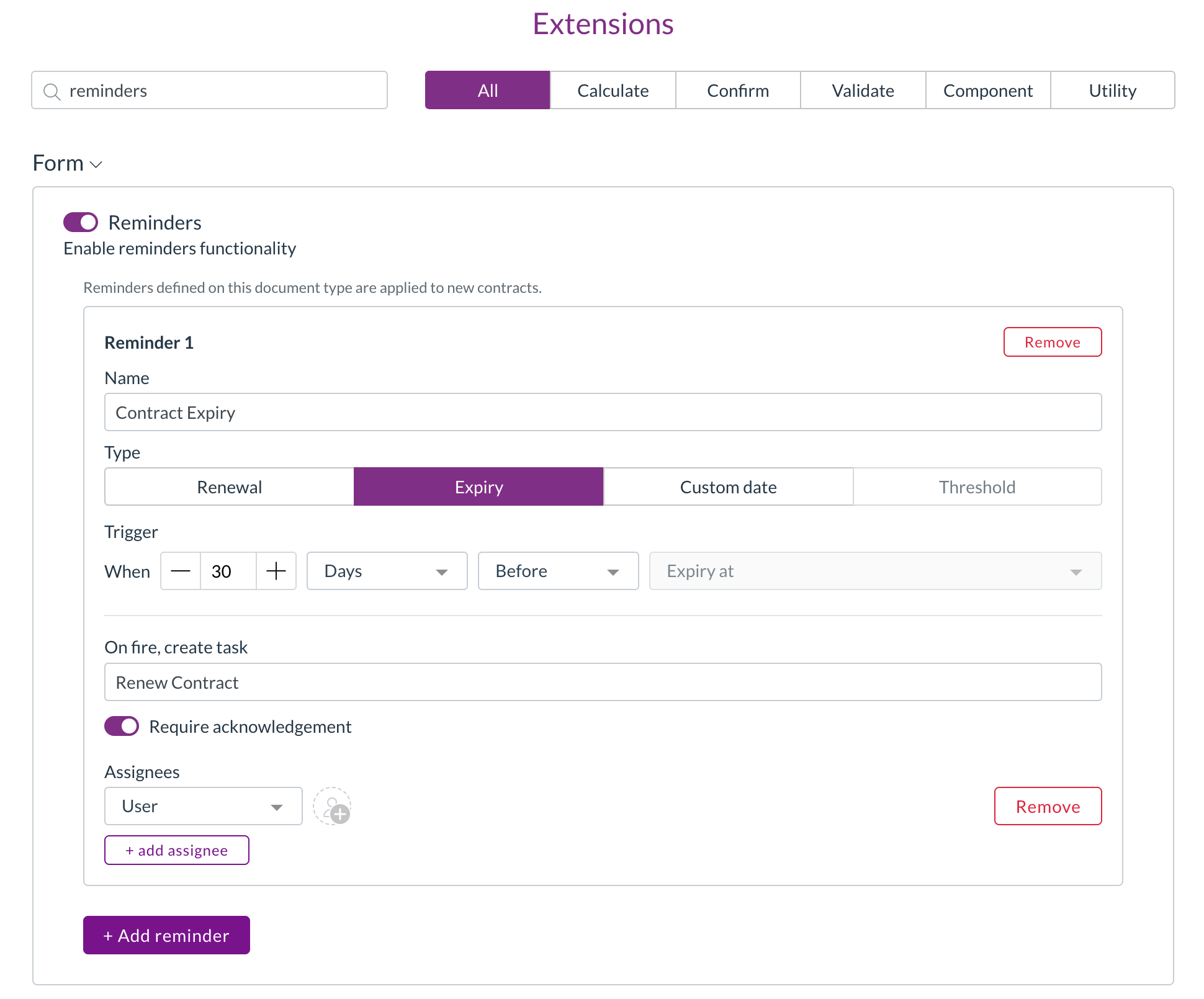
- You can now set up reminders on a contract, so key dates like renewals and expiries are never missed.
- Renewal and expiry reminder types automatically use the relevant contract date, while custom reminders let you choose the date yourself.
- Set each reminder to trigger a chosen number of days, weeks, or months before or after the date, and assign it to specific users or to a person recorded on the contract.
Contract lines and contract value
- Zudello now stores individual pricing lines on a contract and calculates a total contract value, converted to your local currency where needed.
Pricing without a catalogue match
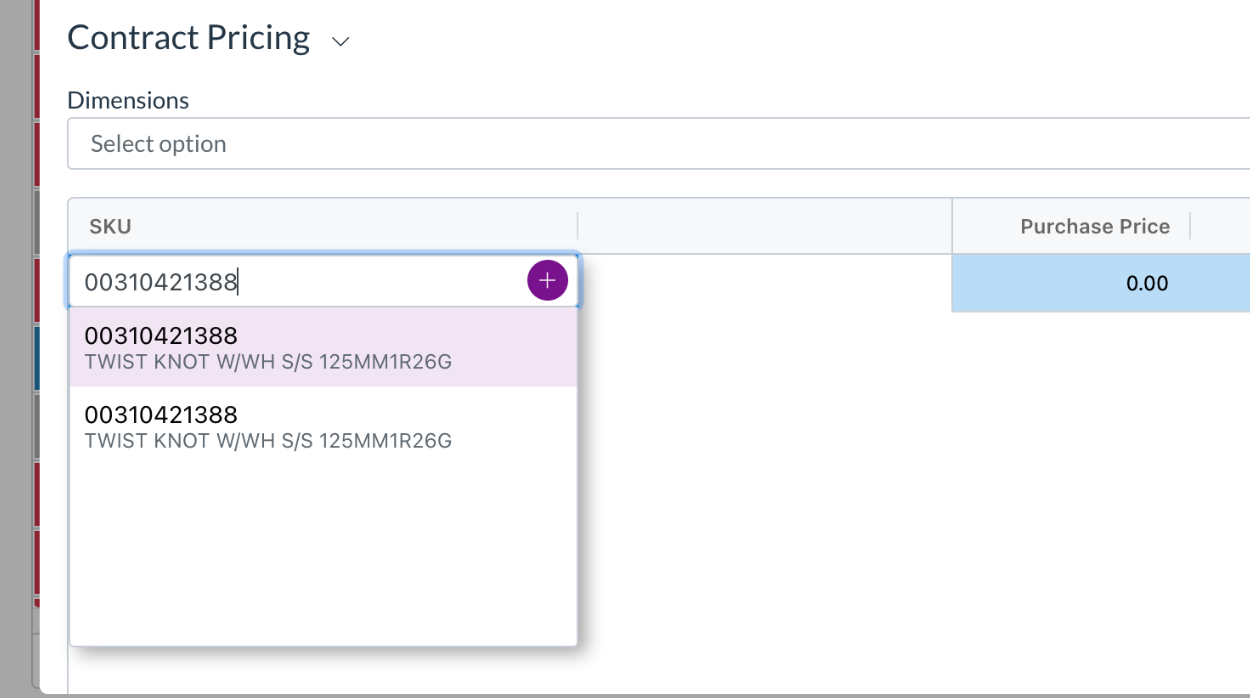
- Contract pricing rows now appear even when there's no matching catalogue item.
- A single stock code column lets you pick an existing item, create a new catalogue item, or keep the value as free text, the same way you would on transaction lines.
Data permissions for contract records
- Dimension-based data permissions now extend to contract pricing, thresholds, and lines, so you can control access to these records the same way you do elsewhere.
Approvals
Zudello's delegation of authority routes documents through the right approvers based on rules you define. We've made two improvements to give you more control over how approval steps are built.
Keep duplicate approvers on a step
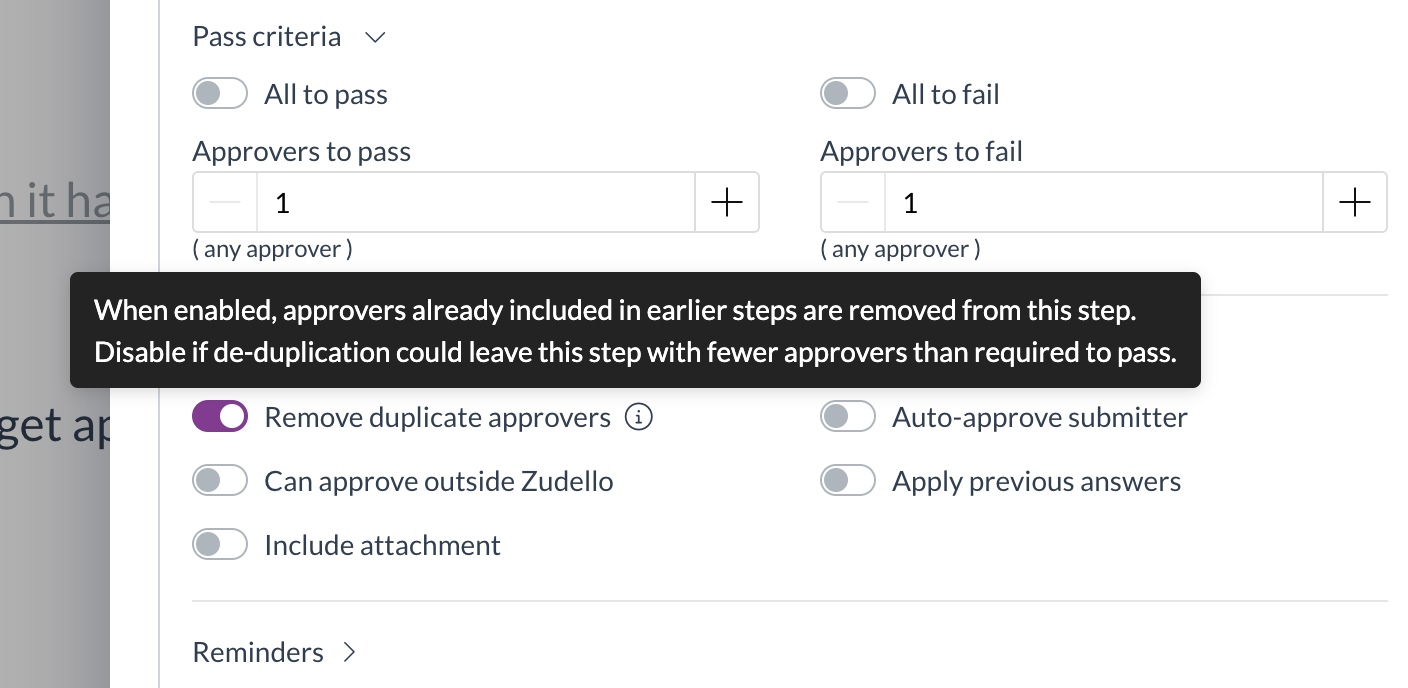
- A new Remove duplicate approvers option (turned on by default) controls what happens when the same person is required more than once on a step.
- Turn it off to keep the full required approver count, so a step is no longer dropped when the same approver appears more than once.
Blank dimensions match any value
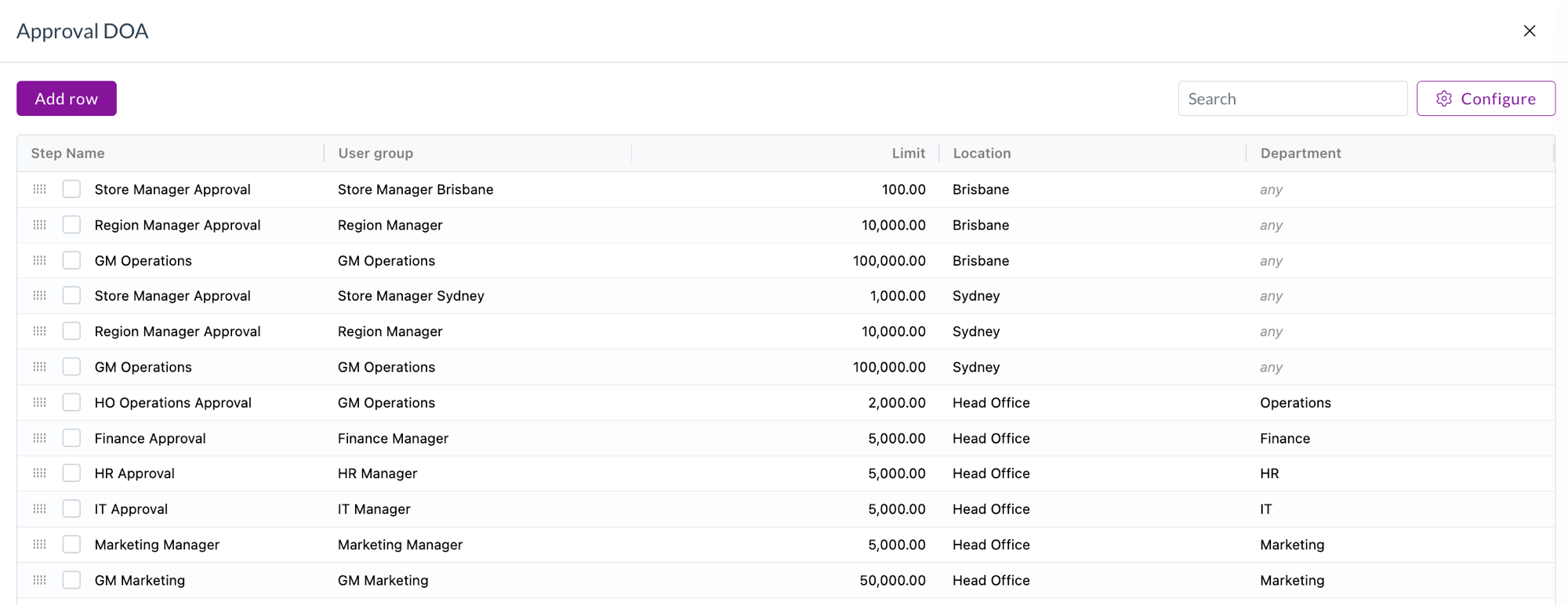
- A new setting lets a blank dimension cell in a delegation of authority dataset be treated as matching any value.
- This means a single rule can cover every option for that dimension, rather than needing a separate row for each one. Blank cells show a muted "any" in the preview.
Supplier matching and inbox rules
When documents arrive by email, Zudello matches them to the right supplier automatically. We've given you more control over how that matching works.
Ignore senders for supplier matching
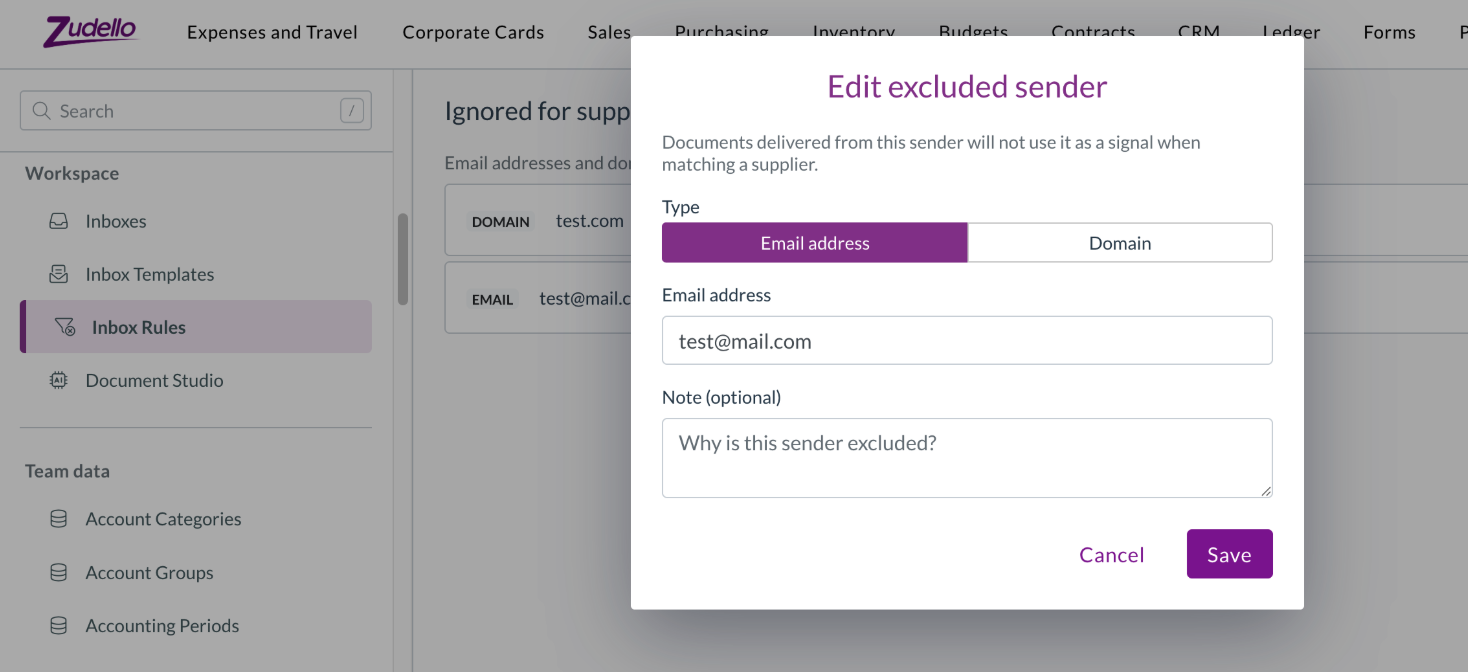
- A new Inbox Rules tab in Settings lets you maintain a list of email addresses and domains to exclude from supplier matching.
- This stops shared or generic senders from being matched to the wrong supplier.
Screen unknown senders
- You can now maintain an allowlist of trusted senders, and Zudello records how trusted an incoming document's sender is, so you can spot documents that arrived from an unrecognised sender.
Tell apart suppliers with the same name
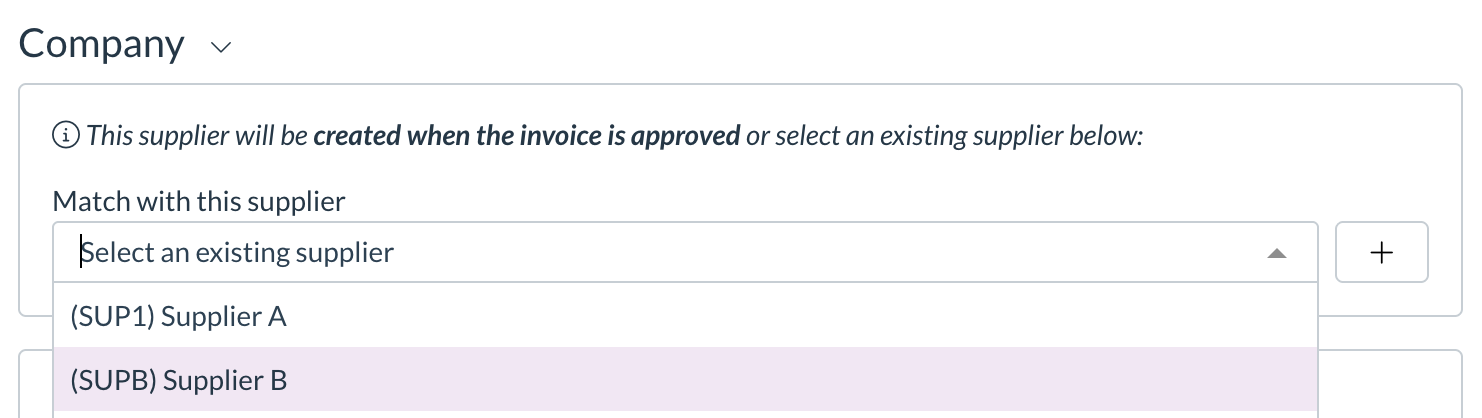
- The supplier match dropdown on a transaction now shows the supplier code in front of the name, so suppliers that share a name can be told apart at a glance.
Images on suppliers, customers, and items
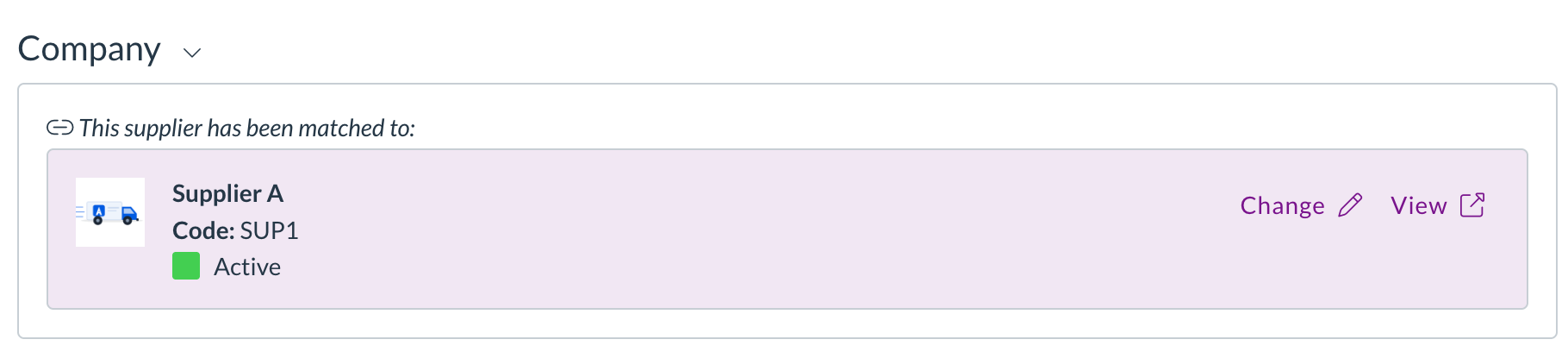
- You can now add images to your supplier, customer, and item records.
- Upload a single image or a gallery of several, drag to reorder them, and choose which one is the cover.
- Images appear on list rows, in picker dropdowns, and in the document viewer, and open full screen when you click them.
Allocations and matching
Zudello matches related documents, such as an invoice to a purchase order, so you can track what's been received, billed, and paid. We've tightened up manual allocation.
One-to-one document allocation
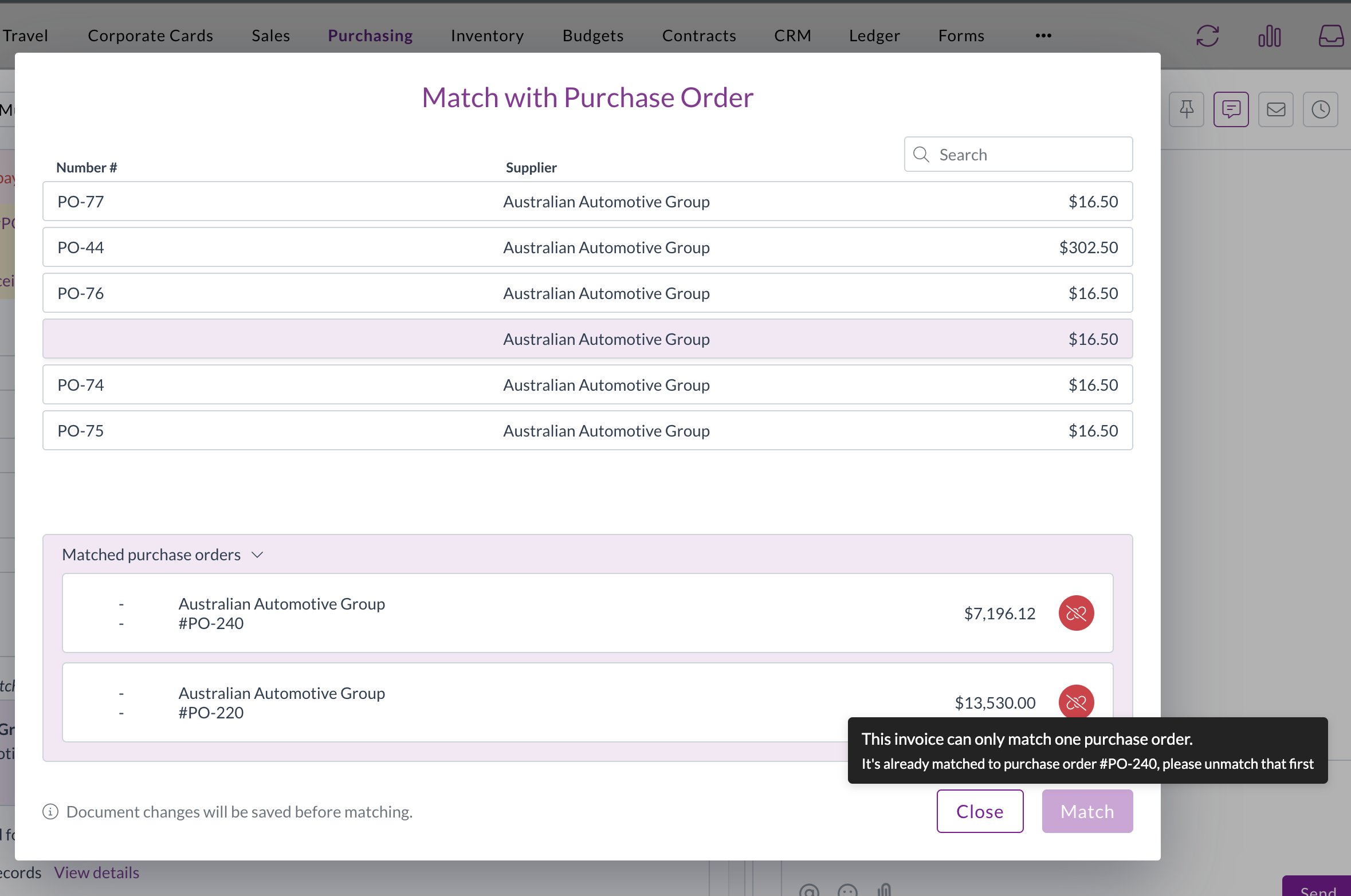
- A new setting restricts a document to a single allocation, guarding against a document being matched more than once.
- When it's turned on, the match buttons are disabled for a document that's already allocated, with a tooltip naming the document it's matched to.
Cleaner match list
- Documents that are already fully allocated are now hidden from the Match with… list, so you only see documents that are still available to match.
Corporate cards
The Corporate Cards module manages the full lifecycle of company card expenses, from capture through to reconciliation and payment. We've made reconciliation safer and more flexible.
- Payment reconciliations can now be matched to employees.
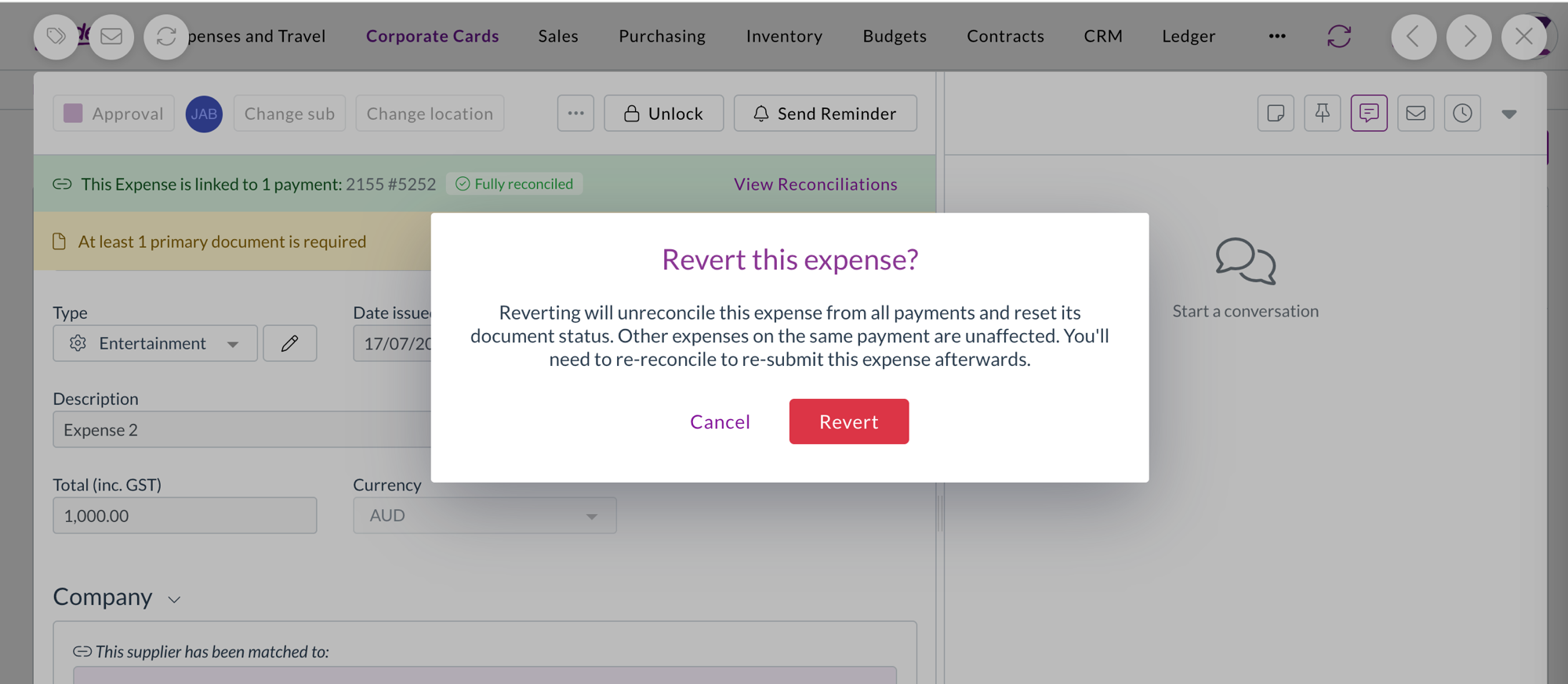
- Reverting a reconciled expense now shows a confirmation warning first, because the revert removes the expense from all its payments and resets its status. The warning explains that other expenses on the same payment aren't affected.
Filters
We've made the filter dropdowns across the platform faster and easier to work with.
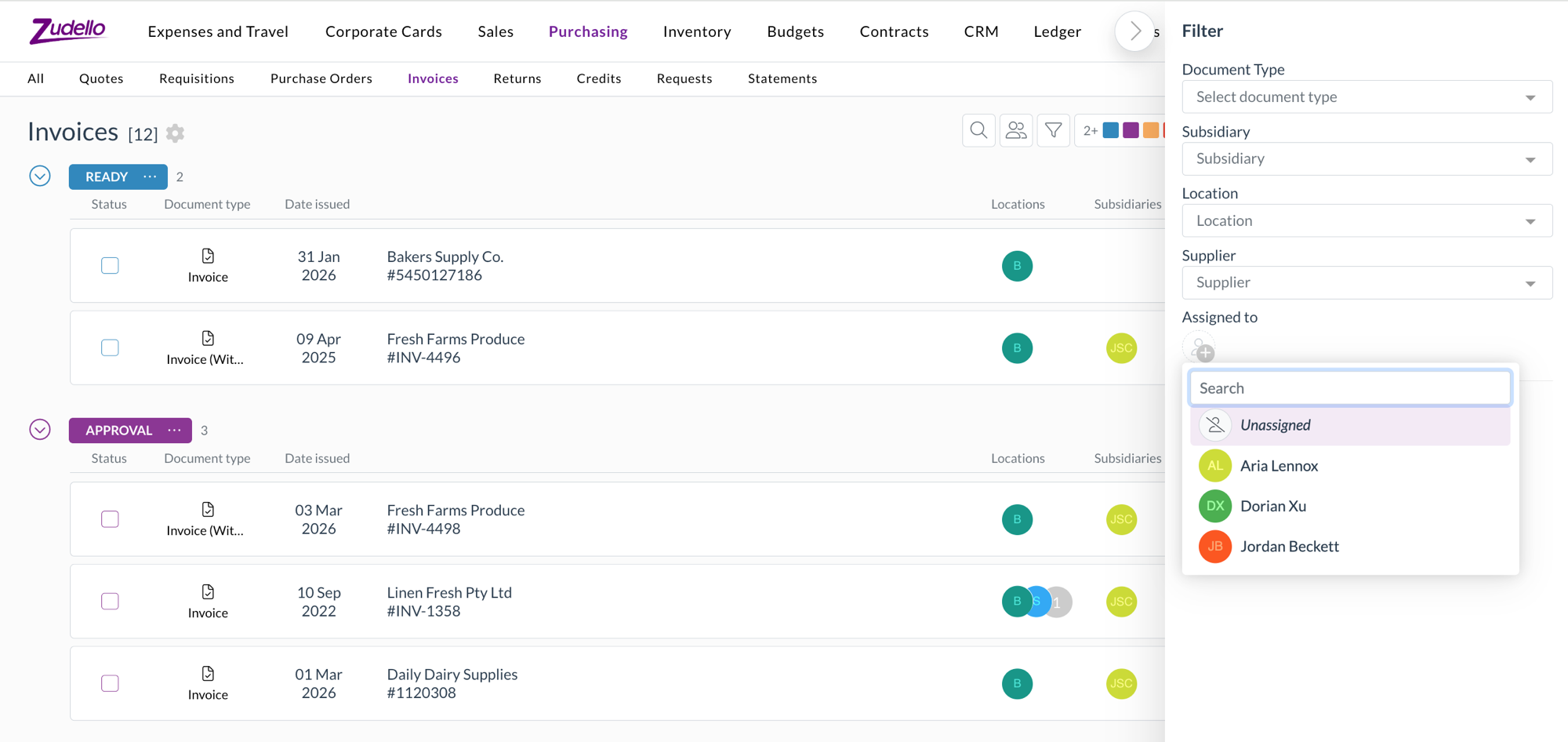
- Filter dropdowns now load only the values actually in use for what you're looking at, and search the full set on the server as you type.
- Inactive records are hidden by default behind a Hide inactive toggle.
- The assignee filter now has a pinned Unassigned option, so you can quickly find documents that haven't been assigned to anyone.
Currencies
- Singapore Dollar (SGD) and Hong Kong Dollar (HKD) are now fully selectable currencies.
- Documents priced in SGD or HKD convert to your local currency across transactions, budgets, and approvals.
Document splitting
Zudello can split a single file that contains several documents into separate records during extraction. We've improved how splitting works.
- Splitting is now more accurate, so documents from the same supplier are separated correctly and unusual single documents are no longer split by mistake.
- The original email is now linked to each split document, and Zudello enriches each one so it's ready to work with straight away.
Other improvements
- For the End of Month and End of Next Month payment terms, the unit field is now clearly marked as not applicable, so it's obvious the value isn't used in the calculation.
Resolutions
We're constantly working to refine Zudello's functionality and address any issues as soon as possible. As part of this release, we've made the following resolutions:
- We've fixed an issue where PDF text could be missing for some users on Windows using Chrome or Edge.
- We've fixed an issue where downloaded Excel files were missing their file extension.
- We've fixed date fields that displayed or accepted dates as yyyy-mm-dd instead of dd/mm/yyyy.
- We've fixed an issue where a dataset section filter couldn't resolve the Customer column, even though it worked for Supplier.
- We've fixed the Next and Previous buttons at the bottom of the form response viewer, which weren't navigating between responses.
- We've fixed deep links into the inbox so they open the correct document.
- We've fixed an issue where bulk admin actions failed for newly created users with an "organisation user not found" error.
- We've fixed inline table editors so your changes are saved when you click away from the cell.
- We've fixed the compact location and subsidiary selectors so they stay usable after the window is resized.
- We've fixed an issue where opening a document directly by its link could fail to load its settings.
- We've fixed an issue that prevented approved claims from being exported.
- We've fixed dataset grid cells that could visually bleed into the next column.
- We've fixed an issue where custom form fields with dataset options could be hidden by mistake.
Have an idea?
Do you have an idea for a new feature or how we can improve our current features? Let us know at support@zudello.com.
Your ideas and feedback are an important part of our product planning process to make Zudello better for everyone.