3 posts tagged with "Inboxes"

Description for the inboxes tag.

View All Tags

Release notes edition 3.7.9

Release date: Monday 20 July 2026
Version: v3

Here's the latest summary of what's new and improved in Zudello, as well as what we resolved in the latest release.

In this release:

  • More powerful contract management
  • Cleaner supplier matching and inbox controls
  • Images on suppliers, customers, and items
  • Approval, allocation, and filtering improvements and more

Looking for something? Browse by tag to find release notes on a specific feature.

New and improved

Contracts

Contracts let you store and manage your supplier and customer agreements in Zudello, with automatic extraction to pull key details straight from your documents. We've expanded what you can do with contracts, from reminders through to pricing.

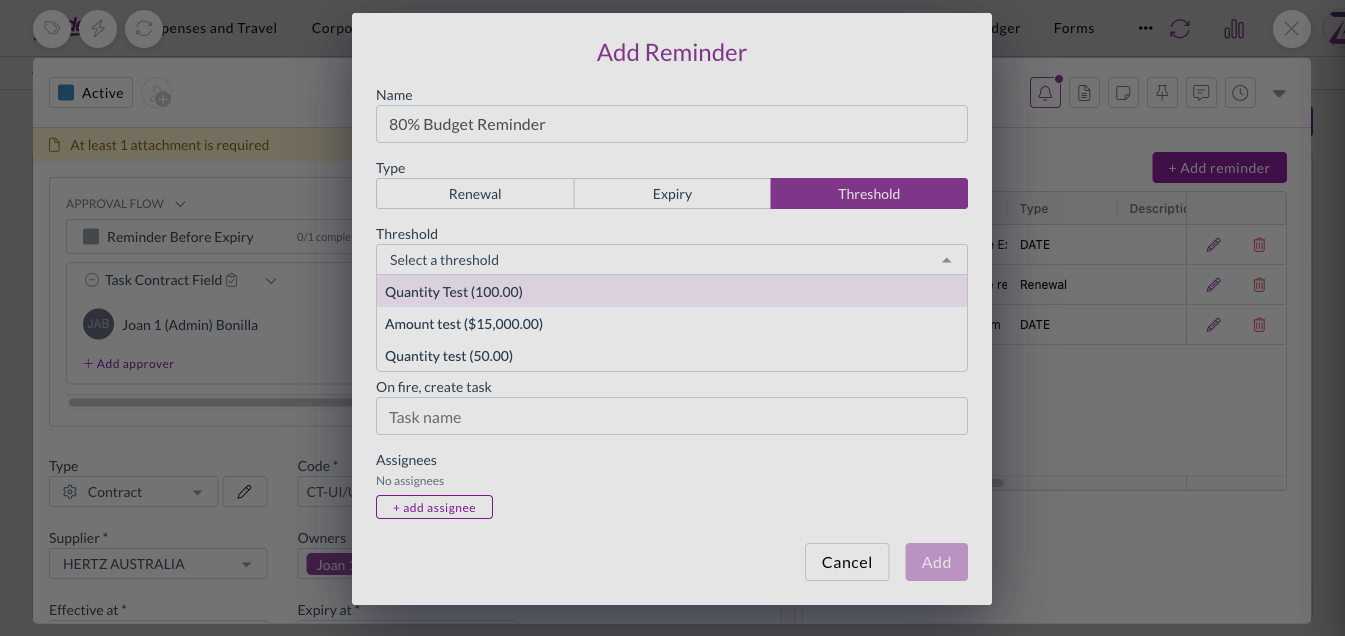
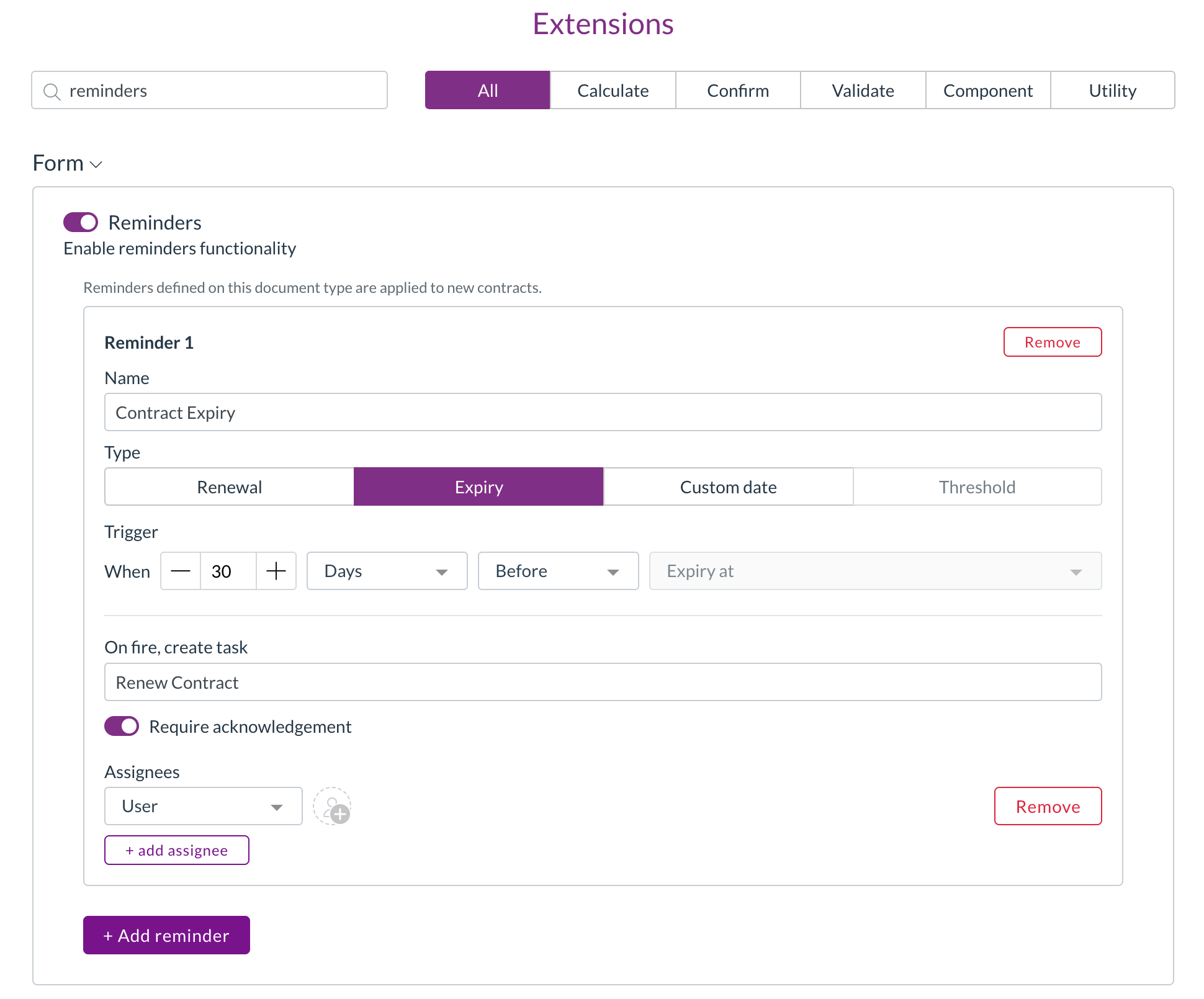
Contract reminders

  • You can now set up reminders on a contract, so key dates like renewals and expiries are never missed.
  • Renewal and expiry reminder types automatically use the relevant contract date, while custom reminders let you choose the date yourself.
  • Set each reminder to trigger a chosen number of days, weeks, or months before or after the date, and assign it to specific users or to a person recorded on the contract.

Setting up reminders on a contract

Contract lines and contract value

  • Zudello now stores individual pricing lines on a contract and calculates a total contract value, converted to your local currency where needed.

Pricing without a catalogue match

  • Contract pricing rows now appear even when there's no matching catalogue item.
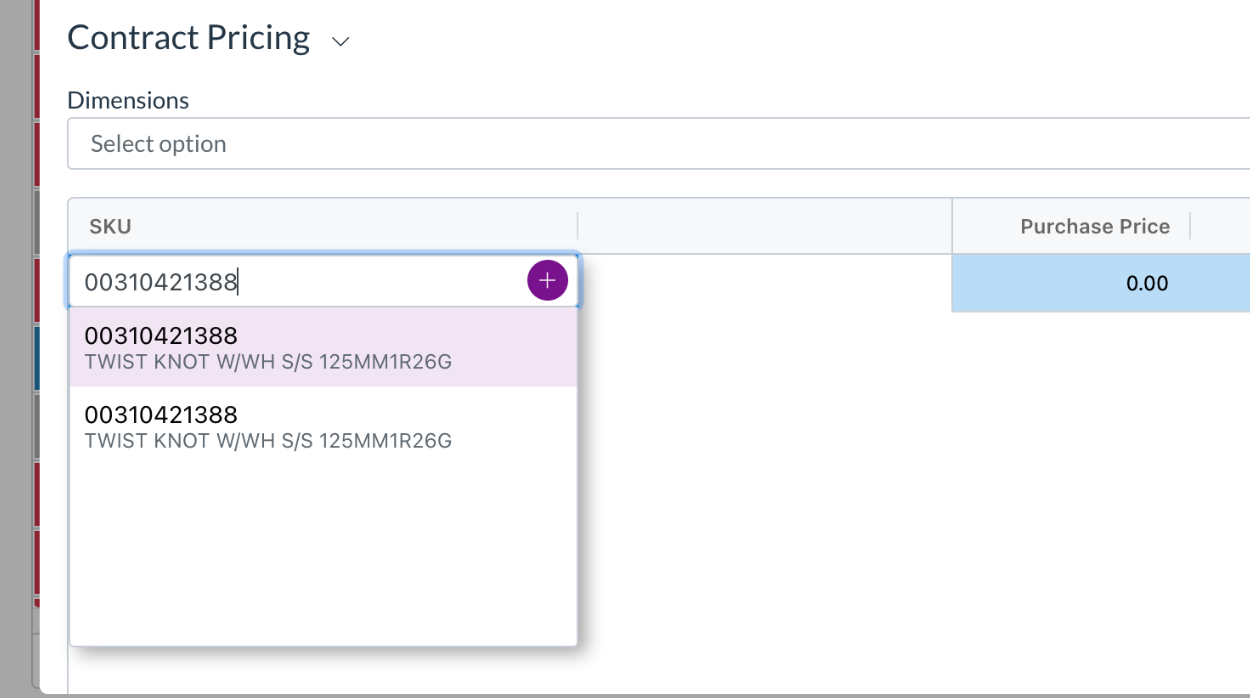
  • A single stock code column lets you pick an existing item, create a new catalogue item, or keep the value as free text, the same way you would on transaction lines.

Contract pricing with the stock code editor

Data permissions for contract records

  • Dimension-based data permissions now extend to contract pricing, thresholds, and lines, so you can control access to these records the same way you do elsewhere.

Approvals

Zudello's delegation of authority routes documents through the right approvers based on rules you define. We've made two improvements to give you more control over how approval steps are built.

Keep duplicate approvers on a step

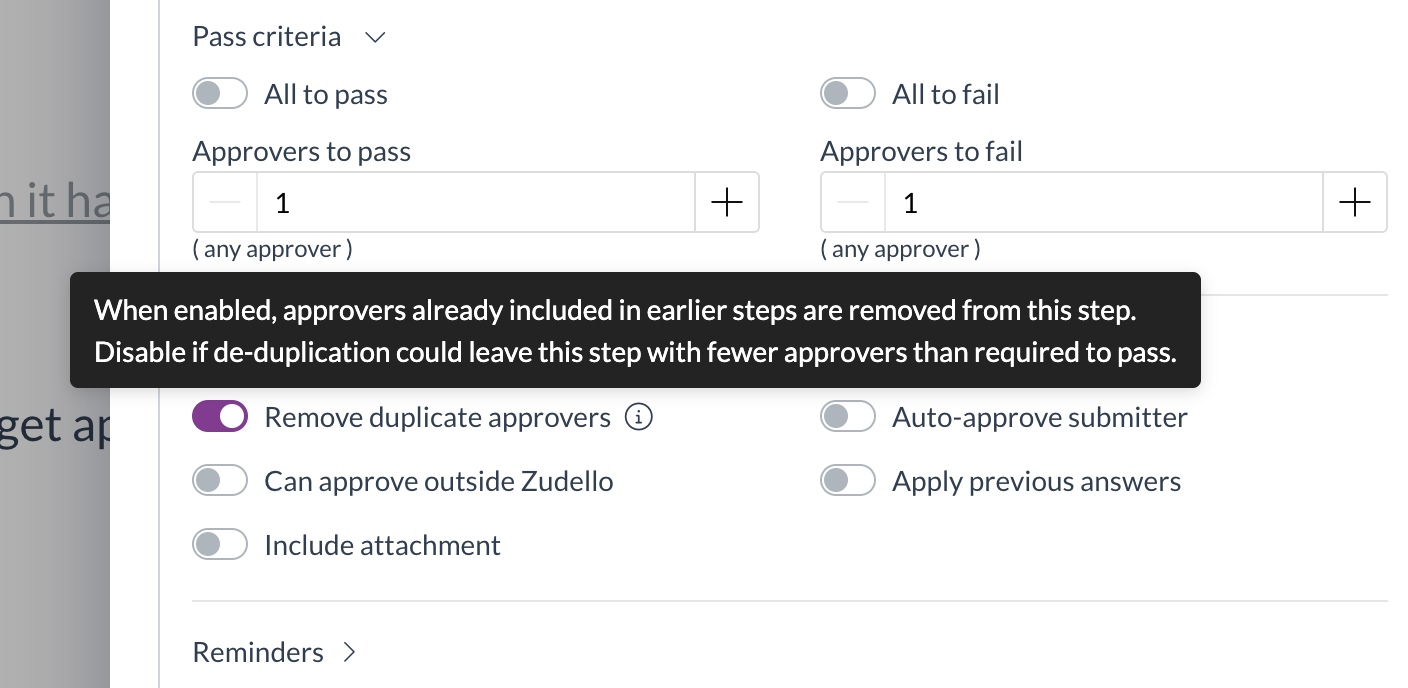
  • A new Remove duplicate approvers option (turned on by default) controls what happens when the same person is required more than once on a step.
  • Turn it off to keep the full required approver count, so a step is no longer dropped when the same approver appears more than once.

The Remove duplicate approvers option on an approval step

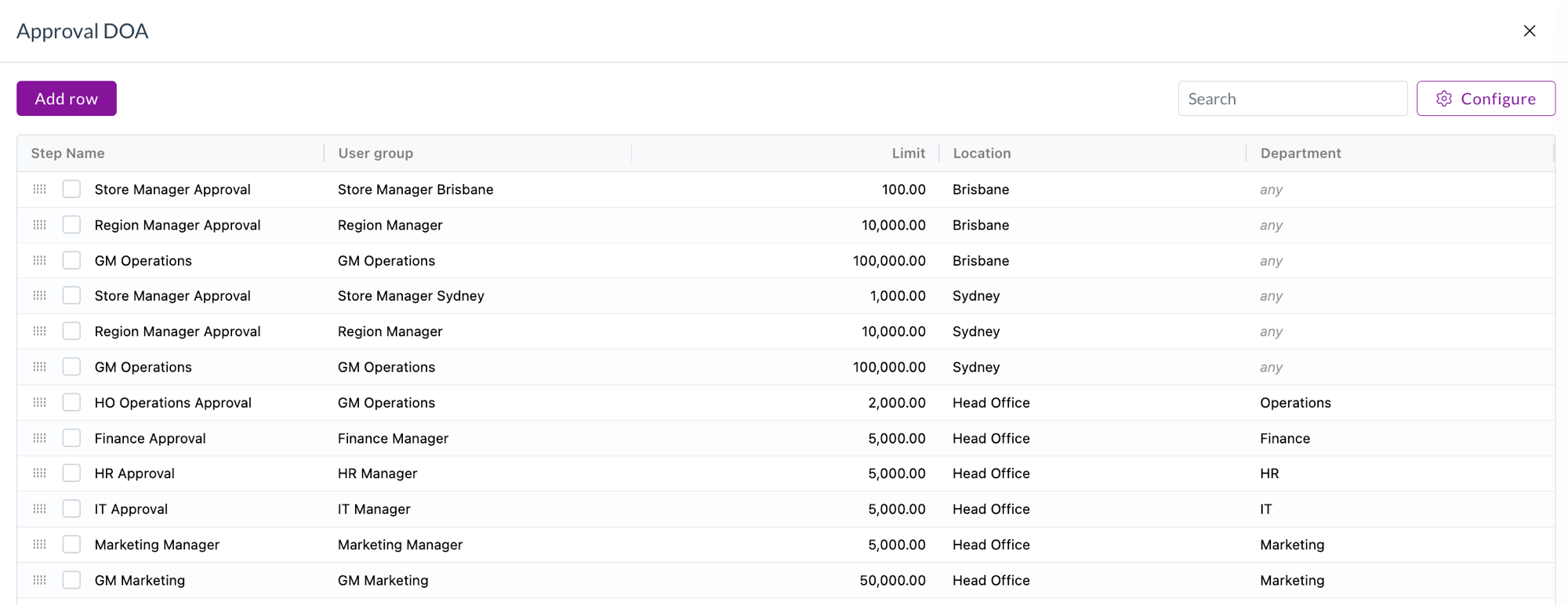
Blank dimensions match any value

  • A new setting lets a blank dimension cell in a delegation of authority dataset be treated as matching any value.
  • This means a single rule can cover every option for that dimension, rather than needing a separate row for each one. Blank cells show a muted "any" in the preview.

Blank dimensions treated as any value in a delegation of authority dataset

Supplier matching and inbox rules

When documents arrive by email, Zudello matches them to the right supplier automatically. We've given you more control over how that matching works.

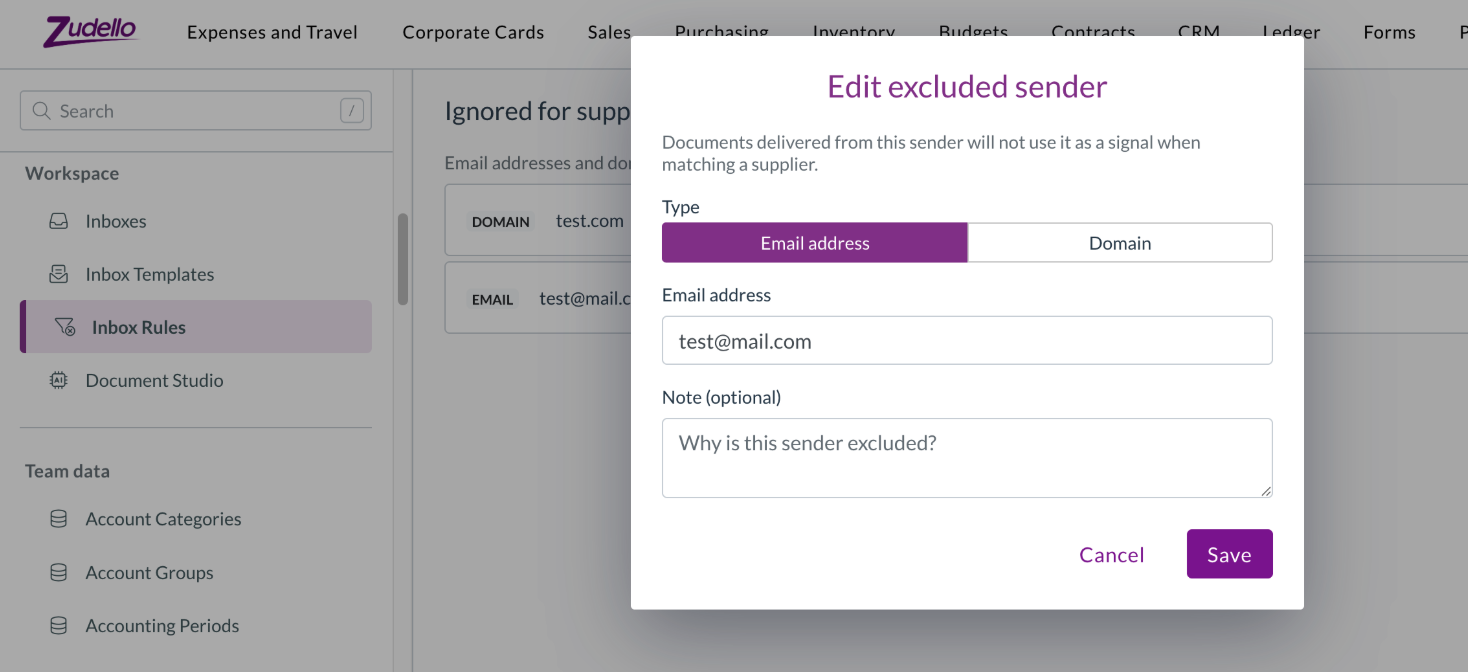
Ignore senders for supplier matching

  • A new Inbox Rules tab in Settings lets you maintain a list of email addresses and domains to exclude from supplier matching.
  • This stops shared or generic senders from being matched to the wrong supplier.

The Inbox Rules exclusion list in Settings

Screen unknown senders

  • You can now maintain an allowlist of trusted senders, and Zudello records how trusted an incoming document's sender is, so you can spot documents that arrived from an unrecognised sender.

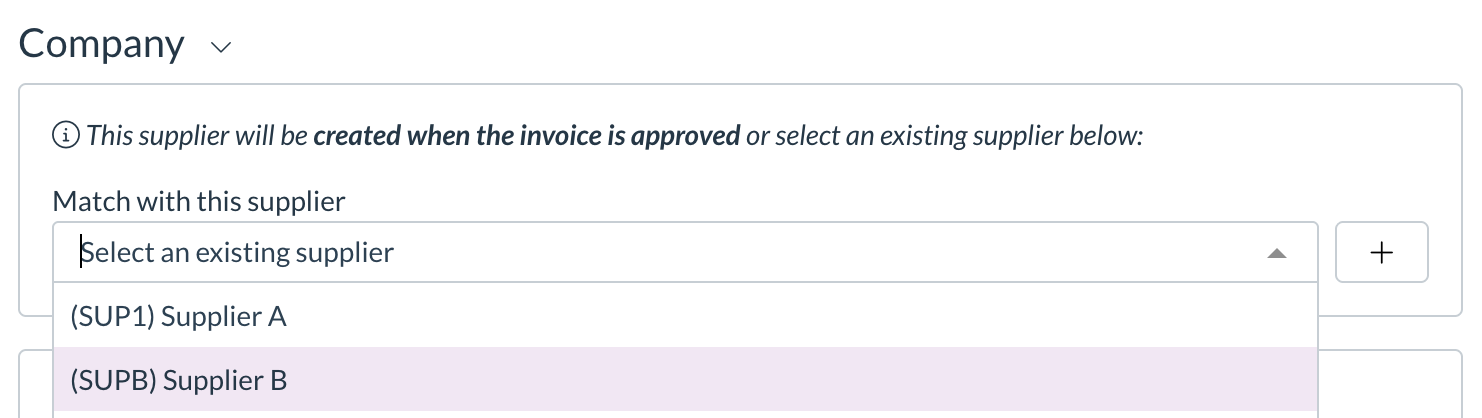
Tell apart suppliers with the same name

  • The supplier match dropdown on a transaction now shows the supplier code in front of the name, so suppliers that share a name can be told apart at a glance.

Supplier code shown in the supplier match dropdown

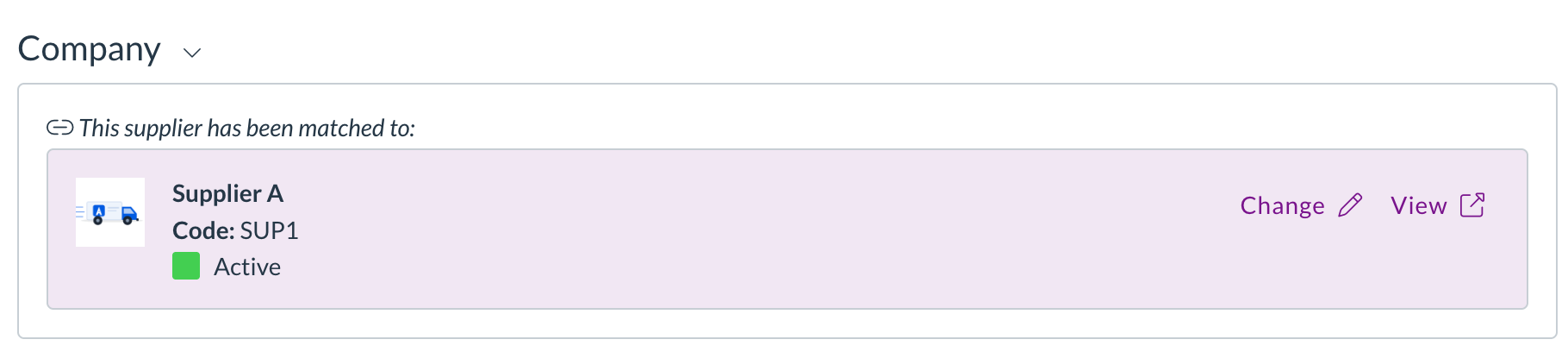
Images on suppliers, customers, and items

  • You can now add images to your supplier, customer, and item records.
  • Upload a single image or a gallery of several, drag to reorder them, and choose which one is the cover.
  • Images appear on list rows, in picker dropdowns, and in the document viewer, and open full screen when you click them.

A supplier image shown on the matched-supplier card in the document viewer

Allocations and matching

Zudello matches related documents, such as an invoice to a purchase order, so you can track what's been received, billed, and paid. We've tightened up manual allocation.

One-to-one document allocation

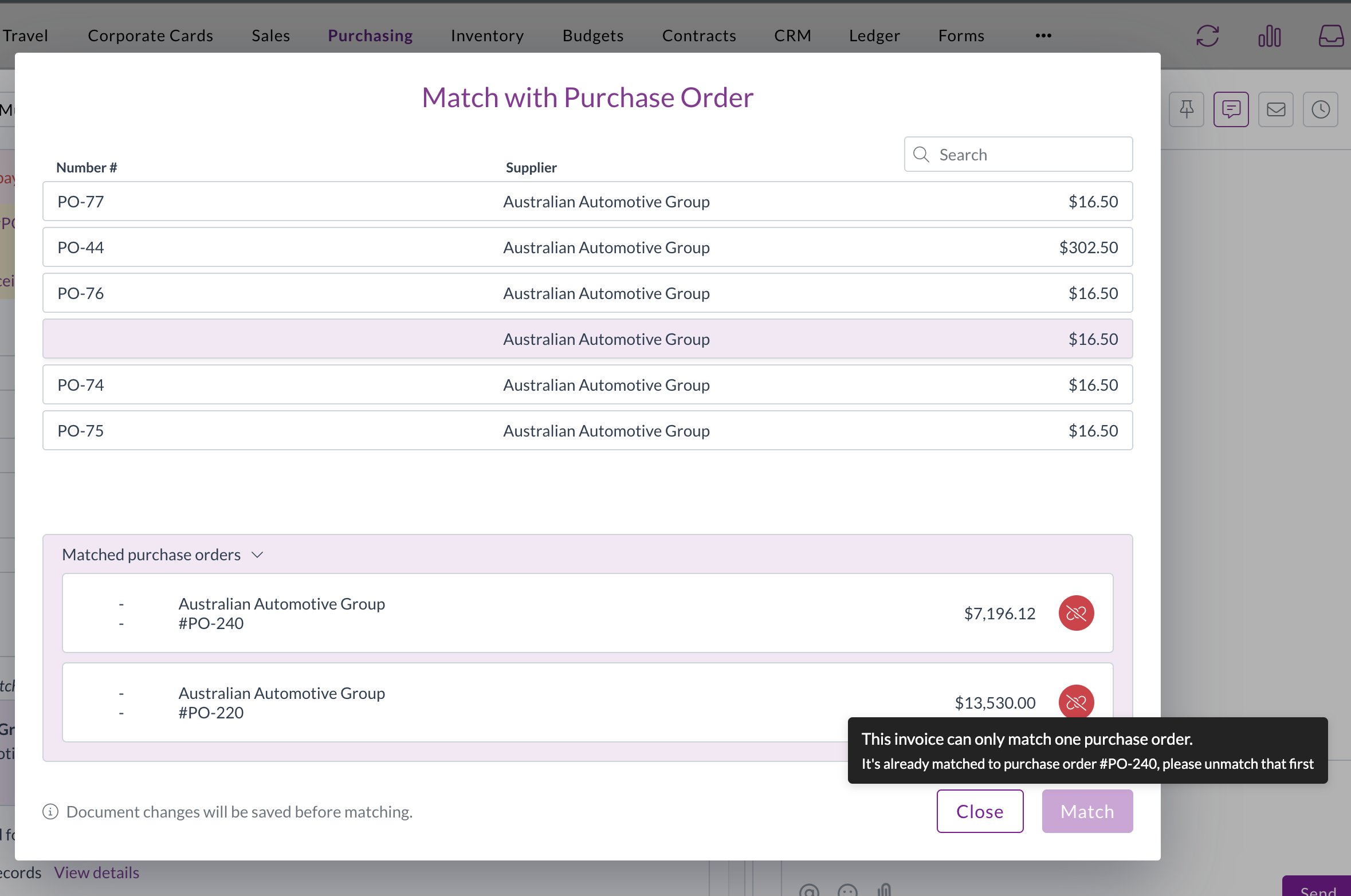
  • A new setting restricts a document to a single allocation, guarding against a document being matched more than once.
  • When it's turned on, the match buttons are disabled for a document that's already allocated, with a tooltip naming the document it's matched to.

The one-to-one document allocation setting

Cleaner match list

  • Documents that are already fully allocated are now hidden from the Match with… list, so you only see documents that are still available to match.

Corporate cards

The Corporate Cards module manages the full lifecycle of company card expenses, from capture through to reconciliation and payment. We've made reconciliation safer and more flexible.

  • Payment reconciliations can now be matched to employees.
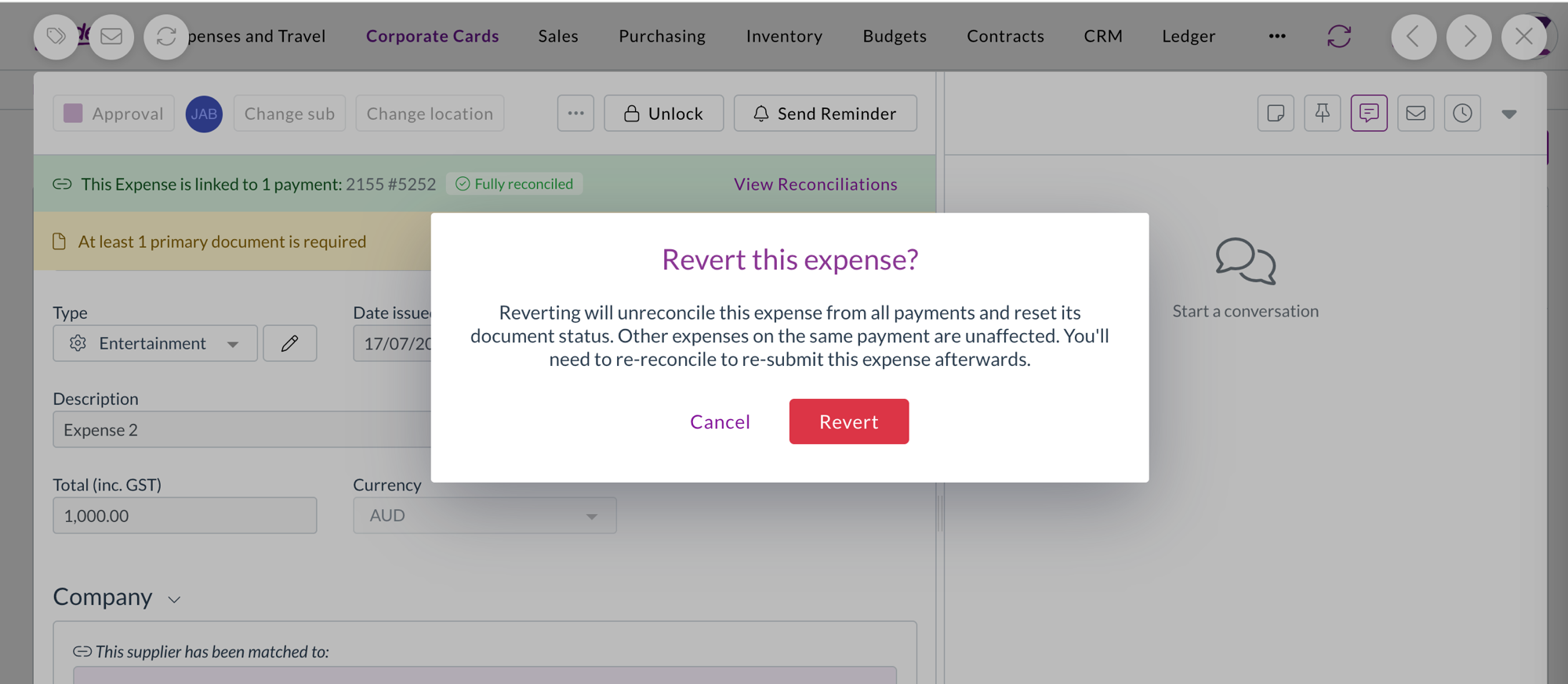
  • Reverting a reconciled expense now shows a confirmation warning first, because the revert removes the expense from all its payments and resets its status. The warning explains that other expenses on the same payment aren't affected.

Confirmation warning before reverting a reconciled expense

Filters

We've made the filter dropdowns across the platform faster and easier to work with.

  • Filter dropdowns now load only the values actually in use for what you're looking at, and search the full set on the server as you type.
  • Inactive records are hidden by default behind a Hide inactive toggle.
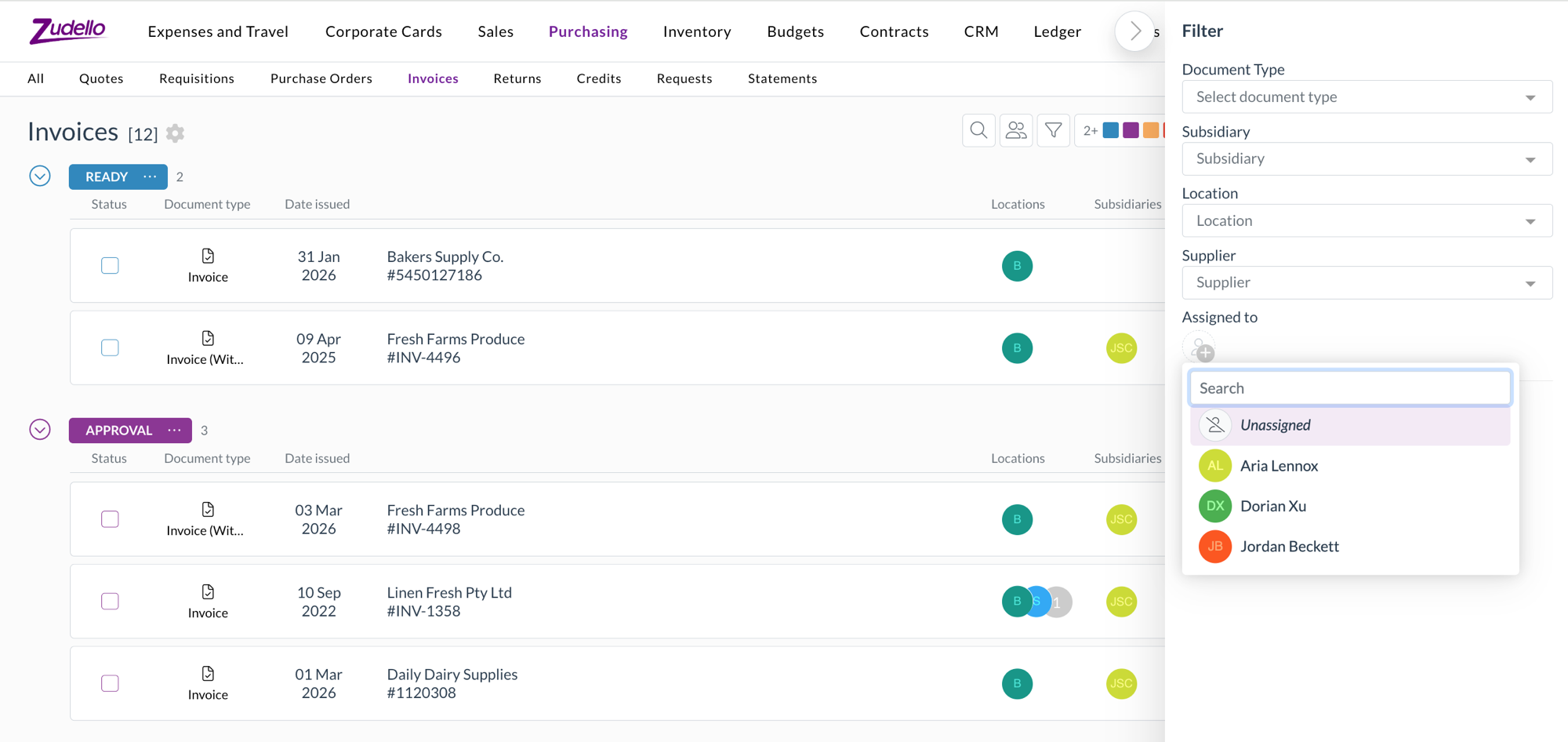
  • The assignee filter now has a pinned Unassigned option, so you can quickly find documents that haven't been assigned to anyone.

The pinned Unassigned option in the assignee filter

Currencies

  • Singapore Dollar (SGD) and Hong Kong Dollar (HKD) are now fully selectable currencies.
  • Documents priced in SGD or HKD convert to your local currency across transactions, budgets, and approvals.

Document splitting

Zudello can split a single file that contains several documents into separate records during extraction. We've improved how splitting works.

  • Splitting is now more accurate, so documents from the same supplier are separated correctly and unusual single documents are no longer split by mistake.
  • The original email is now linked to each split document, and Zudello enriches each one so it's ready to work with straight away.

Other improvements

  • For the End of Month and End of Next Month payment terms, the unit field is now clearly marked as not applicable, so it's obvious the value isn't used in the calculation.

Resolutions

We're constantly working to refine Zudello's functionality and address any issues as soon as possible. As part of this release, we've made the following resolutions:

  • We've fixed an issue where PDF text could be missing for some users on Windows using Chrome or Edge.
  • We've fixed an issue where downloaded Excel files were missing their file extension.
  • We've fixed date fields that displayed or accepted dates as yyyy-mm-dd instead of dd/mm/yyyy.
  • We've fixed an issue where a dataset section filter couldn't resolve the Customer column, even though it worked for Supplier.
  • We've fixed the Next and Previous buttons at the bottom of the form response viewer, which weren't navigating between responses.
  • We've fixed deep links into the inbox so they open the correct document.
  • We've fixed an issue where bulk admin actions failed for newly created users with an "organisation user not found" error.
  • We've fixed inline table editors so your changes are saved when you click away from the cell.
  • We've fixed the compact location and subsidiary selectors so they stay usable after the window is resized.
  • We've fixed an issue where opening a document directly by its link could fail to load its settings.
  • We've fixed an issue that prevented approved claims from being exported.
  • We've fixed dataset grid cells that could visually bleed into the next column.
  • We've fixed an issue where custom form fields with dataset options could be hidden by mistake.

Have an idea?

Do you have an idea for a new feature or how we can improve our current features? Let us know at support@zudello.com.

Your ideas and feedback are an important part of our product planning process to make Zudello better for everyone.
Release notes edition 3.7.2

Release date: Wednesday 11 March 2026
Version: v3

Here's the latest summary of what's new and improved in Zudello, as well as what we resolved in the latest release.

In this release:

  • Smarter, more flexible email inboxes
  • Corporate card reconciliation improvements
  • ABN validation for supplier onboarding and more

Looking for something? Browse by tag to find release notes on a specific feature.

New and improved

Email inbox improvements

Email inboxes automatically process documents sent to your Zudello email address. We've made several improvements to give you more control over how incoming documents are handled.

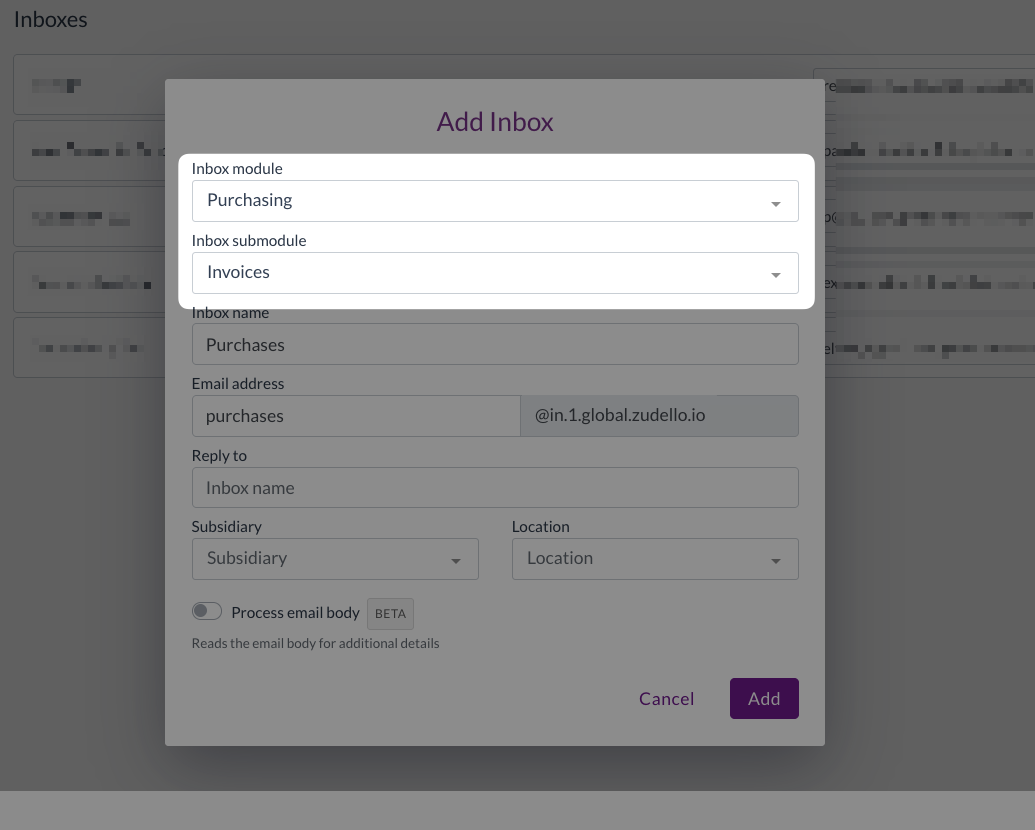
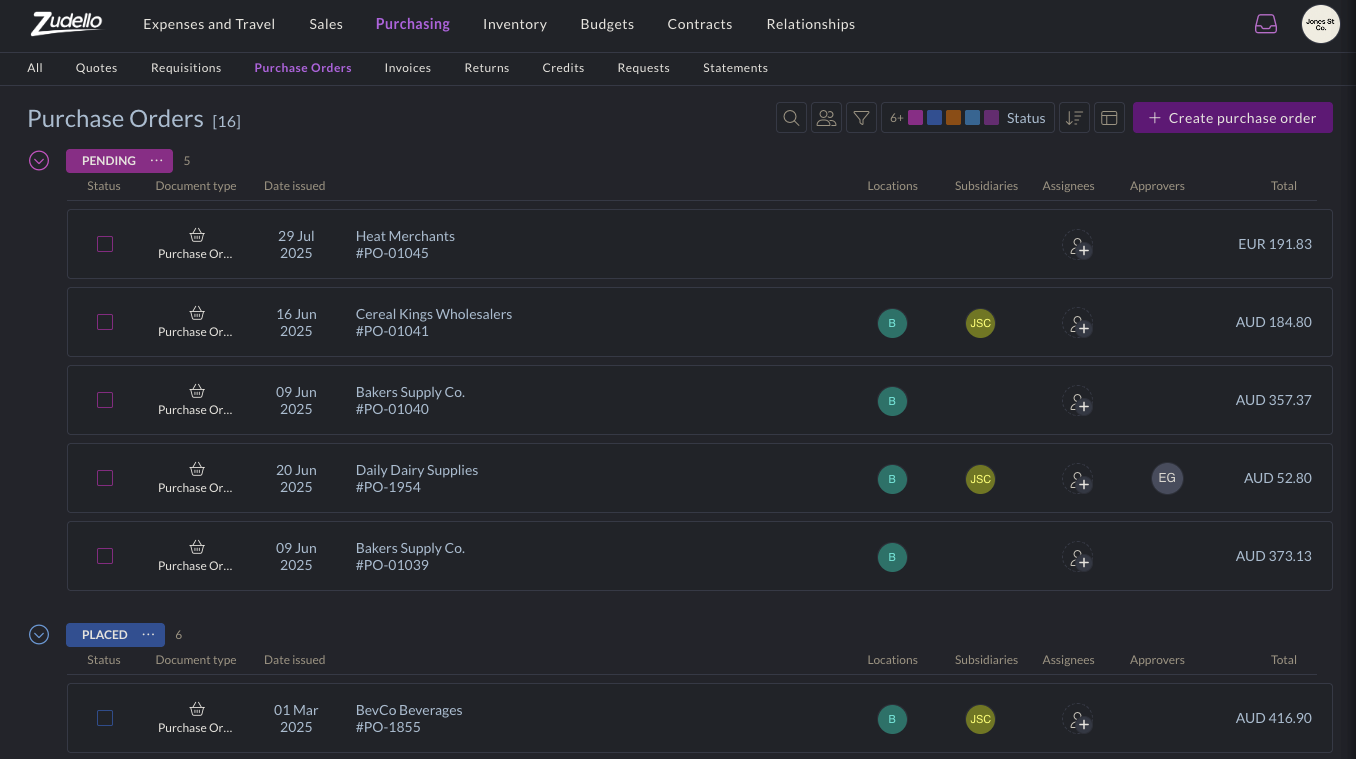
  • Submodule-specific inboxes
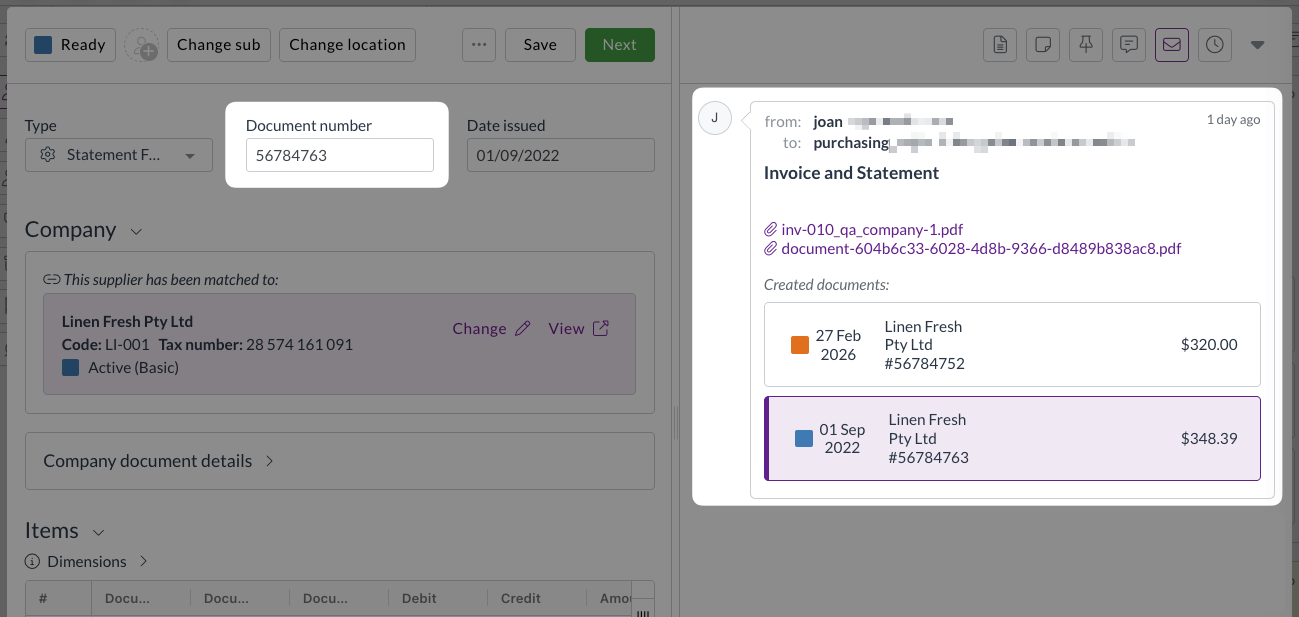
    • Email inboxes can now be assigned to a specific submodule; e.g. Invoices, Credit, Statements.
    • Rather than relying on document extraction to determine the appropriate submodule, documents sent to these inboxes are routed directly to the chosen submodule.

  • Reply chain threading
    • Reply emails are now recognised as part of the same conversation and grouped together, rather than creating separate transactions for each reply.
  • Empty email handling
    • Emails that contain only body text with no line items are now flagged with an Empty status, preventing blank documents from progressing through your workflow.
  • Improved inbox visibility
    • The inbox transaction list now shows processing status and whether a transaction is currently being viewed, giving your team a clearer picture of what's in progress.

Corporate Cards improvements

The Corporate Cards module helps you manage the full lifecycle of company card expenses, from capture through to reconciliation, approval, and payment. We've made several improvements to give you more flexibility and accuracy during reconciliation.

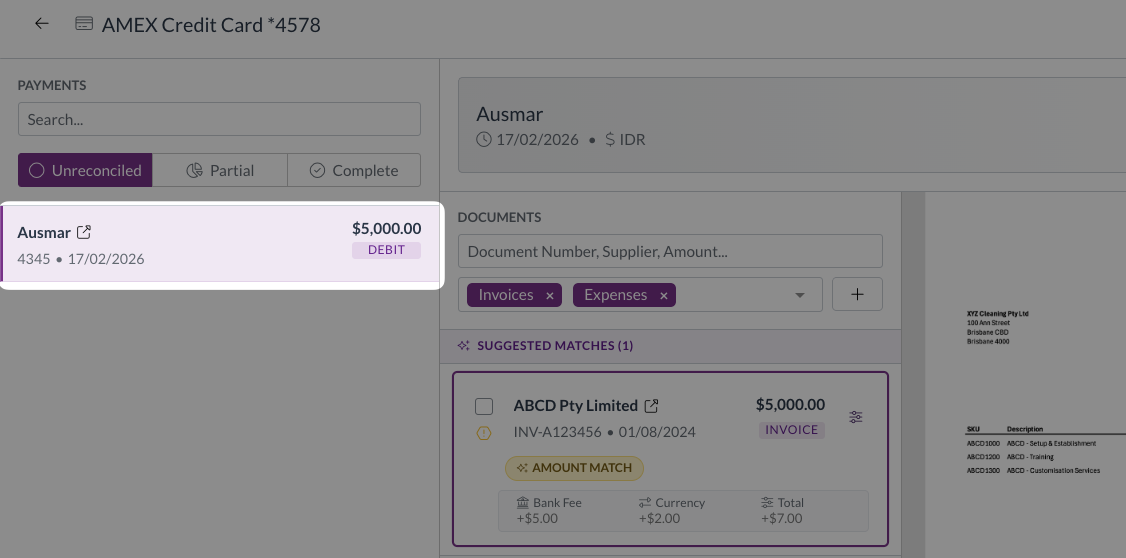
  • Auto-select first unreconciled payment
    • When you open the reconciliation screen, the first unreconciled payment is now selected automatically, so you can get straight to work.

  • View GL impact for multiple transactions
    • You can now select multiple documents and view their combined general ledger impact in a single action.
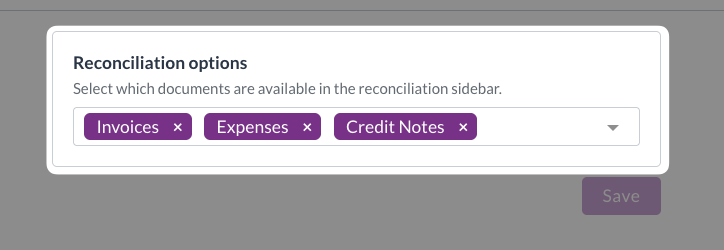
  • Configurable reconciliation sections
    • Admin users can now control which submodules and match types are visible during reconciliation, on a per-team basis.

  • Over-reconciliation badge
    • The over-reconciliation badge now correctly reflects the transaction state after any adjustments have been made.

Supplier and customer onboarding improvements

Zudello lets you manage supplier and customer records, including the information collected during onboarding. We've added validation to help ensure the details you capture are accurate from the start.

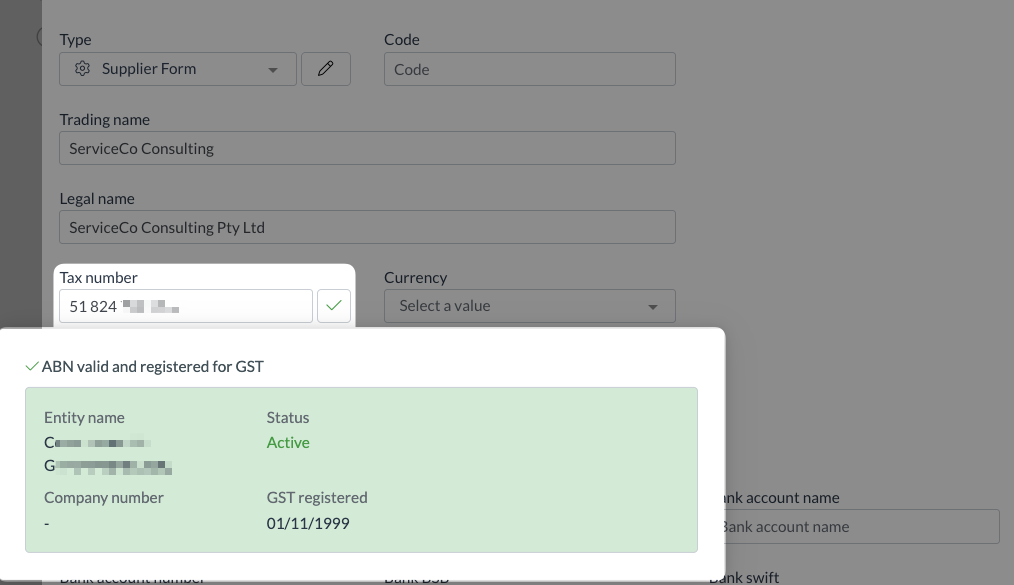
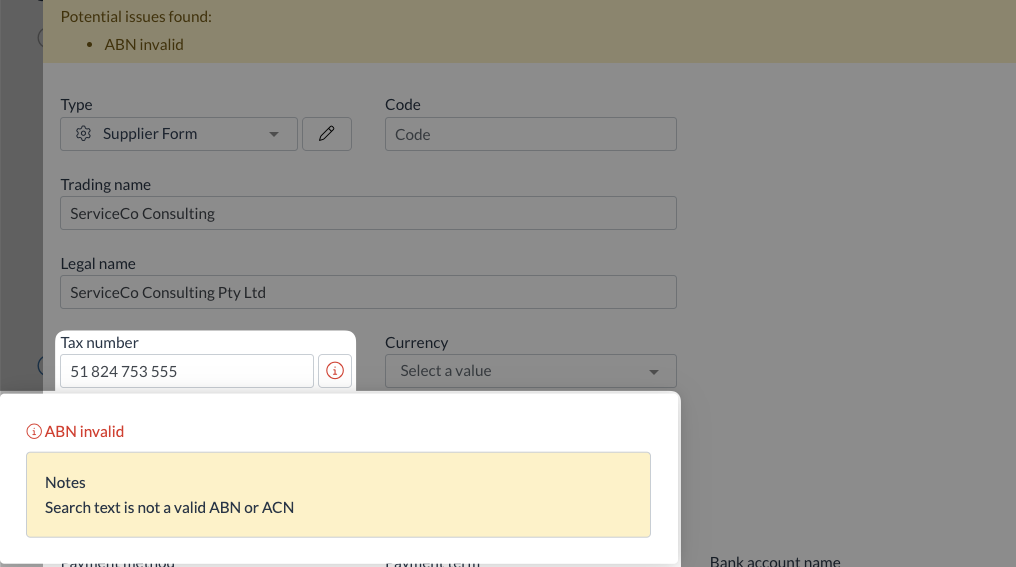
  • ABN validation
    • ABN fields on supplier and customer onboarding forms now validate the information entered, displaying a clear valid or invalid status so issues can be caught and corrected early.

Other improvements

  • AR credit note uploads
    • You can now upload documents directly into the Sales Credits submodule via the user interface.
  • Location-based purchase order template selection
    • Teams can now configure multiple purchase order templates and have the correct one selected automatically based on the location or subsidiary assigned to the document.
  • Delivery address validation on sales orders
    • A new header-level validation check warns you if a delivery address mismatch is detected, and blocks submission until the issue has been reviewed and resolved.

Interface improvements

We've made several enhancements to improve usability across the system:

  • Improved column layout in small transaction widgets for better readability
  • The View original file button is now hidden when no file is attached to a document
  • Unsupported file types are now blocked on drag-and-drop upload, consistent with the behaviour of the upload button
  • The email validation message now reads Invalid email format for clearer guidance

Resolutions

We're constantly working to refine Zudello functionality and ensure that we address any issues as soon as possible. As part of this release, we've made the following resolutions and improvements:

  • We've resolved an issue where approval escalation was skipping levels and jumping directly to the final approver. Escalation now progresses correctly through each step.
  • We've fixed an issue where the approved status was not updating correctly after a rejected reconciliation request was resubmitted.
  • We've fixed a visual issue where concurrent invoice matching could cause purchase orders to display an incorrect over-allocation state. Affected documents now show a banner warning and line-level alert icons.
  • We've resolved a validation error that could occur when clearing an invalid supplier match on an expense.
  • We've fixed an issue where the supplier match badge was not displaying on expense transactions.
  • We've fixed an issue that prevented the Place order action from completing for uploaded purchase orders.

Have an idea?

Do you have an idea for a new feature or how we can improve our current features? Let us know at support@zudello.com.

Your ideas and feedback are an important part of our product planning process to make Zudello better for everyone.
Release notes edition 3.6.8

Release date: 8 October 2025
Version: v3

Here's the latest summary of what's new and improved in Zudello, as well as what we resolved in the latest release.

In this release:

  • Two brand new user actions for easier document processing
  • New dark mode, visual themes, and accessibility options
  • Improved system performance and reliability
  • Document processing enhancements and more

Looking for something? Browse by tag to find release notes on a specific feature.

New and improved

New user actions

User actions help streamline document workflows by providing quick access to frequently used functions. We've launched two new actions that solve common document management challenges.

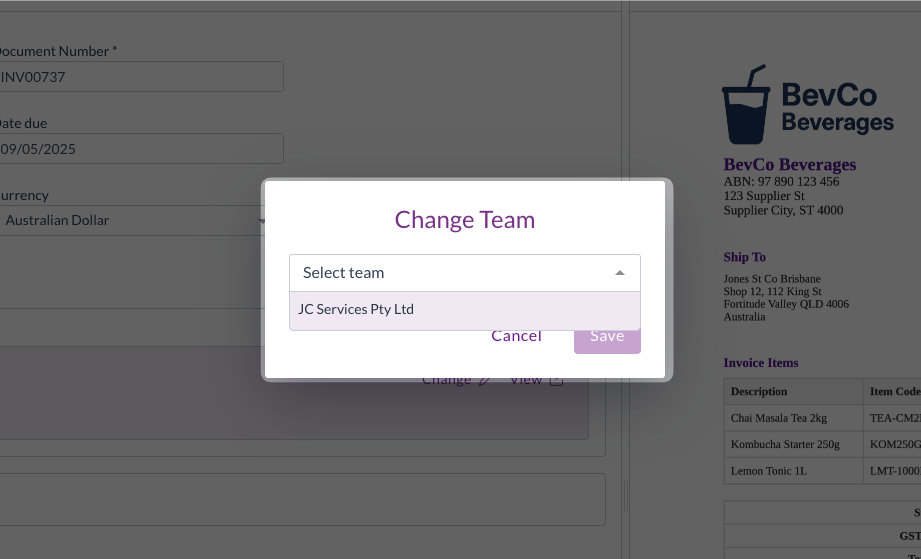
Change team action

The Change Team action allows you to transfer documents between teams within your organisation after they've been uploaded or emailed in.

The Change team action allows you to move ingested (uploaded or emailed) documents from one team to another within the same organisation. This is particularly useful for users who are members of multiple teams, where documents may be emailed or uploaded to the wrong team.

For help using the Change team action, see Change team.

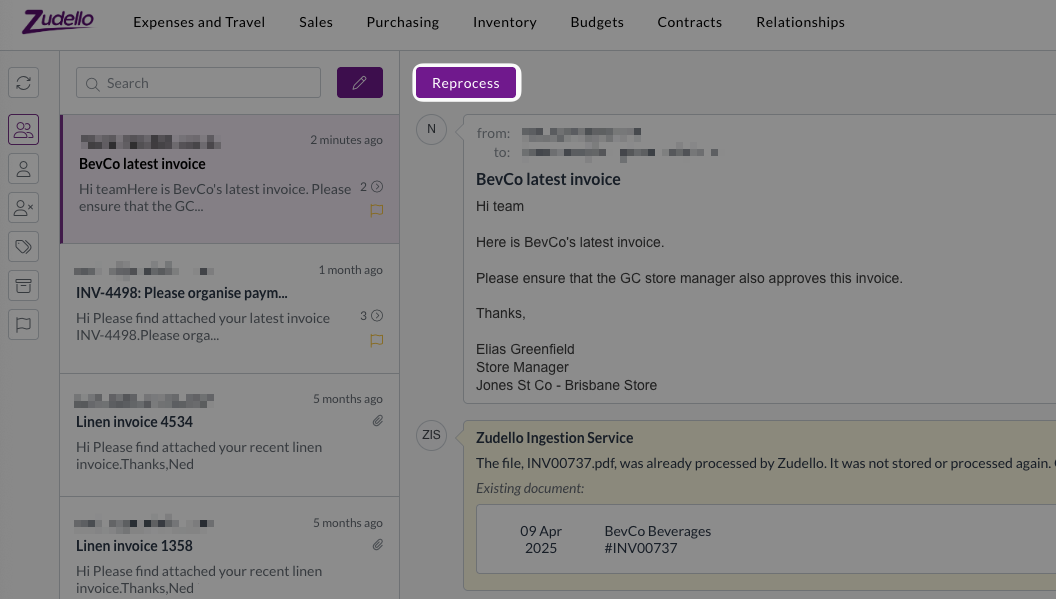
Reprocess action

When the same document is received through multiple channels (e.g. an internal team and a supplier email the same document), you're no longer stuck with whichever email arrived first.You can now use the Reprocess action to choose which version of the document you'd like to process.

When you receive the same document attachment from multiple sources, you can now:

  • Choose which email version of the document to treat as the original, and which to treat as the duplicate
  • Delete the first processed copy of the document, and reprocess the copy from your preferred email sender

This is particular useful when you need the copy of a document that was emailed in by a specific person, for approval workflows or automation routing. For help with the Reprocess action, see Reprocess a document.

New visibility and accessibility options

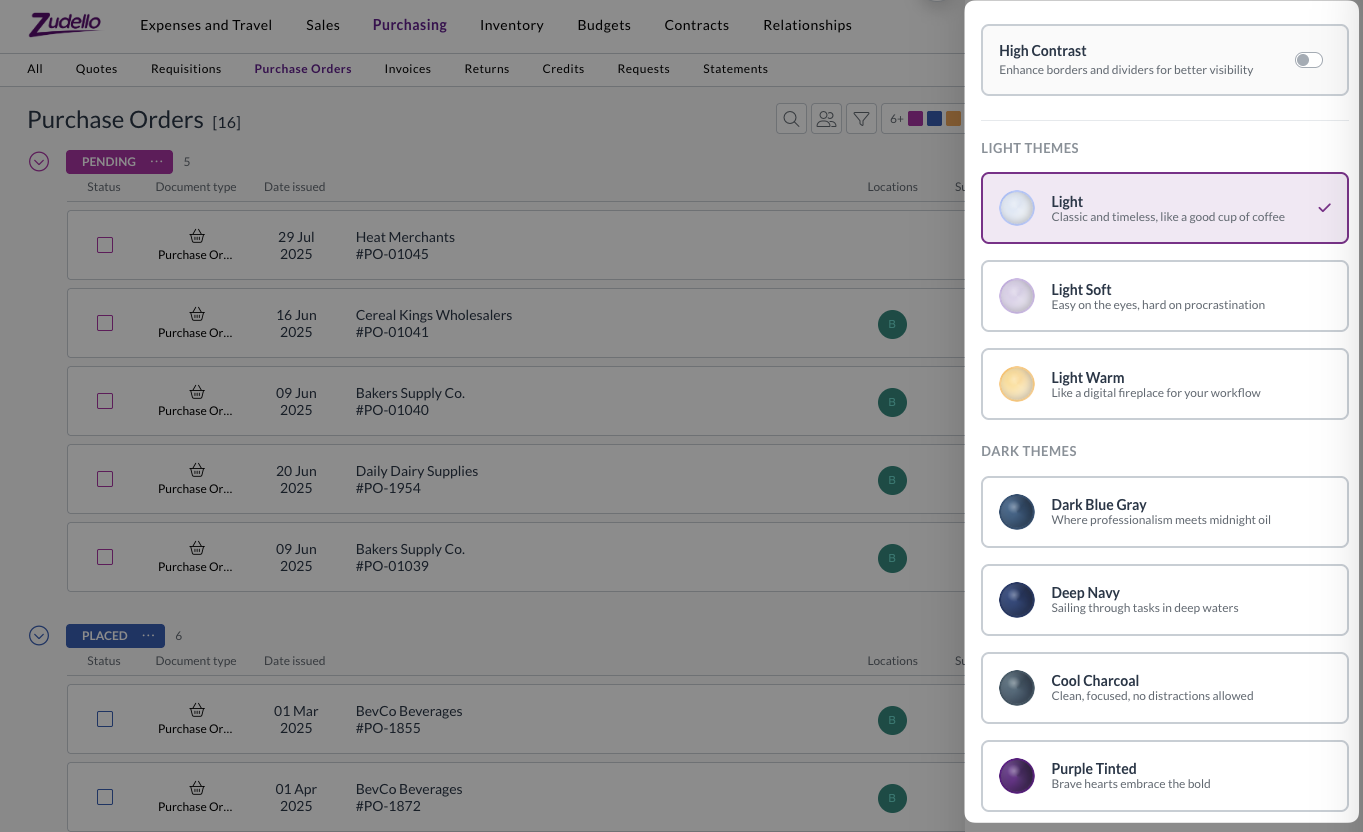
Visual themes and accessibility improvements help create more comfortable working environments for all users. We now offer seven different theme options to improve accessibility and reduce eye strain.

Themes include:

  • Traditional light and dark mode options
  • Additional theme variations for different preferences
  • Enhanced contrast option, for improved border and UI element visibility

These themes are designed to accommodate different environments, accessibility needs, and to help reduce eye strain during extended use.

Theme options can be found under the company menu at the top-right of screen. For assistance with adjusting themes, see Themes.

New Account Category dimension

We've added a new Account Category dimension to provide additional categorisation options for general ledger accounts.

The new dimension:

  • Works similarly to Account Groups for improved categorisation
  • Can be configured in forms and used in account records
  • Has full import/export support available
  • Is compatible with delegation of authority (DOA) datasets

This dimension provides more flexibility in how you structure and report on your account classifications.

Email processing enhancements

We've strengthened our email processing infrastructure to ensure reliable document capture and processing from your Zudello inboxes.

We recently experienced an issue where some emails weren't processed correctly, resulting in missing documents. We've now implemented backup systems that store emails on secure cloud storage before processing, ensuring we have local copies should issues occur downstream. These backup emails are automatically cleaned up after 60 days.

We've also improved the communication between system components to prevent documents from getting stuck during processing. The system now uses enhanced queue messaging for automation resumption, which provides better retry mechanisms and prevents API call failures from stopping the process.

Large document handling

We've changed how we process documents with more than 100 pages to prevent system congestion and improve processing times.

For documents over 100 pages, we now process only the first three pages and last page. This significantly reduces processing time, while maintaining extraction accuracy for key document information. It also prevents large documents from impacting processing times for other teams.

This improvement ensures fair processing times across all teams while maintaining the accuracy needed for business operations.

Enhanced currency conversion flexibility

Zudello's built in currency conversion helps you manage transactions in foreign currencies by automatically calculating exchange rates and local currency amounts. We've enhanced the currency conversion interface to provide more flexibility in how you handle foreign currency transactions.

When the currency conversion extension is enabled, you can now choose to enter either:

  • The exchange rate, and Zudello will calculates the local currency amount
  • The local currency amount, and Zudello will calculate the exchange rate

This gives you more flexibility when dealing with foreign currency documents.

Budget management improvements

Budget management helps you control spending and track costs across your organisation. We've made several enhancements to budget functionality and performance:

  • Performance optimisations
    • Improved budget performance with additional system optimisations
    • Enhanced processing speed for budget-related operations
  • User experience improvements
    • Better date picker behaviour for interval budgets
    • Improved calendar navigation when setting budget periods
    • More intuitive date range selection

Budget management is currently available for selected teams. To discuss enabling this feature for your team, reach out to support@zudello.com.

Document Studio improvements

Document Studio empowers you to customise how Zudello extracts data from your documents, ensuring maximum accuracy for your specific document types and formats.

We've made the following enhancements to handle more complex extraction requirements:

  • Increased prompt size to accommodate larger custom extraction prompts
  • Better support for complex statement line extraction
  • Improved handling of detailed extraction requirements

Document Studio is currently only available for selected teams. To discuss enabling Document Studio for your team, reach out to support@zudello.com.

Resolutions

We're constantly working to refine Zudello functionality and ensure that we address any issues as soon as possible. As part of this release, we've made the following resolutions and improvements:

  • We've made several system performance enhancements to reduce system load and improve response times across the platform.
  • We've implemented caching for contract and budget checks to improve performance. The system now avoids unnecessary processing when data hasn't changed, which reduces system load and improves response times.
  • We've also optimised calculation processes for pricing, totals, and expense claim synchronisation.
  • We've resolved a specific issue that could cause browser freezing under certain circumstances involving circular reactivity loops when opening particular purchase orders.
  • We've updated homepage video links to connect to current demonstration content.
  • We've resolved a Firefox browser compatibility issue that prevented expense claim links from working correctly.
  • We've improved error handling for users with upload permissions but without update permissions, providing more graceful error messages.
  • We've enhanced how dataset names are displayed in approval configurations to reflect current naming conventions.
  • We've improved filter value display accuracy after selection from drop-down lists.
  • We've extended automation log retention from 30 to 90 days to assist with troubleshooting older issues.
  • We've enhanced our internal alert system to better handle document type conversions and transformations.
  • We've resolved an issue where certain ZIP files caused document processing issues.

Have an idea?

Do you have an idea for a new feature or how we can improve our current features? Let us know at support@zudello.com.

Your ideas and feedback are an important part of our product planning process to make Zudello better for everyone.