2 posts tagged with "Inboxes"

Description for the inboxes tag.

View All Tags

Release notes edition 3.7.2

Release date: Wednesday 11 March 2026
Version: v3

Here's the latest summary of what's new and improved in Zudello, as well as what we resolved in the latest release.

Looking for something? Browse by tag to find release notes on a specific feature.

In this release:

  • Smarter, more flexible email inboxes
  • Corporate card reconciliation improvements
  • ABN validation for supplier onboarding and more

New and improved

Email inbox improvements

Email inboxes automatically process documents sent to your Zudello email address. We've made several improvements to give you more control over how incoming documents are handled.

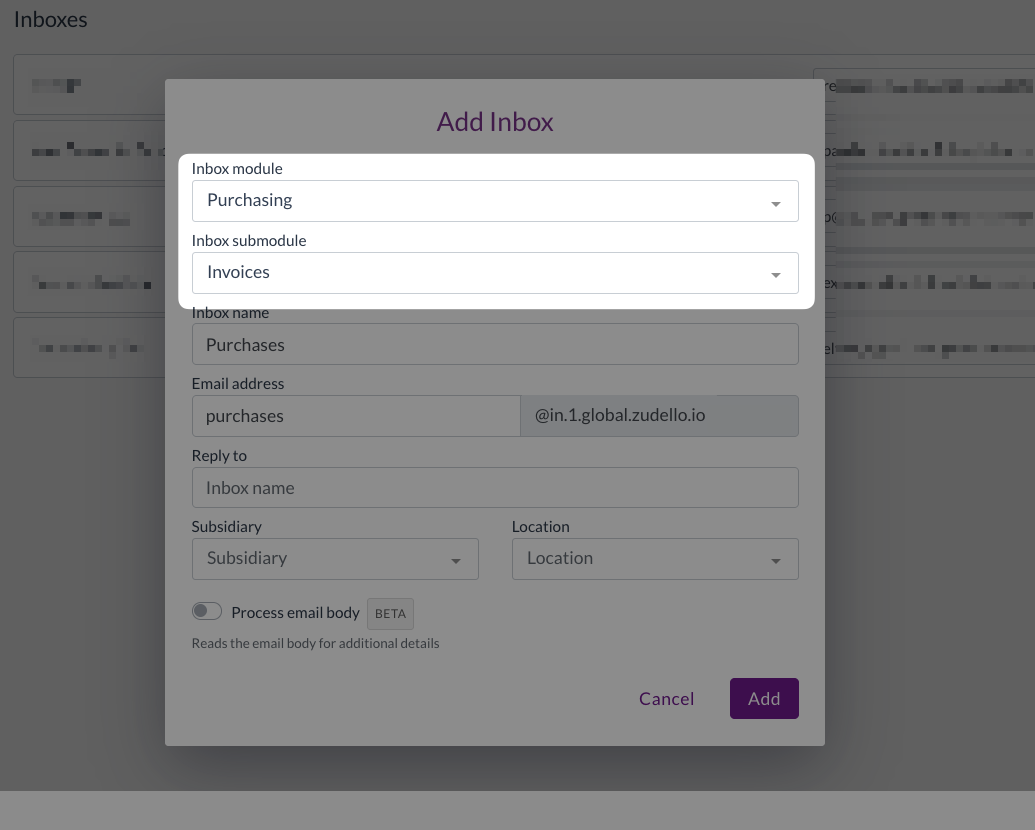
  • Submodule-specific inboxes
    • Email inboxes can now be assigned to a specific submodule; e.g. Invoices, Credit, Statements.
    • Rather than relying on document extraction to determine the appropriate submodule, documents sent to these inboxes are routed directly to the chosen submodule.
  • Reply chain threading
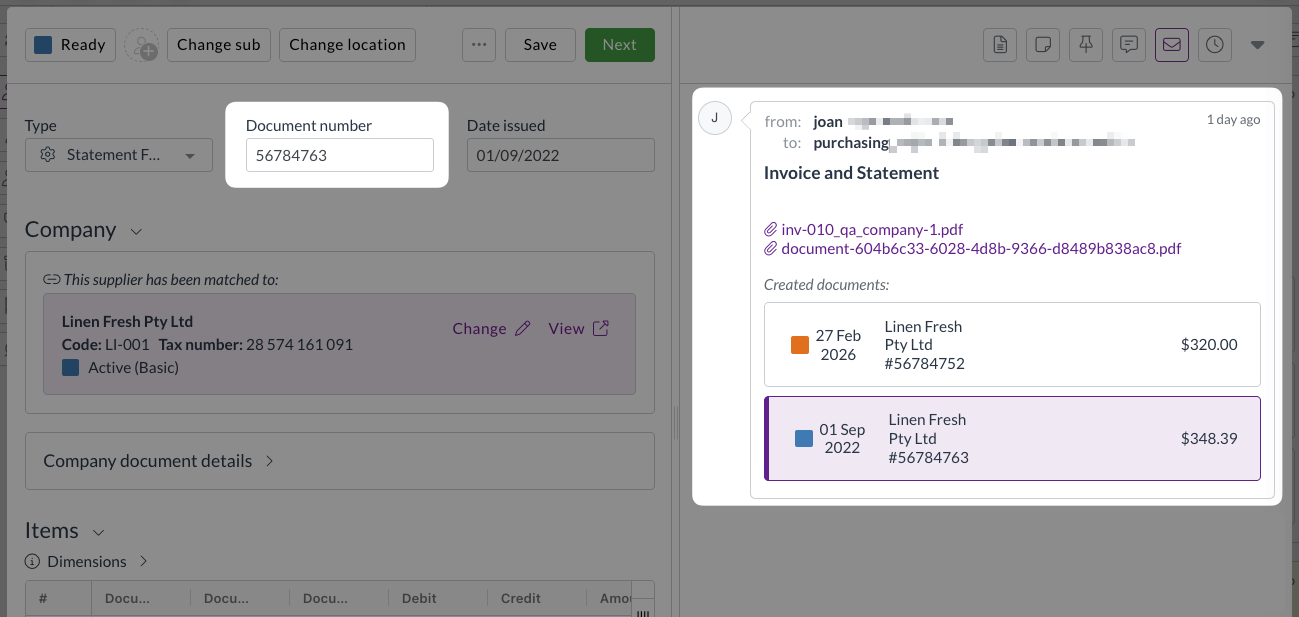
    • Reply emails are now recognised as part of the same conversation and grouped together, rather than creating separate transactions for each reply.
  • Empty email handling
    • Emails that contain only body text with no line items are now flagged with an Empty status, preventing blank documents from progressing through your workflow.
  • Improved inbox visibility
    • The inbox transaction list now shows processing status and whether a transaction is currently being viewed, giving your team a clearer picture of what's in progress.
Corporate Cards improvements

The Corporate Cards module helps you manage the full lifecycle of company card expenses, from capture through to reconciliation, approval, and payment. We've made several improvements to give you more flexibility and accuracy during reconciliation.

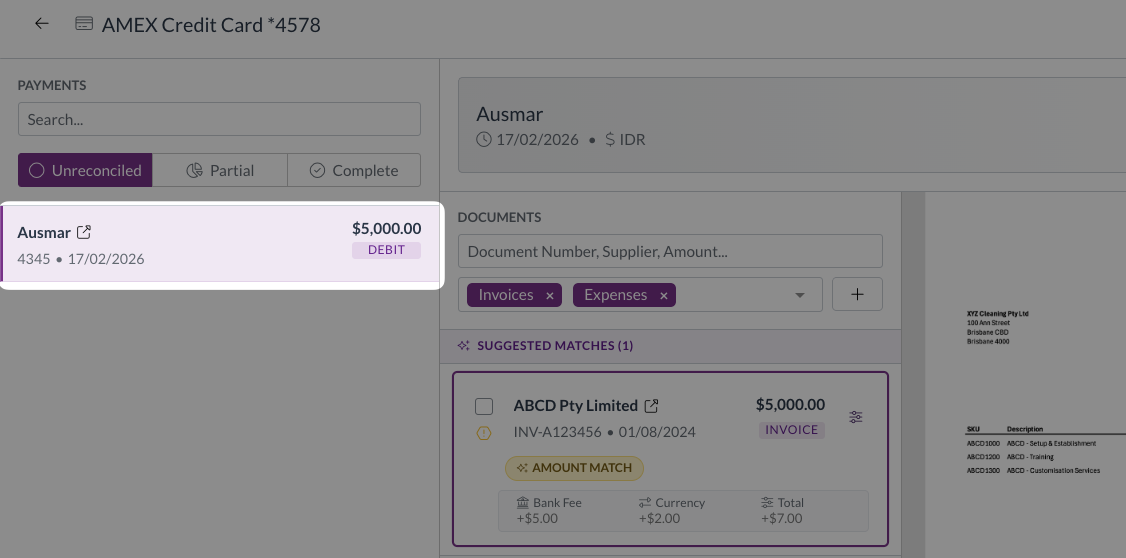
  • Auto-select first unreconciled payment
    • When you open the reconciliation screen, the first unreconciled payment is now selected automatically, so you can get straight to work.
  • View GL impact for multiple transactions
    • You can now select multiple documents and view their combined general ledger impact in a single action.
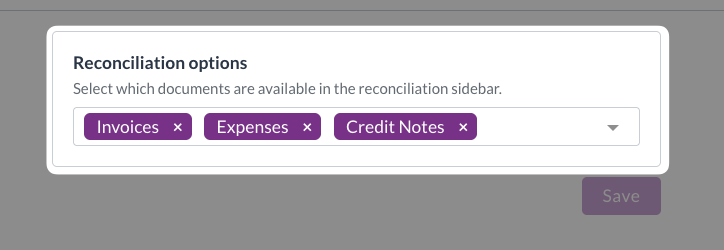
  • Configurable reconciliation sections
    • Admin users can now control which submodules and match types are visible during reconciliation, on a per-team basis.
  • Over-reconciliation badge
    • The over-reconciliation badge now correctly reflects the transaction state after any adjustments have been made.

Supplier and customer onboarding improvements

Zudello lets you manage supplier and customer records, including the information collected during onboarding. We've added validation to help ensure the details you capture are accurate from the start.

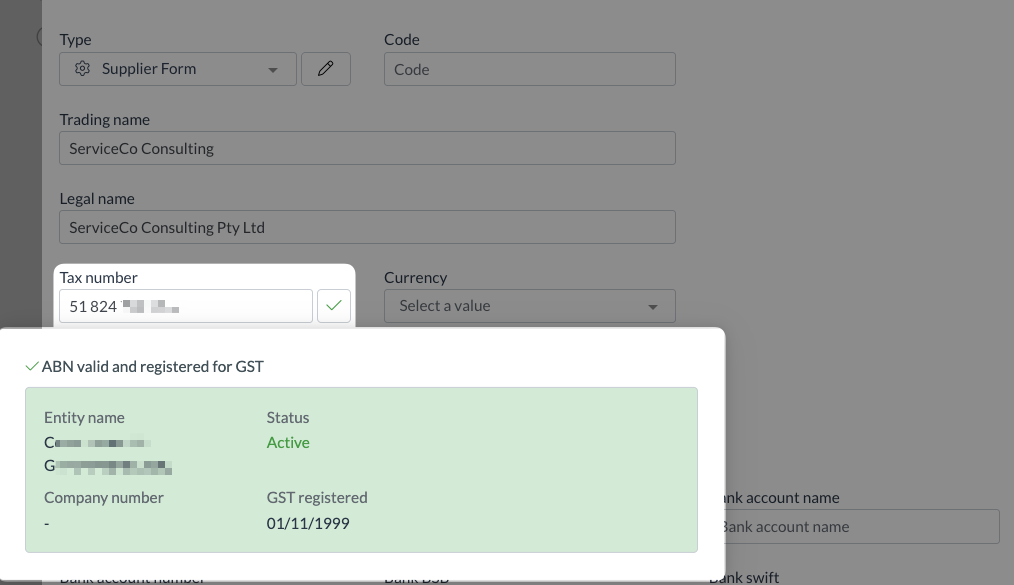
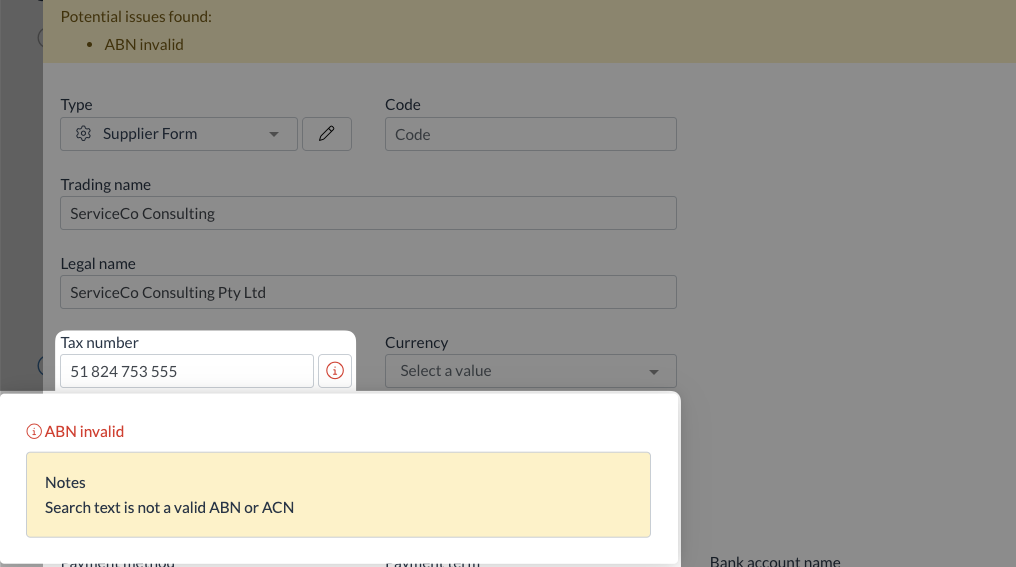
  • ABN validation
    • ABN fields on supplier and customer onboarding forms now validate the information entered, displaying a clear valid or invalid status so issues can be caught and corrected early.
Other improvements

  • AR credit note uploads
    • You can now upload documents directly into the Sales Credits submodule via the user interface.
  • Location-based purchase order template selection
    • Teams can now configure multiple purchase order templates and have the correct one selected automatically based on the location or subsidiary assigned to the document.
  • Delivery address validation on sales orders
    • A new header-level validation check warns you if a delivery address mismatch is detected, and blocks submission until the issue has been reviewed and resolved.

Interface improvements

We've made several enhancements to improve usability across the system:

  • Improved column layout in small transaction widgets for better readability
  • The View original file button is now hidden when no file is attached to a document
  • Unsupported file types are now blocked on drag-and-drop upload, consistent with the behaviour of the upload button
  • The email validation message now reads Invalid email format for clearer guidance

Resolutions

We're constantly working to refine Zudello functionality and ensure that we address any issues as soon as possible. As part of this release, we've made the following resolutions and improvements:

  • We've resolved an issue where approval escalation was skipping levels and jumping directly to the final approver. Escalation now progresses correctly through each step.
  • We've fixed an issue where the approved status was not updating correctly after a rejected reconciliation request was resubmitted.
  • We've fixed a visual issue where concurrent invoice matching could cause purchase orders to display an incorrect over-allocation state. Affected documents now show a banner warning and line-level alert icons.
  • We've resolved a validation error that could occur when clearing an invalid supplier match on an expense.
  • We've fixed an issue where the supplier match badge was not displaying on expense transactions.
  • We've fixed an issue that prevented the Place order action from completing for uploaded purchase orders.

Have an idea?

Do you have an idea for a new feature or how we can improve our current features? Let us know at support@zudello.com.

Your ideas and feedback are an important part of our product planning process to make Zudello better for everyone.
Release notes edition 3.6.8

Release date: 8 October 2025
Version: v3

Here's the latest summary of what's new and improved in Zudello, as well as what we resolved in the latest release.

Looking for something? Browse by tag to find release notes on a specific feature.

In this release:

  • Two brand new user actions for easier document processing
  • New dark mode, visual themes, and accessibility options
  • Improved system performance and reliability
  • Document processing enhancements and more

New and improved

New user actions

User actions help streamline document workflows by providing quick access to frequently used functions. We've launched two new actions that solve common document management challenges.

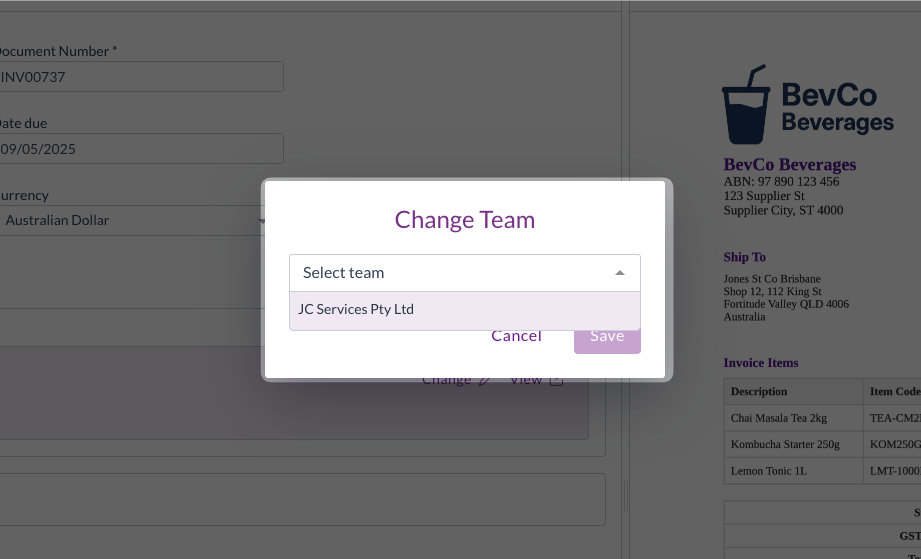
Change team action

The Change Team action allows you to transfer documents between teams within your organisation after they've been uploaded or emailed in.

The Change team action allows you to move ingested (uploaded or emailed) documents from one team to another within the same organisation. This is particularly useful for users who are members of multiple teams, where documents may be emailed or uploaded to the wrong team.

For help using the Change team action, see Change team.

Reprocess action

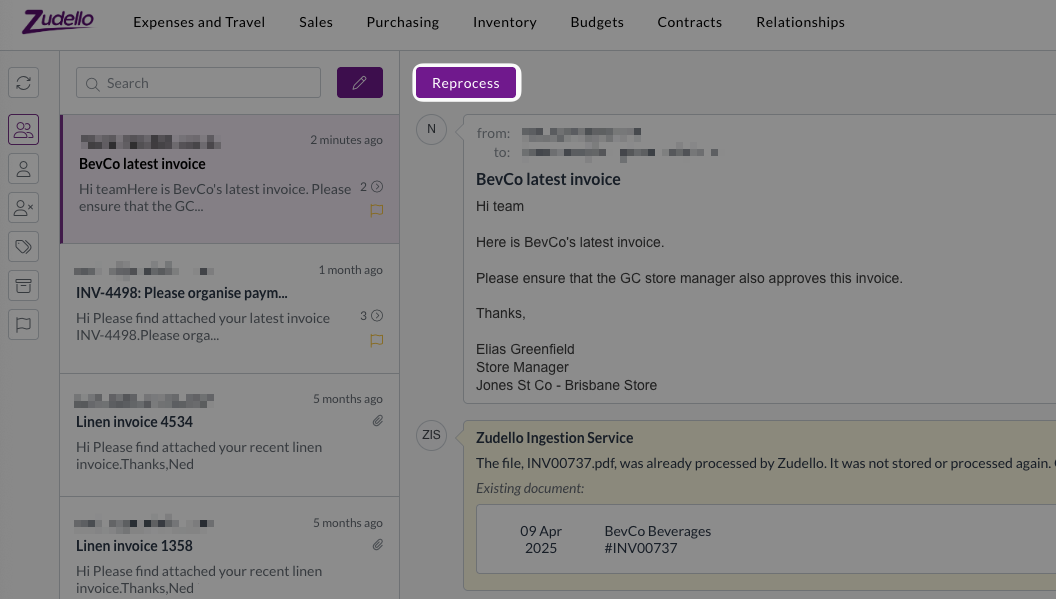
When the same document is received through multiple channels (e.g. an internal team and a supplier email the same document), you're no longer stuck with whichever email arrived first.You can now use the Reprocess action to choose which version of the document you'd like to process.

When you receive the same document attachment from multiple sources, you can now:

  • Choose which email version of the document to treat as the original, and which to treat as the duplicate
  • Delete the first processed copy of the document, and reprocess the copy from your preferred email sender

This is particular useful when you need the copy of a document that was emailed in by a specific person, for approval workflows or automation routing. For help with the Reprocess action, see Reprocess a document.

New visibility and accessibility options

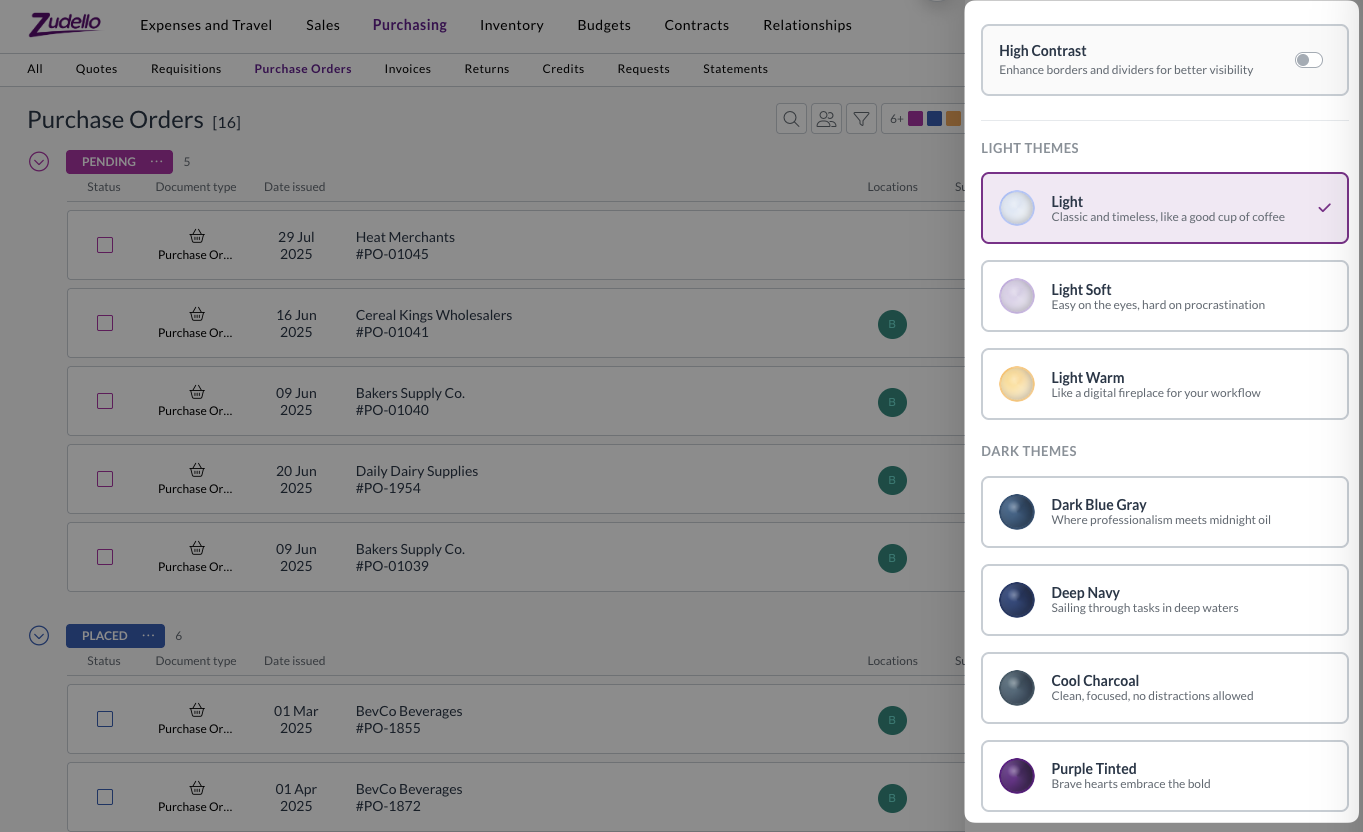
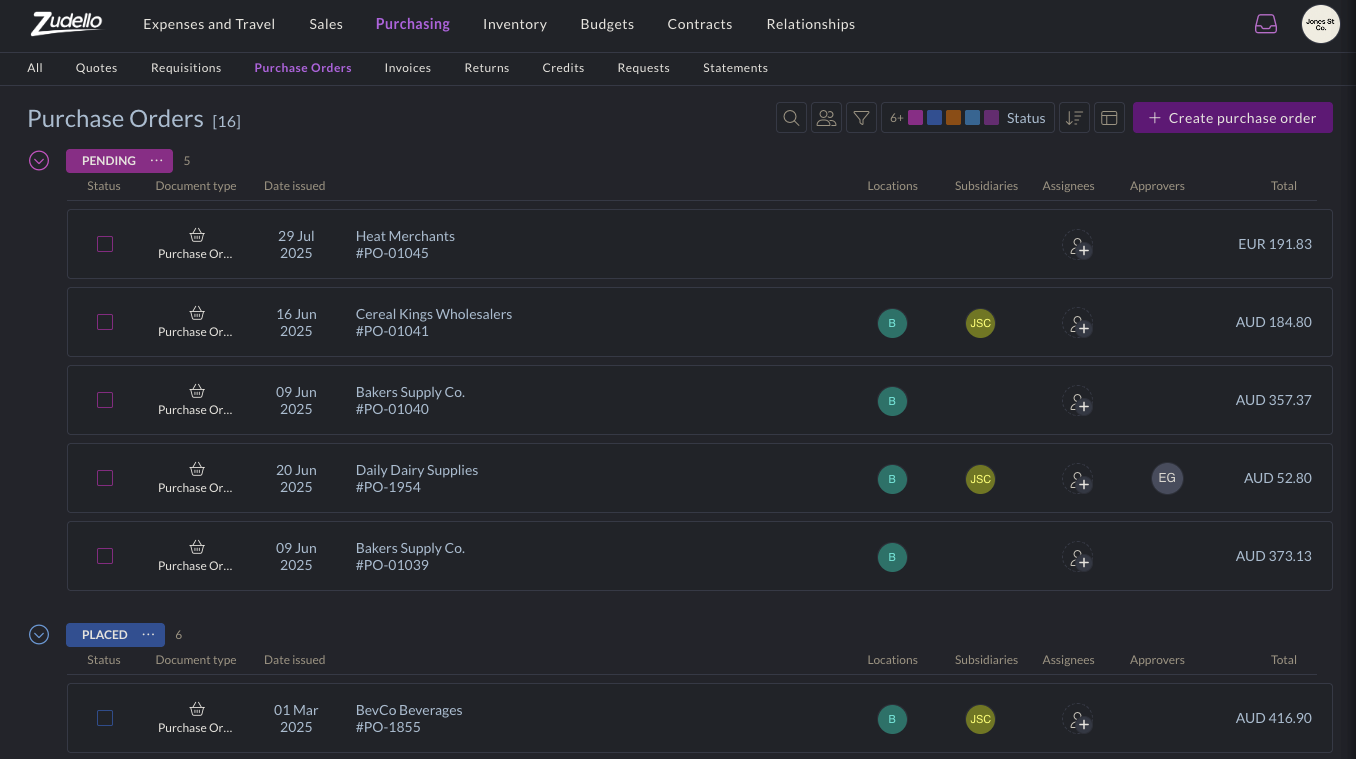
Visual themes and accessibility improvements help create more comfortable working environments for all users. We now offer seven different theme options to improve accessibility and reduce eye strain.

Themes include:

  • Traditional light and dark mode options
  • Additional theme variations for different preferences
  • Enhanced contrast option, for improved border and UI element visibility

These themes are designed to accommodate different environments, accessibility needs, and to help reduce eye strain during extended use.

Theme options can be found under the company menu at the top-right of screen. For assistance with adjusting themes, see Themes.

New Account Category dimension

We've added a new Account Category dimension to provide additional categorisation options for general ledger accounts.

The new dimension:

  • Works similarly to Account Groups for improved categorisation
  • Can be configured in forms and used in account records
  • Has full import/export support available
  • Is compatible with delegation of authority (DOA) datasets

This dimension provides more flexibility in how you structure and report on your account classifications.

Email processing enhancements

We've strengthened our email processing infrastructure to ensure reliable document capture and processing from your Zudello inboxes.

We recently experienced an issue where some emails weren't processed correctly, resulting in missing documents. We've now implemented backup systems that store emails on secure cloud storage before processing, ensuring we have local copies should issues occur downstream. These backup emails are automatically cleaned up after 60 days.

We've also improved the communication between system components to prevent documents from getting stuck during processing. The system now uses enhanced queue messaging for automation resumption, which provides better retry mechanisms and prevents API call failures from stopping the process.

Large document handling

We've changed how we process documents with more than 100 pages to prevent system congestion and improve processing times.

For documents over 100 pages, we now process only the first three pages and last page. This significantly reduces processing time, while maintaining extraction accuracy for key document information. It also prevents large documents from impacting processing times for other teams.

This improvement ensures fair processing times across all teams while maintaining the accuracy needed for business operations.

Enhanced currency conversion flexibility

Zudello's built in currency conversion helps you manage transactions in foreign currencies by automatically calculating exchange rates and local currency amounts. We've enhanced the currency conversion interface to provide more flexibility in how you handle foreign currency transactions.

When the currency conversion extension is enabled, you can now choose to enter either:

  • The exchange rate, and Zudello will calculates the local currency amount
  • The local currency amount, and Zudello will calculate the exchange rate

This gives you more flexibility when dealing with foreign currency documents.

Budget management improvements

Budget management helps you control spending and track costs across your organisation. We've made several enhancements to budget functionality and performance:

  • Performance optimisations
    • Improved budget performance with additional system optimisations
    • Enhanced processing speed for budget-related operations
  • User experience improvements
    • Better date picker behaviour for interval budgets
    • Improved calendar navigation when setting budget periods
    • More intuitive date range selection

Budget management is currently available for selected teams. To discuss enabling this feature for your team, reach out to support@zudello.com.

Document Studio improvements

Document Studio empowers you to customise how Zudello extracts data from your documents, ensuring maximum accuracy for your specific document types and formats.

We've made the following enhancements to handle more complex extraction requirements:

  • Increased prompt size to accommodate larger custom extraction prompts
  • Better support for complex statement line extraction
  • Improved handling of detailed extraction requirements

Document Studio is currently only available for selected teams. To discuss enabling Document Studio for your team, reach out to support@zudello.com.

Resolutions

We're constantly working to refine Zudello functionality and ensure that we address any issues as soon as possible. As part of this release, we've made the following resolutions and improvements:

  • We've made several system performance enhancements to reduce system load and improve response times across the platform.
  • We've implemented caching for contract and budget checks to improve performance. The system now avoids unnecessary processing when data hasn't changed, which reduces system load and improves response times.
  • We've also optimised calculation processes for pricing, totals, and expense claim synchronisation.
  • We've resolved a specific issue that could cause browser freezing under certain circumstances involving circular reactivity loops when opening particular purchase orders.
  • We've updated homepage video links to connect to current demonstration content.
  • We've resolved a Firefox browser compatibility issue that prevented expense claim links from working correctly.
  • We've improved error handling for users with upload permissions but without update permissions, providing more graceful error messages.
  • We've enhanced how dataset names are displayed in approval configurations to reflect current naming conventions.
  • We've improved filter value display accuracy after selection from drop-down lists.
  • We've extended automation log retention from 30 to 90 days to assist with troubleshooting older issues.
  • We've enhanced our internal alert system to better handle document type conversions and transformations.
  • We've resolved an issue where certain ZIP files caused document processing issues.

Have an idea?

Do you have an idea for a new feature or how we can improve our current features? Let us know at support@zudello.com.

Your ideas and feedback are an important part of our product planning process to make Zudello better for everyone.