Release notes edition 3.7.1
Release date: Thursday 26 February 2026
Version: v3
Here's the latest summary of what's new and improved in Zudello, as well as what we resolved in the latest release.
Looking for something? Browse by tag to find release notes on a specific feature.
In this release:
- Redesigned expenses module for a faster, simpler claims experience
- Bulk reject for approval workflows
- New automation actions, interface improvements and more
New and improved
Redesigned expenses module
The expenses module helps you capture, submit, and approve employee expenses. We took a closer look at how teams actually use the module, and identified a number of ways to simplify the process and save users time.
The result? A redesigned expenses module that gets out of your team's way.
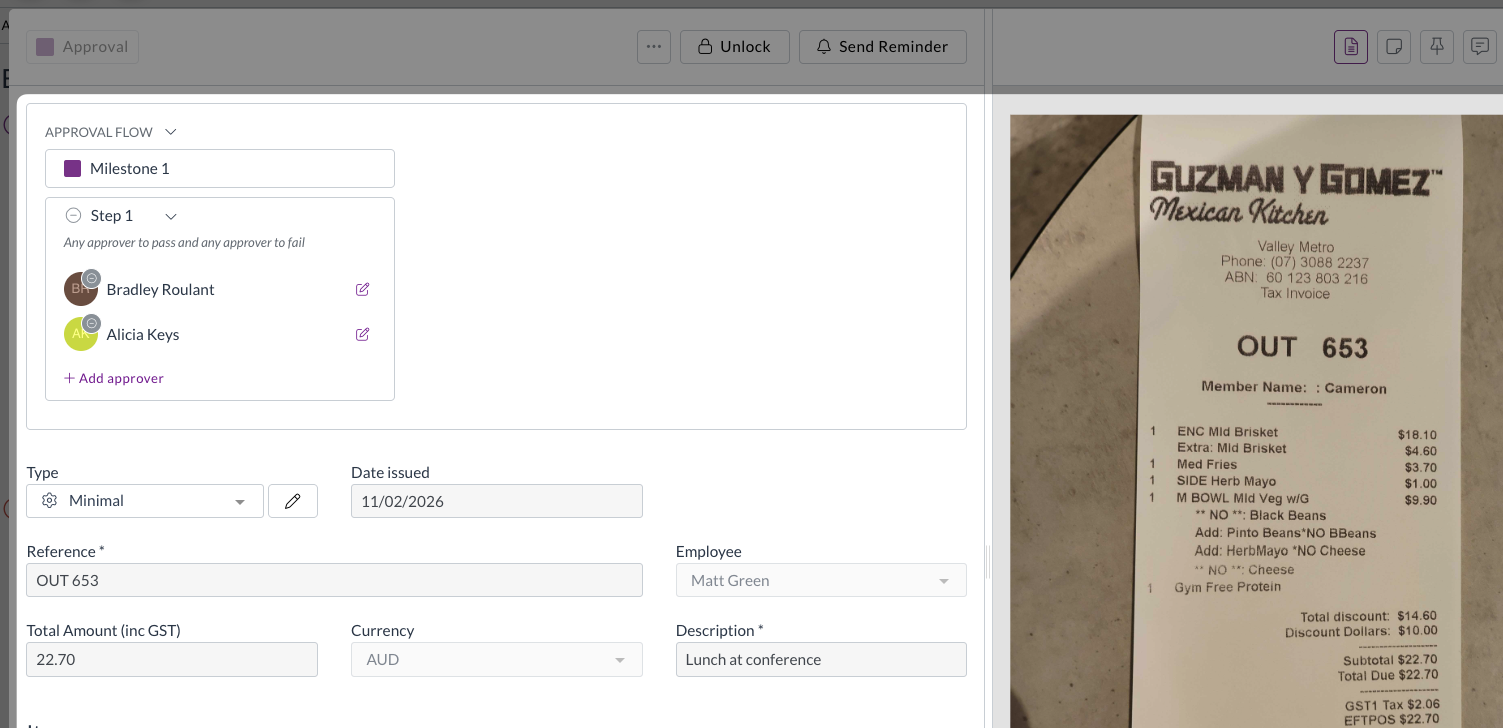
- Direct submission for expenses
- For most teams, the majority of expenses are single-line submissions, but the old workflow required every expense to be added to a claim before it could be approved.
- We've now removed this extra step. Expenses can now be submitted for approval directly, bypassing the claims step entirely for teams that don't need it.
- The existing claims workflow remains fully supported for teams that do need to use it.
- Improved GL splits
- The way GL splits work on expense lines has been updated so that line items must equal the document total, giving you cleaner, more accurate cost allocations.
- Split percentages are now visible directly on the expense.
- Expense approval notifications
- Users now receive email and in-app notifications for expense approval actions, including when an expense is approved, rejected, or flagged for review.
- Your team stays informed at every step without needing to chase updates manually.
If you have any questions about the updated expenses module, or would like to discuss enabling direct submission for your team, contact support@zudello.com.
Bulk reject for approval workflows
Approvers can now reject multiple documents in a single action, saving time when managing large volumes of documents awaiting approval.
The process for bulk
- Select multiple documents from the document list and reject them in one action
- Add a rejection reason that applies to all selected documents
- Each rejected document triggers its own notification to the relevant user, including the rejection reason
For more information on bulk rejecting documents, see Bulk approving and rejecting.
New change team automation action
We've added a new automation action to give you more options when automating your workflow.
You can now use a Change team action within sentence automations, to automatically move documents to the correct team when certain conditions are met. This is the same as the Change team action available manually on documents.
To discuss adding this automation to your team, please reach out to support@zudello.com.
Interface and performance improvements
We've made several enhancements to improve usability and performance across the system:
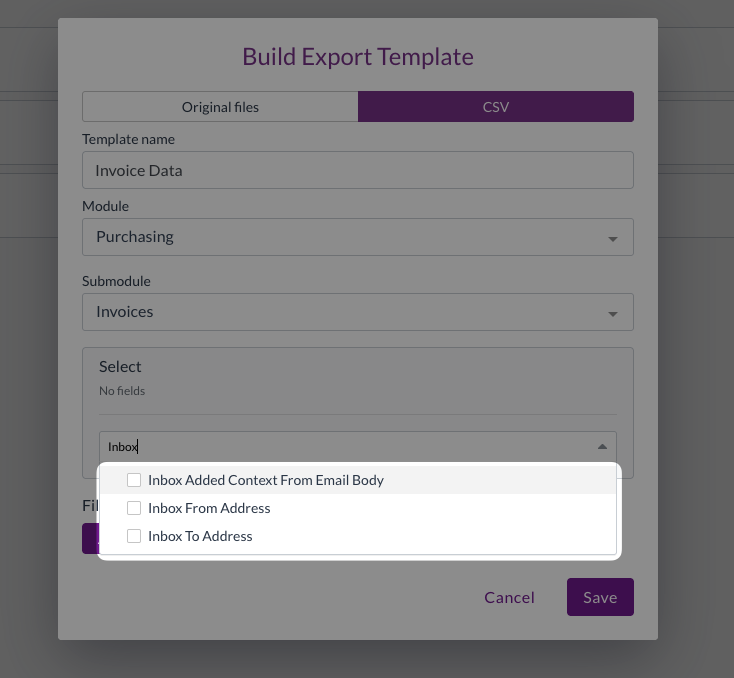
- Inbox field labels updated
- Inbox fields are now more clearly labelled in export and import field selectors
- Performance improvements
- We've reduced unnecessary processing for users who belong to multiple groups with overlapping permissions, resulting in faster load times
Resolutions
We're constantly working to refine Zudello functionality and ensure that we address any issues as soon as possible. As part of this release, we've made the following resolutions and improvements:
- We've resolved an issue where inactive contracts were included in spend tracking and variance reporting. Inactive contracts are now correctly excluded, consistent with how inactive budgets are handled.
- We've fixed an issue where repeatedly reordering documents could generate chains of false duplicate records.
- We've resolved an issue where fields with forced default values could still be edited by users. These fields are now correctly displayed as read-only.
- We've fixed a crash that could occur when converting a document type if no target document type was configured.
- We've resolved an issue where photos taken on a phone camera in JPG format were not rendering correctly in the document preview panel.
Have an idea?
Do you have an idea for a new feature or how we can improve our current features? Let us know at support@zudello.com.
Your ideas and feedback are an important part of our product planning process to make Zudello better for everyone.