Contracts in Zudello
Most organisations keep supplier contracts and agreements in a shared drive, an email inbox, or someone's head. Finance finds out about contract pricing when an invoice arrives, and nobody is sure what terms were agreed, who signed off on it, or when the contract expires.
Zudello's Contracts module gives every contract or agreement a central home, with details, dates and prices attached. Let's learn more.
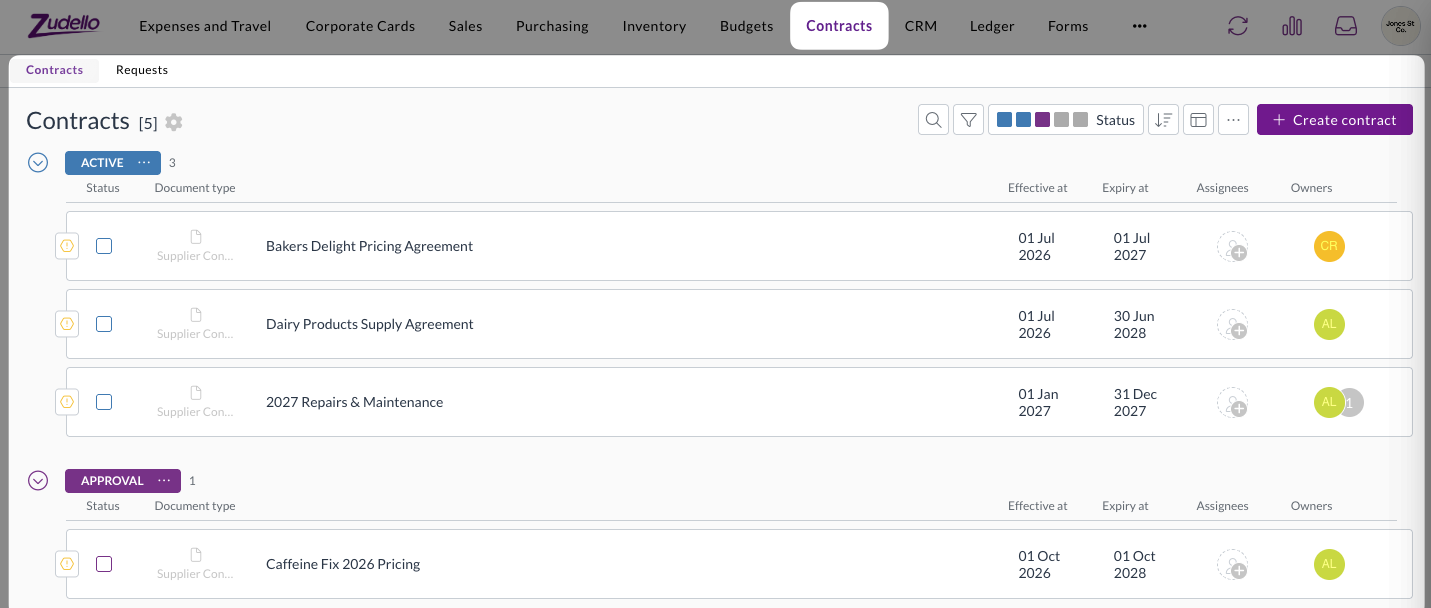
Feature overview
The Contracts module has two main functions: as a central document repository, and as a compliance check for your team's spend. The information that's extracted form contracts can be configured to suit your teams's specific use case.
Central document repository
Upload a contract of any kind - supplier, customer, NDA or employment - and Zudello reads it, records key information, and links it to the relevant supplier or customer. It then routes it for internal approval, and sets automated renewal or expiry reminders for the people who own the contract.
Compliance check on your team's spend
For contracts that set prices or commitments, Zudello automatically compares invoices, orders and requisitions against relevant contracts as they're processed. Any lines priced above the agreed rate, or that push cuculative spend past an agreed limit, are flagged for approval.
Configurable extraction
Zudello extracts a standard set of details from every contract you upload. However, that set is configurable, so you can customise extraction to suit your teams' specific needs. Where your contracts carry terms that are specific to your business, those can be extracted from contracts without the need for manual intervention.
For further guidance on customising contract extraction, see Extracting your own contract terms.
Accessing contracts
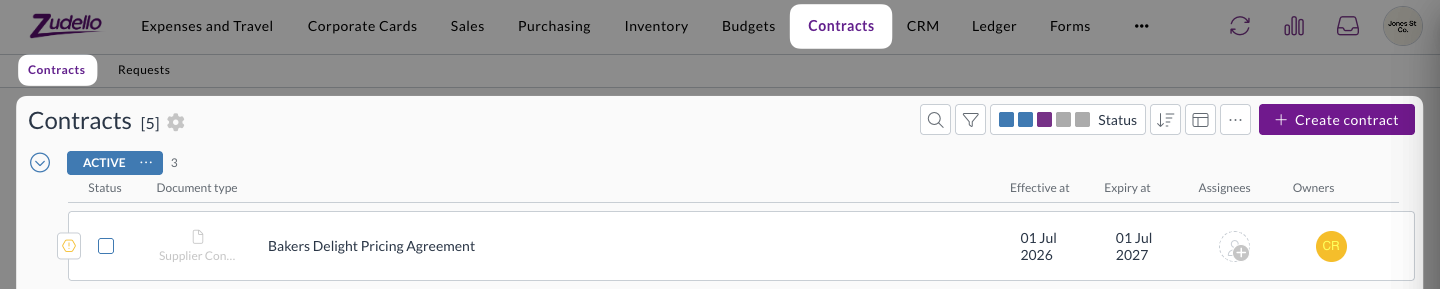
The Contracts module is a separate module that can be found in the top navigation bar. The module has two submodules:
- Contracts lists every contract record. This is where you upload and create them.
- Requests lists the contracts currently sitting in an approval flow, so approvers can find what is waiting on them.
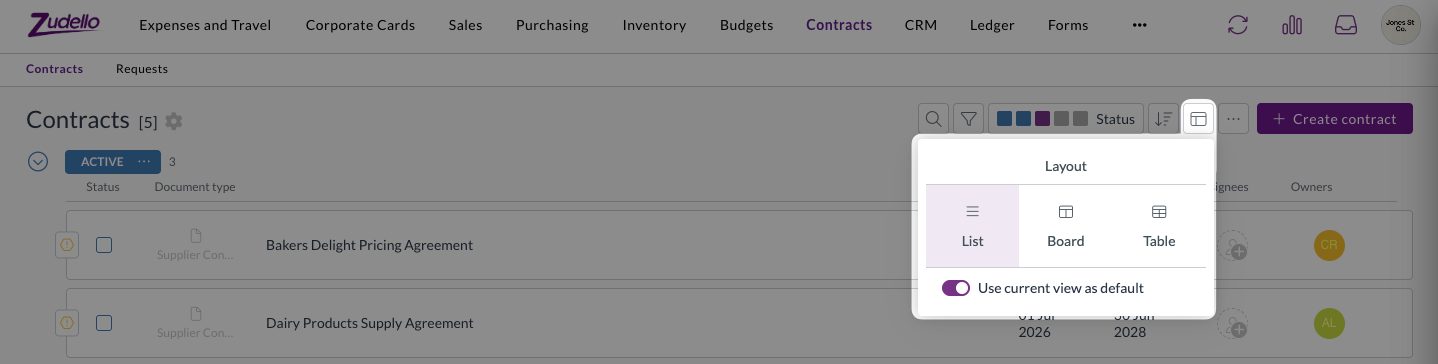
Contracts can be viewed as a list, a board or a table, using the same Layout options as the rest of the platform.
What a contract record holds
A contract is a document record, just like an invoice or a purchase order, and it behaves the way that other Zudello documents do. It shows the original file side by side with the extracted information, it has a status to indicate where in your workflow it sits, an approval flow, chat, history, and more.
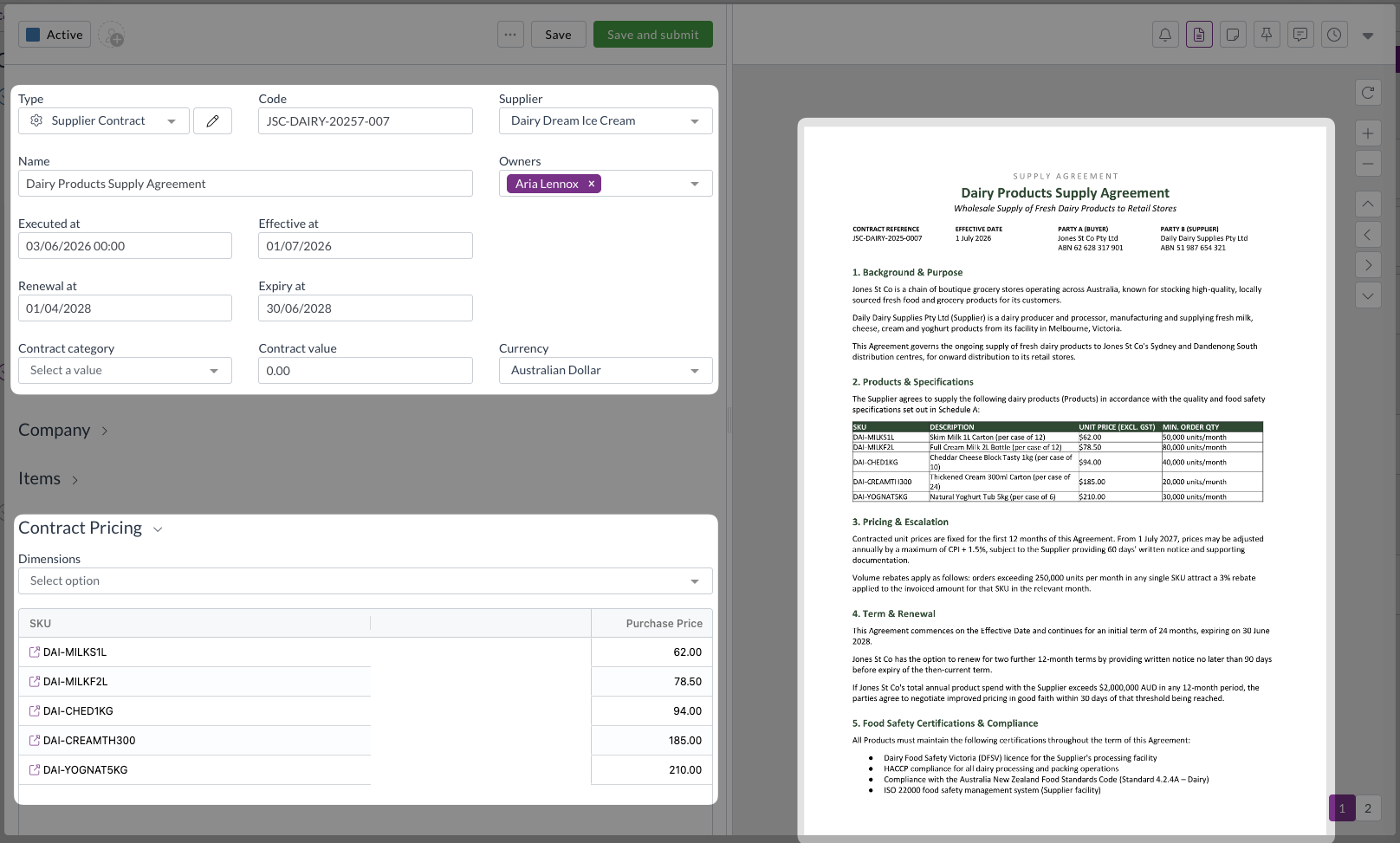
The information that is extracted from and saved against a contract includes:
- Code and Name, to identify the contract
- Effective Date, Execution Date, Renewal Date and Expiry Date
- Contract Value and Contract Value Local
- The Supplier or Customer the contract is with, and more
Child components
A number of different child components can be attached to a contract, each with a specific use case. In short:
- Contract lines keep a record of what the contract listed
- Contract pricing makes sure you are charged the rate you negotiatied
- Contract thresholds make sure your don't spend past what you've committed to
See What is the difference between contract lines, pricing and thresholds? for further guidance on which to use in a given situation.
In this section
To learn how to get the most out of Zudello's contracts feature, explore our contracts documentation:
- Creating a contract covers uploading an contract, what Zudello extracts, and getting it approved
- Contract reminders covers renewal and expiry reminders and who receives them
- Contract pricing covers recording agreed prices so off-contract prices are flagged
- Contract thresholds covers spend and quantity caps, and how spend accumulates against them
- Contracts on transactions covers what your team sees when a document breaches a contract
- Setting up contracts covers the administrator configuration behind all of the above
A contract only takes part in price and spend checking when its status type is Active and it has both an Effective Date and an Expiry Date. Without both dates, nothing on the contract will be matched against your documents.
Getting access
Contracts is enabled per team, rather than being turned on for all teams by default. The permissions that go with it are granted by Zudello staff.
To discuss enabling the contracts feature for your team, or to have permissions granted to your users, contact support@zudello.com.
Need help?
Contact your organisation administrator or Zudello support for assistance with contracts.