Corporate cards in Zudello
Corporate card reconciliation is an integral part of your expenses process. Whether you're a card holder reconciling your own transactions, or a finance team member managing cards across the business, this guide will provide you with all the information you need.

In this guide
- What is card reconciliation
- The reconciliation process
- Navigating the corporate cards module
- Reconciling card transactions
- Handling discrepancies
What is card reconciliation?
When you use your corporate card, two things happen:
- Your bank records a payment on your card statement, and this flows through to Zudello
- You (or your team) create an expense record in Zudello, usually by uploading a receipt
These two records exist separately until you reconcile them. Reconciliation links each payment to its supporting expense, so your finance team has a complete picture of what was purchased and why.
The reconciliation process
So how does reconciliation work? Here's the end-to-end flow at a glance:
1. The transaction appears in Zudello (automated)
Your organisation imports card statements or connects a bank feed, so your debits and credits show up automatically.
2. You upload your receipt
Snap a photo, forward an email, or upload a file. Zudello extracts the details and links the expense to your card.
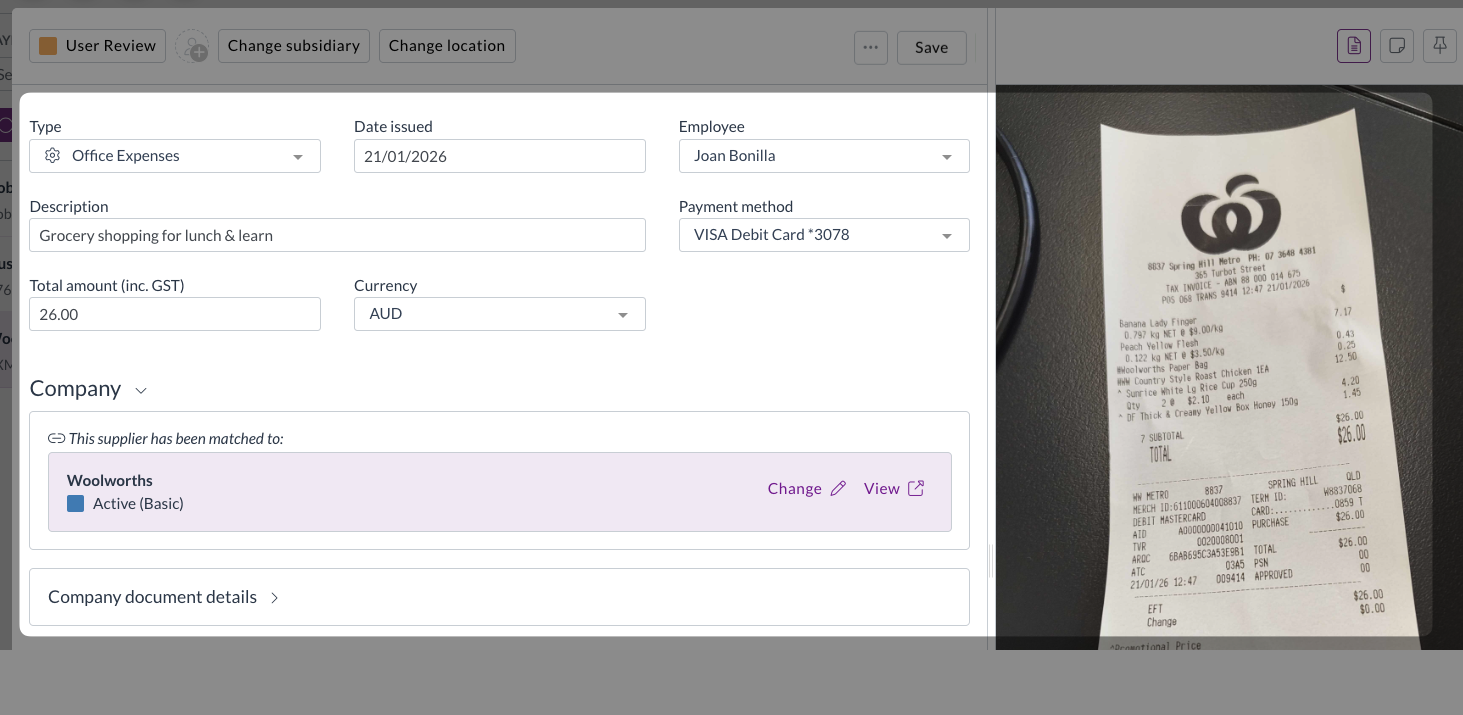
For help with uploading expenses, see Uploading expenses.
3. You open the reconciliation screen
Zudello shows your card transactions alongside suggested matching documents.
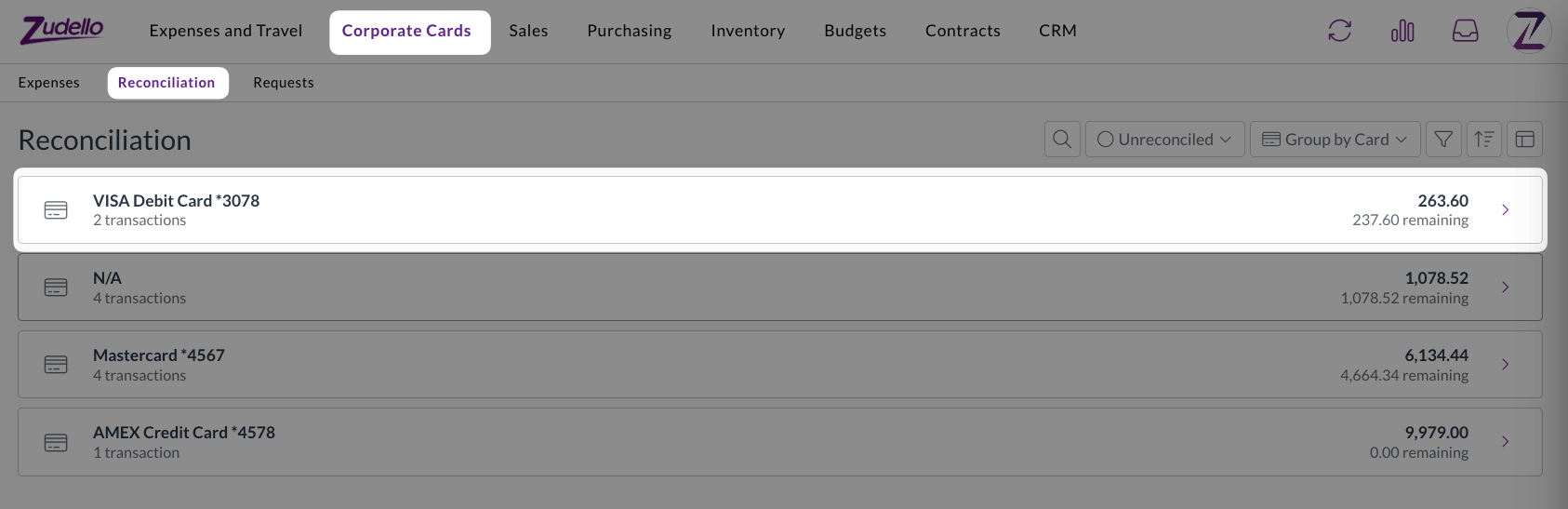
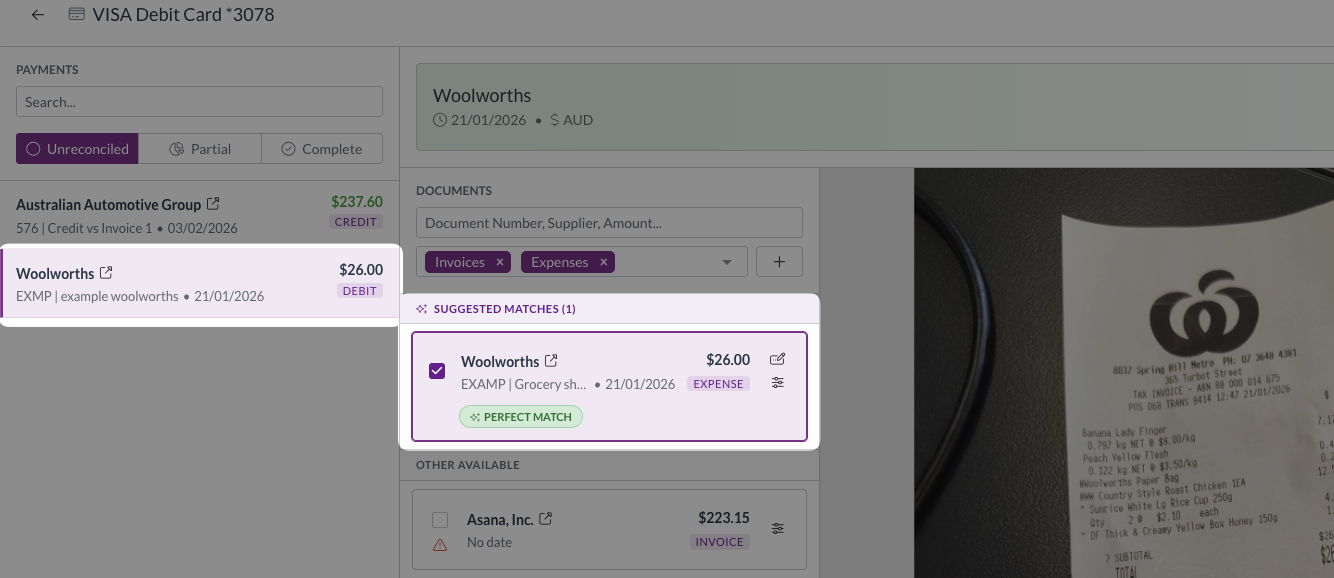
4. You review the matches
You review the automatically-detected matches, and make any adjustments that are required
What happens after reconciliation
Once you complete a reconciliation:
- All matched expenses are automatically submitted for approval
- Your approver reviews each expense
- After approval, the expenses sync to your accounting system
- The transaction is locked to prevent accidental changes
You don't need to manually submit each expense. Zudello handles this automatically when a payment reaches Complete or Over-reconciled status. But more on this later.
What's next?
New to corporate cards? → Navigating corporate cards
Ready to start reconciling? → Reconciling payments
Need help?
If you run into something this guide doesn't cover:
- Contact your Organisation Administrator for help with access issues, missing cards, or permission changes
- Contact Zudello support for technical issues or questions about how the platform works (your administrator can raise a support request on your behalf)