Assigning users to records
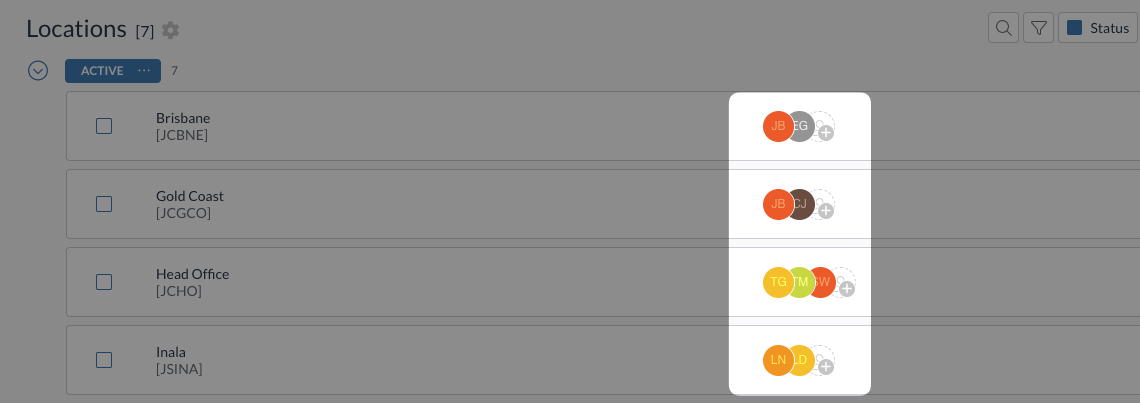
When users have Location Only or Subsidiary Only visibility permissions, or certain custom permissions, they can only see transactions related to locations, subsidiaries, or other records they've been assigned to. This guide explains how to assign users to specific records to control their data access.
Best practices
- Assign users only to records they need access to for their role
- Review assignments regularly to ensure they remain appropriate and necessary
- Remove assignments promptly when users change roles or leave the organisation
- Document assignment decisions for audit purposes
Prerequisites
Required permissions
To assign users to recordss, you need the following permissions:
- Dimensions View
- Dimensions Visible
- View for each relevant dimension
- E.g. Dimensions Location View
- Visible for each relevant dimension
- E.g. Dimensions Location Visible
- Update for each relevant dimension
- E.g. Dimensions Location Update
Contact your organisation administrator to verify your current permissions.
Visibility permissions setup
Before assigning users to records, ensure you have assigned the appropriate visibility permissions (e.g. Location Only or Subsidiary Only) to the relevant users.
For help with understanding and configuring visibility permissions, see User groups and permissions guide.
Assigning users to records
To assign users to a record:
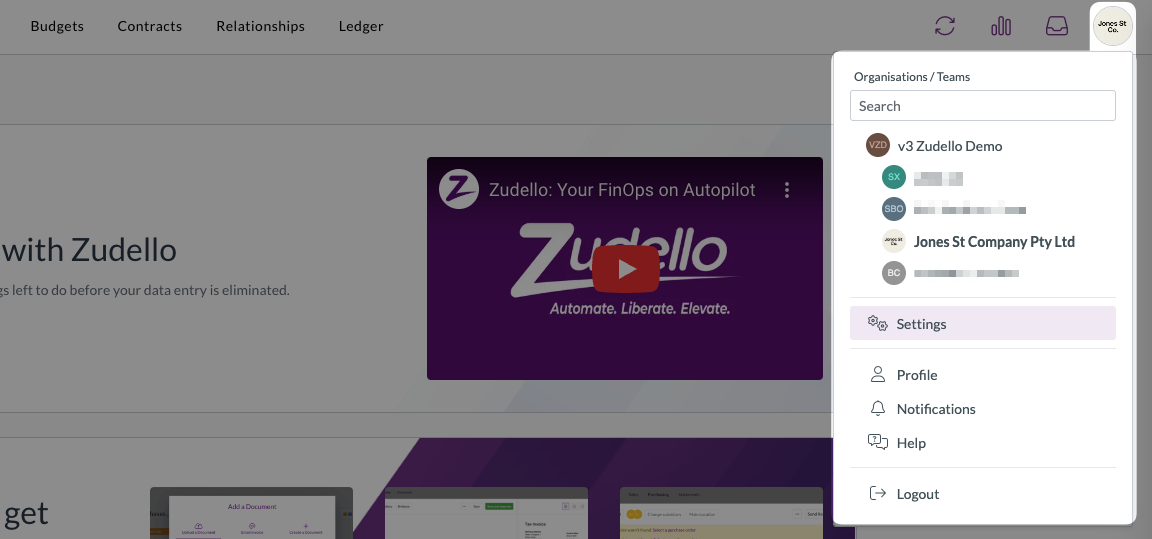
- Click the company name at the top right of your screen
- Click Settings
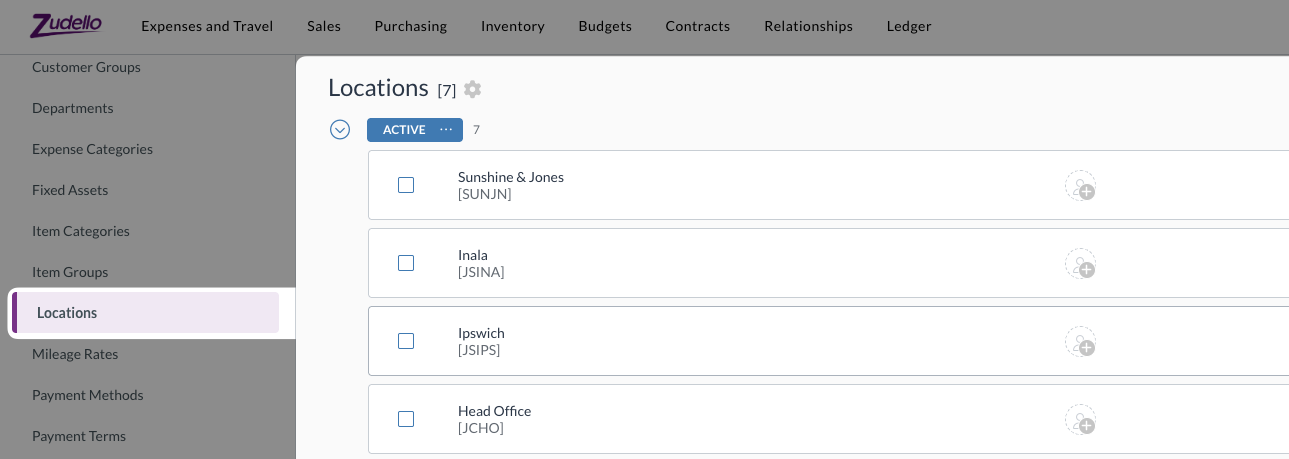
- In the left sidebar, click the relevant dimension (e.g. Locations)
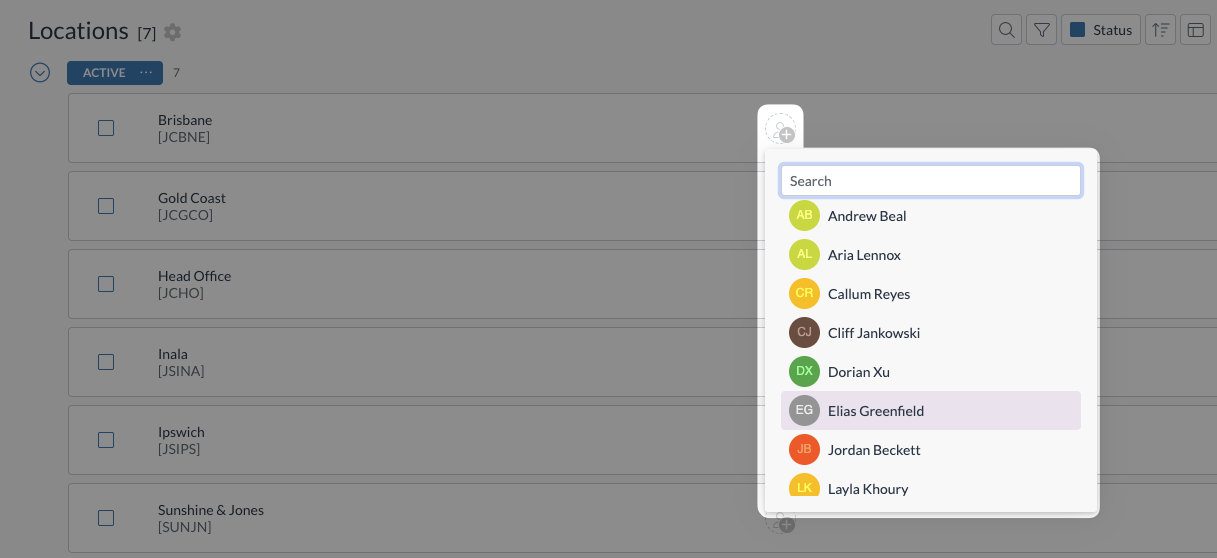
- Find the record you want to assign users to by:
- Scrolling through the list, or
- Using the search bar to find a specific record
- Click the + icon next to the record
- Find the user in the list or search for them by name
- Click the user's name to assign them
- The user's initials will appear, confirming the assignment
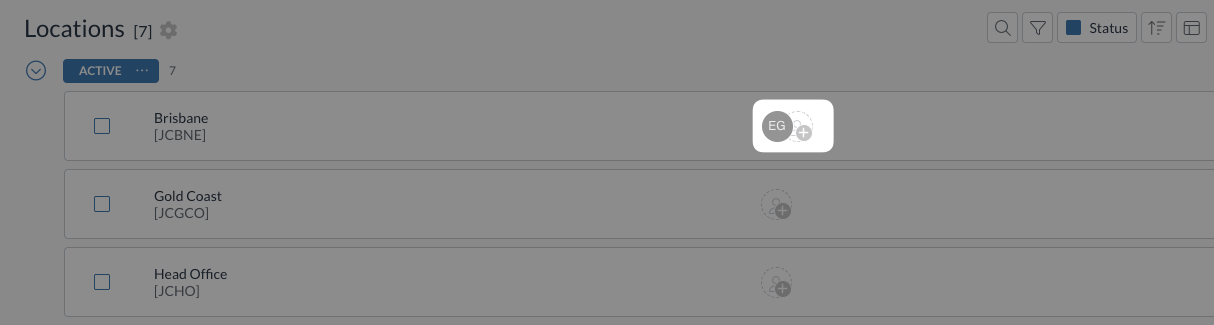
- Repeat steps 6-7 to add multiple users to the same record
Removing users from records
To remove a user who's already been assigned to a record:
- Hover over the user's initials
- Click the red X that appears
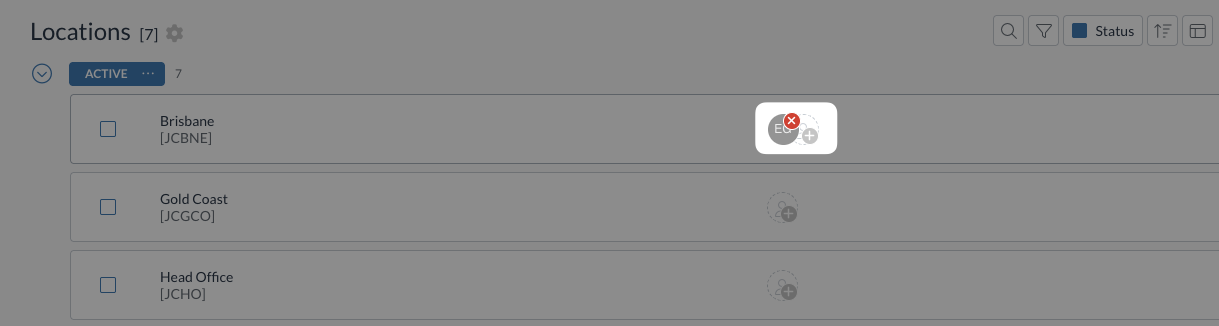
- The user will be immediately removed from the record
Important considerations
Data visibility impact
Once assigned to a location, subsidiary, or record:
- Users with Location Only visibility can see all documents related to that location.
- Users with Subsidiary Only visibility can see all documents related to that subsidiary.
- Users can be assigned to multiple records if their role requires broader access. However, ensure this aligns with your organisation's security policies and the principle of least privilege.
Regular reviews
Schedule regular reviews of location and subsidiary assignments to ensure:
- Users still require access to their assigned records
- No users have excessive access beyond their current role requirements
- Former employees or role changes are reflected in the assignments
Need help?
Contact your organisation administrator or Zudello support for assistance with assigning users to records.